


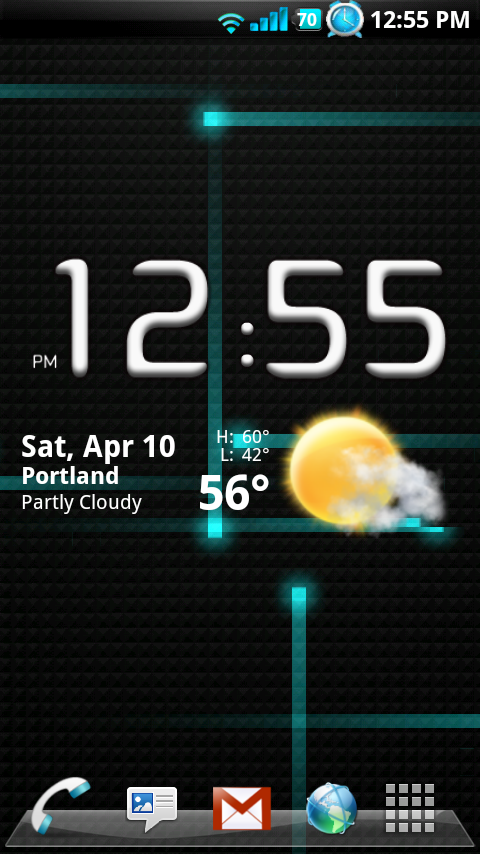
For those of you holding off on purchasing the ClockworkMod Launcher in hopes of a stock 2.1 version of the HelixLauncher2, your wait is almost over. We just received a beta version of the HelixLauncher2 which works on the 2.1 Update 1 ESE81 build for your Motorola Droid. They’ve changed it up slightly and I’ve got to say that this thing looks amazing. (Ignore my custom ROM and just focus on the launcher.)
Video action…
And it looks now like this version has hit public beta so all of you stock 2.1 users can test it! And just a reminder that you should all try to donate to the Helix cause to keep fantastic apps like this growing.
*Note 1* – THIS IS NOT ON THE MARKET. DO NOT DOWNLOAD HELIX 2 FROM THE MARKET. You will immediately go into a force close loop with that version.
*Note 2* – When you first install, I would recommend NOT selecting as your default on the first try. If you run into a force close loop, it can be a huge pain in the rear to get out of with a 3rd party app like this.
*Note 3* – The link above which says “donate” will get you to the download page. But please, donate the $5 first.
____________________
My ROM: JRummy’s Remix V0.5 CyanogenMod V5.0.5.7 w/ NexusMod Live Paper





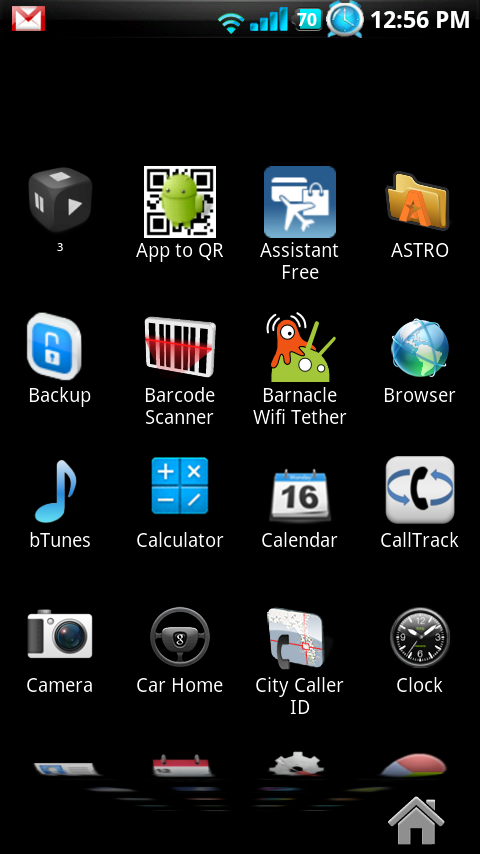
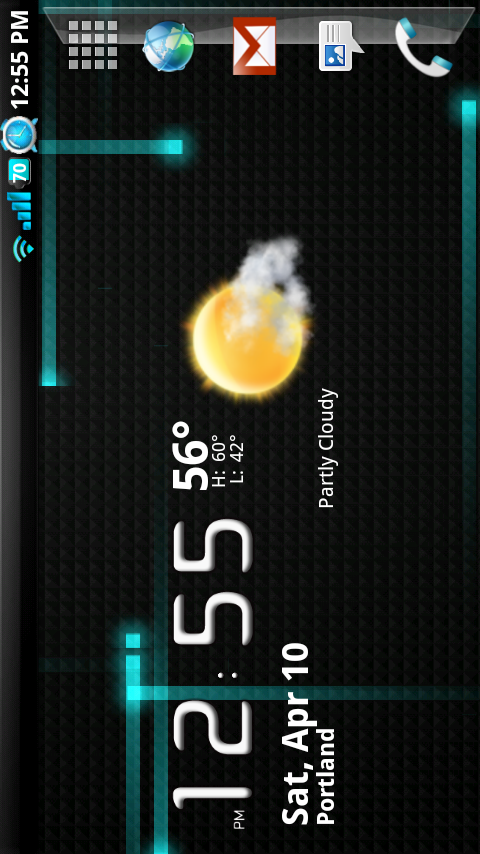
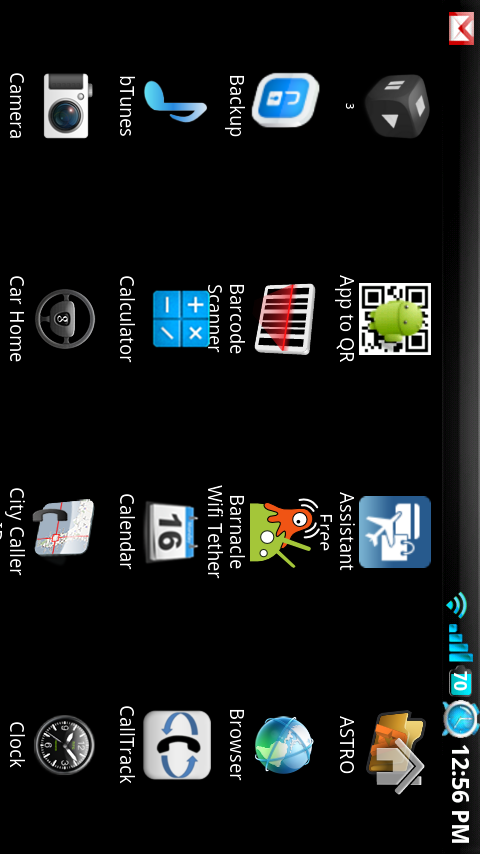
how do you get that clock w/ the weather i've been searching all over the market trying to find it…ready to pull my hair out! i have moto droid 2.1 and have helix2 launcher can't find it =( Please Please someone help me with this!!!
or please email me how or where to find it
ian.klida@secellular.com
Is there anyway to have a different background for helixlauncher2 and the android home pages?
Just downloaded it from the Market. Will take some playing to get used to it.
Any word on an update, I love this launcher but it lags and force closes a lot. Some of my widgets dont work even after deleting and reinstalling.
Also can the 5 slot 3d app tray from Launcher2 be incorporated into the HelixLauncher2?
When are we gonna get and updated version of this? I love the helixLauncher2, but I would like to have a better version with less lag and more options.
So will this launcher work when rooted as well? I'm running the same rom as you are in the video (JRummy Remix cyanogen mod), and I really like the look and functionality of the helix launcher 2 from this video.
I'm sure it works when rooted too.
Hi. I have a moto droid and I am trying to get the helixlauncher2 0.7 where do i start? I dont have any previous versions downloaded and when I try to download from my phone it says that the content is not supported by my phone. Please help!
go to the helixlauncher website http://helixproject.ruqqq.sg/ and scroll to HelixLauncher2 0.7BETA2 and click on it. It will download and when that happens drag the apk onto your droid and install and you will get the launcher.
Just loaded on my phone… first impression compared to Clockworkmod its a little slower when launching the 3D tray but I like the 7 screens, bottom dock and the rotate so going to try it out for a little bit before I make my decision.
Hopefully clockworkmod comes out with the 4 icons at the bottom soon!
I actually like the home button on the right nice little change
just move the app button back to the middle, then you got it
I've been playing with this for a bit now. Not very stable on my droid. Laggy and a lot of force close. I'm back to the Helexlauncher 1. I miss the 3d app drawer. Would love to know if the release is better. (Not Rooted)
I liked the launcher only problem was I couldn't get my blue-tooth to turn on after installing this. Even after rebooting. Once I uninstalled it and went back to standard helix launcher my blue-tooth worked again. Anyone else experience this?
does any body else have a error on there screen sayin problem loading widgets
From what i have read and seen, if you were using a different launcher or even home launcher you should delete the widgets off of that first before adding those same widgets to the new launcher. Otherwise you can have problems
Downloaded it on Saturday, ended up having to uninstall today, too many FC's, but then again what do you expect from a beta.
All in all seems like it's gonna be a nice app after the bugs are ironed out, great work, but back to ClockMod for now.
Just a thought but maybe a dev could make a app to install custom themes on the stock 2.1
Kellex i followed the leader and loaded the smoke glass theme on my cyanogene rom 5.05.7 and when i rebooted helix 2 was on my phone. i had written the developer to say i had no rotation but with the helix launcher 2 i've got 360 degrees of it. I checked in the market and it doesn't show that i downloaded. Got any ideas on where it came from. I got smoke glass theme 1.4
When i press to open it in Astro is keeps saying “file type in not found”
Can anyone help with this?
Once you've installed Helix2 and it doesn't force close…is it safe to set it as default?
the biggest difference i've noticed between this and helix 1 is the app drawer takes FOREVER to load (and i really don't care about the “scrolling” effect from nexus… i never thought it was that cool of an effect to begin with especially if it slows down the phone)
Noticed a few minor differences between HelixLauncher1 (HL1) & HelixLauncher2 (HL2) so far…
-Preview cards on HL1 slowly fade in/out after the quick double-tap preview, HL2 they are persistent and appear to not fade as smoothly.
-Scrolling between screens didn't seem as smooth in HL2 as in HL1. More of a rushed/jump movement. In HL1 I was able to see each screen slide by more easily, especially if moving from screen 1 (far left) to screen 7 (far right).
So far though no FC's for HL2 and have it configured the same as HL1 with screen #'s, widget presence and shortcuts. Would like to see the Home button location as an option as well as the botton tray/shelf as an option too (my preferences are to have transprency right to my desktop screen).
I'm hoping the donations will allow this to be released as a free app in the Market much like HL1 was…
Running Rooted 2.1 w/NexusMod live wallpaper & HelixLauncher2 home app pretty much gives kellex's custom ROM mod look… almost 😉
its not working for me force close loop right away can you help me out Kellex,Thanks
Can someone please type up a step by step instruction on how to install this? When i tried it, it said “cant down to phone”
1. Download the file to your computer
2. Mount your phone
3. Drag the file from your computer to your phone (make a new folder titled “apps” or something so its easy to find)
4. If you don't already have ASTRO file manager, download that from the market
5. Open Astro, find the helix file, open it, click “open file manager”
done.
if you donate and want to stick with launcher 1, download 1.3 Beta 2. i've been using it for about a week and its great (and you can get rid of icon labels on your homescreen…which is awesome!)
whats up everyone. just need a little bit of info and possibly a bit of advice. thinking of rooting my phone. recently, i manually added the 2.1 updated to my phone along with the helix launcher 2. what steps do i need to do in order to have my phone rooted? another thing, would you guys recommend i root my phone or just leave it the way i currently have it?
anyone having any problems downloading…. it keeps saying that it is not supported on my phone….. should i download it to my computer then to the phone??? help…
The same happen to me. Your going to need to download it on your computer and put it on your download files and install from there BUT REMEMVER DO NOT SET IT AS YOUR DEFOULT BECAUSE IS A BETA IT CAN HAVE PROBLEMS!!!!
Weird. I installed it yesterday but the green dots on the tray wouldn't show up so I uninstalled. I just tried it again though and now it's working fine, thanks! 🙂
i set “home” as default instead of helix by mistake. how do i clear defaults in “home” so that when I hit the home button it brings me to that screen where I can pick from the the two launchers?
There is a free app called home switcher which will let you choose between different home apps and select which one is your default.
Go to Settings
Aplications
Manage Aplications
Click the buttom next to the go back buttom
filter and select all
go all the way down until you see home
click on it and click clear defaults.
Once you click your home buttom it will give you the option to select your new launcher
thank you, it's much appreciated I was wondering why I could not find the home app lol
I Am using it right now I love it so far no problems as of now. It woulnt let me download it from my phone it just kept sying not supported. So i just download it from my computer.
Hi there MOTO owners,
does somebody knows if Helix2 is working on my 2.1 Milestone, bcause i downloaded
the beta2 version and got forced closes 🙁
Any people with Milestone and Helix2 working? thnx in advance!
Hey remember is a beta so u will have problems but droid and the milestop are pretty much the same android 2.1 so u should have a problem
Thanks! ill just wait for the proper release 🙂
If i were you I owuld try to download it see if it works
Im not sure if its the same as the problem some Droid users were having…but you might have to disable your widgets if you have them on the milestone…also after you dl it dont launch it right away go to your regular home first then launch it
what is that widget with the weather and clock on his homescreen? i can't figure it out i need it
Its called beautiful widgets
I just download it for free I found a link for it. It comes with 100 skins already 🙂
I Lie lol sorry 🙂
hey kellex… i was looking at your pics of the launcher and noticed you had an app called caller city id… whre did you find it and how can we get it?
It's not on the market anymore, but you can download it from this site under the “Downloads” link at the very top of the page.
I am beginning to like the media drawer to the left, however too many forceclose events. For now I am sticking with HelixLauncher until a stable release.
Hi, This launcher looks great. Will it work on Milestone 2.1?
-Vj
I wonder if there will be an option to actually move the doc menu shortcut to the middle like it is currently. Looks awesome, and cannot wait for it to come to the market! >;D
Pretty sure the middle drawer button will be back soon. (See my post below) 🙂
why is helix launcher 2 better than helix launcher 1? I am running 1 just fine with no problems on the 2.1 update.
Not better, Different. Performance wise, they are the same.
I agreed with him 🙂
I love the look, I will definitely donate. I hope the dev doesnt just change the look of this, but gives options to move the app drawer or remove the glass shelf. I personally like it as is, but I can see how others would want it a little different. Thats the whole point though isnt it, Own a droid for the complete custom look you can have.
and i can download this…where kellex?
I didn't think so…
what problem is there with facebook?
I cannot download this using any of the suggested ways…..everytime I try it says cant open, no file found…etc… what am I missing???
Kellex? Your not going to comment on the MMS problem on facebook? hmmm
Will there be an update to this when released to the market? Or will this be exactly what's uploaded?
There are still some minor bugs. I'm guessing there will be an update.
Would you think that, if there's an update, the home button in the apps drawer on landscape will be moved? It's slightly annoying where it's at now
downloaded the file, installed, and the app link isnt there ? wdf? using 2.1 w/ root vanilla… any ideas?
There is an easier way of getting the file to install properly. If you are using Astro file manager:
1. Once the file downloads click on it
2. A window will pop up asking you to rename the file
3. Rename file something like this: launcher.apk
4. Notice that I added the .apk extension to the file name
5. Once you rename just hit OK
6. Go to Astro and look in your download folder for the launcher.apk file
7. Select and install.
I really enjoy the work you've here, its great. But i'm a lil confused (and new to android) How do i distinguish the diff between Helix2 and your custom ROM?
The rom is just the custom icons/status bar/universal looks of your phone that won't change no matter which launcher your using. The launcher is just the home replacement app (like Helix1). The difference from 1 and 2 is a 3d app drawer, dock picture under icons, and the app drawer launcher has been moved.
Thanks.
Where did you get that blue live wallpaper from, can i get the download link?
I have it from a great source (i.e., the developer!) that the home button will be back in the middle soon! Yee-haw! 😉
Boo. I like the drawer on the right.
LOL. I think you are the only one. 🙂
I'm really liking this, but I'm getting regular force closes ALMOST any time that I double-tap the screen to pull up the cards to jump to another screen. Is anyone else having this? It refreshes quick enough after the forceclose, and I don't use the doubletap that often, but it is still annoying enough. Aside from that, I really like it. Does anyone think reinstalling it would make a difference? That's the only time I have gotten a forceclose or had any problems at all with it yet.
Thanks!
With the original Helix I had a couple of FCs in the first week I ran it, and it has been stable ever since. Maybe reboot your phone.
its at androidforums.com
I like it… but it wasn't working well enough with my phone. I like Helix 1 because it's blazing fast, whereas this was a bit too laggy. No idea why either since I'm overclocked to 1000, have AutoKiller, and have killed a lot of background apps (Launcher, AmazonMP3, etc). I'll try it again once the final version hits the market.
Glad your liking my rom (:
I also wan't aware this was out yet. Very nice website here.
-JRummy
Hey guys if you have the MUST HAVE APP called astro file manager you can download this and install from your phone…. i also suggest teh xscope browser …. it installed and worked like a charm on my droid with stock 2.1
how do i load it using astro? Any help appreciated.
Kellex runs the best droid related blog out there. Can't report unless you love the device, and have a community that loves the device. 😀
Rummy! Welcome. Your ROM is money. Quality work that I definitely appreciate.
Jrummy your themes are so clean, you think you could do one in red?
when will we see this for the droid im running Cyanogenmod For Droid V5.0.5.7 im liking the 3d app drawer. and how did move the app launcher over and xan it moddified say instead of a the squire maybe the deathstar or a droid dude
That is for the Droid. Did you watch teh video? 😛
when hiding the notification bar….. is there a way to show the notification bar without having to configure it?
What is the name of your clock/weather app that you have on your screen shots? I really want that for my Droid 2.1. Thanks!
Beautiful Widgets with Naked Droid skin.. look at the comment above.. lol
this is kinda off topic but what beautiful widget skin is that?
It's called NakedDroid I believe.
Got it. Thanks!
Thanks so much for this! I loved Helix Launcher but hated that it didn't have the 3D app drawer or a home logo to get back to the home screen from the app drawer and this fixes both.
hey kellex i went to download it and it says the file is not supported on my phone. i have ese 81 stock…
me too! why is that
Who knows. Hope it comes to the market!
That happened to me. I downloaded to computer, copied to download folder on Droid, and opened it via a File manager, and it ran.
but i dont know how to do all that. im new to the phone downloading and transfer to my sd card thing
Email it to yourself
Go to browser
go to email
download attachment
Open the downloaded attachment
install
Thank you! that worked perfect
thats most likely because you downloaded a .php file. download it with your computer, the resulting file will be a .apk.
Email it to yourself
Go to browser
go to email
download attachment
Open the downloaded attachment
install
Yeah I did it runs good
You could always edit the file extension in Astro from .php to .apk and then Extract. I did it and it works.
where do i get HelixLauncher 2??
nvm sorry i found it
where did u find it??
The link kellex included to it.
http://helixproject.ruqqq.sg/
Can I download this from the phone?
Hmmm.
Went to the link Kellex has shown and attempted to download “HelixLauncher2 0.7BETA2” dated 08Apr10.
Download history says ” Cannot download. The content is not supported on this phone.”
Is this not the proper version?
Anyone else with this issue?
got the same thing on my Droid
See my post above (download to computer, transfer to droid, then open). It will work then.
Thanks for the help!!
Everyone might have done it already but i just realized if you want your icons small and on the bottom tray just select your icon and there will be four green dots appear just drag the icons you want to the green dots and wham bam you got icons on your tray… thanks man and you should donate!!!
you think that wallpaper or a similair version will every be done on stock 2.1…. looks nice..
If the dev for Nexusmod will fix their app to work with ese81 build, yes. Until then, I don't think so
is there a way to add widgets to the shortcut bar? i like to see how many unread using unread count, which only can be added as a widget, but the launcher won't let me move the widget to the shortcut bar.
No
I sent an e-mail to the developer to move the app draw/home icon back to the middle. As well as possibly making a disable/enable option on showing that little glass shelf making it look like the shortcut icons are sitting on it, I don't like it. Too mac-like.
I asked him for the same thing.
Whats the name of your custom rom and how do you get the clock widget?
Last line on the post – “My ROM: JRummy’s Remix V0.5 CyanogenMod V5.0.5.7 w/ NexusMod Live Paper”
Clock widget is beautiful widgets with naked droid skin. Download from market, but it is a paid app
Do you have to be rooted for this?
not sure how to install.
no you don't.
Download the apk on your computer
Send it to yourself in email
Go to browser
Go to email
Download the attachment
Open the attachment
Install
🙂 Thats how I did it
I really shouldnt have updated to 2.1 i hate neural network and my Droid is so plain now oh rooted droid how I long for your ninja oh and this doesnt look good in landscape ( why is landscape so hard to configure?)
Jesus Christ, okay, so downloaded it to my PC, mounted card, moved to the card, and when I unmounted, sent me into a reboot loop (CM 5.0.5.7). Booting into recovery mode…and I JUST had to reset my phone the other day because of this….grrrr…
Emailed him from the donator's page, asking if he could put the home button back in the middle. 🙂
Hah I like it off to the side.
I can't stand it. It messes up the Droid's ying and yang. ;–)
I would not mind if he gave an option for either.
+1 to the configure option for Home option location…
+1 kellex… I also like it off to the side too…
Ok so i just downloaded Helix launcher 2 in the market…i then ran it as my home and it started a force close loop…it then shut off and restarted perfectly fine back to my normal home…why did it do the force close loop again?
Do not get the version in the market. I said in the video that this is not on the market yet.
Ok thanks!
so I am a little confused i am urooted and went to the link helix launcher 2 beta 7 is for droid unrooted guys now caue i thought it was only for he the nexus
Hey guys, went to the site through the phone's web browser, saved as dowload.php…using Astro, how do I get this thing installed, exactly?
I am thinking you downloaded the wrong thing. It should have been an apk file that you got. You might try again. I actually downloaded it to my computer, mounted the droid, copied it, and then just launched the apk file when I unmounted.
I was thinking the same thing, shouldn't have been a .php file…I clicked on the link and that's what popped up…I'll try it from my home PC, I'm just lazy and shooting for minimal effort here, heh.
when I downloaded directly to phone it is a .php file, when I downloaded to computer it is .apk…I put it on my phone, it installs, but will not open…any answers
got it to launch
Same thing happened to me in Dolphin. When I used Opera Mini, though, it saved as the correct file type.
Well, I got it -and gladly sent him a donation – but I do not like the home button on the right. And since running it does not remember all of my Helix 1 settings, I think I will stick with the Helix 1 until it is finalized. Kind of a bummer; the 3D drawer works great, but I don't see any reason to move the home to the right side. Hopefully he will provide an option to move it back.
I had helix launcher one and I also tried the clock work mod launcher and they both slowed my Droid down….
Question: If I only have 642 MB available on my SD card (I have a bunch of music) and 33.98 MB available on my internal memory, will that slow performance of my phone in general? Things seem to kinda freeze for a second with these mod's applied on my phone…not as bad with the stock home applied.
If you've got a ton of screens and they are full of widgets, plus you SD card and onboard memory are almost gone, your phone will probably act like a slug. Try cleaning up some stuff. 🙂
Really…okay I will 🙂 Any new rumors about downloading apps on SD cards? I am planning on buying that 32 GB SD card but I hear it's a class II and they claim those are really slow at retrieving stuff? Thanks Kellex…I always hear people saying great stuff about you no matter which site I'm on…you're well respected in this community!
Is there also a way to clear out cache or something…I deleted a bunch of old apps but it didn't free up as much space as I figured it would. Shouldn't I have like 250 MB to begin with?
CacheMate… if you're rooted.
hey k what rom are using to get the blue icons thanks
You don't have to be stock to run this correct? I heard in the video you were running a custom ROM but the it says something about “this version has hit public beta so all of you stock 2.1 ysers can test it”. I just want to make sure either way before I download it.
Thanks Kellex!!
As far as I know, this will work on STOCK plus any ESE81 based ROM.
Thanks Kellex! You guys ROCK! Keep up the GREAT work!!!
Kellen,
if you hide the notification bar, can you be able to see it by dragging the screen down or pressing a button? I'm still using Home++ because I can hide the notification and I can set the phone button to “call log”. Is it possible to do the same with HelixLauncher 2 beta? Thanks.
btw your site is the best. I ditched forums because droid-life is much easier to see what's new.
Doesnt appear to work that way. You still see a quick notification when you receive an email, but the notification bar then hides and is not easily accessed by a swipe.
One way is to disable notifications for default apps that would pop-up there like Gmail & Messaging… and use a desktop widget for notifications instead. I use “SMS Unread Count” which I can add 3 widgets for gmail, SMS and Dialer, all 1×1 icons with label & icon choices built-in. Just an alternative method to help hiding the bar.
Ok…I need to know…If I have a mac, can I still get back to 2.0.1? Or do I have to do it through windows? Somebody answer me??? Or can someone post a video on how to go back please? I want to do it.
Unfortunately I don't know the answer to that. 🙁
Anyone with a Mac used RSD Lite?
I was wondering the same thing, I am assuming there is a way, but if I was you I would do it on a friends computer.
That is probably what Im going to do… Kellex, Honestly, How hard/complicated is it? I really miss overclocking and custom roms but I dont want to screw up
As long as you follow the steps in that “unroot/unbrick” post on Droid Forums exactly as they are listed, you will not run into an issue. I have yet to run into one and I've done the process at least a dozen times.
Ok Now is there still a way to get back to stock if I go through with this
hey guys i know this is a random question but i was wondering do you root, overclock, create a nandroid back up then download custom roms? in that specific order?
Root, backup, custom rom, kernel, overclock, backup.
thank you sooooo much! 🙂
I found the link to it via his twitter
It is up on the helixlauncher project site as well. I will give it a shot, have you noticed it being slower than helix 1 or using a significantly larger portion of memory?
It is listed there yes. Link added to the post.
straight off the bat it seems quicker than helix1. I'll be able to say more on it after about a days use. I like the new placement of app drawer button
I found a *significant* slowdown when using Helix2 vs. Helix1. It also seems to be sucking between 20MB and 30MB of memory over and above what Helix1 uses. Not quite ready to take that much of a performance drop just yet. Cool to check it out though and I will donate to the project as Helix is hands-down my favorite home replacement.
Can you please send me that link. it would be greatly appreciated
http://helixproject.ruqqq.sg/releases.php
http://helixproject.ruqqq.sg/
Then which one do i select
Helix launcher 2 .7 beta
Lol I'm wanting to know what ROM that is.
JRummy's CyanogenMod 5.0.5.7 theme. Its fantastic.
Minus the 3D app drawer, what makes this better then regular HelixLauncher for 2.1? I'm not sure i like that right justified app drawer…
Look is different and the 3D drawer. Thats it.
Where can I get teh 3D drawer?
yeah i am not a real fan of the app drawer, i like the stock one. but i do love Helix.
The new set up looks very apple like.
Is everything supposed to be blue like that.
Thats just my custom ROM.
I think every time you post a video you should list what ROM and “skin”. Ohh and where to find if not found in ROM manager…hint, hint
Great hint actually. Will do. 🙂
Glad to donate – but it would help knowing who to be paypaling. 🙂
Link to donate thread added. 🙂