


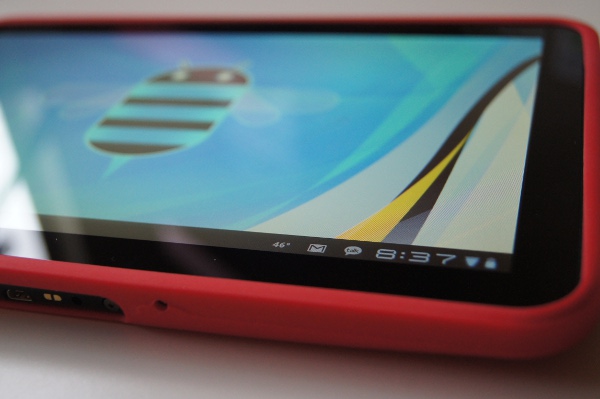
Our Motorola XOOM review will be out later this afternoon, but leading up to that, we wanted to do a Honeycomb walk-through/tutorial since we had not had the chance to yet. This is a full 31-minute video and to tell you the truth, it doesn’t even scratch the surface of what Android 3.0 can really do, but it should give you a pretty good overview.
[youtube]http://www.youtube.com/watch?v=3ZPS4mzNezw[/youtube]



Kellex, noticed that you have a Google Voice app in the walk-through. Where did you get it and does it work?
picked up a few things, appreciate the videos as always DL.
After reading all the reviews from all the appletologists (cult), I was concerned about Honeycomb and Xoom. Thanks for actually making the distinction between a tablet and highly glorified Post PC appliance. Please post more videos. I was at a get together where I was probably the only Android user, and I realized that the Sync everywhere in Android or Google apps is a feature I take for granted. Apple users don’t have this. Why hasn’t any of the reviewers focused on this it is a very valuable feature. Also the over the air updates are priceless. Another important feature about the Android Eco-experience is that the product actually improves over time where as other products are frozen in time and to get new features it will probably cost you.
That camera does not do that screen or animations justice at all. Definitely go play with one to get a real feel for the polish of the device and OS.
Thanks for the in-depth video Kellex! I want to know how Honeycomb handles exiting programs with the multi-tasking. Can you actually end a process from the multi-tasking pane? While I love multi-tasking, sometimes I’m actually done and don’t want to just “switch” to another one, I want to close the one I’m finished with.
Thanks for the in-depth video Kellex! I want to know how Honeycomb handles exiting programs with the multi-tasking. Can you actually end a process from the multi-tasking pane? While I love multi-tasking, sometimes I’m actually done and don’t want to just “switch” to another one, I want to close the one I’m finished with.
smoochie!!!!!!!!!!!!!!!
So you skip on Google Talk because there is personal information in there that you don’t want to share? I hate to tell you this, but if you’re serious about doing reviews, that sort of thing won’t work. I wanted to see Google Talk with video chat in action. A real review would not leave that sort of thing out just because the unit being reviewed happens to be your personal device…
He didn’t have to do a review at all. He was kind enough to put his time and effort into a review and you complain about one section that is easily available? Fail
You can suck up all you want, but I’m just being honest. Engadget wouldn’t do that sort of thing now would they? If you want to be the real deal, you have to act like it. Make a backup and then wipe the Xoom clean before doing the review if you have to.
Also, the whole “fail” thing is kind of a fail in and of itself. It’s not cool anymore.
Maybe Kellex will make a Google Talk review as a separate video, don’t flip out Hank it was only that one app that he skipped over, I’m sure he’ll get around to it.
Hey dumbass read the headline “Video: Honeycomb (Android 3.0) Tutorial And Walk-Through” keyword Honeycomb not Google Talk.
Kellex, what kind of battery life are you seeing on your Xoom? Will the battery life be longer on the wi-fi only xoom?
One thing in the browser you missed it the incognito mode. Privacy modes are something lacking in android browsers (besides Cyanogen Mod).
I dunno why you said this video hasn’t even scratched the surface of honeycomb there isn’t much more you could have showed us.
Nicely done sir
God I wish you would take that stupid red cover off you XOOM
Hi, I watched a movie on the airplane this weekend and used my noise cancellation headphones… the sound wasn’t very loud… Have you figured out how to turn up the sound louder? Also, I bought my xoom for scheduling clients… I am a hairdresser. Have you found a better calender that has 30 or 15 min increments? If I used outlook would I be able to have a widget of it like the google calender on the xoom. I am a beginner:o) I need help. Ps.. I am new to droid-life and it has become one of my favorite websites to check out daily. Thanks to you in Portlandia:o) Dee from rainy WA state.
You can look at http://www.xoomforums.com for a lot of info too.
I participate in a direct sales company and yesterday they put a file on their web site that we all had to look at. All the Ipad people were complaining because it was a flash file and they could not see it! No Flash for them!
Awesome.. Get used to that istupids
Anyone else find the Xoom’s screen throughly disappointing. Poor viewing angles, washed out colors, poor black levels. The rest of the hardware is great. I can;t understand why moto would skimp on one of the most important parts.
I think my screen is beautiful. Vivid colors. Love it.
Thanks for showing the video! I look forward to the next one.
Where can I get that wallpaper?
Your wifi network name is “smoochie” hahaha Nice!
My friend’s network name is “Sex Cauldron”
I repair routers for cable companys and you would belevie some of the SSID’s people use.
raccoonwrangler
cripplecrab
crazycooterscras
and my fav
assclownmagee
are just a few from today.
I change mine at home up depending on whats going on.
It was “URDOGISAPOS” for a long time.
I usually name mine after some obscure video game reference, right now it’s “Samus Aran”
there are to many people using my network now to keep changing it like i
did. I may set up a second one just for me.
My is Droid Life right now. I figured it would be fitting since most of the devices connected are android phones.
Off-topic: Thank you for the new mobile site! Very cool!
When I have an extra 31 minutes, I’ll watch you and your Xoom on my Xoom. 🙂
yo dawg…I heard u like the xoom so we….
Someone better make app called xoom….
I can’t wait to get Honeycomb on my Adam! I guess I should give it a try on the wife’s Nook Color too.
This makes waiting for the wifi version much harder.
Honeycomb for breakfast. I want some 🙂