


Nova Launcher, one of the top Ice Cream Sandwich-friendly launchers received a significant update today. Along with a new logo, the update brought with it transparency settings for your app drawer, throwback vertical scrolling, ability to add new groups or folders in drawer tabs, bulk adds of items to the desktop, widgets for the dock, special tablet optimizations and more. We haven’t seen a release this significant since the early beta days, so be sure to jump on this. We should point out that some of these features are only available to the newly named “Prime” version which will run you $4.
Full changelog:
- (v1.1.1 fixes a startup FC introduced in 1.1 and other minor issues)
- Custom app drawer tabs and folders (Prime)
- Vertical scroll in app drawer
- Configurable drawer transparency
- Bulk add to desktop or folder
- 1×1 widgets in dock
- Tablet optimizations (Dock, full screen app drawer)
- System shortcuts for app drawer (Works with AOKP Navbar)
- Activities shortcut
- Many optimizations and bug fixes


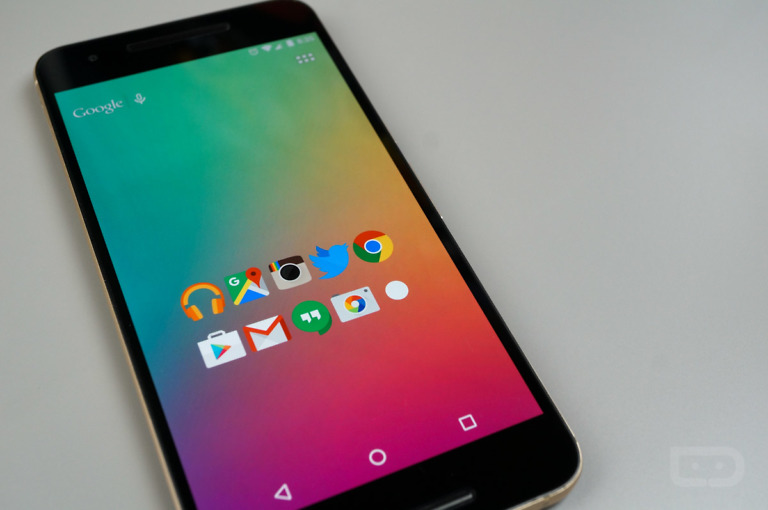


Two features I’m looking for in a ICS launcher which I think I will code up this weekend.
1) Double tap a folder = a single click on the “top most” object in the folder
2) Moving home screen objects “zooms out” just like when dragging widgets to the home screen. This makes moving between screens simpler and makes room for drop targets above the screens (no more goofy remove target sliding in under the top most desktop objects)
NEW SOCIAL NETWORK FOR ANDROID – Picaim
Picaim is a project that aims to become a social network to see and share things that are happening in your city and in the world.
The service is based on sharing geo-located photos of things that are happening in your city.
The great idea is that photos can not be sent by the computer, just for mobile devices, and only at the moment they were captured. This measure helps prevent false information inserted in the social network.
This means, you see what is happening, what the person who took the photo has to say, and where that is happening at the moment what is happening.
You can see content classified by what is happening in your city.
Also you can post anonymously, if you wish to protect their identity to share with the world.
Anyone can see what is happening in your city on our web site, without registration or application for mobile.
The project was launched this week, still has very few users, and we are asking for help to all who possess an android phone, just download the application, test and share with friends in your city.
To check out the project, visit:
http://www.picaim.com
The application for Android already available in the market!
Help us to share with the twitter hashtag: #PicaimForAndroid
OBS.: If you can not take the picture because of the gps location, try again in an open environment.
Wrong article? Lol
tried both apex and nova, then tried sslauncher it is far better then apex or nova. Kellex u need to do a review on that one AWESOME!!!
Just looked at sslauncher. That is one ugly piece of software.
give it a try best 3 bucks you will ever spend. smoother then ANY launcher. customize any way you what.
The new tabs in the drawer are awesome! Love this launcher!
What is the wallpaper he is using
Just when I had gotten used to Apex, Nova has to come out with this awesome update. MAN IT SUCKS TO HAVE CHOICE
This is what I’ve been waiting for. Now I can chuck Go Launcher for good.
But the Bulk Add to desktop is crashing the Nova for me. 🙁
Anyone else having this issue?
Sweet!!
Share wallpaper?
Does anyone know if Nova or Apex have the ability to remove the dock? I like having icons at the bottom. So far, ADW EX is the only one that I’ve found that allows it. Last time I tried Nova, I didn’t see the option.
I have my dock removed with Apex
Ahhh. I’m about to go try it. Thanks!
Still playing with the Apex settings. Loving it. It is my new launcher.
You can disable the dock in Nova, too.
You can setup gesture dock toggle with Nova Prime. So worth the money.
Is there a choice to hide notification bar? I want this. I want this, bad.
Apex let’s you hide it.
You can hide it in Nova, too, but not through the settings. Rather, it’s one of the ‘Nova Actions’ that you can add to a home screen as an icon or set a gesture to perform.
Yes. Go to Nova Settings > Behavior and it’s a checkbox. Then use the Gestures screen to set up a gesture to pull the notification bar up and down. 🙂
Nova works the best, but I’m on Apex because of the features. I’m sure Nova will surpass, but until then, eh.
Folder icons are huge now. Kind of looks like crap if you have folders ans regular icons on the same home screen. 🙁
Apex has had this for nearly two weeks.
BTW, that new logo looks terrible.
Epic. This totally changes the way I organize and categorize my apps. Now I don’t have to worry about sorting everything into folders within my dock. I can put the less common ones into launcher groups. Amaaaaazing!
wallpaper? i keep seeing it in the blog posts, but where do i get it lol
All these new ics launchers still seem to function around the same old ics launcher look instead of diferentiating and doing something new
That’s because the ICS launcher looks great. The older replacement launchers were different from stock (or the various overlays) because they saw a better way to do it. The ICS launcher is fantastic, these are just offering some extra options.
There are only two…
Nova, apex, trebuchet, saw 2 others on play store that wern’t great upgrades but versions of it
Anyone else notice the dock icon size increased?
Only the size of folders in the dock seem to be enlarged. Unfortunately using simple text makes everything look out of whack instead of uniform like it was. I hope they get that corrected.
Yeah you are right. My dock icons are folders with a custom icon. I kind of like how large they are. I haven’t tried simpletext as an icon yet though..
my simpletext dock icons seem the same, but my non-dock simpletext icons are way bigger now.
Background transparency has been there forever 😛
Maybe in apex, not nova
Nope.
I have been using it for about a month now.
I have been using betas.
You on some beta or something? I’ve never seen the option for it
ahh
Dock still looks out of proportion in Nova, so sticking with Apex for now.
still missing a free price for pro app.
Trying to keep up with Apex. I’ll always stay faithful to Nova.
I’m on Apex now…switched from Nova. But I really like both.
I tried Apex, it has some nice features, but had serious redraw issues. Would often take a couple of seconds for the desktop to reappear coming from some apps. So I switched back to nova.
That’s the main issue I had with Apex
Ditto. The Apex dev really needs to address this redraw issue.
I’m wondering why none of the ICS based launchers have added icon theming in the drawer. That’s really what I’m looking for. To be honest, I’d take a completely stock ICS launcher with just the ability to tweak icon shortcut icons and have the drawer pull a full icon pack automatically.
…
Um I’d rather have custom docks. Why the hell don’t we have custom docks
I agree that it would be nice to see some more customization changes in Apex, but I continue to use it because 1) the pro beta is free 2) it was the first of the ICS launchers to write for the new Gmail API and show an unread bubble on the app and 3) you can change the icons on the home screen.
What I would like to see that would make the experience complete is the ability to change the color of the unread icon bubbles. Other than that..
Which is?
yeah i really like this feature to be added. This one of the reasons why i dont by the pro version yet (and because Im cheap/poor)