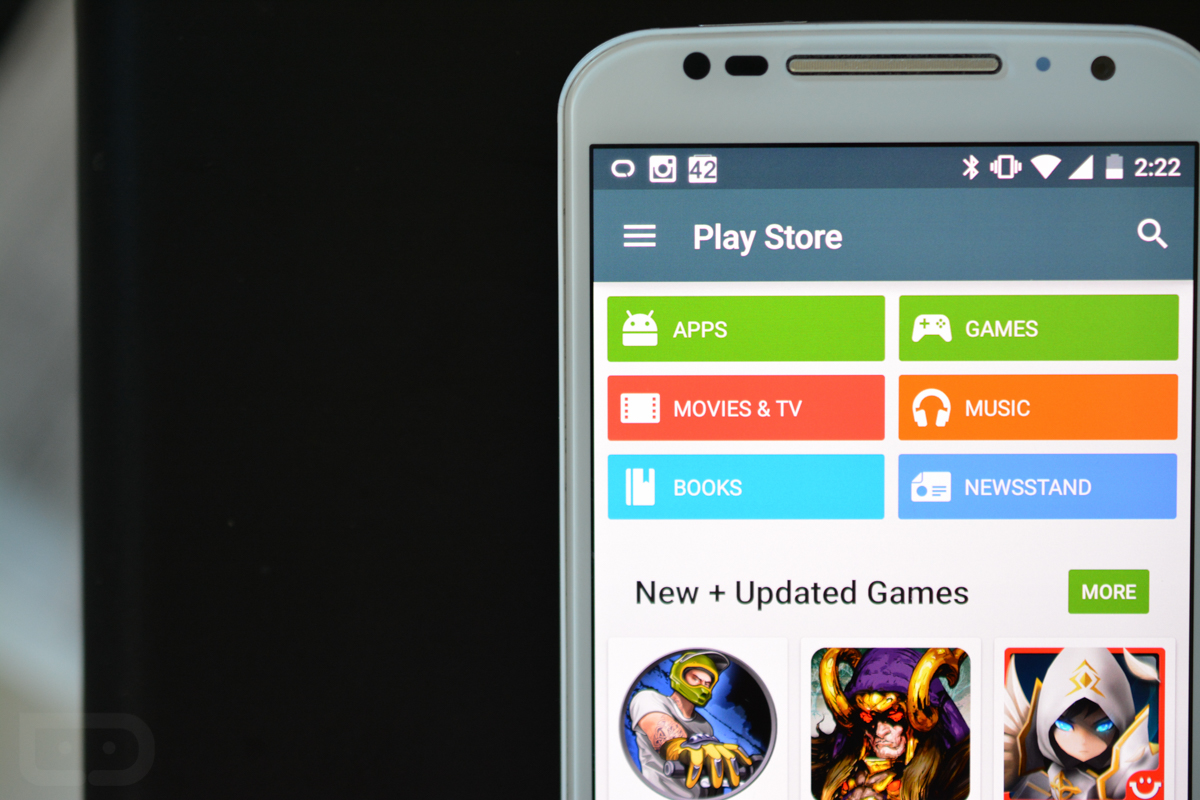
As a part of this job, I have the (depending on how you look at it) pleasure of setting up new Android devices more often than any normal human should. The process, which has become much easier and more automated on Lollipop, can be both tedious and exciting. On one hand, you have to sign-in to every single app all over again, but on the other, you get to start playing with a brand new phone or tablet. For the most part, the joy of using a brand new phone outweighs the 20-30 minutes it may take to set it up.
Over the years, my setup process has become much tighter, leaner, and more efficient. Instead of installing a hundred or so apps with each new device that comes across my desk, I often only install a select few apps that I can’t live without. Since I tend to spend only a couple of weeks with a phone during a review period before sending it back to its owner, I’ve realized that I probably don’t need three different Twitter apps and a package tracker and credit card managers and four different photo editors.
These days, when I setup a device, I can get get by with a group of specific apps that you wouldn’t typically find pre-installed on a phone. Obviously, I’m a huge Google services user, but those related apps are all installed before I boot a new phone for the first time. If we look outside of those (Gmail, Hangouts, Maps, etc.), here are the first 15 I install every time.
Google Voice
Google Voice is almost always the first app I install because the phone I’m about to setup more than likely has a pre-installed SIM with active service for review purposes. In other words, it has a random phone number attached that I want nothing to do with and will never remember. With that said, I still want the phone to ring when someone tries to call me. With Google Voice, I can quickly attach my Google Voice number to the number on the phone, and then proceed to receive calls, send texts, and check voicemail as if I owned the phone the whole time. Google Voice, even though it seems to be the forgotten child of Google, is easily one of the most important apps ever created, in my opinion.
[responsive_vid]
Mailbox
I gave up on the Gmail app months ago and never turned back. Even its beautiful new Material Design inspired theme couldn’t capture my attention again because Mailbox owns my life now. Thanks to its approach to email that treats incoming messages like tasks rather than dead weight on your life, along with a unified inbox that captures all of my Gmail accounts in a single window, I am far more productive today than ever before. Like Google Voice, Mailbox is an app that completely changed the way we use a service that was stuck in a very old, inefficient mindset.
Play Link
For the most part, I’m not a social media or social network user. Sure, I have Facebook and Google+ and Twitter accounts, but the only one I really use on a regular basis is Instagram. I like photos. They are simple. They tell a story. And they don’t take much time to get through. I consider myself to be a semi-busy person, so with Instagram, I can get in, see the stuff I like, and get back out. I don’t have to hear about former roommate’s high school reunion drama or see political link spam. I can just hide in my own world of sneakers, clothing, and sports pictures.
Fenix
After that Instagram rant, I know it looks odd that I’m now including a Twitter app, but hey, even haters need the Tweets. When I’m not using Instagram to hide in that world of sneakers, basketball, and clothing, I do rely on Fenix. Yes, I do still need Twitter for both work and pleasure, and this is the app I cannot live without.
From its beautiful Material-esque design, to its massive list of features and customizable options, I challenge you to find a Twitter app that can come even close to the awesomeness of Fenix. Seriously, this app actually got me back into using Twitter outside of work on a regular basis again.
Play Link
Chrome Beta
You don’t need me to tell you why Chrome is awesome, right? Didn’t think so. However, I use Chrome Beta instead of stable Chrome because I like that you get to test out all of the new features before anyone else. Pull-to-refresh, anyone? Mmmhmm.

theScore
For years, I was an ESPN Scorecenter/Sportscenter user when it came to keeping up with sports, but after a couple of terrible makeovers, that app had to go. Enter theScore. This sports app is fantastic with its notifications of breaking news that can be fine-tuned by players, leagues, teams, or events. It also receives regular updates, allows you to hide all of the sports leagues that you want nothing to do with, and often brings out special features or sections for events like the NCAA men’s basketball tournament.
Feedly
As a blogger, I still use that thing that Google tried to kill. What’s it called? Ahhh yes, RSS. Feedly is the current king of RSS and so I use it religiously throughout the day to track news. That’s pretty much it. It’s well designed, but does take some getting used to. The developers behind it also seem to know that they are the RSS kings and are constantly introducing new goodies.
Sonos
Over the last few years, I have slowly built up a collection of Sonos speakers throughout my house. It took a while, and I know that I could have purchased a Ferrari or something instead had I saved up the money, but hey, I like listening to music whenever I can. And so the Sonos app gets installed immediately so that I can control tunes no matter what room I’m in. Sonos also runs a beta program that allows you to test new features before anyone else.
[responsive_vid vid_url=”AMnxiaQPtBs”]
UP by Jawbone
Last year, I gave up on Nike and their Fuelband after amassing one hell of a bucket of Fuel points because I grew sick of them ignoring Android users. Sure, they have Android apps now, but most are half-assed attempts to satisfy what could have been their biggest group of users. And so as I retired the Fuelband, I looked around at all of the other couple of dozen wearables, eventually settling on the Jawbone UP24. I can’t exactly tell you why I settled on the UP24, but man, I love this thing. From its subtle nudges that remind me to move after sitting still for too long (that’s right Tim Cook, your stupid Apple Watch didn’t invent that idea) and its integration with things like calorie counters, Nest, and other fitness apps, to it completely changing the way I wake up in the morning, I can’t see this accessory or its companion app ever leaving my side. Well, until the next version is released.
Play Link
Sunrise
I love this calendar app. Sunrise, who was recently purchased by Microsoft, takes your Google (or iCloud or Exchange) calendar from as many accounts as you like, and combines it with all sorts of other task or event services to give you the ultimate powerhouse calendar. For example, I have a couple of Google accounts attached to Sunrise, but then I also attached Facebook, Foursquare, Songkick, and Asana accounts to bring those services and their events into a single app. Sunrise also has a fantastic web version and seems to be updated regularly with new features.
Play Link
[responsive_vid vid_url=”CpzvypJz9mU”]
Nest
Back in early 2013, long before all of the cool kids realized what Nest was because Google bought them, we had completed a review of it, calling it our favorite Android accessory at the time. Still to this day, it ranks up there as one of my favorite accessories. It tries to save me money on my energy bills every month, which is awesome, but I really just like it for the lazy factor – which means I can control the heat or air conditioning in my house without having to get up. But it also does cool things like, automatically kick on my Dropcams when set to “away” and knows to turn my heat up to 68 when I get up in the morning at 6:00AM.
Play Link
Pushbullet
If you aren’t using Pushbullet yet, stop reading this and install it. I use Pushbullet for all sorts of things, every day, multiple times per day. I use it to send quick links from my phones to my Chrome browser and back again. I send tracking numbers to my phone, so that I can quickly copy them into AfterShip. I subscribe to channels, like Droid Life’s, to know exactly when new stories are posted up. I have it mirror select notifications on my phone to my computer, so that I never miss out on new sneaker listings. Seriously, the possibilities with Pushbullet are almost endless if your life is heavily invested in notifications and sharing.
[responsive_vid vid_url=”4SdAzP-5sUw”]
RunKeeper
There are dozens of run tracking apps out there, but I seem to have settled into RunKeeper within the last year. It tracks runs via GPS, you can pre-load routes, team up with buddies for motivation, track dozens of different types of activities or weight, and it has apps everywhere, including on Android, iOS, and the web. It also pairs with Google Fit and connects to my UP24 as well.
Trello
To manage our behind-the-scenes day here at Droid Life, we use Trello. Trello is an app for organizing anything, but we use it to bring the world of Android to you. Thankfully, the developers behind Trello are awesome and are constantly pushing updates to their Android app, including a big one that brought in that Material Design goodness.
Reddit News Pro
When I’m not pounding keys for Droid Life or killing time on Instagram or hitting the streets for a jog, I may or may not be a lurker of reddit. Should I find time to lurk, I use Reddit News Pro because of its amazing design, set of themes, and feature set. Reddit can be overwhelming if you haven’t used it much, but Reddit News Pro makes the entire experience available with a really nifty multi-panel navigation setup and all sorts of swipe gestures.
What does your list of instant installs look like?
Good post… here i also have an app which will help you to recover your deleted or loss data, documents or other files which are necessary for you so you can recover your data with this nice one Wondershare Dr Fone Crack Data Recovery App For android and also for PC 🙂
The Android apps in the lifestyle category are essentially tools that can help make your life easier and more fun. ValueCoders is one of the best company which provides remote development teams for making your app live.
Manager
http://www.valuecoders.com
I agree with you up to the bit about Chrome. Yuck, I install Firefox Beta myself. 😉
I installed push bullet for about a week and went straight back to AirDroid.
AirDroid is arguably my most used app on my phone. It makes communication between phone and computer a breeze.
Nice products i have liked it! jriver media center 20 crack
woh i have never seen this site bcause its gives full and nice information thanks and keep it Up! Coreldraw x3 activation code
For radio lovers:
https://play.google.com/store/apps/details?id=com.WWTuner
https://sites.google.com/site/wwradiotuner/
i have a data recovery app, you must install in your PC….. when ever you got any damage to your phone, just use this. Data Recovery for Android Fone
Will add to the list, I suppose.
1. Nova Launcher/Prime
2. Swiftkey
3. Google Inbox
4. Tweetings
5. Pocket
6. Google Play Music
7. Pocket Casts
8. Chrome Beta
9. Greenify
10. Timely
11. Hangouts
12. Google Voice
13. Netflix
14. Facebook
15. Instagram
TweetCaster Pro > Fenix
Not even close
Ohhh Brother…. Informative, but basically useless article. Except to remind me Reddit is interesting. That’s it.
One word:
Showbox.
I don’t have a single one of those apps installed.
If im not mistaken, Wasnt google voice replaced with Hangouts.. i get all my GV messages directly sent to Hangouts, my phone still rings without GV being installed and i am able to respond with either of my numbers….
The first two apps for me is always:
-Titanium Backup
-BusyBox
Everything after that is optional.
This blog is just an ad for apps, not must have apps. Only few apps seemed a bit useful. Many are useless. You need gps for running? Where do you run?
Go Launcher, Key Ring, Netflix, Redbox, Fandango, Pandora, Flipboard, Facebook, Picspeed HD Wallpapers, Zedge, Papa Johns, Pizza Hut, Domino’s, Flashlight, ADT, my bank’s app, Chrome, Chromecast, Dropbox, Instagram, NFL Mobile, and of course Zillow and NJ Child Support Calculator and Kelley Blue Book…because I’m a divorce attorney, lol.
Estrong or Root Browser, Timely and Waze
no AT&T locker, no deal, gtfo
I was so sad yesterday when I had to remove Pushbullet from my desktop computer because it was causing adobe illustrator to crash instantly. Hopefully they get that bug squashed quickly and I get my universal copy paste back!
Try the Yahoo Sports app. The best widget available, shows current and upcoming games or past games and looks the best.
First 15 for me
1.Nova Launcher….just cant live without it
2.Inbox
3.reddit Sync Dev
4.Hangouts
5.Amaze File manager
6.Spotify
7.google opinion rewards
8.google camera
9.groupMe
10.Simple Weather
11.Pushbullet
12. Pocketcast
13.Songza
14.Monument Valley
15.Kustom Live Wallpaper….my latest
I love the Sonos system probably to much. Such a great system for music throughout your home. Being in the home construction business, we recommend it to just about all of our customers.
HD Widgets
Facebook
Skype
Angry Birds and its spin-offs.
A handful of my hottest current games (currently Monument Valley, MC5, Leo’s Fortune, Rayman etc)
I’m glad the author titled the article “The first 15 apps I install” and not “The first 15 apps YOU SHOULD install . . .” There is plenty of room for individuality in the Android smartphone world and I’m glad for it. We’re all wired differently. We all have our quirks about what we like and what we don’t. I’ve tried some of the apps listed and went back to something else. There are others I have no interest in because that’s “not how I roll” as they say. It’s nice to compare what I use with what is generally popular, but I don’t get hung up on our differences.
Everybody has their own preferences for particular apps. To each her own. I’ll just say that getting a 7″ tablet last fall completely changed the categories of what I put on the phone, since it’s taken over reading, browsing, and a variety of iinformation and media type apps I use around the house. The phone is mainly for going out, now, and used less than before. The categories of phone apps on that basis:
Notes app (that syncs online) e.g. Google Keep – GNotes
Camera controller (no filters or editing) – Camera FX-5
Offline maps / nav (Google offline zones too small) – using OSMAnd but considering Here
Local Transit Service
Weather app
Calendar (must sync with Google) – aCalendar
FIle manager – ES File Explorer
Launcher – I’m habituated to ADW, too much learning curve to switch
VOIP calls – Skype (have used Magic App)
Spam calll blocker – Caller ID (White Pages)
SMS to Text (saves messages in csv file)
Bank and brokerage apps, and Stocks (sync with Google portfolio)
A few utilities – KeepScreen, Set Orientation, All in One Toolbox
Google Voice is my must have app. I’m still grandfathered in on Unlimited data, but that plan doesn’t include a texting plan (and I don’t want to pay for a bucket of texts). So I just use GV as my only way of texting and it saves me tons of money a year. Plus I love being able to text from my computer and other non-phone devices. I also love how I don’t have to worry about backing up my texts when I switch phones. I also love the 1 number to rule them all. Rings all my phones at once and I just pick up the one that’s most convenient.
No root love eh? SuperSU, Titanium backup, greenify, xposed framework (and modules), Viper audio, Adaway, terminal emulator, etc
Kellex, don’t know if you’ll see this but I’m going to ask anyway. I had a Moto X question since I know you keep one as your personal phone. Have you had any problems with the leather lifting off? (coming unglued in spots) I’ve seen references to this in a thread on XDA about wood backs “peeling” off and I’m seriously looking at a Moto X in leather.
I’ve read about some of the apps and some of them are worthless. I’m satisfied with the applications that I have on my phone and I wouldn’t download any of the above mentioned apps.
You know what’s funny? You know it’s the news aggregator I MOST MISS from all my time with android, the one that was part of blur on the first droids through to the droid x2….the full screen widget you flipped through…no one else has ever recreated that and I would pay, literally $50 to have that back…it was that awesome.
Please, if there’s a developer here, i’m your first buyer if you get it right and it was soooo right I guarantee there will be more, I’ll promote the damn thing myself!
Seriously, I would invest in it to get it going.
Where the f is Pandora? When I walk out of a store with a new phone first thing I do is connect it to Pandora in my car…always have to kill all updates first, then download it though or I have to wait two hours while everything updates.
That is an odd way to spell Spotify.
Ehh, just more used to Pandora…use google music a lot too and some Spotify here and there.
I tend to use both. Spotify for playlists, Pandora for radio.
I use prime music, but really only because I have prime and most of my music is on there already.
haha, I haven’t used this Pandora thing since my OG Droid days. Loved Spotify, but jumped to Google Music and have been on it since. I’m likely to be stuck paying for both once Spotify comes to the PS4.
hell ya! The sleep timer and alarm feature rocks and the recent update looks ffffresshhh!!
I was just going to make a list myself and then realized I had way too many apps that I install right away. I guess I would start with,
1. Nova Launcher
2. UCCW
3. Quickpic
4. PowerAmp
5. aTorrent
6. Astro File Manager
7. Venmo
8. Aftership
9. Aviary
10. Moon Reader/Perfect Viewer
11. Netflix/Hulu/Plex
12. Fenix/Instagram/Yik Yak/Snapchat
13. Listen on Repeat
14. SD Maid
15. Scribble
Mighty Text.
On the topic of RSS, did DL change their rss url today? All of the sudden I am not getting any stories in Feedly. Also, I was using the Feedly app for quite some time, but I found an app called FeedlyReader that is so much better. You can actually view your feed in different mobile formats instead of having to open them in browser.
this is a joke, no useful app at all on the 15 “TOP” to install list
For you maybe.
What is that battery notifiction in the screenshot ? lol
Alright, you’ve convinced me. Time to try out Pushbullet.
ummm inbox by google is a hella lot better than mailbox, reddit now is better than every other reddit client out there, google calender is much more fluid and functional, google hangouts replaced google voice a while ago and the other apps aren’t really for everyone…
all of the google apps, including voice/hangouts, wallet, news, chrome beta, android device manager, opinion rewards, etc
then we have:
nova, xposed installer, minesweeper unlimited (its bizarrely addicting, seriously), X-Link, Calculator (by Xlythe), Screen Filter, HD widgets, Clock L, File Beam – Touch To Send (essentially it shows up in the share menu, makes everything transferable via NFC), Month calendar widget, pandora, and some sort of chrome user agent switcher.
The apps I download are the boring, run-of-the-mill social media apps.
Flesky,titanium back up, pvstar+, textra
I use Pushbullet and Reddit News Pro, but I don’t consider those essential apps. My truly essential apps are:
Titanium Backup
Better Battery Stats
Greenify
Amplify
Wakelock Detector
Xposed
Nova Prime
Root Explorer
AdAway
Screebl Pro
Viper4Android
Assuming that I already loaded the comprehensive GApps this is what I would load next;
1. Nova Launcher 2. Zooper Widgets 3. Swype 4. Clean Master 5. Tasker 6. Media Utilities 7. ES File Exploerer 8. VLC Media Player 10. WD My Cloud 11. UConnect 12. Evernote 13. Pinterest 14. Chromecast 15. Pandora
Nova Prime, Aldiko, aCar, Dropbox, Tasks, RealCalc, Quickpic, Root Explorer, TuneIn Radio Pro
I can’t live without the app ‘SyncMe’.
I can sync anything from my computer to my phone or vice versa whenever I want or have it scheduled to run automatically, which is what I do. I no longer have to plug my phone in my computer which is awesome.
Works great for music, things I download on my phone, backing up photos I take on my phone etc.
I have none of the apps you listed on my phone.
The first apps I install are Nova Launcher, Timely, Realcalc, MX Player, Zedge, Transit, Pandora, Chronus and App dailer. And Minima has joined the list.
How is Swiftkey not on this list?
Google keyboard on lollipop is pretty darn good
Just got my nexus 6 and haven’t thought about installing it yet
Except no top number row, and no long press on the letters for things like @#$%^&*()
you can add a number row to the top of the Google keyboard if you want. Just good search for it or search youtube for it.
Yes using a modified keyboard, which I actually have, but that’s not native so it’s not a fair comparison.
Dude i love swiftkey! I love their numeric pad and how its much better than AOSP ! If you wanna make your multitasking easier too, check this out!
http://qwich.in/hot-news/lazy-swipe-web-app-ease-smartphone-usage
1. Facebook
2. Falcon
3. QuickOffice
4. XDA
5. Pushbullet
6. Clash of clans
7. Manual camera
8. Snapseed
9. Instagram
10. Fandango
11. Facebook messenger
12. Kik
13. Chromecast & android wear
14. Uber
15. Weather timeline
Replace fandango with Netflix
I use all of these, except the ones I can’t use. (I.E. Sonos, Jawbone, Nest)
1. Greenify
2. Ad Away
3. Xposed Installer
4. Pandora
5. Clash of Clans
6. Zedge
7. Pushbullet
8. Trivia Crack
9. Image 2 Wallpaper
10. AppSales
Good list!
1. WhatsApp, 2. Viber, 3. Greenify, 4. Tasker, 5. Titanium Backup, 6. Pushbullet, 7. Google Rewards, 8. Waze, 9. Opera Browser, 10. AdAway
Thanks. What do you like about Opera Browser?
It still has text reflow and will refit the text to a zoomed screen.
Dude check out lazy swipe and youll add it to your list!
http://qwich.in/hot-news/lazy-swipe-web-app-ease-smartphone-usage
where do you find Ad Away? i can’t find it in the play store.
Google “adaway apk “
This of course would rely on the fact that you have already rooted a brand new phone…
Also, while it _is_ working, the crazy kludges that they had to pull off to get Xposed working on Lollipop is frightening and maddeningly unstable.
You CAN NOT miss lazy swipe! Do check it out once!
http://qwich.in/hot-news/lazy-swipe-web-app-ease-smartphone-usage
No twitter, you seem to make everyone else install it? Or does that just come with Android?
Twitter doesn’t come with Android. They do mention Fenix which is a Twitter client.
No twitter, you seem to make everyone else install it?
Good post! Love stuff like this.
reddit sync master race checking in!
I prefer reddit now for reddit, mightytext over pushbullet and falcon pro over fenix pretty good list though.
Is Fenix worth it? $4.49 is not something I plop down for a Twitter App.
Of all of those, Pushbullet should be the first one on the list even for iOS users.
Chrome Beta, Wallet, UP, Mailbox, Sunrise, Fenix, Pushbullet, Pocket, Instagram, Netflix, Pocketcasts, Sheets, Facebook Messenger, Snapchat, and Capital One.
“These days I can get get by.”
First thing I do is tighten up security. So root (SuperSU), Android Firewall, AdAway, Xposed (and various modules), Xprivacy, Android Lost and Titanium Backup. Then I pretty much restore all my existing apps from the previous device (things I use regularly like X-plore, Opera Mini, Poweramp, Appsi, etc. come first).
I’ve been using the google calendar app for a while now. How does it compare to sunrise?
Kellen, how do you guys at DL have Trello setup? I’ve been going back and forth between Trello and Asana at work and am trying to settle one one or the other.
I was just about to ask what kind of organization they use in Trello.
From my time experimenting with both services, I feel like Asana allows for finer detail when it comes to subtasks, but I often times find myself overwhelmed by the interface. Visually, I think Trello is a lot easier to digest, but it lacks the granularity of Asana when it comes to subtask delegation. Maybe I’m just not thinking about it the right way.
Nova Launcher first & foremost.
5.0 launcher makes it less necessary for me to install Nova lately.
pair lazy swipe with nova and voila! Faster phone! incase you do not know lazy swipe
http://qwich.in/hot-news/lazy-swipe-web-app-ease-smartphone-usage
I install Hangouts instead of GV, the Google Voice app is obsolete and Hangouts does the same thing.
Instagram? really?
Inoreader is better than Feedly.
+1 for Pushbullet and Reddit News though.
Not one of those apps exists on any of my devices, lol. I was using Pushbullet for a while but soon found that I could live without it.
Evernote.
So… What makes Fenix better than Talon?
Is Talon even open?
Huh?
I thought you needed tokens. Last I checked. Or is there a paid one now available? But what if you paid for it a while back, do you have to pay for it again?
Think you pay again for new version. I have no problem with paying again for version upgrades.
What would you say is better about Talon over fenix? Fenix is pretty good
More like the first 15 apps I’d uninstall
Just sayin’
That doesn’t make any sense.
Yeah, I just checked and I have 293 apps installed on my phone and I don’t have a single one of those 15.
Thank you. I can say that’s my feeling.
Mine are Titanium Backup, Facebook, Root Explorer, Voice, PhoneMyPC and AdAway.
Really? First apps are all for root?
Facebook, PhoneMyPC, Voice and even Root Explorer aren’t for root. Titanium Backup allows me to restore my data for my apps which I like to do.
Chrome beta has been crappy the last build. Black screens, frozen Disqus votes, and all sorts of weirdness. It usually gets fixed pretty quick, but this has been hanging around for quite a while.
Android has no browser better than Chrome, sadly.
The new build yesterday fixed the Disqus voting issue thankfully.
Have you tried Next browser?
You should have a look at Javelin. I haven’t touched Chrome since installing it.
showbox – localCast – ynab – pushbullet – reddit sync
SwiftKey, Sunrise, Inbox, PhotoGrid, Facebook
Good list of apps. My additions: Netflix, Google+, Google Keep.
Donot forget lazy swipe! http://qwich.in/hot-news/lazy-swipe-web-app-ease-smartphone-usage
Would be awesome if they could implement something like iCloud. Just sign in and Apple does the rest. Your set up will be exactly as you left it!
Not sure what you mean by that. When you activating new phone you have a choice to transfer settings from your other phone, including apps. At least in Lollipop.
Haven’t used a lollipop device yet. But on the iPhone all of your settings and apps will be installed according to your last iCloud back up, which happens when on wifi and when device is plugged in. So you just sign in your apple account and it loads everything exactly how you had it. Email’s are already set up, home screen is identical to your last sign in. No going through the App Store and downloading all of your apps again. So if lollipop does this, then that is awesome!
On android you just sign in to your google account and it asks if you want to restore the apps, and zap they are installed. You have to put them where you want them after that and also log into some of them but other then that it sounds about the same as Apple.
Must be lollipop only. I recently picked up a G3 and had to go to the App Store and download all my apps again. Set everything up, including Nova Launcher and email accounts. By then killed half my battery. So I love that they implemented that! Now I just need the G3 to get lollipop!
I think Android was automatically restoring all your apps since Eclair (or maybe Froyo), if I remember correctly. In Lollipop you finally have an option to choose which device to restore apps and settings from.
I’ve owned nearly 20 Android devices and have never had this as an option. Also wouldn’t Kellen just use this trick. Reading over the article again it certainly doesn’t sound like he has the option. He does mention it easier on lollipop, but still tedious!
I forgot to say you can also use NFC to transfer a lot of the settings along with positions of most where they were on the other phone. Yes, this was lollipop.
It’s not Lollipop only, but I don’t know what the trick is. When I got my Droid Maxx, it successfully pulled things down, but when I recently switched to my Note 4 it did not. Not entirely sure what the disconnect was, but it is definitely not perfect yet.
Maybe Touchwiz spoiling the party.
Very possible, but definitely YMMV here given the report of the LG G3 doing the same thing. (From Edub’s comment)
It also was automatic on my nexus 5 that was on kitkat as I remember.
Where can I find this option on my G3 for future use? Would love to be able to do this when getting my next Android device!
I think you just log into your google account and it sees the new phone and it asks if you want to use NFC or just do it with wifi or cell account or just start from scratch. It was very similar to what happens if you do a factory reset. I thought on my nexus 7 that I was going to have to reinstall everything but it put everything back automatically just like it does for a new phone.
So to make sure I’m understanding this correctly. It will back up and place all my apps on my home screens exactly as they were? Folders exactly as I had them? Ringtones and notification sounds will be the same? And all my email, Facebook and Twitter accounts will be ready to roll?
Not the sounds or ringtones they are different on different phones, not pictures that you may have on there, but the apps, wifi passwords for other places, like my parents house, all the email and twitter, don’t use facebook, you may need to know the log in password for the email but thats about all. Also it will not add any Amazon apps at all that you might have had except ones that you got from the play store. I was truly amazed myself. The NFC thing also put most of the apps in the same positions you had them at on the other phone. The Nexus 6 is a little wider than the Nexus 5 so there are more icon positions for apps on the screen so it was not exact but close.
Thanks for the info…will be super handy for the next purchase! I like to try out different phones from time to time so this was much needed info!!
I though Android did that since Jelly Bean?
Just backup to Google and then when you load the phone choose to sync all apps, contacts, docs, etc, in your Google account settings.
I’m assuming that he means that Icloud also backs up and restores app data?
Amazon, Cabinet Beta, Chase, Drive, Ebay, Facebook, Geometry Dash, Hangouts, IMdb, iSyncr, My Tracks, Nova Launcher, Nova Prime, Poweramp, Quickpic, Swiftkey,
Your list is probably closer to what the average user would install.
Is that bad?
Drive and hangouts are pre-installed, google now launcher is better than nova, Swiftkey is a powerhog compared to swype, and Geometry dash is getting old.
but the rest are good.
Sorry just couldn’t contain myself….
Nova is amazing. This list is actually a lot like what I have. Will definitely look into some of your apps, they look interesting.
Why Mailbox when we have Google Inbox?
Because Inbox sucks.
Inbox is my favorite Google app, extremely well made.
I can’t stand it. I don’t need a mail app to try and manage my email for me, just to display it nicely.
Unfortunately those of us who use Google Apps accounts still can’t use Inbox. We also still don’t get package or flight tracking, or any of those other fun features that would accompany a regular Google account.
I use CloudMagic
Maybe the author wrote it before he got google inbox 😛
anyways check this out for multitasking!
http://qwich.in/hot-news/lazy-swipe-web-app-ease-smartphone-usage
For me, my first 5 apps would be Cloudmagic, Pushbullet, Falcon Pro, AcDisplay, Swiftkey. There are others but those are the main 5 for me.
reddit sync > reddit news
The image viewer on reddit sync is really annoying though. The bars never go away.
You can always disable in-app handling of Imgur galleries and other images.
True, but I actually like not having to visit the imgur site to view images.
Agreed, the Imgur mobile site is awful, especially for galleries. Have you tried the Imgur app?
let the battle begin!
Reddit sync is the bomb! Though mostly people donot know about it!
Google voice is pretty much pointless now that it’s integrated into hangouts.
You still need it to call out with gv. Number
I don’t have it on my phone and I call out with my GV number all the time.
Already integrated. Search up Hangouts Dialer.
I use the Hangouts Dialer, but if you want to dial out using the standard android dialer and your GV number, I am pretty sure you do need to have GV installed. I currently don’t have GV installed, so I can’t set the dialer to use GV.
Same reason here. I hate the Hangouts dialer. It hardly ever works right for me. It rings forever before parties ever pickup and there is a delay and its just terrible. I ported my main number to GV so I use GV to make all my calls using the standard Android dialer instead. Works great that way. I keep GV on my SD card so I can install GV when I change ROMs.
Yes, but when I call out via Hangouts Dialer, there is a delay in the conversation. A really annoying one, so you end up talking over each other. If I use the GV app to force all my calls through Google Voice, then there is no delay, since that call still goes out over the cell network rather than using data to make the call like Hangouts dialer. Until the lag is gone, I also install GV first thing.
I use it for Voicemail which is not integrated with hangouts.
Also integrated.
Into Hangouts? Guess I never tried it.
Google voice is getting phased out. They’ve been working on it for awhile. Just look in the settings.
This still won’t configure your voicemail settings, though. You either have to do it manually or set it using the voice app, though usually once it’s been done once, it’s saved on the carrier end of things so you shouldn’t have to do it again.
what phone do you have ? nice nav buttons
Nexus 6 with the PlayStation nav layer
Looks good.
Yep, once set up Hangouts tries (key word) to transcribe the message and gives you a play button to listen to the original message when you can’t decipher the transcription.
Its not hangouts thats transcribing it, its google. Nothing has changed if you use it in google voice or hangouts. Still sent to google and sent back to your phone. All you have is call forwarding if no answer (you can easily set it up) to your google phone number which then records the message and sends it to you. Can always change your settings online like your greeting and all.
Yep been using it for awhile. Just commenting on the comedy of the transcription more than who (or what) is responsible for the transcript.
It’s very much integrated.
However, it shows the voicemail inline with the rest of a Hangout from that person. So, if you want to delete just the voicemail, you either have to still go to the Voice app or the website to do that. Otherwise you have to delete the whole hangout.
So, it’s there, it’s just not quite fully featured yet.
If you never took the step to integrate Voice and Hangouts, then it it won’t be there.
You need it to make outgoing calls, unless you want to use the VoIP Hangouts calling, which I find to be a huge battery killer and doesn’t work in low signal areas
These are definitely those posts saved for slow news days.
It’s just ad for 15 apps
This is a way to get commenters engaged. Trust me, there will be 500+ comments soon.
I added the /s just in case
‘Another Comment’
Still interesting though
Let me sell mine !
http://qwich.in/hot-news/lazy-swipe-web-app-ease-smartphone-usage
Check it out, better app than those on the list
Yeah. sold.
Armando Ferreira uploaded a video today about his ten must have apps. This post might have been inspired by it.
But it doesnt have lazy swipe on it! Even Armando’s ! This app is worth it trust me
http://qwich.in/hot-news/lazy-swipe-web-app-ease-smartphone-usage