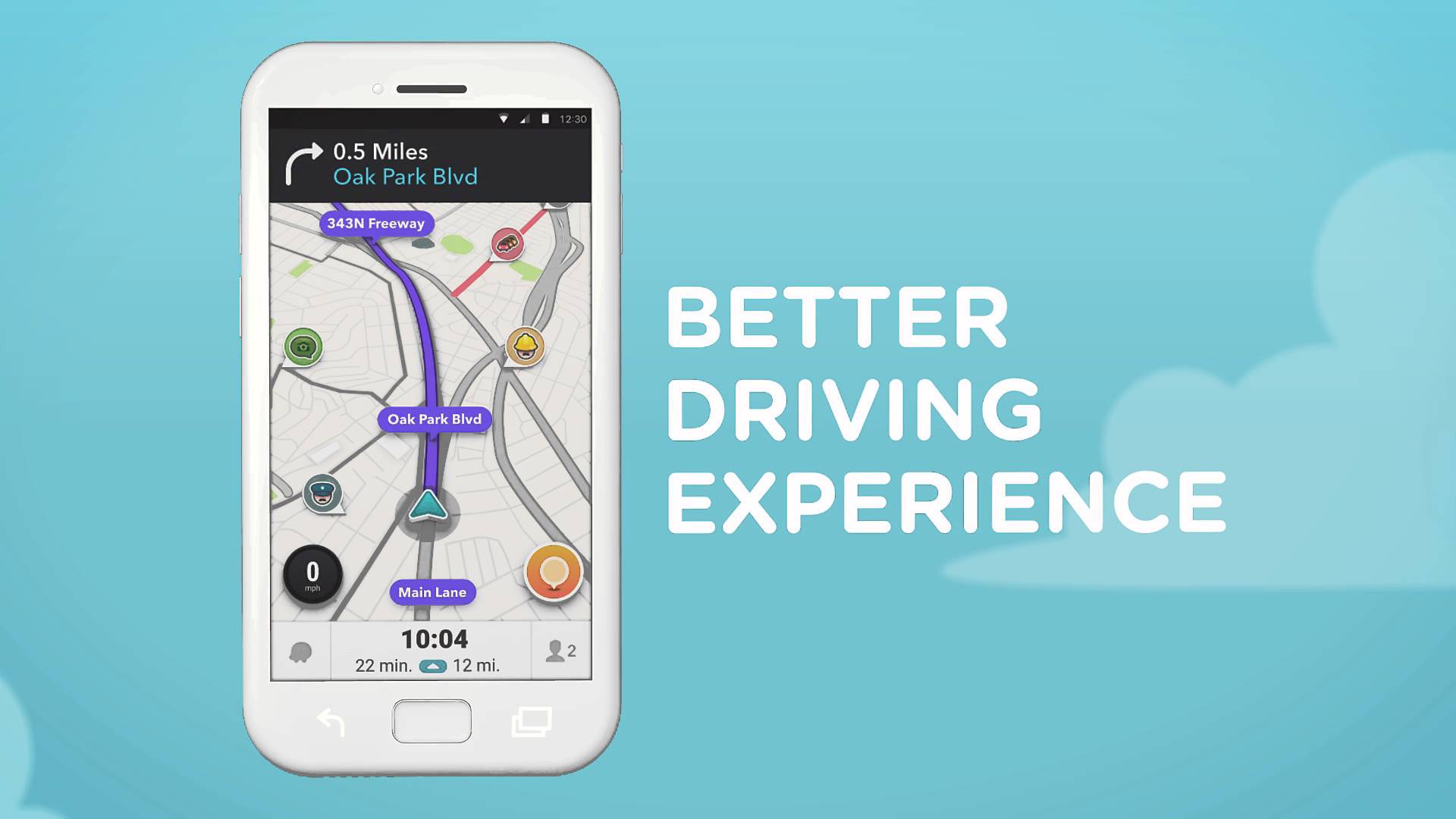
After much teasing, Waze 4.0 is officially available on Google Play, bringing a gang of changes to Android users. Inside, Waze has “significantly” reduced battery consumption, while also incorporating an entirely redesigned reporting menu for sharing road information with fellow drivers.
Also listed on the changelog is “fewer taps.” This means, when you start up the app, it will take fewer taps to start a drive, send locations, as well as get directions. A new ETA panel organizes all of the info you need during a drive in one place. From the ETA panel, you can view reports, check alt. routes, add stops, and more.
View the changelog below, then give it a go if Waze is your navigation app of choice.
What’s New
- Significantly reduced battery consumption.
- Fewer taps to start a drive, send locations and directions.
- New ETA panel organizes everything you need in one place. View reports, check alternate routes, add a stop on the way, or instantly send ETA to friends and family.
- Smart reminders to leave on time for your Calendar events based on traffic conditions and drive times.
[responsive_vid]
Great..software..you can also Get Amazing more Latest game and software
from here => http://freegamesandsoftwaredownload.com/
waze 4.0 best android app..you can also Get Amazing more Latest game and software from here…
http://freegamesandsoftwaredownload.com/
Favorite editing seem to have been removed. They merge that with history, which means the ONLY way to edit it is to make it to the history, and delete it from history, which will also delete it from favorite. Very counter intuitive.
One of the changes I noticed is they seemed to have removed the ability to report hazards on the opposite side of the road. I tend to use that feature the most when reporting things in Waze.
Yeah, I was trying to report an accident on the other side of the road this morning. And it wasn’t there.
Now if they would only integrate starred places from google maps.
First of I’ll say I really like Waze. Having said that I do feel like this app might cause more people to take their eyes off the road to report things when they should be paying attention to the road.
I won’t act like a saint, I say this from experience. When I first installed this then went on a bit of an extended trip, I realized just how many things there are that could be reported. I never noticed how many stopped cars and objects are on the road. I thought I was being a great wazer (is that a thing) by reporting anything I saw if it was not already reported. Pretty soon I was looking at device every 2-3 minutes it seemed.
I know there is voice prompts, but in a moving car I had issues getting Waze to understand what I was saying.
Anyway, again I love the app, but worry about how much it may drive people to look away from road.
Waze is on of the reasons why I still haven’t received a speeding ticket 😀
shhh
I’m surprised they released it. I was in the Alpha and Beta and it still has a number of bugs and issues….
Need this on Android Auto ASAP
The new Waze is blazingly fast. Wow. Didn’t expect that much of an improvement.
I use it for general driving around AND navigating. I find it much easier than Maps for adding intermediate destinations, and far better at warning about hazards, speed traps, etc. (I don’t have to keep screen on – I can just listen for the warnings)
way doesn’t google just have this be a feature of maps?
Because like most things they do, they make 2 of everything and supposedly see which one wins…or drop support completely because they get bored.
I prefer maps for nav but waze for commutes to work.
Same here.
If Google ever put the location of police on their maps, you can bet there would be some major lawsuits.
Why? It’s not illegal. If it were then Waze would be facing major lawsuits already.
Well last I heard Waze was some middle-east company and they continue to work on it. You can bet that there would be some sort of incident where police were reported on Google Maps, and someone decided to use it to find police and get involved in a shooting, or in some other way use it in conjunction with a crime. Happens far too often as it is.
Google owns Waze….
They bought them, but AFAIK Waze is still operated and developed by it’s original creators.
Israel
I think as a condition of buying Waze they agreed not to integrate fold it into Maps so they wouldn’t have a monopoly on maps?
this is exactly it
Any reason I should use this over Google Maps?
I’d be interested in knowing this, too.
Though, from what I’ve heard is that you can see where speed traps are. The accident reporting has been integrated with Google Maps so that isn’t an exclusive feature anymore.
The accident reports show up in Google Maps, but you can’t report them in Google Maps. GMaps is still pulling that data from Waze.
I use both, but for local drives I just use Waze for speed traps and other hazard reports like potholes (or roadkill).
The debate between this and google maps is almost as fierce as Android vs. Apple. The advantages of Waze is faster rerouting if there’s a traffic jam and police traps, otherwise, Google owns them both and pulls alot of the same data. Personally, Waze looks a little too cartoonish for me…
I use it over maps. honestly there’s nothing too much better except for speed trap reporting. and sometimes that’s not useful at all. I started using it about 4 or 5 months ago.
I use Waze for general driving around to get around traffic and avoid speed traps. I use Google Maps when I need to directions somewhere I haven’t been.
Exactly. Google Maps is good since it shows you what lanes to be in and the directions are more clear. Waze is best for getting around traffic jams
Yep, Waze like to re-route relatively aggressively compared to Google Maps. Google Maps will mostly stick to major roads and highways unless the traffic is really bad. Waze will guide you through small side streets. In my experience, I used Waze to get to Downtown LA from OC and never again. It took me through questionable areas and routed me through small residential streets. Arrived at my destination much more tired than I would have been otherwise and I only saved like 5 minutes.
I would only use it in cases where you’re trying to beat traffic in your own neighborhood, on your commute maybe. I don’t recommend using it in areas where you’re not very familiar with the area.
Police reporting and the social aspect of seeing where your friends are when you are navigating to an event. Useful for my car groups on facebook where we meet up to cruise, you can see where others are and also see where police have been reported.
It tells you where cops are.
Google Maps is a lot better than Waze. But for me its all about Cops being reported. Waze + Radar Detector is pretty good anti-racketeering combo.
Also I’m pretty sure its more “up to date” on traffic and events i think Maps takes a while to aggregate data over and filters for better accuracy.
Agree w/ the comments below. Waze is better for getting around traffic and avoiding things on the road… ASSUMING you know where you’re going already. It’s horrible for giving directions or preparing you for turns, in my opinion. I constantly miss turns because it will say “In 1000 feet turn right”. Then when you’re actually right at the turn, it then tells you to turn, making you miss the turn. Google Maps seems to give you more of a heads-up on up-coming turns, plus it has lane guidance.
I like Waze over Google Maps cause it shows my speed. I put my phone right in front of my speedometer, so I kinda need it.
My speedometer is 2-5MPH slow anyway.