Inbox by Gmail, the other email solution from Google that continues to see innovation and automation, is receiving an update today that makes it easier to stay on top of projects and Google Alerts, thanks to better organization from the first rollout of services integration. The update also brings Google Drive support, drag-and-drop of contacts between recipient boxes, and a delete button.
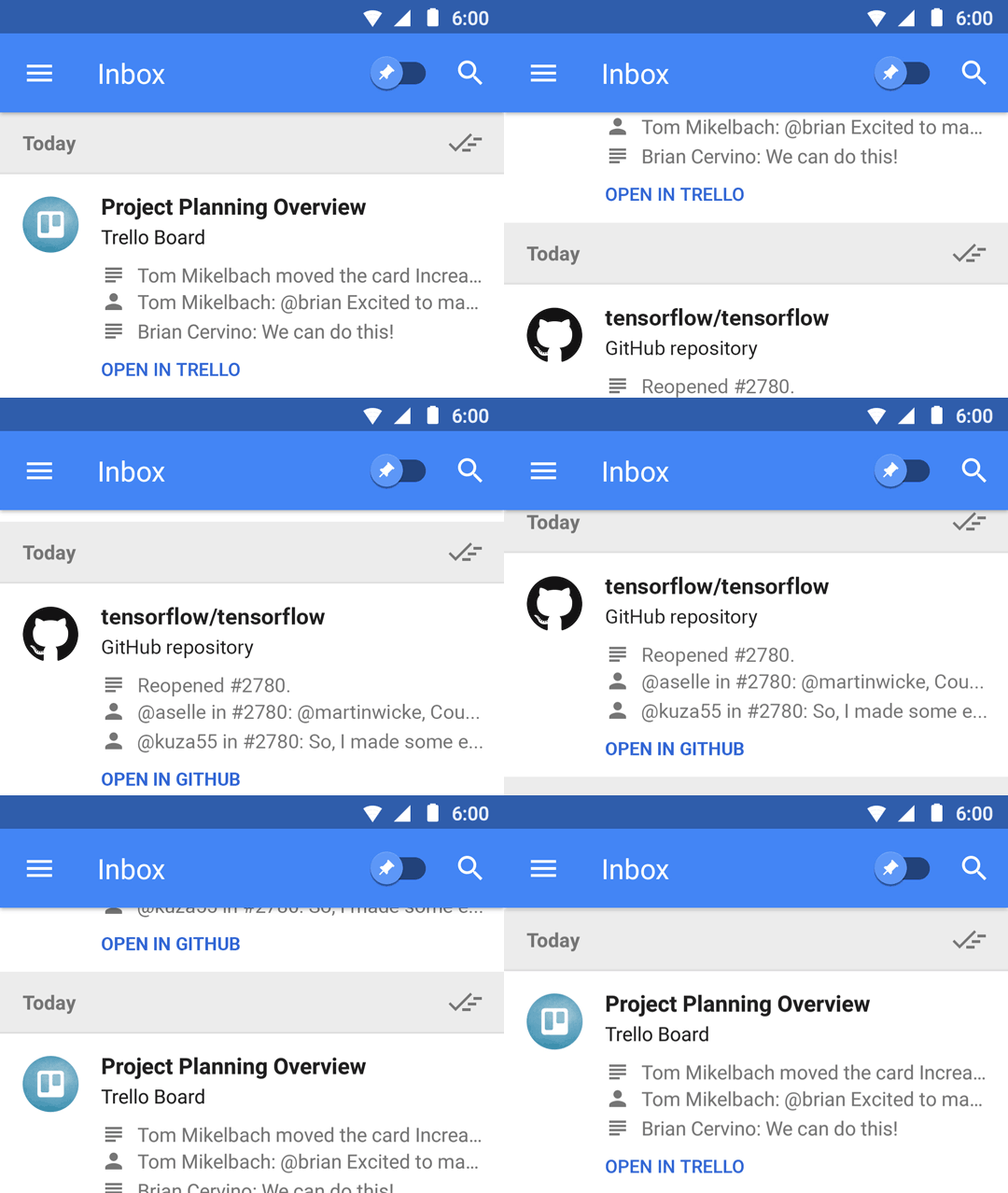
In an announcement post describing the features, Google says that they have worked with both Trello (project management service) and GitHub (software collab platform) to offer summaries, similar to what they rolled out with Calendar and newsletter grouping back in April. These summaries sum-up related items into a single grouping to help you see the latest on projects. Check out the GIF below to see how they’ll look.
With Google Alerts summaries, Google really is using the newsletter summary approach where they’ll toss new alerts into a summarize inbox item that can easily be read or marked as done.
Finally, Google announced that Google Drive links can now be easily inserted into emails, drag-and-drop between contact fields is included, and a delete button has made its way onto the web.
Play Link
Please add the option to print an email.
but can it do exchange?
I use Inbox for personal and work accounts, I can’t live without it. The snooze and done swipe gestures are awesome. I just moved my team AWAY from Trello (and onto Wrike) last month, I hope they don’t find out about this 🙂
But the GitHub integration will be sweet!!
There’s only one thing I want in Inbox. Why can’t I swipe to the left to move from email to email. I could do this in Gmail, but I cannot in Inbox.
GitHub Aiy? Maybe I should start developing again…so I can just push stuff to Github
I love the Inbox idea. The Android app is great (for the most part). Inbox on the web, however, has been a disaster for me (and many others, from the help forums). It’s unreliable, slow, janky, crashes, etc. It just isn’t ready for serious usage.
I understand the importance of mobile, but don’t understand the mobile-first-and-only mentality. To me one of Google’s main strengths is its cross-platform functionality. This is also why I’m not excited for Allo and Duo.
Seems ready for serious usage to me. I use it all the time. I prefer it over the mobile version myself.
<<tw. ★★✫★★✫★★✫★★✫★★✫★★✫★★✫★★✫★★✫★★✫★★✫★★✫★★✫★★✫★★✫★★✫★★✫★★::::::!ir255m:….,….
Ditto. I use the Inbox app on my phone but I got fed up with how slow the Web interface is for Inbox and have gone back to using the Gmail Web interface when I’m on my desktop computer. 😛
I disagree about performance and reliability, but I do agree that it’s just a mobile interface on the web. I hope they change it, otherwise it’s just a stretched out UI
Maybe I will give Inbox a shot again. Never cared for it to be honest, nor the battery drain from using it.