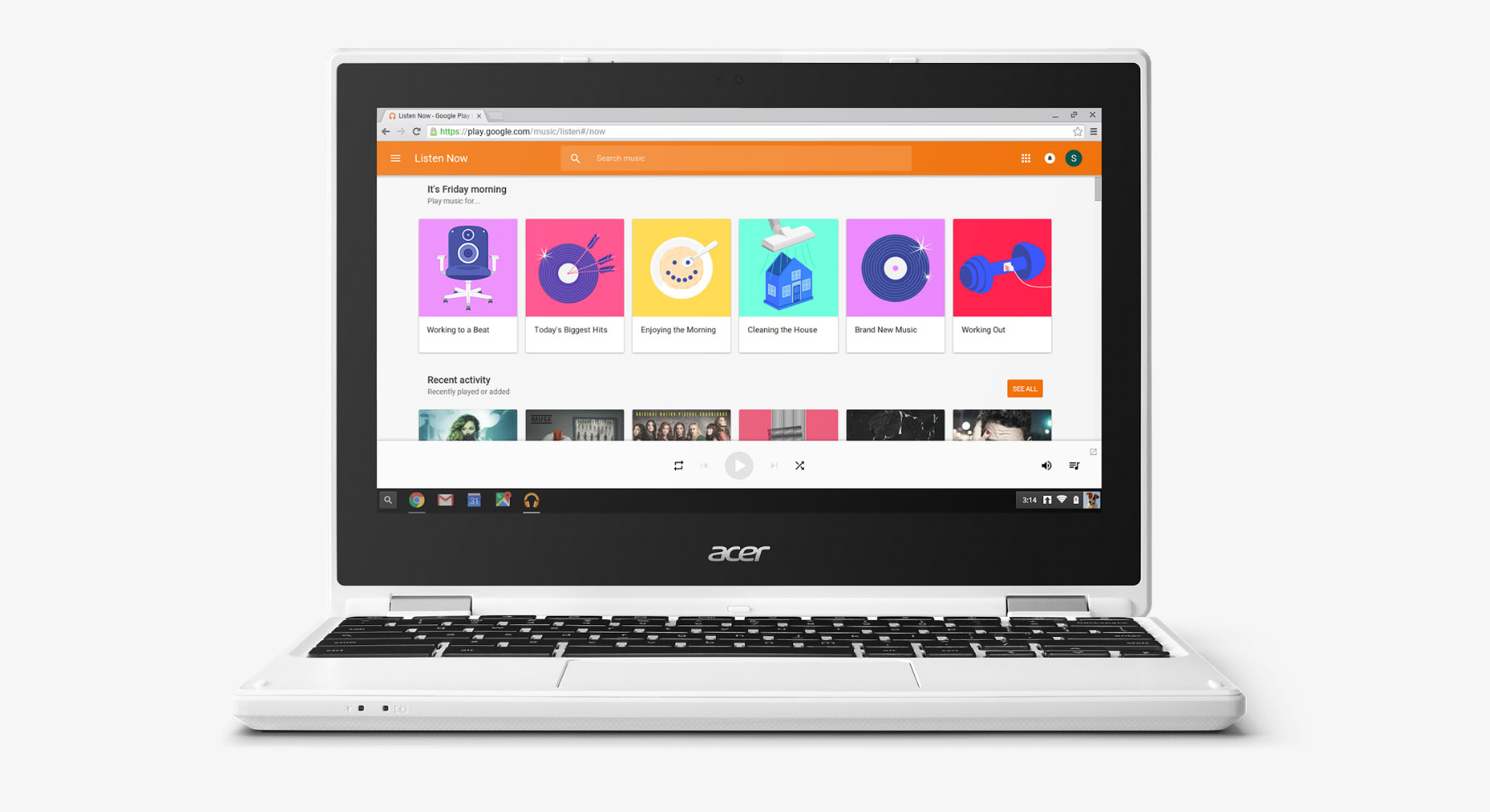
Google Play and Android apps moved a step closer to a broader release to more devices today, thanks to a graduation of the Google Play beta experience to Chrome OS stable. Wait, did that make sense? What I’m saying is that Chrome OS stable (v53.0.2785.129) now has access to Google Play and Android apps, though only on two devices at the moment. Still, we’re making progress!
Google updated Chrome OS stable on the Acer Chromebook R11 and Asus Chromebook Flip to the new build, which includes Google Play store (beta) access. So while the Google Play store and Android apps running on those specific Chromebooks is technically not stable, we are at the point where Google is seeing how it plays on stable Chrome OS. That’s good news!
You will notice that the Chromebook Pixel (2015) did not get stable Chrome OS Google Play access and we don’t know why. Then again, it also didn’t get initial access through the dev channel either, so maybe this isn’t that surprising.
As far as we know, Google is still planning to rollout Google Play to a whole bunch of additional Chromebooks later this year and in 2017.
For those who have been using Android apps on your Chromebooks, how has the experience improved over time?
[responsive_vid]
I have been using the Flip for about a month. Overall, really like it. Love the speed with which it turns on. Battery life is fantastic. At least the way I use it, I get hours and hours of use – seems like way more than the stated 9 hours.
No issues using Android apps on the Flip either. It just is a bit confusing at times whether to use an Android app, or Chrome. Still working my way through that. Basically, I use both.
The device is really light, too – and the adjustable hinge is great. Once in a while, the device does run a little slow. But heck, so does my Windows PC.
I am surprised how much I use the track pad – although that may be the weakest part of the device – some times it is not responsive when selecting items on the screen.
Overall, for under $300, it is an excellent value. My first tablet was the first 10″ Samsung tablet – and I bought a keyboard for it. I have always used these 10″ tablets as laptop replacements. The Flip is the best “replacement” I have owned.
Hm, does anyone know how to make OTA updates work if you’ve installed Linux on the chromebook? If I understand correctly the OTAs need to verify the OS at the beginning of the install and fail if they cannot (like rooted phones). I wonder if re-enabling OS verification will brick my book or work like normal..
is there a reason people are jumping back to the stable channel and abandoning the Dev. channel … I have had no issues using Dev on my flip
I’ve been using my flip with android apps for awhile now and like it a lot… Some apps are a bit iffy but for the most part, things are ok.. I’m still keeping my device on Dev channel for quicker updating and have had no issues…
I have a Chromebook Flip.
Yes, the experience has improved over time! They’ve added some things to try to differentiate between Android apps in the app launcher and chrome extensions, but it seems like there is still no way to tell between a Chrome app and an Android app. For instance, I have 3 google play music apps… 1 is a chrome app and has a regular play music icon. One is the Android app and has a regular play music icon. The last is a chrome extension and it has the little Chrome symbol as part of its icon. There’s basically no way to tell between the other two, other than remembering where in the launcher menu I left them. In this case, I’ve been deciding if I like the Chrome app or Android app more and deleting the one I don’t use.
The other weird issue that I haven’t tested with the latest update is that rotation lock fails to engage when using it in tablet mode with Android apps running. It won’t work again until it is rebooted and then will stop engaging the rotation lock as soon as any android app is started. Works fine before touching anything Android.
Overall, I love my Chromebook and I have been really impressed with Android apps on Chrome OS. This is definitely, as others have said, the best Android tablet I’ve ever owned.
Does anyone know how to remove the old beta from my flip and add the new beta chrome play? They’re probably the same but would rather have it done the stock way.
I’ll need you to elaborate on that.
Thanks for replying – I think I made a mistake. I think I’m fine the way it is.
I feel like Android N is imminent. Dev channel no longer switches devices when changing orientation (between Nexus 9 for landscape and Nexus 5 for portrait, though the former may be different now). No need for that behavior if you can just resize the window.
I own the Chromebook flip. So far n issues with the play store app integration. Wish there was a way to move Sd card memory to internal memory. The recent Chromebooks aren’t known for their having the most memory to offer
I just started to switch back to Stable but then realized it’d have to wipe my entire Flip. Guess that’s gonna wait until after work!
I just now did it at work. It only took a few minutes.
I don’t doubt it. My problem is that I have a lot of stuff saved on mine.
I bought a Chromebook Flip for my daughter for her birthday and have been running the beta branch for the Android apps, will switch it to stable this evening and see how everything is working.
Yes, the experience has gotten better. My biggest issue is still getting Exchange Services to work. Everything works except the very last step…. The security activation.
When you flip these into tablet mode does the keyboard deactivate? Just wondering how that affects usage?
Yes it deactivates the keyboard
The Chromebook Flip is the best Android tablet I’ve ever owned.
Have the Asus chromebook flip too (4GB) but I also have the Acer C720P chromebook and it is much faster and smoother.
Stable…Chrome…in same sentence. Never thought I’d see that.
You must not own a Chromebook.
I own multiple. Sell them for a living, too.
I’m just making a joke about how terrible Chrome is.
I’m pretty sure John was saying that Chrome is very stable, because it is.
To who? People with 64GB of RAM? Crashes, memory hog, can’t get Netflix to show HD.
I feel sorry for the misconceptions you must give to all of your “customers”.
Sure. Now we all act like Chrome is innocent lmao
Well my desktop Mac at work only has 4gb ram but it manages to do just fine.
Also, there’s a difference between Chrome OS and the browser. My Chromebook has never had a crash or fuckup of any notable size.
Haha and here I thought you trolled people for a living.
All I do when I only work on the weekends full time.
Owned a Chromebook since they were first released. I don’t think my Chromebooks have ever crashed. Not once. Meanwhile my Surface Pro crashes at least a few times a week.
I love my Chromebook too. That wasn’t the issue.
huh? The issue was stability of Chrome OS. I pointed out that Chromebooks (running Chrome OS) don’t crash.
And I said Chrome browser.
Yes! I’ll be wiping my Flip for the umpteenth time in these past few months to go back to stable, but hopefully it will be the last time!