

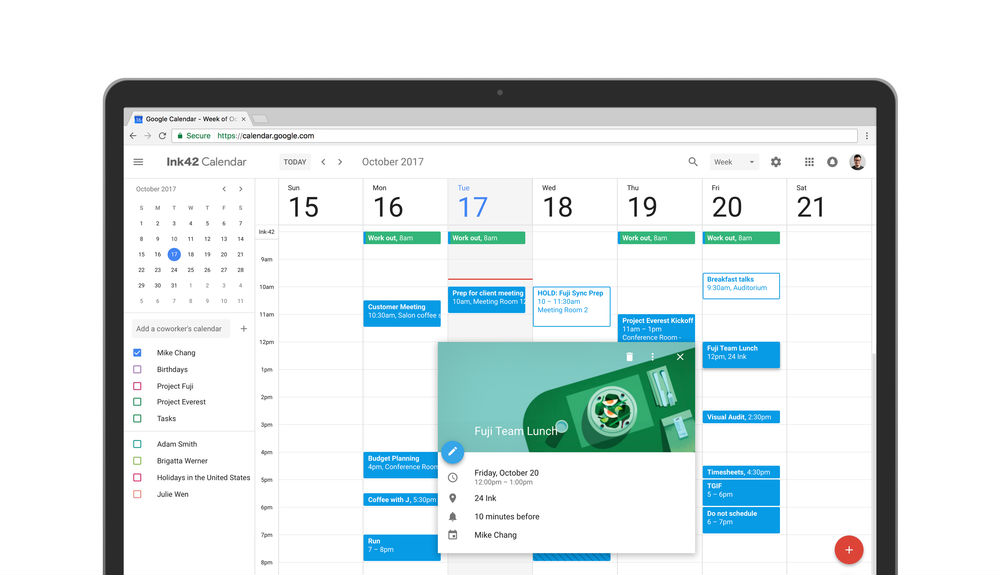
Back in mid-August, a big redesign for the web-based Google Calendar was teased by a beta user on reddit. Today, that redesign is official and available for everyone, and man, it looks good.
Basically, the whole thing has been redesigned from top to bottom, complete with a floating action button, ability to check on other’s calendars (should you be an enterprise user), as well as the fact you can add rich formatting and hyperlinks to calendar invites.
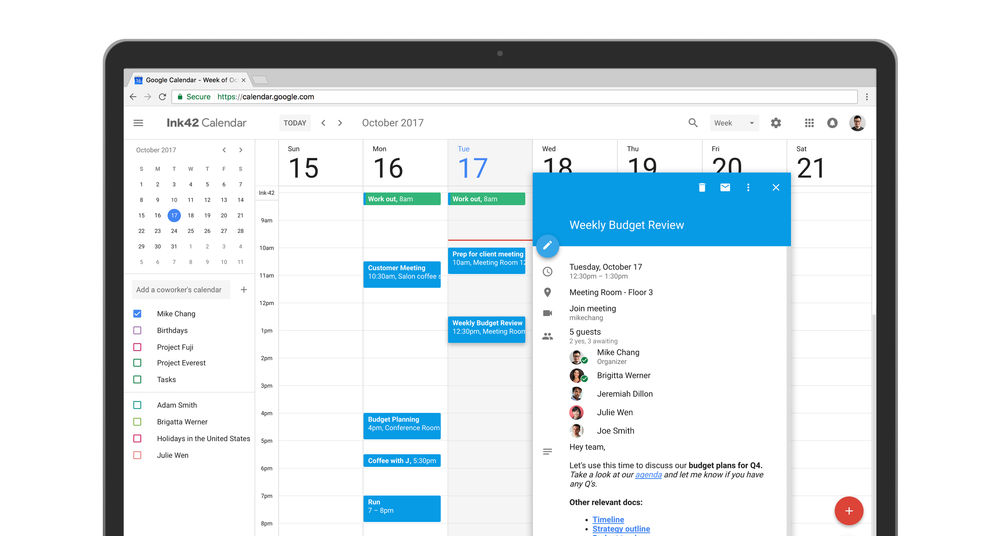
As Google details, “Now you can see contact information of meeting participants when you hover over their names in a Calendar invite. There’s also a new way to view and restore deleted items in one place in case you accidentally delete a meeting.”
To get started, open up Google Calendar for the web, then hit the “Use new Calendar” button in the top right.
Such fancy.







STILL NO MOUSE HOVER INFO
I wish it was easier to tell all day events vs events with a specific time. Now they are all in the same colored box and not easy to tell at a glance… :/
Me likey.
Also of note– from what I can tell, no more “Labs” features.
My Uncle Samuel just got a stunning blue Infiniti QX80 SUV by working part time from a
computer. see page…………. http://goo.gl/kQUjED
Colorful, but no more practical than the old website. They’ve managed to take up more space with literally every element on the page while conveying no more, and in a number of instances (like month-view) less information.
#SEXIFIED
what sort of practical enhancements are you looking for from a calendar?
Good question! Improvements in ease of use, I suppose. I was expecting something that would be obviously better. Unfortunately, far as my usage patterns go the new site feels very slow and bloated, and has no advantages over the old one, save for maybe “reminders” which are a good addition. Huge fonts, huge colored boxes, month-view can’t fit as many things per cell as “compact” view on existing calendar, and the “create new” opted to replace everything with a grey animated drop-down. The drop-downs don’t even line up if you fill them in with different types of data. Page loads are slower too compared to the old site, whether jumping between events or different screens like “create new” and calendar itself.
well said. i agree
How about when I hover over an event it give me info, then clicking, give me a balloon of further info in editable form, then double clicking takes me into the event for a full flegged jamboree of detailed info
If you don’t see the opt-in button, use this link:
https://calendar.google.com/calendar/r?new_calendar_optin=true
nope…
Nope…
Thanks!
you have been awarded 1000 internets. thank you!
Even with this link, I am not seeing it for Google Apps accounts (EDU / BIZ). It does work on my regular free google account.
For G Suite accounts it needs to be enabled by your G Suite administrator.
I also do not see an option for this.
https://calendar.google.com/calendar/r?new_calendar_optin=true
Thanks, worked for me.
THANKS! It worked like a charm. ^^^^^ This.
I, too, am not seeing the button. I am a GSuite user, however, and almost INVARIABLY we are the last to get updates. Google Home STILL won’t add reminders for me. What about @disqus_u9YBhwJuYe:disqus and @Booyabobby:disqus ? G Suite or no?
Pretty sure I don’t use GSuite.
I don’t use GSuite
If you are on G Suite you have to ask your admin to enable it. Otherwise by default you won’t be able to try out the new calendar until the middle of November.
That works out pretty well for me, as I’m the admin… BRB. 😉
Not always the case. I have my domain to “enable by default” any new features. Google is just often really slow to enable features for gsuite/apps accounts. I can confirm I still cant see this even though I have everything enabled.
Admin Console –> Apps –> GSuite –> Calendar –> New Calendar. Turn ON immediately (last option) or Turn on by request for users (I think the second option or so? @NateBiggity:disqus is the MAN! Thank you sir!
Wow, shocked that Google actually had something ready on day 1. Thanks
Sexified
Not seeing the “use new calendar” option
Definitely dont see “use mew calendar” button.