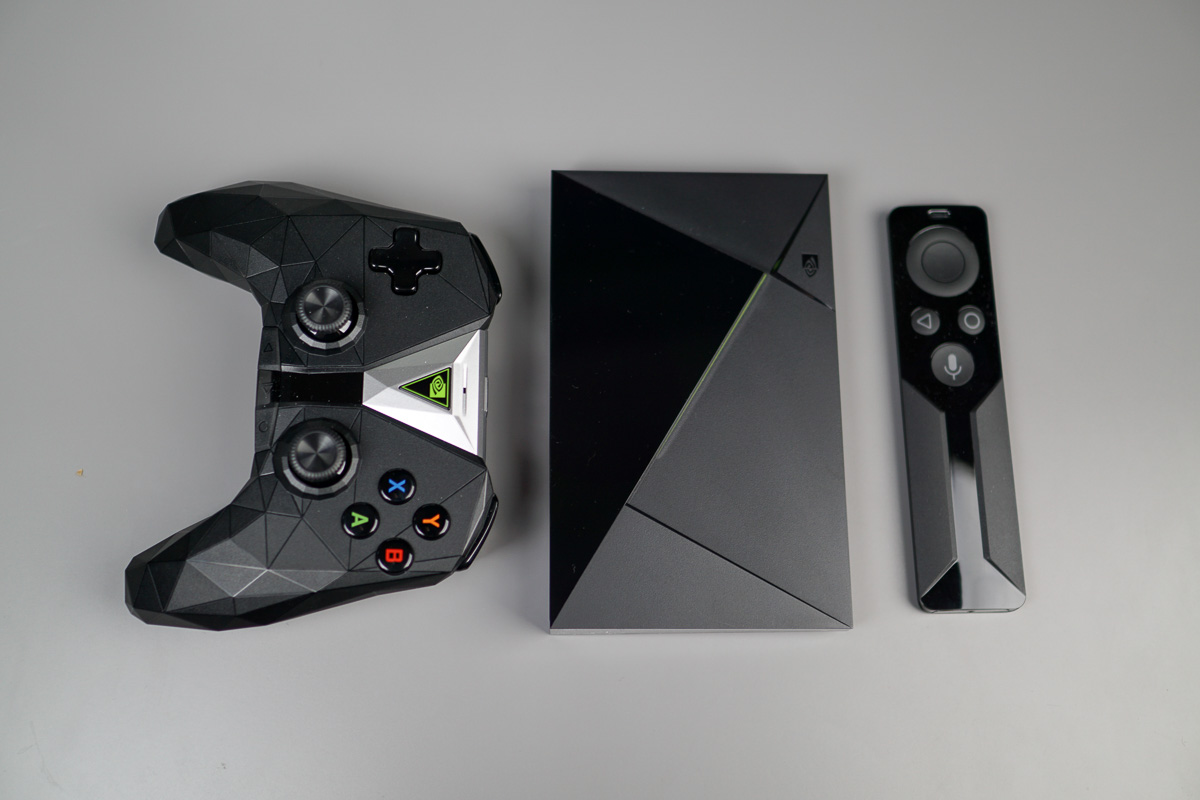
Ready for Oreo on your SHIELD TV? Good, because it’s coming today! After delays and preview members getting to use it, NVIDIA announced the news via Twitter, saying SHIELD Experience Upgrade 7.0 is rolling out to all users.
This update includes a redone UI for the device, which brings recommendations to the forefront of the browsing experience. For example, let’s say you have Netflix and Hulu loaded onto the device, those apps will now provide previews and shortcuts into shows that you’ve been watching or are recommended for you.
Be on the lookout for the update notification today, but if you don’t see it, head into Settings > About > System Updates and it should be there.
Great news – SHIELD Upgrade Experience 7.0 is rolling out today for all users. If you don’t receive a push notification, you can manually check for updates under Settings > About > System Updates. Thank you for your patience! https://t.co/ar6VZcMzDY
— NVIDIA SHIELD (@NVIDIASHIELD) June 27, 2018
Update f*cked up mobdro
Looks like its streaming in 3d
So what. It’s illegal anyway
It sucks!!!!!!!!!!! They realy ruined the best (or what was) the best streaming unit out there!!!!! Who ever was in charge of this piece of garbage should be shot!!!!!
R.I.P nvidia sheild
Oh shut up drama man!
Yeah STFU you moron
Got the update today, promptly turned everything off from the home screen except for app favorites. All of those recommendations are nothing but spam advertisements.
I’ve been running update for a couple of weeks now. I actually enjoy the recommendations from apps like Netflix and HBO Go. They’ve quickly introduced me to movies and shows that I probably never would have seen.
Another loser who can’t handle new things
*eyeroll* I can handle new things just fine. I just don’t want spam all over my screen. It’s the main reason I absolutely HATE the interface on the Amazon Fire Stick. There’s just too much crap on the screen getting in the way of what I actually want to see.
I dont even want to update my shield. I believe this new update removes the screenshot and screen recording features.
yea i don’t understand the logic behind that, why did they remove it. can’t be because of copyright issues, right
I wouldn’t think so because most apps have software to block recording anyway.
Maybe it’s because nobody uses it
I didn’t ask.
I’m excited to try this, but suspicious. I’ve turned off most sources from that recommendation bar with version 6. It mostly seemed to be Vudu advertising stuff, and Hulu pushing their original shows…. and Amazon won’t even use it.
For the record, my Mi Box jumped from 6.0 to 8.0 Oreo a day before Nvidia… Updated the Mi Box, Shield, and Nexus Player to Oreo. I like the new interface. I don’t play games a on any of them, though. I do use HD Homerun for OTA channels and the new hire screen has a row for what’s on live channels and what has been recently recorded to the DVR. Now I’m trying to figure out how to get recordings shared over my Windows Plex server… https://uploads.disquscdn.com/images/cc8d4a03305a6fb4231caca6ad6523fc364e3cad38d9f1ae16a15c4f7247fd28.jpg https://uploads.disquscdn.com/images/cdde5d0de0a297518054a9aac0928827be0b7e606ae144196f38f8c8adf63192.jpg
I’ve been wanting to add OTA DVR. Aren’t you using Plex for the DVR part of your set up? Plea has been adding DVR/TV features lately.
Was the mic on your Nexus player broken until Google fixed it with software?
I have HDHomeRun and while Plex works well but I find it to be too many clicks to get to live TV actually playing. I liked the shield built in TV app but it would hold onto tuners in the HDHomerun and then not playback after both tuners were tied up. I ended up with a program called Channels – Live TV (https://play.google.com/store/apps/details?id=com.getchannels.app). It wasn’t cheap but it is the best Live TV app I’ve used.
My Nexus Player remote but the dust thanks to my kids. I bought a red ninja Bluetooth game controller from GameStop for $7. Trey is tight about the built in live channels app not letting go of tubers. I rolled back to a version of live channels that let the tuners go and I’ve been good from there. Only thing my setup needs now is to find a way to share the built in live channels recordings with Plex.
MUST HAVE UPDATES…
https://thumb7.shutterstock.com/display_pic_with_logo/100254/100254,1300784241,1/stock-vector-cartoon-zombie-isolated-on-white-he-is-lurching-with-his-arms-out-stretched-73676842.jpg
I’m excited to try this, but suspicious. I’ve turned off most sources from that recommendation bar with version 6. It mostly seemed to be Vudu advertising stuff, and Hulu pushing their original shows…. and Amazon won’t even use it.
Yikes, yeah, this is a mess. Amazon and Plex don’t work with it at all… Hulu and Netflix don’t let you pick and choose what to show, they just dump promoted stuff in. I can see if support increases… otherwise this is a bit of a mess. Even the Live Chanels app, made by Google, doesn’t work with it.
Also… Sheild TV and games are dumped as a section.
Plex and Live Channels are showing up as channels for me. Is that not the case efor you.
Oh, interesting, they didn’t show up until opened. I tried that with Amazon to see if that was the case first and got nothing, so I didn’t even bother with other two. Plex works decently with it. So at least that’s a little better.
My Plex and Netflix work just fine. Click on the App in Favorites and they start right up and play back. The recommendations sections have always just been something to ignore even before the update. I would say I like the old UI better but oh well.
I’m not even sure that I want to download this. I really haven’t seen any positive feedback on the UI changes.
Because you don’t want to see them. Eventually you won’t have a choice
So we can manually check if the update is there but does that mean we can request it to be pulled down and installed?
not sure. I went to turn on my 2017 shield today and the update was waiting there for me to install. It was the first thing I saw, I didn’t even have to request it.
You’re a little slow eh?