

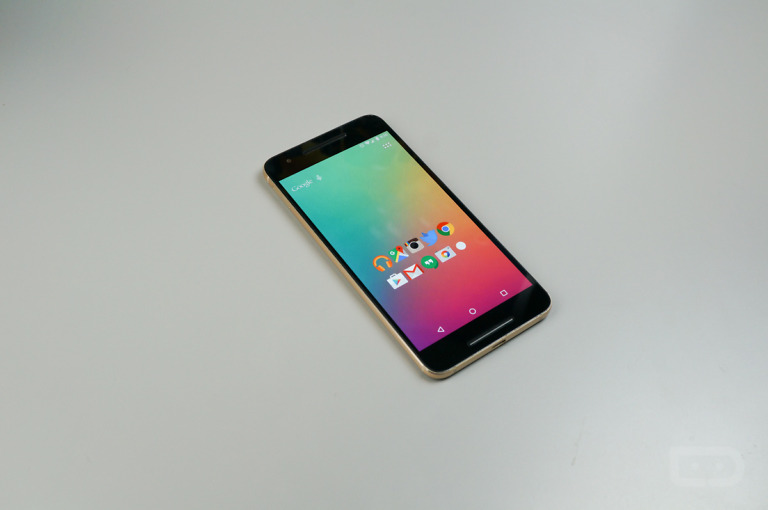
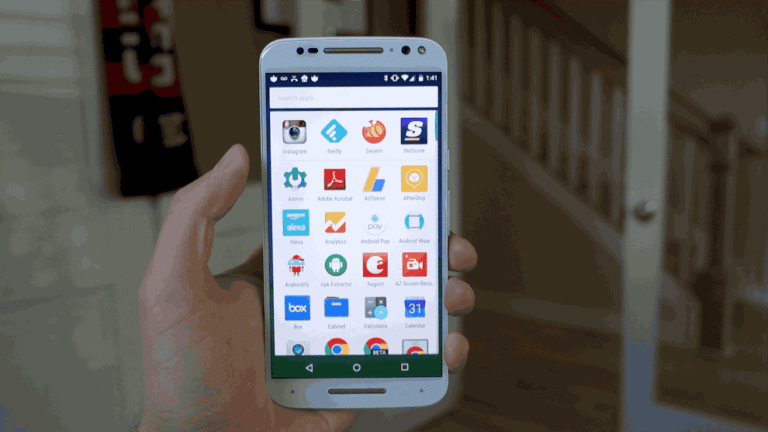
The developers behind Nova Launcher had a last minute surprise up their sleeves just prior to 2020 ending. In a somewhat limited beta release, Nova Launcher 7 is here and it’s a pretty major update.
First posted a couple of days ago and updated several times since, Nova Launcher 7 beta has been rebuilt off of Launcher3 from AOSP, so you’ll get “updated visuals and animations and just about every part of Nova’s code has changed.” See, this is big.
While the focus may be on a move to a new base, there are new items as well as “nearly all” of Nova’s customization options having made the journey over. In the first beta, we got the following new goodies:
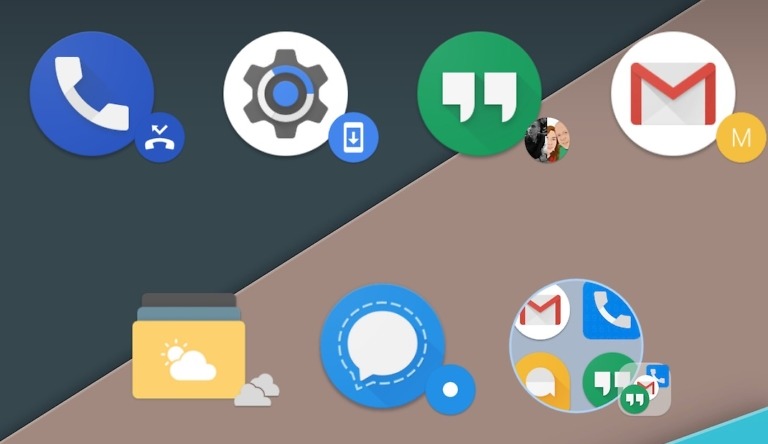
– Radial folder icon layouts
– Vertical paginated folder scrolling
– Swipe Down action on icons (Prime)
– Search bar and Tab Bar in drawer can be placed at the bottom
– More Nova search window and bar options
– Save APK popup menu action
– More
There were a few cuts, most notably in card backgrounds and horizontal app drawer styles. No one is out here missing horizontal app drawers, are we? Only weird Samsung freaks have convinced themselves that scrolling sideways in an app drawer is OK.
The first beta build rolled out as 7.0.2 and we are already on 7.0.7. Through updates, bug fix after bug fix has been deployed, force closes have been addressed, shortcuts and gestures have been improved, icon shape detection and theme handling has gotten better, and scroll effects from Nova 6 were restored. It’s been a non-stop fixing session, which you absolutely love to see.
Since this new beta build is such a massive upgrade, you won’t find it on Google Play just yet. Instead, you have to grab it through the Nova Discord server. Join that here and get to playing.



I applaud the developer’s long dedication to this app.
I downloaded and installed this yesterday, and this is a much needed update. Personally, I feel like Nova launcher has been starting to feel old and stale, and it wasn’t playing well with my S20. This update changes that, making Nova launcher feel as fast and responsive as it used to. I feel like this was a long overdue update, but it’s nice to see it finally come our way.
I used to consider a launcher as a necessity – had paid for several, although Nova Launcher was by far my favorite. But, I haven’t fealt a need to use a launcher in a few years now. Maybe that’s just me.
Still, kudos to the developers for maintaining and improving the launcher for those still wanting one and actively using it!
Can’t move home screens anymore, can’t have blank home pages (without putting a blank object on the page), folders are now paginated instead of filling up the screen (even if you choose immersive). Suggested icon doesn’t work any more. NOT the direction I want Nova to go after using it for 8 or 9 years.
What they should have added/fixed:
1. Icon chooser should show all icons from each installed icon pack for the current app
2. Menu item to show app version number
3. App menu should be larger when changing an app’s icon or name or folder. (this has sucked since they changed it way back when)
4. Google discover page randomly NOT showing up until I reset Nova launcher and open the google app (leaving the beta and rev rolling didn’t fix it)
5. OFFICIALLY support putting folders in folders instead of telling users they never planned on anybody doing that
6. Built-in status bar customizations like where the clock should be (Left, Middle, right.), add date to status bar etc.
7. Ability to define a default gallery app when choosing icons and remove “gallery” apps that don’t make sense
8. Ability to lock the home screen from the long press menu, with a tap of an icon vs long pressing and having to look at a menu each time to allow the home screen to relock again.
Wish Nova would integrate icon AnemoneEffects; framework mask, overlay, and shadow. It would save time theming individual iconos on my phone or with Photoshop.
they should’ve added batch select icons when adding to home screen.
I’d highly recommend joining the Nova Launcher Discord and making a Feature Request for things you’d like to see added.
I would but every time I have asked for anything I got a snarky response and no action.
Why did they add an ugly icon to the top left of the app search ???
Wonder if it’ll support two home screens for devices with multiple screen sizes.
I don’t appreciate the author’s attempt to spin the taking away of horizontal scrolling as some kind of positive. It’s not. Why remove it? Why not make it, you know, optional? Isn’t that the whole point of paying for Nova? Are we going to turn this launcher into the Android equivalent of an iPhone, or worse yet, the Ubuntu Unity interface?
Maybe the Author wasn’t trying to “spin” anything and simply offered his point of view on horizontal scrolling cards (since I share his point of view as well).
Also Nova Devs have already stated that horizontal scrolling cards will be re-added and a future update, considering they changed their entire codebase it’s pretty understandable that it’s going to be a work in progress.
Horizontal scrolling is definitely superior. Just like reading a book
Still getting swipe redraws on pixel 5
I’m a fan of horizontal scrolling because I like the infinite scroll.
If that Discord link wasn’t working, try this one: https://discordapp.com/invite/sVg9j4J
Be warned, this breaks some custom icon settings. I was using a custom icon set with transparent background, and Nova beta 7 insists on replacing the transparency with a white background, filling my app drawer with white squircles. I couldn’t figure out how to enforce transparency, so I reverted to Nova 6.
I also had those white icons. Here’s how to get rid of them for now:
Nova settings > Look & feel > Icon style > Uncheck both “Reshape legacy icons” and “Normalize icon size.”
My icons now look as they did on Nova 6.
Link to download beta version does not work…
Just go on APKMirror
Took me a while to find where they host the links. In each of the changelog announcement, there’s a download link.
I was the Samsung Pay feature where you can swipe up to get the cards and last time I checked that didn’t work and they didn’t have a fix. I used to love using it
Which phone you are using?
Im using a Note 20 Ultra. It started with the S10 and that years Note. I haven’t tried since then.
That was fixed last Spring, my pandemicy days were a jumble from from March til Dec so I don’t know exactly when, all I know it was warm, the flowers were blooming, and my S20 smelled like sanitizer. So yeah, come on back and swipe up til your thumb falls off…
That’s awesome imma download now