


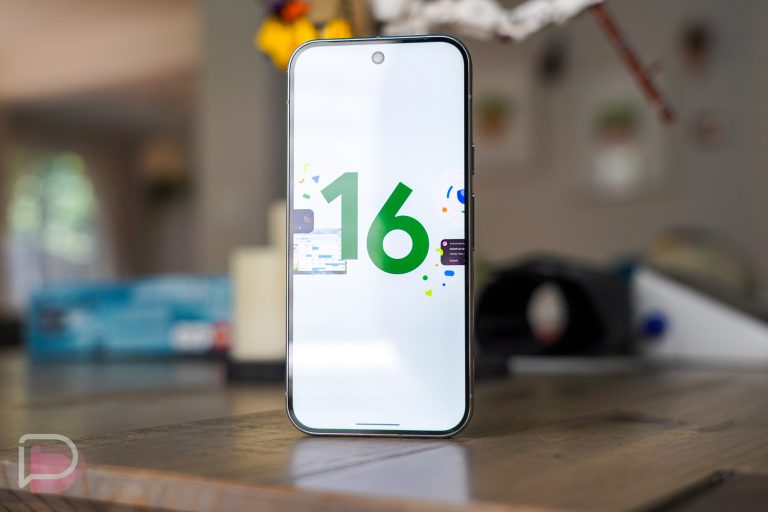
Google has already had a wild enough day with the unveiling of its new hardware line-up, but they apparently weren’t satisfied with just that. To top off the day, Google has released Android 16 QPR2 with a first Beta 1 build for all of its current Pixel devices that are still receiving updates, from the Pixel 6 up through the Pixel 9. I’d imagine the Pixel 10 series will be added next week.
What’s new in Android 16 QPR2: For those keeping track, but may be confused, this is a brand new Android Beta Program. We have been testing Android 16 QPR1 for months and expect it to go stable in September as a big quarterly update with a Pixel Feature Drop alongside it. What we have today is Android 16 QPR2, which is the next major update that won’t go stable until December. In other words, the December update of Android 16 can be on your Pixel device today.
There appears to be a ton of new stuff and we’re updating our Pixel 9 Pro right now to get some visuals on it all. But as that process takes forever (optimizing!), you can view Google’s own changelog of the new stuff below. We’re already seeing big news on dark theme, auto-themed app icons, more haptic controls, quick settings changes, and a bunch more.
UI, System Experience, and Accessibility
- Expanded Dark Theme
- Auto-Themed App Icons
- Interactive Chooser Sessions
- Smoother Android Migrations
- PDF Document Annotation and Editing
- Display Topology API
- Device-aware View Configuration
- Granular Haptic Feedback Control
- Quick Settings Tile Categories
Media & Audio
- IAMF Decoding Support
- Personal Audio Sharing in Output Switcher
- New AAudio APIs
- HDR/SDR Brightness Slider
Connectivity
- Companion Device Management Enhancements
- MediaRouter Network Privacy Improvements
Privacy & Security
- Secure Lock Device
- Phone Theft Protection Toggle
Developer Productivity
- Widget Engagement Metrics
- Early Warnings for 16KB Page Size Compatibility
- Enhanced Profiling
- More Robust Multi-Display Testing
Updated icon theming in QPR2

We have QPR2 up and running and the first thing we checked out was this supposed “Auto-Themed App Icons.” From what we’re seeing, Google has added a “Minimal” option that applies icon themes to those with true support, while adding a touch of color to those that don’t. You can see this best in the far right screenshot, where apps like Pokemon Go and FordPass have a blue tint, but not the full theme.
Google has also added an option for “Create,” but it currently responses with a tap by saying that an “App Isn’t Installed.” I’ll take that as a sign that Google will rollout some sort of icon theming app with QPR2 at some point to let us fully customize shapes of icons.
Expanded Dark Theme

Google has added a new “Expanded” option in the dark theme settings area that “Automatically applies Dark theme to more apps for improved accessibility.” Since most apps have dark themes already, I was trying to think of where this might apply…and then it hit me! The f*cking Fitbit app that Google has refused to add a dark theme too. Of course, they are finally adding it in a big October refresh, but if you run QPR2 today, you can apply it yourself.
Enhanced HDR Brightness

A new brightness option has entered the Display settings area called “Enhanced HDR Brightness.” On my Pixel 9 Pro, this setting will “Brighten and expand the color range and clarity in High Dynamic Range (HDR) images and videos.” It also says that “HDR content will appear brighter.” And that’s true – when you are in this area, your screen brightness gets all weird and it applies a brightness boost to the HDR image shown. Google is letting you adjust the intensity of this, so if it seems off, play with that slider.
Widgets are back on the Lock Screen in QPR2

Lock Screen widgets are back! In Android 16 QPR2, Google added a toggle in lock screen settings (Display & touch>Lock screen) to allow “Widgets on lock screen.” Once enabled, a widget panel will live off to the right side of your lock screen. You can swipe over, long press, and then edit or add new widgets to it.
Do note that Google warns of a lack of privacy with these widgets. In fact, they point out that “anyone can view them” by swiping over to the widgets panel. Still, these could come in handy for quick bits of info like we had long, long ago.
We’ll update this if there are other noteworthy changes.





I love that my wallpaper no longer scrolls when switching between other screens. It now just stays still finally!
Lock screen widgets is nice. I wish it were on the actual lock screen and not behind a swipe. At that point, I might as well unlock the phone.
Added a calculator widget so that I can access it fast without opening my phone for work, way faster.
So if I want the disable m stable build don't update?
Tired of all this Beta stuff when Android 16 was released two months ago. We should have had the second half, Material 3 Expressive, by now. I got like two Google apps with it but most nothing and definitely not the system apps like notifications or settings. Ridiculous how there are so many of these threads rolling out separately and all at different times
Yeah I agree. Google always been this way with slowly releasing everything over time in different updates throughout the year. Apple does it better imo and has a bigger OS update as far as a ton of new features in that update all at once.
Ha! There apps aren't even fully material design compatible yet, it'll be years until they get that FUGLY MD Expressive fully up and running. Steadily on the decline since 2013…
Amazing