


We are deep into testing the Pixel 10 Pro and Pixel 10 Pro XL, with plans to get you a review before long. As you know, we like to take our time, share more about the devices as we lead up to our final thoughts dropping. To continue doing just that, I wanted to share 10 things I’m really enjoying with the Pixel 10 Pro after using it for the past week or so. These are the types of things you’ll want to start using or taking advantage of right out of the box.
1. 100x Pro Res is both silly and awesome: Google introduced us to 100x Pro Res Zoom in the Pixel 10 Pro and Pixel 10 Pro XL, giving us the ability to generate images at wild distances. While this Pro Res Zoom is using AI to essentially generate what it believes to be in the viewfinder, I’ve found that it does a remarkable job at cleaning up objects in the distance. Like, it’s almost unbelievable what it can do, and you can see it below in an un-processed version and then the AI-enhanced Pro Res Zoom version of a picture I took of a tower.

Of course, Pro Res Zoom can’t really do people and if there are words on a sign or in the distance, it tends to turn them into that weird AI alien font speak. However, if you need to get a crispier shot of a distant object, this thing can work some magic. Again, look at those two images above and I think you’ll see what I mean.
To take advantage, you’ll fire up the camera, zoom in to 30x on an object, and then further zoom to 100x. If you aren’t seeing the ability to zoom to 100x, you’ll first need to open your camera, then the settings area for it, find “Model download” and tap into there to download the Pro Res Zoom model.
2. Qi2 and Magnets: Tim already shared his love for the Qi2 magnets in the Pixel 10 series yesterday, but I have to call it out again. For years now, I’ve had a Peak Design “Slim Wallet” with MagSafe magnets in it. Should I test an iPhone for a while, this thing can slap onto the back of that phone when I leave the house to keep the items I’m managing to a minimum when on the go. But should I switch back to an Android phone, that wallet then slides back into my back pocket, as if we were back in the pre-technology days. I’m being a bit silly there, of course, but the moment I started testing the Pixel 10 Pro XL, I immediately found joy in being able to slap that wallet on the back of the phone, no case required.
And then I also get to use the MagSafe chargers that have mostly sat unused on my desk and bedside table over the past year as I committed most of my time to the Pixel 9 Pro, which had no magnets built-in. I’ve already started to get excited and look at what other accessories might be my next for my personal Pixel 10 Pro XL that should arrive today. Do I need a fresh wallet? Should I dive into the world of magnetic portable chargers? Do I need a fancy car mount like Tim has? Maybe! How exciting this is.
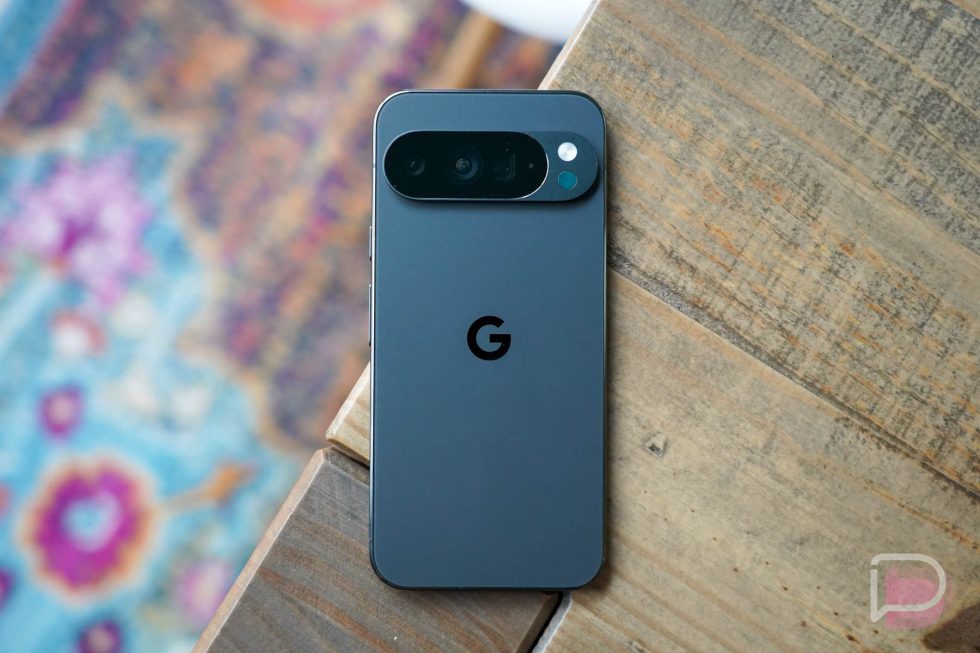
3. Battery life: The combination of the Tensor G5’s efficiency and a slightly bigger battery has led to impressive battery life in testing with this Pixel 10 Pro XL review unit. As is almost always the case for me in the summer, I’m fully back into Pokemon GO, the ultimate battery crusher. With the Pixel 10 Pro XL in hand for this past weekend’s Eternatus raids, I went hard for hours, made the phone super hot, and fully expected it to be dead by noon each day. As it turns out, even with the poorly-tuned Pokemon GO app cranking things to temperatures I’m not sure Google recommends, I still only dropped the battery level to 28% by 4:30PM with well over an hour of GO usage alone. And when I wasn’t doing excessive gaming, my battery life has almost always been around 4-5 hours of screen on time with 20-30% battery remaining. On at least one day, I went to bed with 38% remaining. Battery life has been more than good.
4. Magic Cue: This is a new software idea from Google that will attempt to further combine or integrate a number of major Google services to allow your phone to be more helpful without you doing any work at all. Magic Cue can do things like offer up a person’s phone number automatically if someone in a text message asks for it. It can surface calendar info, directions to a restaurant, or similar info by recognizing in a conversation that the info might be useful. It can bring up important info when on a call, like flight info when you call an airline. It can even recognize info on your screen in something like Chrome, only to surface it as a suggestion moments later in Google Maps (ex: if you were looking at a restaurant menu and then went to find directions).

So far, I’ve found it super useful if someone messages me about a specific time for something, whether that’s to meet up or to call, that sort of thing. Magic Cue will present options (like setting a reminder or their phone number) with a little rainbow circular animation. It’s also really quick at checking your calendar behind-the-scenes to make that info sharable. It’s far too early to decide if this is game-changing tech, but so far I’m liking the results in the limited uses I’ve found for it.
To make sure this is setup, you’ll head into your phone’s Settings and then Magic Cue. Turn it all on and wait up to 24 hours for it to all start magically working.
5. AOD wallpaper: By no means is this a new idea in the world of smartphones (both Samsung and Apple have been doing it), but Google has added a new option to show your wallpaper as a part of your always-on display. Just head into Settings>Display & touch>Always-on display>Show lock screen wallpaper and your wallpaper will faintly show on your lock screen, behind the clock. This is without a doubt the dimmest version of this idea, so I’d imagine it might also be the most power efficient take. It’s just a fun way to view your phone when it’s sitting idle on a desk.

6. 50MP portraits on Pro phones: On the Pixel 10 Pro and Pro XL, Google is giving us the option to switch from 12MP to 50MP shots for portraits. They are suggesting this makes for the “highest-resolution” portraits of any smartphone, which is a bold claim. When switched to 50MP, you should find improved detail, better depth estimation, and maybe most important, better segmentation around things like hair. In our camera sample post, you can see a photo I took of one of my cats in 50MP portrait mode- it’s pretty awesome.
To take 50MP portraits, you’ll simply open the camera, swipe over to Portrait, and then tap the 12MP toggle in the top left corner to then switch it to 50MP. Just keep in mind that this setting stays for your regular photos too, so if you don’t want 50MP shots taken over and over, you’ll want to switch it back. When taken in 50MP mode, your gallery and Google Photos (on your phone) will label them as “HI RES.”
7. Take a Message: One of the new software ideas that Google is first introducing on the Pixel 10 series is called “Take a Message.” It’s sort of like a replacement for your carrier-run voicemail. Basically, once turned on, it’ll intercept calls that you miss or decline and offer up a Google-powered voicemail machine. When it takes a voicemail message, it will transcribe it in real-time and present it within your call log rather than in the separated Voicemail tab. It has been very handy in recent days because it’s so good at giving you the message without wait, plus it can even recommend actions after (like a reminder to call the person back).
For those curious, your carrier voicemail can still work, but only when your phone is out of service or turned off. Otherwise, Take a Message replaces it. You can find the toggle for it in the Phone app, then Settings>Take a Message.
8. Edit with Ask Photos: Starting on Pixel 10, Google has enabled a feature into Google Photos called “Ask Photos.” This is an editing option that lets you describe to Google Photos by voice how you would like it to look. You can do simple edits, like asking for brightness or shadow adjustments, have it erase objects in the background, unblur or blur items, etc. If you want to have fun with it, you can also have objects added. While this may seem unnecessary, it allows you to avoid scrolling in brightness sliders or fine tuning an image setting-by-setting. When you edit by voice, Photos will give you multiple edits that you can choose from or you can quickly undo. I’ve been using this much more than I expected to.
To access, you open an image in Google Photos, tap the Edit button, and then you’ll see a new area at the bottom that says “Help me edit.” Tap into that and then get started either by voice or typing your edit needs.

9. Device Health & Support area: The Pixel 10 is the first of the Pixel devices to receive a new “Device Health & Support” settings area that allows you to fully troubleshoot your phone before contacting support. In this area, you’ll find a big banner that can say “Looks good” if all is well, but you can also check things like battery health, device temperature, your storage usage, and see if you are on current software. I also found a new “Charging diagnostics” option that will try and diagnose charging issues by asking you to perform actions, including plugging-in your Pixel 10 to reveal live charging speeds. This all may (and likely will) come to other Pixel devices, but it’s pretty cool to see here first.

10. Material 3 Expressive everywhere: This one isn’t unique to the Pixel 10 series, but can I just say again how lovely I think Material 3 Expressive is? Since the Pixel 10 Pro launches with Android 16 and Material 3 Expressive, it does at least feel like this is the most native of design experiences you’ll find. Everything is colorful with poppy animations, the apps have almost all been updated to M3E already, and the whole experience is about as fun and pretty as it gets in Android. Google’s software and design has matured in so many great ways over the years, all of which have led to this peak Pixel 10 experience.

You’ve had your Pixel 10 for a few hours – how’s it going?



I have to say, I’m really surprised by how lovely the M3 design language looks. I’m actually coming from a Pixel 5, and honestly, most of the photos and screenshots I’d seen beforehand looked pretty cringe worthy. But in practice, the design feels much more restrained and intuitive than I expected.
I should mention that I use Niagara Launcher, so I don’t have to deal with some of the ugly new widgets on my home screen, I just hide them behind a swipe. That said, I really dislike the new clock font.
Since I’m coming from an older version of Android, I especially appreciate the notification shade having a light theme, it looks sleek and clean during daylight hours.
One more thing: did I miss something? I thought Kellen was a “small phone guy,” yet he’s got an XL on the way?
Playing with the 100X zoom was different. I have frequent whitetail deer visitors and this let me take a decent head shot from approximately 60+ yards away. Then the AI took over and gave me what looked like an artificial digital deer. Very strange.
My 10P goes to 30x max, even with the "Model download."
I have a few small annoyances with my new Pixel 10 Pro XL.
– The screensaver, no matter what I do, has a temperate of 63* when it's 85* here in Charlotte. I've cleared cache on the Google app, the Weather app, turned location services on/off, etc. At a Glance and Pixel Weather show the weather just fine. It is ONLY the lock screen.
– My charging is SLOW via the Pixelsnap Charging Stand. According to AccuBattery, it's currently charging at 9.5W and will take 41 minutes to go from 71% to 100%. (~40%/hr charge speed). Phone is quite warm.
– I also had some annoying issues getting it to connect to both my Android Auto systems via Wireless but eventually, after many pairs and re-pairs got it working. NOTE: Both AA says are aftermarket; made by GROM Audio (VLine and VLite systems).
The phone does feel snappier and I was pleased to see that the 9 Pro XL case I had still fits the 10 Pro XL just fine. So now I have a backup. I thought I had heard that there was a slight change in the bump, but looks to be negligible.
EDIT: Evidently the charging is because of my older Google adapter. Disregard my earlier comment. It's charging at between 9.5-12W. I think this is the adapter from the Pixel 8 generation? I believe those were 30W. Ordered new 45W chargers for the three stands we have.
Any charging improvement with the 45 W units ? The 10 series is really finicky to obtain any wired charging above 24 W for me currently –
Saw a slight bump but my understanding is wireless charging is limited to 24W anyway…so you will never see 45W via wireless charging, only wire.
So far I'm loving most things about my 10 pro XL. It's smooth battery has been a revelation after using my 8 pro. The one thing that I have an issue with is wired android auto. This phone really doesn't work with it. You get a gray blank screen with a large android auto emblem in the middle. After 10-15 mins you may get a bottom bar with apps but touching the screen does nothing. And if say Google maps comes on screen, it's so laggy and unresponsive that you can drive for miles and the map never moves.
I'm not seeing the help me edit option in photos
Me neither. Apparently, Google included the option on few selected accounts. Let's hope they'll rectify this.
All these people enjoying their Pixels and here is me waiting until OCTOBER for my Fold to ship. 🙁
Im waiting for the Keystone Cops at FedEx to figure out how to deliver it. Was supposed to have it yesterday, then again today, and it doesn't look good ….they don't care, they don't have to….I need to get it set up because it's a chain of hand me downs after the 10 gets activated.
I'm not wowed by the P10Pro. It's just meh to me. In fact, my P9 works just as well and the P9 seems a bit more responsive and smoother despite the fact the 10Pro has more RAM and a newer processor. I think there is too much AI stuff going on in the background (I need to perhaps disable a few non essential ones) on the P10 hence the perception. Battery life has been mediocre or same as P9 but maybe because I'm still fidgeting with it. Pictures are good but I see no real improvement (other than the increased zoom factor which I really don't use often) over the P9 which are just as good. I don't know. Again, one of the few times when a phone hasn't thrilled me. I'm tempted to keep the P9 before trading it in, returning the 10Pro and saving a few hundred bucks.
Yeah, not sure why anyone would bump up from a 9 series to a 10 series. But, if you are then rest assured whatever lack of responsiveness and smoothness you are experience will get worked out with Google's monthly updates. Its new OS software on new hardware, they will fix it over the next 3 months. All phones eventually smooth out after being patched.
Actually my perception on some responsiveness has been confirmed by Android Authority:
Android Authority discovered, Google is carving out roughly 3.5GB exclusively for its Gemini-powered AI framework. It's a permanent, AI-only memory partition (in technical terms, "unevictable"), and it keeps the Nano model and AICore service resident in RAM at all times meaning Pixel 10 buyers are losing a quarter of their advertised memory before the phone even boots.
Actually my perception on some responsiveness has been confirmed by Android Authority:
Android Authority discovered, Google is carving out roughly 3.5GB exclusively for its Gemini-powered AI framework. It's a permanent, AI-only memory partition (in technical terms, "unevictable"), and it keeps the Nano model and AICore service resident in RAM at all times meaning Pixel 10 buyers are losing a quarter of their advertised memory before the phone even boots.
Just realized I really miss y'all Top things Videos.
I didn't know about Wallpaper AOD, going to try that. And looking forward to trying Ask Photos with the kiddo
Never seen a Pixel charge at 46W until now with my Pixel 10 Pro XL. https://uploads.disquscdn.com/images/79f9954ef5ef6a29b7dc15b522abccffa04a4db9adcf7f065c7e7e013b53df8b.png
This is finally a good improvement. But it should be 65w or better at this point
Nice- Which charger are you using and was the battery level pretty low at the time ? I am getting Fast charging but only at 24Watts with a Lenovo charger- My Ankers aren't really hitting the fast charger level with the 10XL for some reason –
You should try a OnePlus 13.
My question is is Google going to fix the GPU. It's running at 394mhz, wtf.
Just got it a few minutes ago. So far, so good!