Category: Apps

The latest selection of Android apps, both free and paid, are found right here. If you were looking for that fresh list of trending Android apps, we have you covered on a daily basis. Want to know the newest Android application releases first? Want to know which Android applications are free for a limited time?

Whether it’s Gmail, Google Calendar, Twitter, YouTube, and Instagram, or lesser known apps like Nova Launcher, Trello, Sling TV, and Philips Hue, you will know the best Android apps at all times.

Got a suggestion for a new app you think we should check out? We are all ears and regularly accept user-submitted applications, so that you won’t pay until you know if we approve.

  • Notarize App Makes Notarizing Documents so Easy

    Notarize App Makes Notarizing Documents so Easy

    I’ve only had to find a notary once or twice in my life, but each time, it felt like such a hassle. I was younger and the process of finding a random person to watch me sign a document and then pay them for doing so felt like a very odd thing. Regardless, it’s something that needs to be done from to time, and I’m happy to report that a newly launched app for Android, called Notarize, should make the process extremely simplistic.

    The way it works is pretty straightforward. You create an account on the app, upload or scan your documents, edit and annotate the documents, validate your identity through the app, connect with a live notary with video, pay for the service, then download your legally notarized documents.

    See, there’s no going anywhere or meeting anyone. It’s painless.

    For pricing, Notarize charges a fee starting at $25 for documents, with additional seals costing $7 a pop. Most documents should only need one seal, though. Considering the convenience of not having to leave the house, $25 is solid for a notary.

    The app is usable in all 50 US states, so if you think this app could help you out, follow the Google Play link below.

    Google Play Link

    // Notarize

  • This Google Arts & Culture App Meme is Quite Good

    This Google Arts & Culture App Meme is Quite Good

    If you’ve been on social media recently, maybe you’ve seen this bit going around where people use a selfie of themselves in the Google Arts & Culture app, which is then cross referenced with paintings inside of museums around the world. It’s pretty funny, and even though I apparently look like no one who has ever been painted (maybe that’s for the best), it’s still a lot of fun to try.

    All you need to get started is the Arts & Culture app from Google Play, linked below, then scroll down until you see the new experiment where it asks, “Is your portrait in a museum?” The picture you use will be referenced against thousands of paintings, and from what I can tell, how you position yourself in the selfie doesn’t quite play as big of a role as you may think.

    For my photos, I was trying smiles, no smiles, a tilted head, and all sorts of things. However, even with all those moves, I continued to get similar results. As is shown when the app is doing its processing, it’s basically using measurements on your face (which shouldn’t change regardless of how you hold your head), then using those numbers against its library of paintings. Either way, the results can be quite comical and revealing, so go have some fun.

    Go download the app and try it yourself. If you get a really good match percentage, feel free to share it with us down below. We’re dying to see what you get.

    Google Play Link

  • Samsung Pay Picks Up New UI, Includes Bottom Nav Bar and Cleaner Look

    Samsung Pay Picks Up New UI, Includes Bottom Nav Bar and Cleaner Look

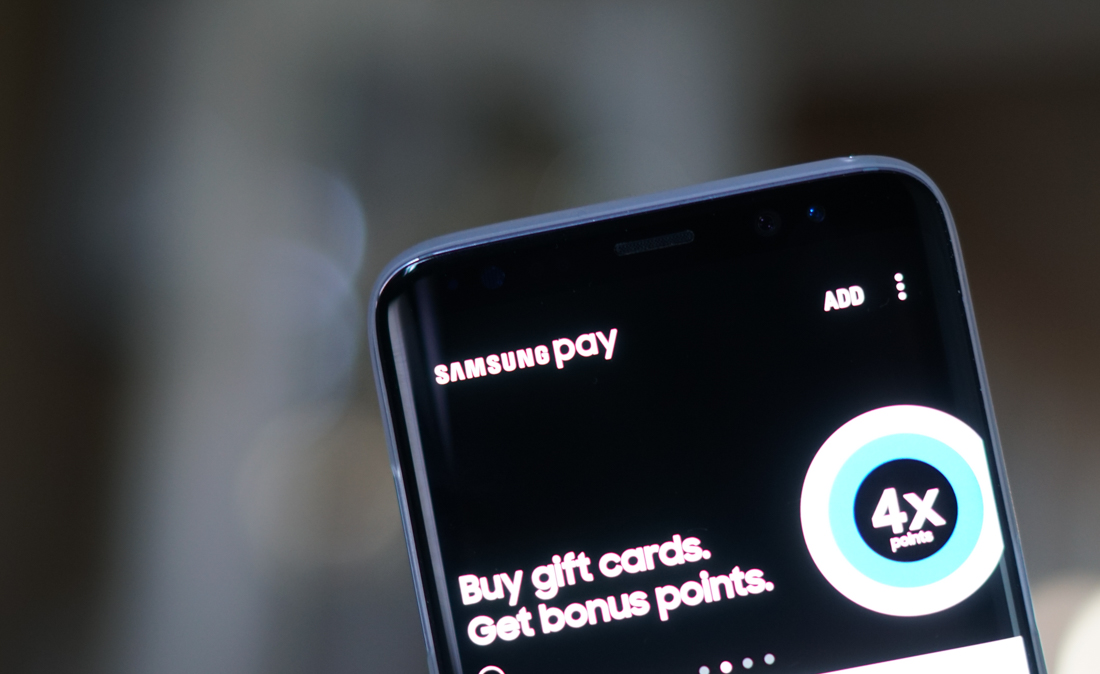
    Samsung Pay users, be on the lookout for a new update, labeled as build 2.8.18. Inside this update, Samsung includes an updated UI, one that users are apparently liking quite a bit.

    According to one user on reddit, “I opened the updated app and was like WOW! They have now ditched the on screen section menus for a more traditional bottom bar now! It looks really clean and everything is really tidy!”

    That’s either a very excited user or a Samsung employee posing as an excited user.

    A cleaner Samsung Pay UI

    Either way, as they stated, Samsung has moved to a more traditional UI, opting for a bottom nav bar with options for viewing your wallet, checking on rewards, and visiting the Pay store. Overall, it should be a cleaner and more easily navigable experience.

    Go grab that update!

    Google Play Link

    // reddit | @WinDroidGuy

  • Smithsonian Added to YouTube TV Channel Lineup

    Smithsonian Added to YouTube TV Channel Lineup

    YouTube TV subscribers can now watch the Smithsonian channel, thanks to it being added to the service’s lineup today.

    I can’t tell you firsthand which shows are on the Smithsonian channel, but a few do look cool after peeking at the official show list here. There appears to be a lot of nature programming, shows like Building Star Trek and Crazy Monster Spiders, plus many more quality programs.

    Get on it, YouTube TV folk.

  • Google Releases List of Latest Android Excellence Apps and Games

    Google Releases List of Latest Android Excellence Apps and Games

    Back in June, Google created a new category on Google Play called Android Excellence (like an Editors’ Choice) as a way to recognize the best apps and games on the platform. These weren’t just top performers either. Instead, the apps and games that made the cut offer up incredible experiences, use Google’s best practices, perform well, are optimized properly, and have great design. Today, they’ve updated the list with a bunch of newcomers.

    Some of the apps you probably already know, but Google is now highlighting the fact that they are great. We’re talking about apps like Airbnb, Acorns, IFTTT, iReader, LinkedIn, EyeEm, Musixmatch, and Journey. For games, they’ve now featured Agent A, DEAD WARFARE: Zombie, Modern Combat Versus, War Wings, Futurama: Worlds of Tomorrow, and more.

    To checkout the full lists, we’ve got direct links for you below.

    Android Excellence Links:

    // Android Developers Blog

  • Star Wars: Rivals is a PvP Game, Pre-Registration Available on Google Play

    Star Wars: Rivals is a PvP Game, Pre-Registration Available on Google Play

    There is no shortage of Star Wars things these days, especially games, and it looks like we’re getting yet another one for Android very soon. Now up for pre-registration on Google Play, Star Wars: Rivals is a PvP title, all about ducking behind cover, moving to better positions, and blowing away your enemies.

    The idea behind the game seems to be reimagining and reliving classic Star Wars battles. For example, you’ll experience Darth Vader vs. Luke Skywalker, Jyn Erso against Director Krennic, as well as Finn vs. Captain Phasma. Of course, these legendary characters will have to be unlocked through hours of gameplay most likely, but the gameplay trailer makes it look like a fun grind.

    As the description goes, players will build combat teams, join guilds, level up weapons and abilities, use faction bonuses, plus more.

    As soon as this game officially launches, we’ll let you know.

    Google Play Link

  • Google’s Product Head of Allo and Duo Leaves for Facebook

    Google’s Product Head of Allo and Duo Leaves for Facebook

    Allo and Duo are still a part of Google’s confusing messaging situation. It’s tough to tell if many of you use either of them. Since they are Google products, though, we’ve spent plenty of hours talking about the ways they have evolved and where Google has tried to improve upon their original feature sets. Things may change some on all of those fronts going forward, as the head of product for Allo and Duo, Amit Fulay, has left the company and moved over to Facebook.

    I’m not saying that Allo and Duo are now in limbo with Fulay gone. By all means, Google will just put someone else in charge of these two offerings. The point is, that leadership change often means change in direction or focus. Maybe this is the change we need to finally get SMS or multi-device support on Allo? Maybe we’ll get that Allo-Duo mash-up that continues to avoid us. Or maybe nothing will change and we’ll continue complaining about having to use old, broken Hangouts.

    I don’t know, but there is now a change at the top of two of Google’s 257 different messaging apps and that could mean a fresh start to apps some of us would love to use, yet can’t find enough reasons to make the switch to.

  • Dashlane’s Project Mirror Aims to Kill Passwords in 2018

    Dashlane’s Project Mirror Aims to Kill Passwords in 2018

    Many of you might already use a password manager, which is a great tool for keeping your digital passwords in order. Well, Dashlane introduced Project Mirror this week, with the company declaring war on the institute of passwords as a whole. Interestingly, though, Project Mirror is essentially a password manager, but also a keeper for all things digital security, including biometrics and automatic handling of multi-factor authentication steps.

    Project Mirror, at least the way Dashlane explains it, seems quite comprehensive. Here’s what they write that sums up the project. “Through Project Mirror, the Dashlane App will be the source for your digital identity — a mirror of sorts, reflecting the personal information and credentials that you use throughout the internet so that you don’t have to worry about it.”

    With Dashlane taking over all forms of logging into things, they’re basically killing the password, which is cool.

    Project Mirror has a roadmap for 2018, with the first feature, Critical Account Recovery, scheduled to release soon. With this feature, users will import and secure their most important passwords in Dashlane, with the app identifying any high-risk accounts and automatically resetting and securing those credentials. You can store any ol’ account information in here, but think of your bank login, Facebook, Twitter, or anything else you might label as critical.

    The video below details Critical Account Recovery in full.

    Over the course of 2018, we’ll learn more about Project Mirror and its features. As soon as we hear more, we will keep you posted on it.

    Do you use a password manager currently? If so, which one?

    // Dashlane