Category: Apps

The latest selection of Android apps, both free and paid, are found right here. If you were looking for that fresh list of trending Android apps, we have you covered on a daily basis. Want to know the newest Android application releases first? Want to know which Android applications are free for a limited time?

Whether it’s Gmail, Google Calendar, Twitter, YouTube, and Instagram, or lesser known apps like Nova Launcher, Trello, Sling TV, and Philips Hue, you will know the best Android apps at all times.

Got a suggestion for a new app you think we should check out? We are all ears and regularly accept user-submitted applications, so that you won’t pay until you know if we approve.

  • Here are 10 Paid Icon Packs That are Free for a Limited Time

    Here are 10 Paid Icon Packs That are Free for a Limited Time

    Looking through Google Play, there’s a number of paid icon packs that can be downloaded for free at the moment, so we’ve compiled a list to help you discover something you might enjoy.

    Each of these packs ranges in price from $0.75 to $1.99+, so the fact that they can be had for free is pretty sweet. There’s a lot of variation, too. If you want something super colorful, you can try out Nougat Square, or for something a bit more tame, check out Minimal Colors. You can also get a few oddly shaped packs, VertIcons being the one I’d recommend. The point is, they’re all free!

    Follow these links to check out and download each pack.

    Google Play Links

    Who can argue against free icon packs?

  • Vine Co-Founder Teases Vine 2

    Vine Co-Founder Teases Vine 2

    Twitter announced that Vine would shut down last year, with many across the internet quite upset about it. Today, though, the internet has reason to be happy, as one of the founders of Vine is ramping up hype for what could be Vine 2.

    In a tweet from last month, Dom Hofmann stated, “I’m going to work on a follow-up to Vine,” but didn’t provide too many details, with exception to a followup tweet that said the project would be self-funded.

    We aren’t exactly sure if this “V2” service will be exactly like the first Vine, but if it is, that would be nice. While I didn’t use Vine regularly back when it was around, a lot of creators did, which meant they all had to look elsewhere to produce their content when the service was shut down.

    So, if Vine 2 happens, will you welcome it?

  • HBO GO Android TV App Updated to Support Google Assistant

    HBO GO Android TV App Updated to Support Google Assistant

    For those who still watch HBO even when everyone’s favorite incest and dragon-packed show isn’t in season, you’ll be happy to learn that both the HBO GO Android TV app and standard HBO GO app for phones/tablets received updates this week.

    The big change is for the Android TV version, as it receives support for voice controls via Google Assistant. For example, watchers can control playback and use search functions all by using their voice. Basically, anything that allows me to not use a virtual keyboard is a good thing, so I’m happy.

    As for the phone/tablet app, the search page now shows recommended series and moves. Additionally, Watchlist now shows the most recently added items, that way you don’t have to guess whether a certain title is new to the service or not.

    Here are the complete changelogs for the Android TV app and phone/tablet app.

    HBO GO for Android TV Changelog

    • The search page now comes with recommended HBO series and movies.
    • Added support for Android TV Voice Assistant, so you can access playback controls and search using the mic button on your remote.
    • Added support for Android TV Launcher (Android 8.0 Oreo only), so you can continue watching series or movies in progress, straight from the Watch Next channel on your homescreen.
    • Watchlist now shows most recently added items first.
    • Various bug fixes and performance improvements.

    HBO GO for Phones Changelog

    • The search page now comes with recommended HBO series and movies. This is a real time-saver, so you can go ahead and rotate that frozen pizza halfway through cooking.
    • Watchlist now shows most recently added items first.
    • Various bug fixes and performance improvements.

    Play Links: HBO GO for Android TV | HBO GO for Phones

  • HQ Trivia Teases Android Launch for Holidays

    HQ Trivia Teases Android Launch for Holidays

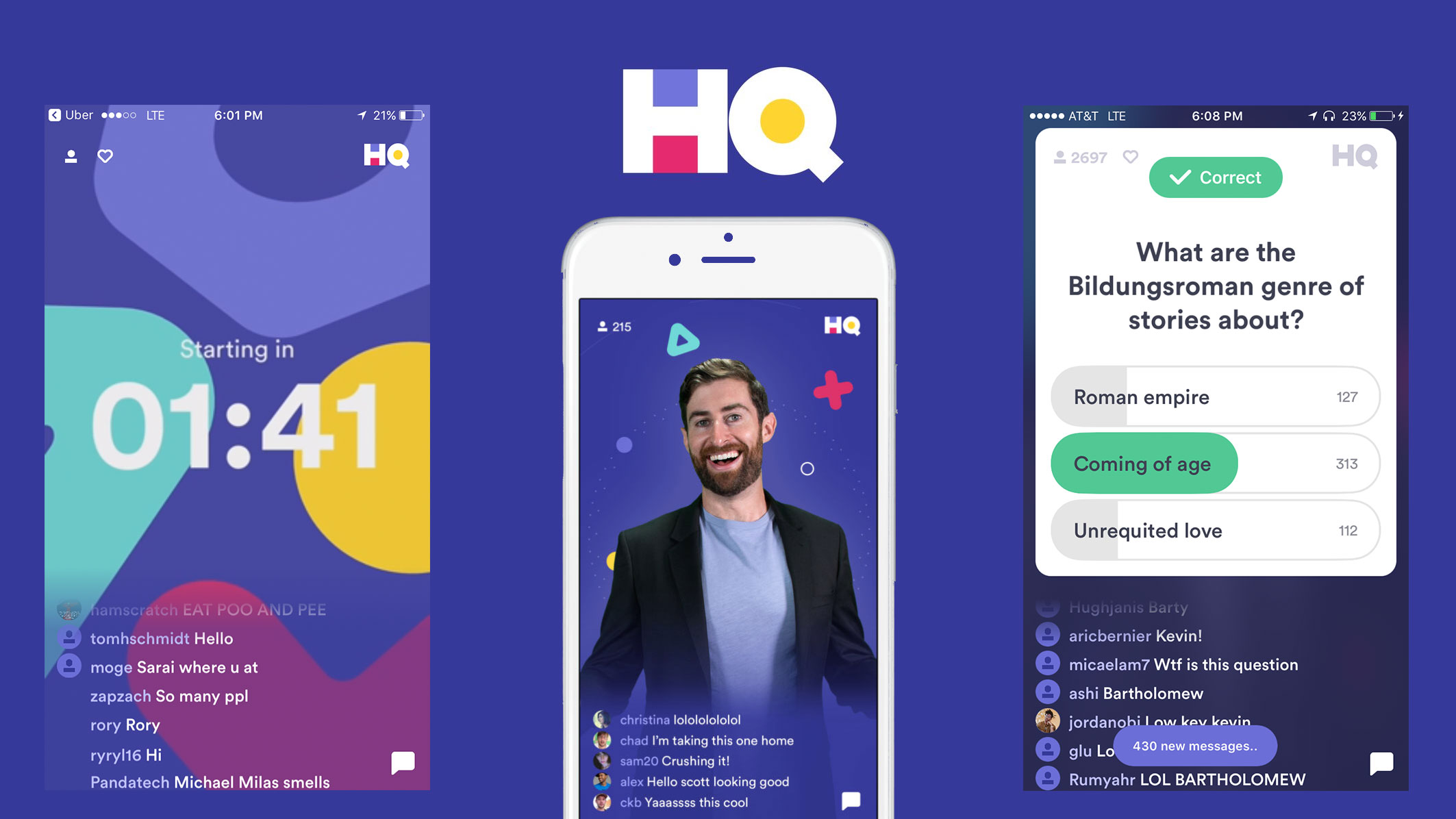
    HQ Trivia, the app apparently no iPhone owner can shut up about, is headed to Android this holiday season. In a tweet sent out from the official HQ Trivia account, the Android app will be a stocking stuffer, meaning we should expect it around Christmas time, though, no official date was provided.

    Now, you may be asking, WTF is HQ Trivia? Well, it’s an online live trivia show that people access via this app, created by the founders of Vine. If you’re quick enough, you can play with others for real cash prizes, so long as your trivia chops are up to the task.

    Because I don’t have an iPhone, I know as little as any other Android user about this game, but I’m looking forward to the iOS peeps crying like babies once Android users are welcomed into the fold. Always the best when Android users come and crash an exclusive party.

    We’ll let you know as soon as it launches. In the meantime, if you have any experience with this app, tell us all about it in the comments section below!

  • Instagram Adds New Stories Highlights Section Right to Your Profile

    Instagram Adds New Stories Highlights Section Right to Your Profile

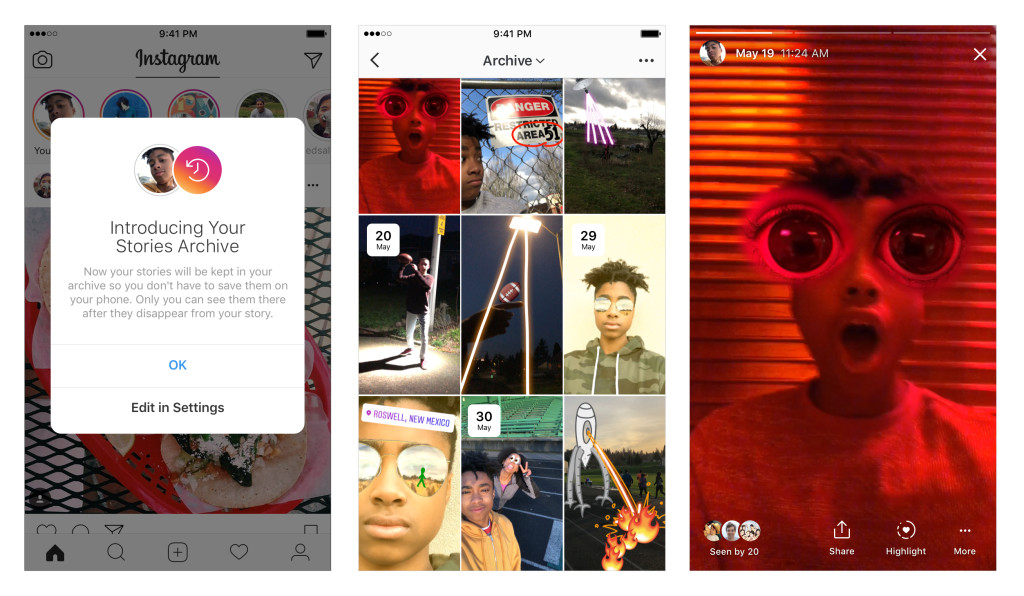
    Instagram introduced two new features for its oh-so-popular photo sharing app this week — Stories Highlights and Stories Archive.

    Stories Highlights is the big new feature, which is a new part of your actual profile that others see. In this space, you can highlight Stories that you’d like others to have easy access to. Basically, if you use Stories a lot, you can make compilation Stories from past videos you have shared. For example, if you want to highlight all of the neighborhood dogs you love, you can keep videos of them right on your profile via Stories Highlights.

    Stories Highlights appear in a new section on your profile below your bio. To create a highlight, tap the “New” circle at the far left. From there, you can choose any stories from your archive (detailed below), select a cover for your highlight and give it a name.

    What helps Stories Highlights become a usable feature is Stories Archive. Whenever a Story you’ve posted is expired, it is saved to a private database that only you can access. In this archive, you can tap on any story to watch it. From there, you can add it to a new Story, share it as a post or add it to a Highlight on your profile.

    If you’re a Stories kinda person on Instagram, go check it out.

    // Instagram

  • Google’s Files Go App Now Available Globally for Anyone Running Lollipop or Higher

    Google’s Files Go App Now Available Globally for Anyone Running Lollipop or Higher

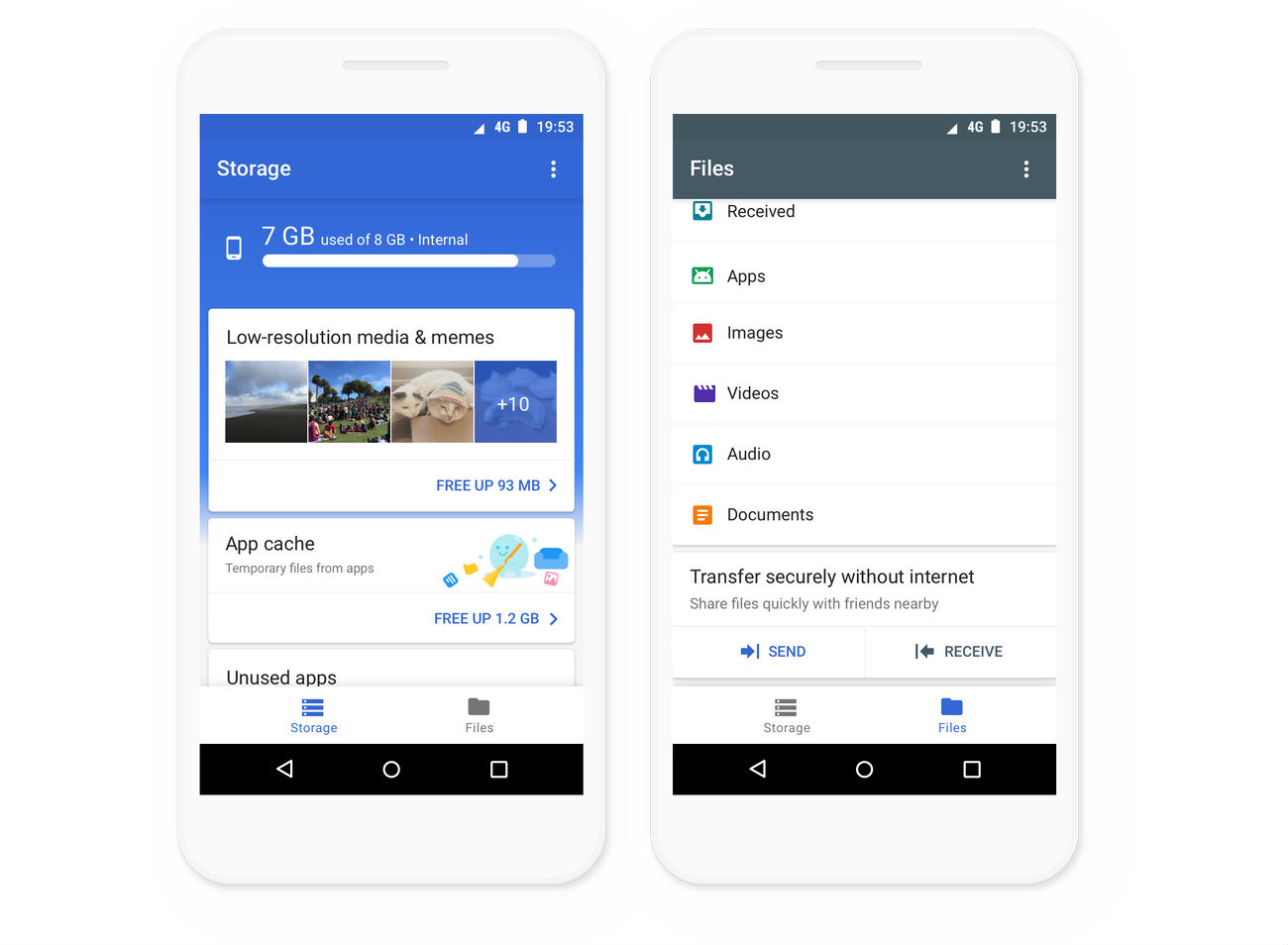
    In early November, Google launched a file management app in beta called Files Go. Today, the app launches globally for any Android devices running Lollipop or higher.

    If you haven’t yet downloaded this app, it’s a smart file manager, capable of recognizing when a user has duplicate files and unnecessary things clogging up your phone’s storage.

    On top of managing your phone’s storage, you can also transfer files to nearby devices without using any data. The file transfers are encrypted and speedy, up to 125Mbps.

    Go check it out if you haven’t already!

    Google Play Link

    // Google

  • Neverending Nightmares is Full of Jump Scares and Gruesome Visuals

    Neverending Nightmares is Full of Jump Scares and Gruesome Visuals

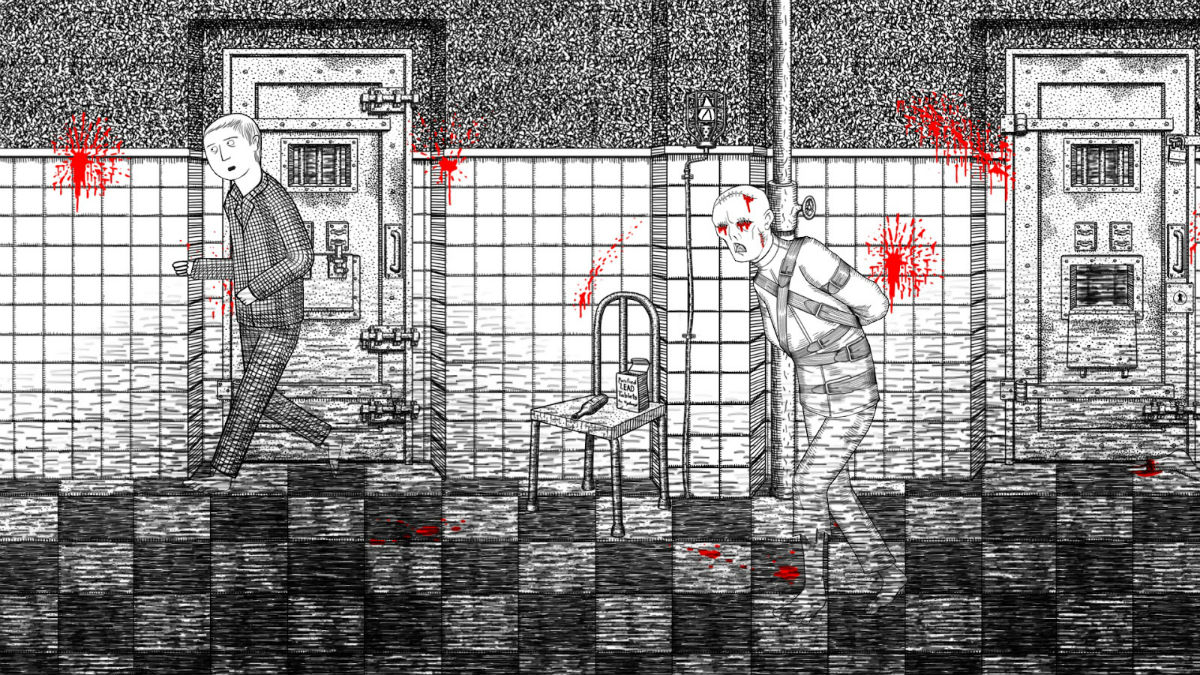
    Neverending Nightmares was launched for select platforms all the way back in 2014, but at long last, the game is available directly from Google Play for Android devices. You see, when this game launched, it was available exclusively for OUYA and Steam, but it has made its way to other platforms over the years.

    As a warning, this game is extremely graphic, and I have even seen some say that those who suffer from depression, anxiety, and paranoia should probably stay away from it. The game isn’t scary for the sake of being scary, though. The game’s lead designer, Matt Gilgenbach, designed the game to give a sense of hopelessness and bleakness, inspired by his own struggles with OCD and depression.

    Now, as for the gameplay itself, it’s a lot of fun — if you can handle the jump scares and horrific visuals. You play as Thomas, who awakens from a nightmare that you, the player, plays through. As you wake up and explore your surroundings, you quickly realize that every time you’re waking up, you’re only going deeper into the nightmares.

    For navigation, you can walk left and right, interact with items that are colored, plus you can sprint for a very limited time. Operating on a checkpoint system, don’t worry about Thomas dying, because he’ll be doing plenty of that. As a twist, the game has three different endings, all based on player actions within the game.

    The game is priced at $3.99, with no in-app purchases or ads. Don’t say I didn’t warn you about the jump scares, though!

    Google Play Link ($3.99)
  • User Shows Off New Netflix App Design, All About the Bottom Buttons

    User Shows Off New Netflix App Design, All About the Bottom Buttons

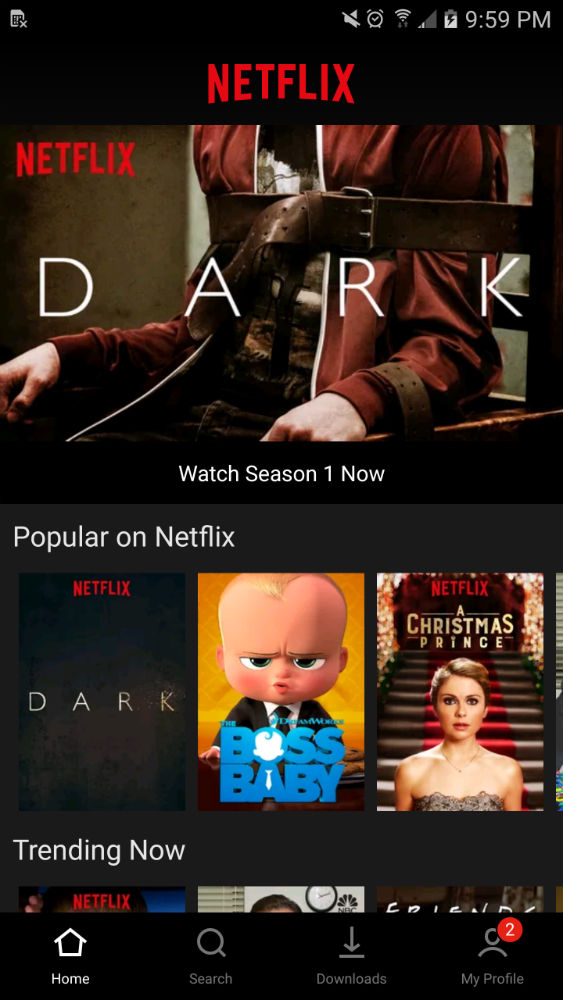
    According to at least one person on reddit, Netflix is testing a redesign of its Android app. While we don’t have a ton of screenshots to share, user MyFishDrownedItself at least shared a few details about what the redesign offers.

    From what we can see with the single screenshot, all of the buttons have been moved to the bottom, including the buttons for Home, Search, Downloads, and My Profile. Currently, the Netflix UI consists of a hamburger pullout shelf, housing all of the app’s features and settings.

    While a button move isn’t necessarily revolutionary, the reddit user says that the app now features a “Skip Intro” and “Skip Recap” option, thicker timestamps, a central hub for notifications, as well as a dedicated section for My List.

    I recently updated my Netflix app and am not seeing this UI, but I’ll keep my eye on it. You should do the same. The user says the version number listed is 5.10.1 (code 25262), which is odd, because I’m sitting at 5.11 (code 25402).

    Does your Netflix UI look like this?

    // reddit