Category: Apps

The latest selection of Android apps, both free and paid, are found right here. If you were looking for that fresh list of trending Android apps, we have you covered on a daily basis. Want to know the newest Android application releases first? Want to know which Android applications are free for a limited time?

Whether it’s Gmail, Google Calendar, Twitter, YouTube, and Instagram, or lesser known apps like Nova Launcher, Trello, Sling TV, and Philips Hue, you will know the best Android apps at all times.

Got a suggestion for a new app you think we should check out? We are all ears and regularly accept user-submitted applications, so that you won’t pay until you know if we approve.

  • Facebook Messenger Kids Announced for iOS, Coming Later to Android

    Facebook Messenger Kids Announced for iOS, Coming Later to Android

    Facebook announced a new chat app for kids today, suitably called Messenger Kids. Sadly, this app is only in preview for iOS at the time, but should be available for Android and select Kindle devices in the “coming months.”

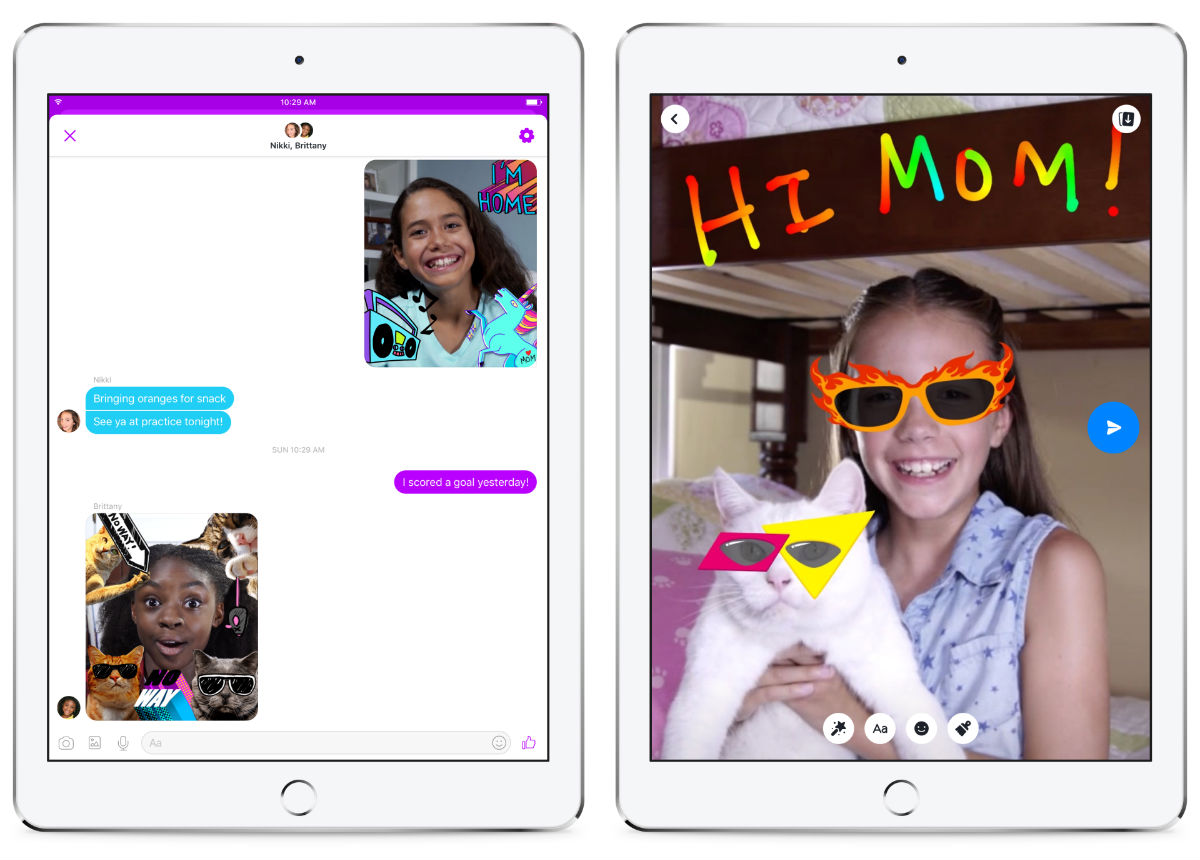
    Messenger Kids is all about allowing your children to contact friends and family, but with the parent still in control via their own FB account. For example, the child’s contacts are controlled directly by the parent in their main Facebook app.

    As for features, kids can access doodling for photo editing, video chat with their friends, as well as send and receive text messages. Additionally, there’s a library of kid-friendly GIFs, frames, stickers, and masks for your little ones to access for more fun.
    Now, of course, this app will likely hit a nerve with certain parents. Facebook didn’t blindly go into development of this app, though. According to its announcement, “In addition to our research with thousands of parents, we’ve engaged with over a dozen expert advisors in the areas of child development, online safety, and children’s media and technology who’ve helped inform our approach to building our first app for kids.”

    Essentially, FB wants to make sure parents know that this app is safe for kids to use.

    As soon as we hear more about a launch for Android, we’ll let you know.
    // Facebook

  • Google’s Santa Village Open for Business Again

    Google’s Santa Village Open for Business Again

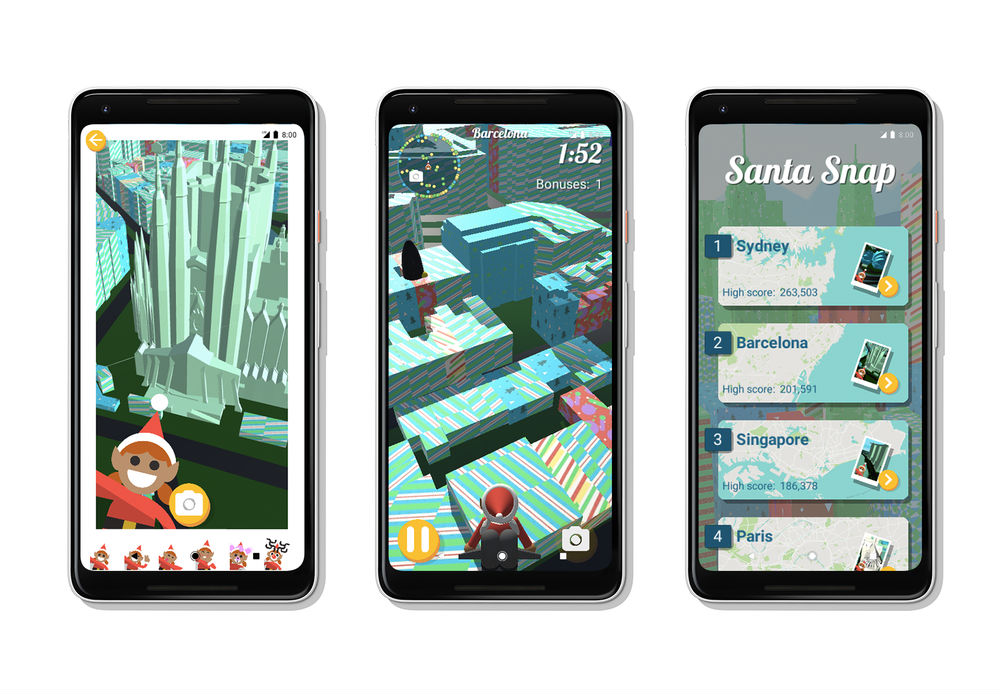
    Google’s Santa Tracker app for Android and the entire Santa Village for desktop users are now back open for business this holiday season.

    With the app, kids and even grownups can play games, get info on Santa’s whereabouts (spoiler: he’s typically always at home until Christmas eve), as well as have access to an updated Android Wear experience.

    For computer users who visit Santa’s Village, you’ll have access to other games, coding lessons, a place to learn about holiday traditions from around the world, plus a whole lot more.

    Seriously, Santa’s Village ain’t no joke this year.

    Follow the links to grab the app or check out the desktop site.

    Google Play Link | Desktop Link

    // Google

  • Google Play ‘Best of 2017’ Results Are In!

    Google Play ‘Best of 2017’ Results Are In!

    It’s now December, which means it’s time for Best of 2017 lists! I must say, I love this time of year, because it allows us to be super duper subjective and tell the world our favorite apps, phones, and games from the year.

    That’s not exactly what this post is, though.

    Google has shared its best of 2017 lists this morning, based on actual data from Google Play and not any subjectivity. We have Google Play’s top new games, new apps, top streamed songs, top movies, top TV shows, and top books.

    If you’re interested in our Best of 2017 lists, stay tuned later this month. They’re coming…


    Most popular new apps of 2017

    Most popular new games of 2017

    Top five streamed songs of 2017

    Top five movies of 2017

    Top five TV shows of 2017  

    Top five books of 2017

    I don’t see too many surprises, but I am disappointed that Rogue One couldn’t beat Moana in the Top Movies portion. Either way, Disney wins.

    // Google

  • Super Helpful: Allo for Web Tells You When Your Phone’s Battery is Low

    Super Helpful: Allo for Web Tells You When Your Phone’s Battery is Low

    Since Google Allo for the web needs your phone on and alive in order to sync your messages, you can imagine the fear should you use it regularly and your phone’s battery run out of juice. With a dead phone, your Allo web experience doesn’t happen and your conversations stop.

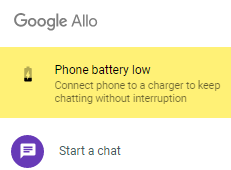
    To help keep you connected, Allo for web has this neat little “Phone battery low” notification that pops up when your connected phone is about to die. We haven’t seen what the trigger is, but my guess is that the notification pops up around 15% or so on your phone.

    Thanks, Google, that’s super helpful.

    allo battery warning

    Cheers Tyler!

  • Microsoft Edge Browser Out of Preview for Android and iOS

    Microsoft Edge Browser Out of Preview for Android and iOS

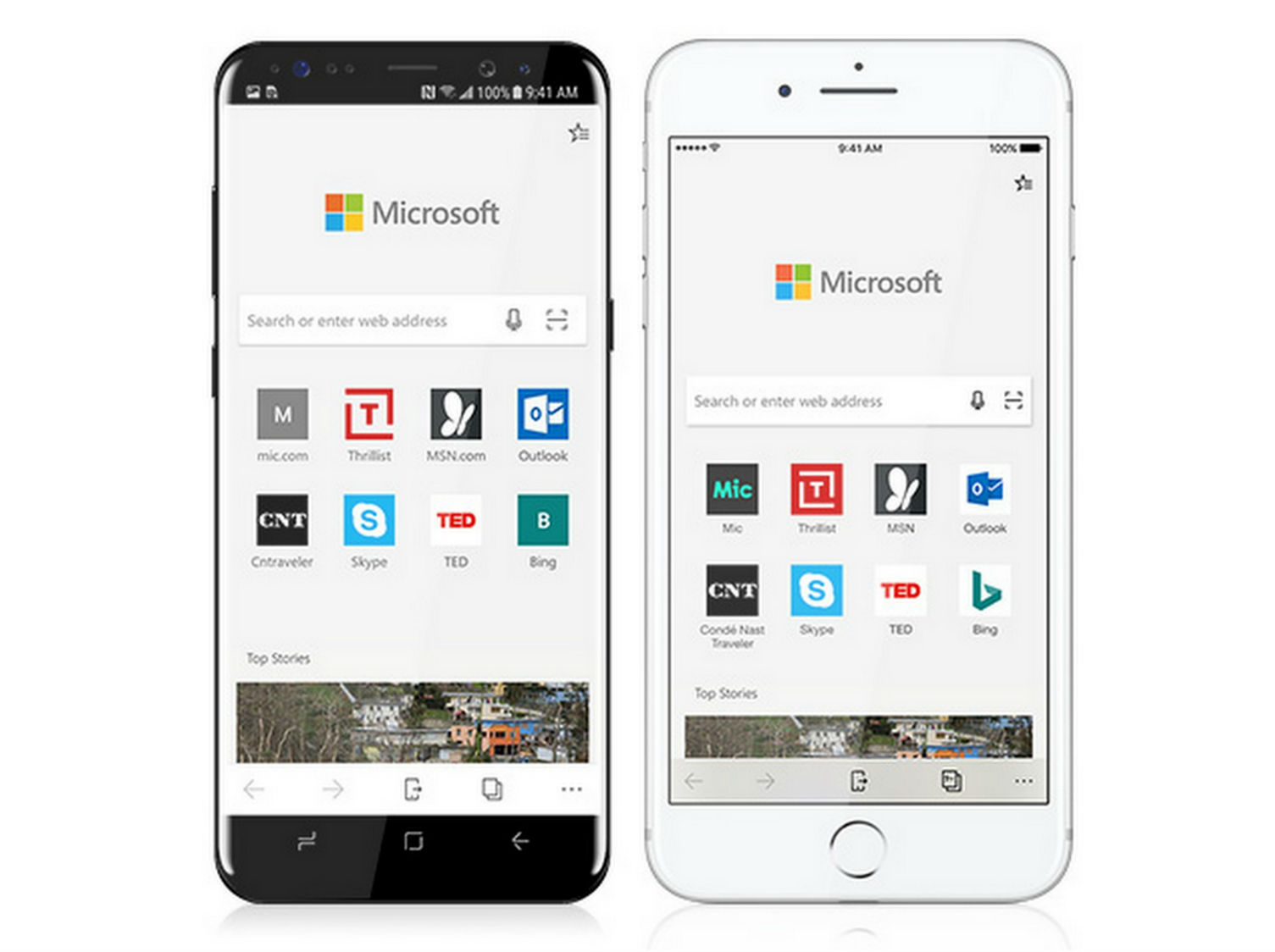
    Back in October, Microsoft launched its Edge browser in a preview for iOS and Android devices. This week, Preview is being dropped from the title and the app is getting an official launch for both operating systems.

    To provide a quick breakdown, the Edge browser offers familiar features like Favorites, Reading List, New Tab Pages, a Reading View, as well as Roaming Passwords across your PC and phone. The big feature is the ability to be working on your phone, then instantly pop up the same browser page on your Windows 10 desktop computer.

    Here’s what was added thanks to feedback by the community during the Preview phase.

    • Roaming Passwords – Save a new password on your phone, and it follows you to your PC. Get to what you need, regardless of where you are or what device you are currently working on.
    • Dark theme – You can now enjoy this popular theme on your phone, in addition to your PC.

    If you want Microsoft’s browser app, follow the link below and grab it.

    Google Play Link

    // Microsoft

  • Google Assistant Will Now Help You Find a Local Tradesman

    Google Assistant Will Now Help You Find a Local Tradesman

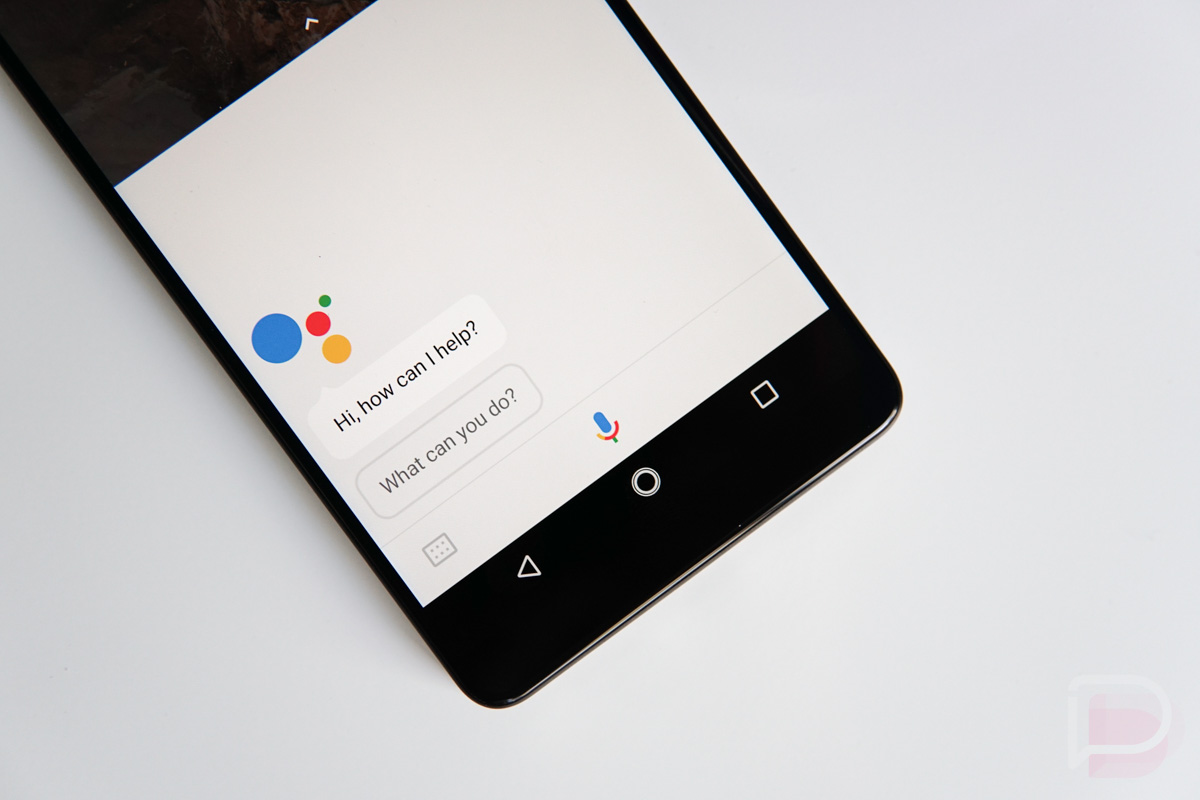
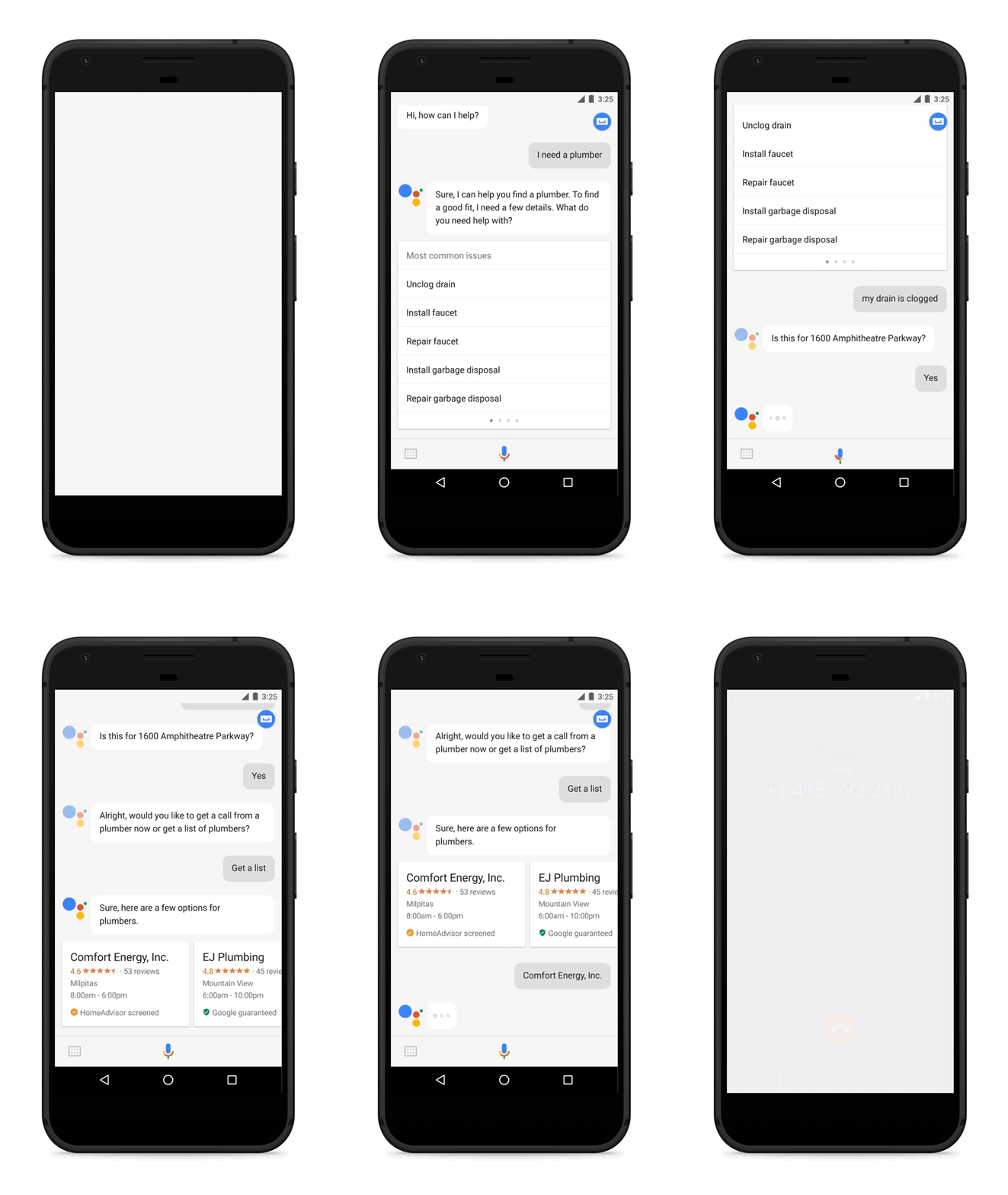
    Need the help of a local electrician, plumber, or house cleaner? Well, thanks to a sweet update for Google Assistant, the service can now help you pinpoint the perfect helper.

    For example, you can say, “Ok Google, I need a plumber.” With that, Assistant will then list out a few related issues that a plumber can help you solve. There’s an option for clogged drain, faucet repair, etc. Once you choose an option, Google will confirm the address you need work at, then cross reference that with local plumbers near your area.

    If everything looks good to you, you can directly call the business and schedule your service.

    Now, a big part of this announcement is that in many cities Google Assistant will suggest providers that have been “prescreened by Google and companies like HomeAdvisor and Porch.” This may allow users to feel more confident that whoever they hire is right for the job. If you’re in a city that doesn’t have any available “guaranteed or screened providers,” you’ll still get an answer from the Assistant with nearby results.

    Be on the lookout for this feature to hit your phone in the coming week.

    // Google

  • Massive Waze Update Brings ‘OK Waze’ Voice Command, Motorcycle Vehicle Option, and HOV Lane Support

    Massive Waze Update Brings ‘OK Waze’ Voice Command, Motorcycle Vehicle Option, and HOV Lane Support

    If you use Waze over Google Maps, be on the lookout for a huge update that is rolling out this week. Inside, there are three big changes, all of which I will detail for you below.

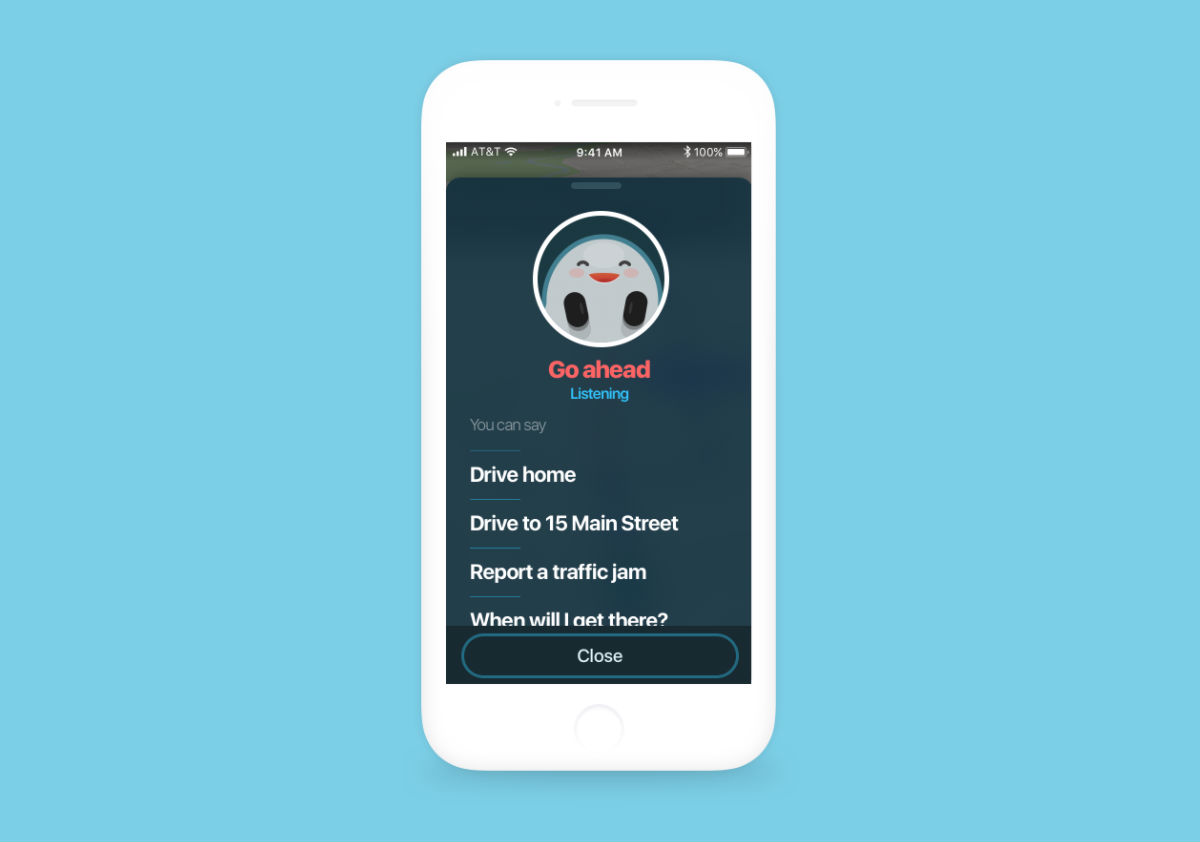
    As announced, users can now utilize an “OK Waze” voice prompt, which can then be used to navigate to an address, get an ETA, let you report something during your commute, plus a whole lot more. Waze already had Waze Voice Commands, but now, you can do everything without ever having to remove your hands from the steering wheel. Hooray for safety!

    To turn this feature on, head to Settings > Sound & voice > Talk to Waze > Toggle Listen for “OK Waze” on.

    Waze also added in a new vehicle type: Motorcycle. Being added to the existing list of Private and Taxi, this new option will allow two-wheeled vehicle riders to access specialized routes, more accurate arrival times, and more.

    Lastly, Waze has added HOV (high occupancy vehicle) route support. If you live in an area that has such lanes (sometimes called diamond lanes or carpool lanes), these lanes will be now be used to designate the most optimal route. Thanks to the work of many in the Map Editor Community, HOV route support is open to residents of 22 US states, including California, Oregon, New York, New Jersey, Massachusetts, Georgia, Texas, and more.

    If using this works for you, Waze details how to enable it, depending on which category you fall under.

    • If you ride with a full carpool crew, head to Settings > Navigation > Add Toll/HOV pass > Select from a pre-populated list of passes available in your area.
    • Have a fuel-efficient car? Go to Settings > Navigation > Vehicle Type.

    The update is rolling out, so go grab it!

    Google Play Link


    HOV Route Support Overview

    // Waze

  • The New Snapchat Separates Social Media Into Social and Media

    The New Snapchat Separates Social Media Into Social and Media

    Snapchat discussed a completely reworked experience back when its awful quarterly numbers were disclosed earlier this month. Today, Snapchat has begun the process of introducing what this experience is all about. To sum it up, they’re taking social media and separating it into social and media. If that ain’t buzzworthy, I don’t know what is.

    In alignment with this breakdown, the Snapchat UI is being tweaked to better separate content from your friends and content from actual media outlets. With the update, stuff from friends will be on the left side from the camera (what the app opens to) and stuff from publishers and other creators will be on the right.

    The update is a bit more than just a simple separation, though. Specifically for your friends, the Friends page is broken down to how you interact with people. Detailed by Snapchat in its blog post, “You can think of it as a more sophisticated Best Friends algorithm that makes it easier to find the friends you want to talk to, when you want to talk to them.”

    Basically, if you talk to someone a bit more than anyone else, you’ll see their name appear higher up in the list for easier access to share content.

    We don’t have a specific timeline for when you can utilize this new Snapchat experience, but it must be coming soon. In the meantime, check out Snapchat’s video below, which goes over everything you need to know.

    // Snapchat