Category: Apps

The latest selection of Android apps, both free and paid, are found right here. If you were looking for that fresh list of trending Android apps, we have you covered on a daily basis. Want to know the newest Android application releases first? Want to know which Android applications are free for a limited time?

Whether it’s Gmail, Google Calendar, Twitter, YouTube, and Instagram, or lesser known apps like Nova Launcher, Trello, Sling TV, and Philips Hue, you will know the best Android apps at all times.

Got a suggestion for a new app you think we should check out? We are all ears and regularly accept user-submitted applications, so that you won’t pay until you know if we approve.

  • YouTube TV App for Android TV Now Official, Rolling Out This Week to Select Devices

    YouTube TV App for Android TV Now Official, Rolling Out This Week to Select Devices

    We just posted a piece that detailed NVIDIA’s teasing of a YouTube TV app for Android TV, but now, YouTube has gone and made it official.

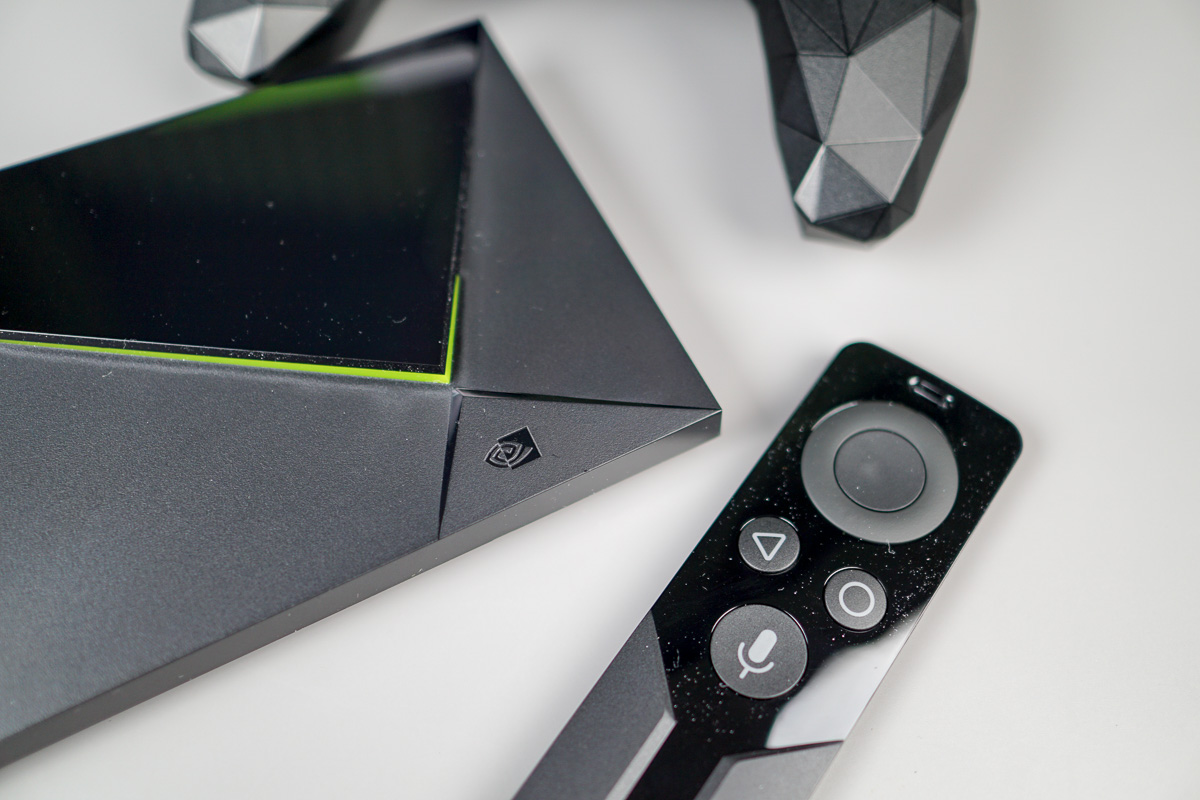
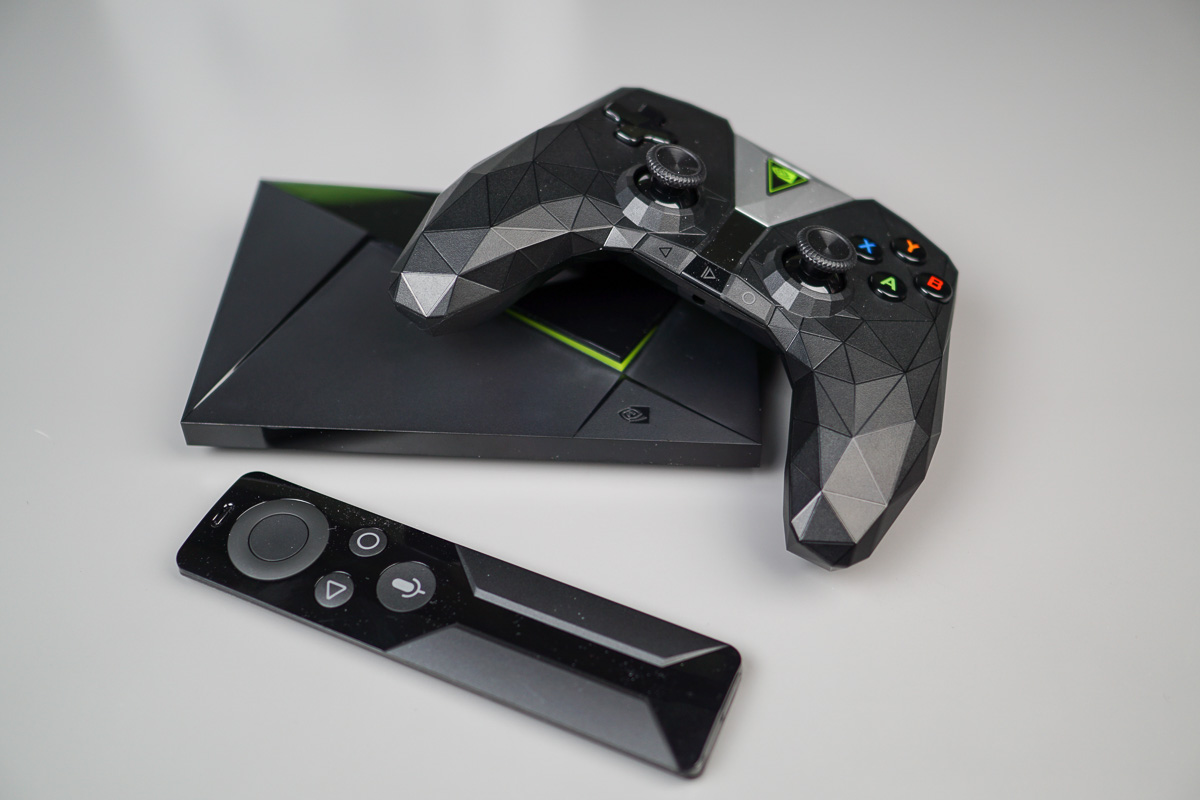
    The native YouTube TV app will start rolling out this week to select Android TV devices, such as the NVIDIA SHIELD TV, select Sony TV models, as well as the Xbox One family.

    YouTube details that other TVs, like ones from LG and Samsung, should see the app available within the new few weeks.

    Features

    • Control your live TV experience with your TV’s remote control or game controller.
    • For a more cinematic look, we made the background dark on your TVs.
    • A new Live guide made for your big screen so you can get a sneak-peek at what’s airing soon.
    • Never miss the action with our background playback experience built for your big screen.
    • Easily pick up where you left off on another device when you get home.

    Obviously, to get this app first, you’ll need a SHIELD TV or select model of smart TV. Everyone else may have to wait just a bit, but having a little patience never hurt anyone.

    Happy day!

    // YouTube

  • NVIDIA Says SHIELD TV 6.1 Update Arrives This Week, Hints at YouTube TV Android TV App Too (Updated)

    NVIDIA Says SHIELD TV 6.1 Update Arrives This Week, Hints at YouTube TV Android TV App Too (Updated)

    NVIDIA’s SHIELD TV units recently picked up a major update to v6.0 that included Google Assistant for the Android TV platform. It’s major in that Google Assistant turns Android TV into a control hub for your home life by allowing you to get info, access smart home objects, etc. This morning, though, NVIDIA posted details for a SHIELD TV 6.1 update that expands on Google Assistant, but may also have tipped off a YouTube TV Android TV app announcement.

    UPDATE: Google just announced YouTube TV Android TV app. Funny.

    UPDATE 2: NVIDIA has once again posted the details below. The 6.1 update should be arriving soon!

    NVIDIA left the details up for 45 mins or so and has since pulled them. The update was dated “10/30/17,” so today, and we’ve included the list of changes below.

    SHIELD Experience Upgrade 6.1 – 10/30/17

    What’s New?

    • YouTube TV – Coming This Week to SHIELD
      • Watch cable-free live TV from ABC, CBS, FOX, NBC, ESPN, AMC, and more, including live sports and news from your local channels. Try it free today.
    • SmartThings Link Now Available
      • With the SmartThings Link, SHIELD TV becomes the brain of your smart home. Control hundreds of smart devices with automated routines and voice control.
    • Google Assistant Keeps Getting Smarter – Now with HULU, Uber, Target, and More
      • Use your voice to open shows and control playback in HULU. Order an Uber or even a pizza and go shopping on Target, Walmart, Costco, and more.
    • New Games
    • Other Enhancements
      • The latest monthly Android security updates including fixes for WPA2 protocol (KRACK)
      • Added TV on/off over IR for SHIELD Remote (tap Home + Back)
      • Improved Logitech Harmony Hub setup over Bluetooth

    So as you can see there, NVIDIA is suggesting that YouTube TV is coming “this week” to SHIELD. For those not familiar, YouTube TV doesn’t currently have an Android TV app and is instead just Cast to devices that have Chromecast built-in, like a SHIELD. For NVIDIA to say that it’s on its way, plus we’ve already been told that a YouTube TV Android TV app is coming, I’d imagine this is the week.

    Also in the update, Google Assistant is getting additional improvements, like the ability to pull up HULU and open shows or control playback, Uber or pizza ordering, and shopping through Target, Walmart, and Costco. NVIDIA tossed in the KRACK security patch as well, plus they added a TV on/off action using the SHIELD remote’s IR blaster. All you have to do is tap the Home and Back buttons at the same time.

    Pretty solid update. Once it goes live and NVIDIA posts the info again, we’ll let you know.

    // NVIDIA
  • Netflix Supports Picture-in-Picture on Android 8.1

    Netflix Supports Picture-in-Picture on Android 8.1

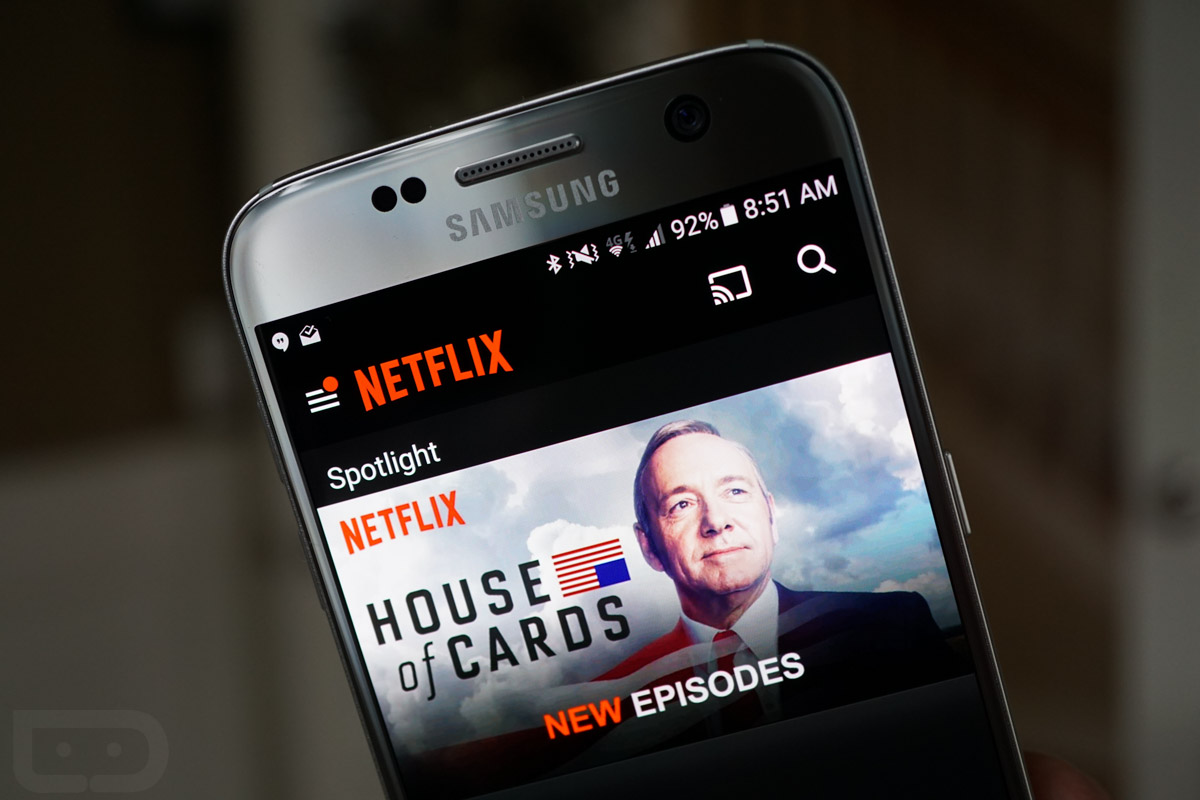
    If you have found usefulness with the native Picture-in-Picture mode in Oreo, you’ll be happy to learn that the Netflix app nows supports it. The only catch is, you need Android 8.1 (currently in developer preview), making this an exclusive feature to Pixel and select Nexus owners for the foreseeable future.

    With this feature, folks can start watching whatever movie or TV show they want on Netflix, hit the home button, then continue watching their title within a little window while they get other things done on their device.

    Personally, it’s hard to multi-task with PiP, only because I find myself getting distracted easily by whatever it is I’m watching. Maybe others have more self control than me.

    Anyway, if you want to check this out for yourself, make sure you’re on Android 8.1, then grab the latest version of the Netflix app on Google Play.

    Play Link

  • Google Home and Assistant Can Now Cast HBO and CBS Shows to Your TV

    Google Home and Assistant Can Now Cast HBO and CBS Shows to Your TV

    Just over a week ago, Google Home and Google Assistant picked up the ability to play YouTube TV on a screen nearby through a voice command. Today, Google has expanded that by adding on HBO NOW and CBS, as well as The CW.

    Like with YouTube TV, you can say things like “Watch Curb Your Enthusiasm” or “Play Star Trek: Discovery” to the Assistant or Home to get those shows to start playing. It typically helps if you specify the Chromecast or Android TV you want to cast to as well. This functionality also works with Netflix.

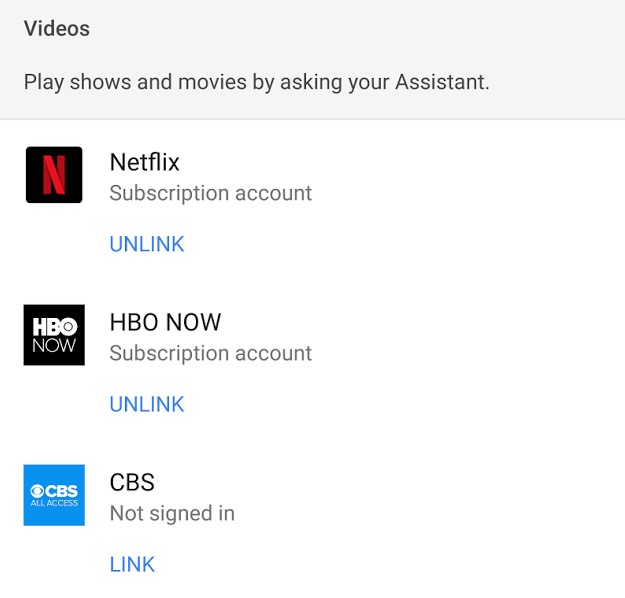
    To get setup, you’ll head into the Google Home app, swipe out the side menu and tap on “More settings.” From there, scroll to the very bottom “Videos and Photos” section and tap on it. Once inside, you’ll be able to link accounts for casting, as you can see below.

    Keep in mind that you can perform this action through your phone too, using the Google Assistant.

    google home hbo

    // Google

  • Halloween Sale for NVIDIA SHIELD Games Kicks Off on Friday

    Halloween Sale for NVIDIA SHIELD Games Kicks Off on Friday

    Kicking off this Friday (October 27) and ending the night of Halloween, NVIDIA is hosting a sale on games for GeForce NOW as well as SHIELD TV.

    From the list provided to us by NVIDIA, there are two games for GeForce NOW players, Deadlight Director’s Cut (80% off, bringing it to $2.39) and The Guest (on sale for $3.39).

    For Android titles, most are marked at 50% off, including Whispering Willows, Doom 3 BFG Edition, The Final Station, Resident Evil 5, Space Hulk, Killing Floor Calamity, and more.

    Check out the full list of games below.

    GeForce NOW

    • Deadlight Director’s Cut (80% off original $11.99, sale $2.39)
    • The Guest (66.60% off original $9.99,  sale $3.39) 

    Android

    • Whispering Willows (50% off original $4.99, sale $2.49)
    • Doom 3 BFG Edition (50% off original $9.99, sale $4.99)
    • Resident Evil 5 (50% off original $9.99, sale $4.99)
    • The Final Station (50% off original $14.99, sale $7.49)
    • Killing Floor Calamity (50% off original $4.99, sale $2.49)
    • Haunt the House: Terrortown (50% off original $1.99, sale $0.99)
    • Burn Zombie Burn (60% off original $3.50, sale $1.39)
    • Space Hulk (50% off original $11.99, Sale $5.99)

    Again, this sale kicks off on Friday and ends Halloween night.

  • Now Playing History is an App Every Pixel 2 Owner Needs

    Now Playing History is an App Every Pixel 2 Owner Needs

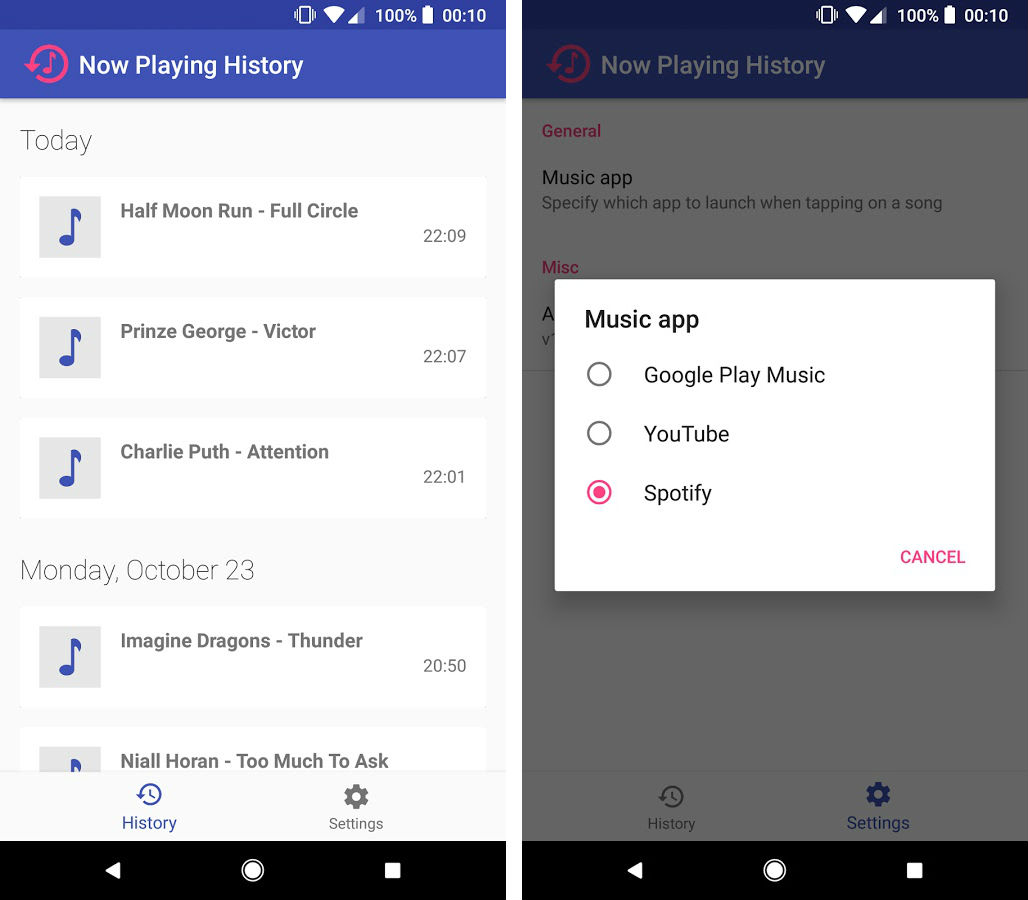
    Now Playing is a feature exclusive to the Pixel 2 and Pixel 2 XL. With it, your phone can recognize music that is playing in the background, saving you from downloading Shazam or embarrassingly asking the barista at your local Starbucks whose smooth jazz rendition of Ode to Billie Joe you’re listening to.

    Until now, there has never been a place to showcase all of the music that has been recognized by Now Playing. Thanks to the release Now Playing History, available right now on Google Play, you can see all of the songs that have been picked up by the feature.

    When you open the app, you’ll see a list of songs that have been recognized, then you can choose to play the songs from your music app of choice (Google Play Music, Spotify, etc.) It’s a pretty straightforward app, but one that seems totally necessary to have if you utilize Now Playing on your Pixel 2.

    The app is priced at $0.99 on Google Play, so check it out, Pixel 2 and 2 XL owners.

    Play Link ($0.99)

    Cheers Riggs!

  • Add-ons for Gmail Are a Go and Great for Enterprise Users

    Add-ons for Gmail Are a Go and Great for Enterprise Users

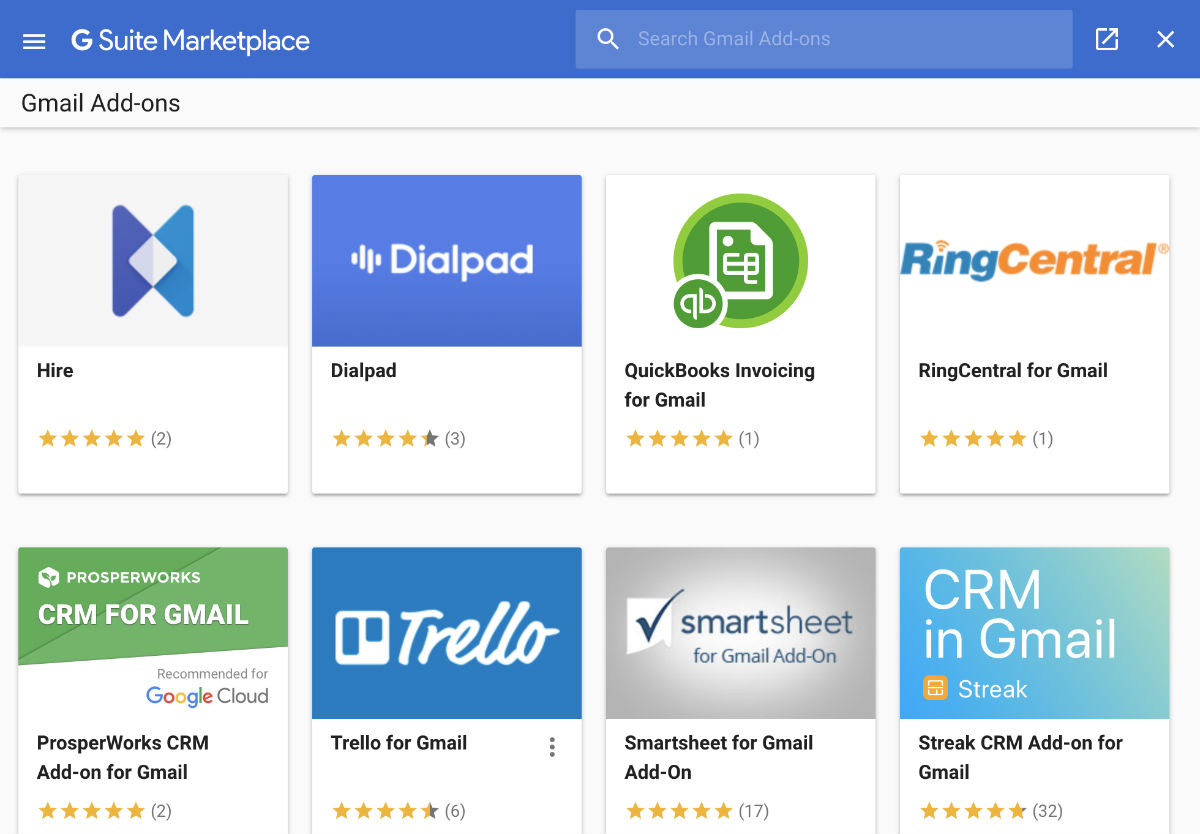
    Launched today, add-ons for Gmail allow third-party developers to integrate their services directly into the Google-powered email service. There’s already a handful of add-ons available, so far catered to enterprise users, including some from Trello, RingCentral, Dialpad, and Asana. More add-ons are on the way, some of which should benefit any type of user, not just enterprise.

    For example, let’s say your place of work uses Trello. When enabled and you’re inside of an email, you can place that email directly on a Trello board without having to go to a different webpage to access Trello. It’s the same case for all the other services, helping users save time when sharing items between services.

    At least for Trello, the add-ons are integrated into the Android app, too. That means you’ll find the same options to send items whether you’re in the Gmail Android app or on a desktop. As a Trello and G Suite user, this is beyond clutch.

    To access, you should see a new “Get add-ons” option in the settings drop down menu inside of Gmail. I had to refresh my Gmail tab to access it. From here, install whichever add-on you want to use and sign into the service. From there, you’re all set.

    // Google | Trello

  • Go Live With a Friend on Instagram Thanks to Latest Update

    Go Live With a Friend on Instagram Thanks to Latest Update

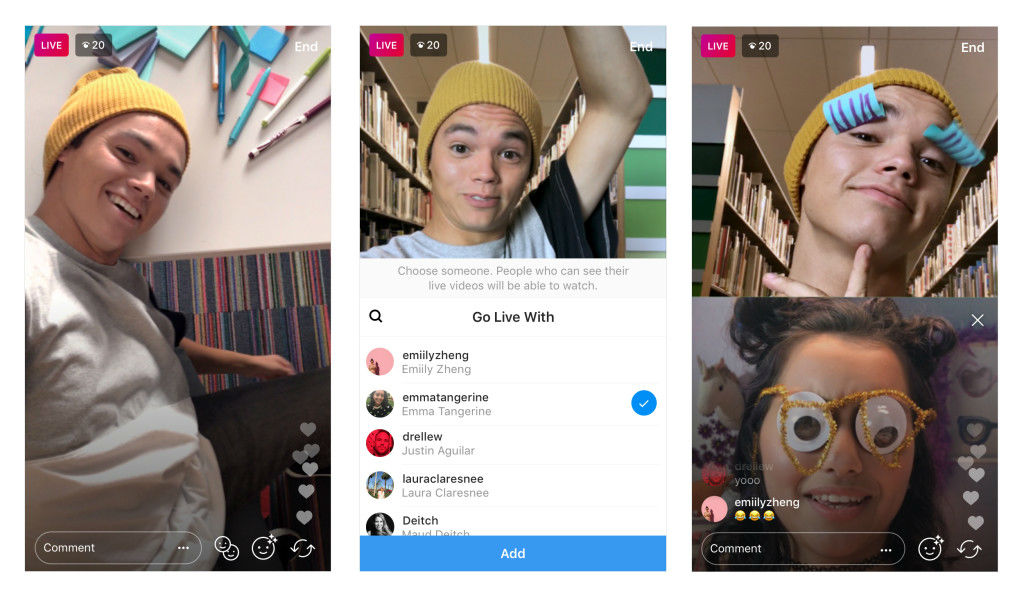
    Thanks to a new update (Version 20, to be exact), users of Instagram can now fire up a Live broadcast with a friend, a feature that’s been in testing since August.

    Let’s say you want to do a little Instagram show with a friend being your guest. Simply fire up the Live video, tap on the new icon in the bottom right of the screen, “Add” whichever friend you’d like, then get to broadcasting. You can remove your guest and add a new guest at any time during the broadcast, too.

    The update is rolling out to all users right now.

    Play Link

    // Instagram