Blog

  • Android Gets Enhanced Set of Theft Protection Feature Updates

    Android Gets Enhanced Set of Theft Protection Feature Updates

    Android is getting a host of new theft protection updates from Google, designed for users on Android 16+. The updates are being built onto existing features, “designed to give you greater peace of mind by making your device a much harder target for criminals.”

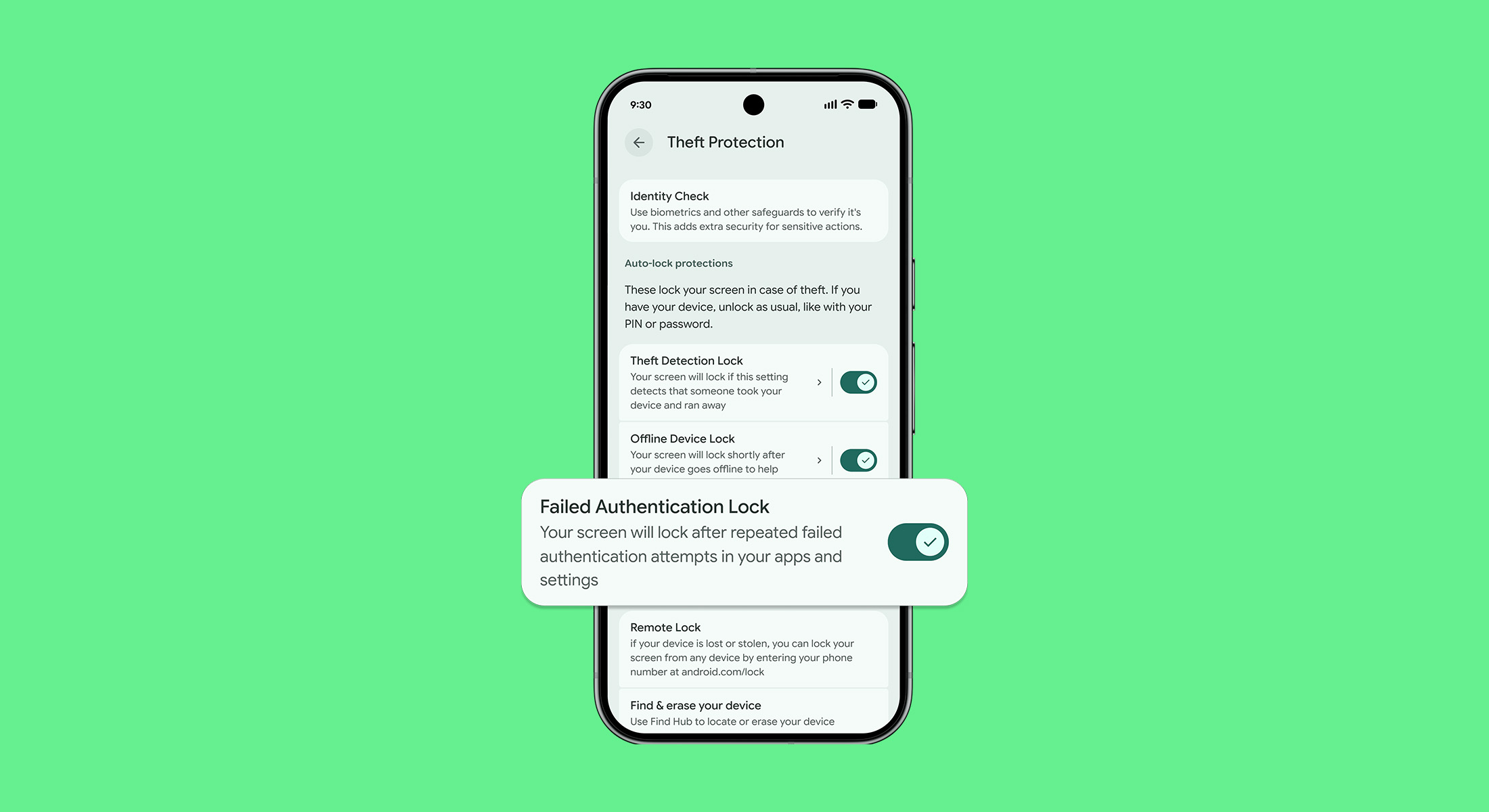
    In Android 15, Google launched Failed Authentication Lock. This feature automatically locks a device’s screen after too many failed authentication attempts. Starting now, a new dedicated enable/disable toggle in settings will be available, providing more more control over a device’s security.

    Similarly, early last year Google introduced Identity Check. With this, users are required to utilize biometrics when performing certain actions outside of trusted places. Google says that later in the year, “we extended this safeguard to cover all features and apps that use the Android Biometric Prompt. This means that critical tools that utilize Biometric Prompt, like third-party banking apps and Google Password Manager, now automatically benefit from the additional security of Identity Check.”

    PIN Guessing: Google is also making it harder for thieves to guess your device PIN, pattern, or password. To do so, it’s increasing the lockout time after failed attempts. Thankfully, to make sure you aren’t locked out by mistake, identical incorrect guesses no longer count toward your retry limit.

    Last but not least, a new optional security question/challenge is being added to the Remote Lock feature. This is designed to help ensure that the real device owner is initiating the lock.

    There’s a lot of info in Google’s post, so if you find yourself curious about Android’s theft protection tools, follow the link below.

    // Google

  • Samsung Teases Galaxy S26 Ultra’s Secret Display Security Feature

    Samsung Teases Galaxy S26 Ultra’s Secret Display Security Feature

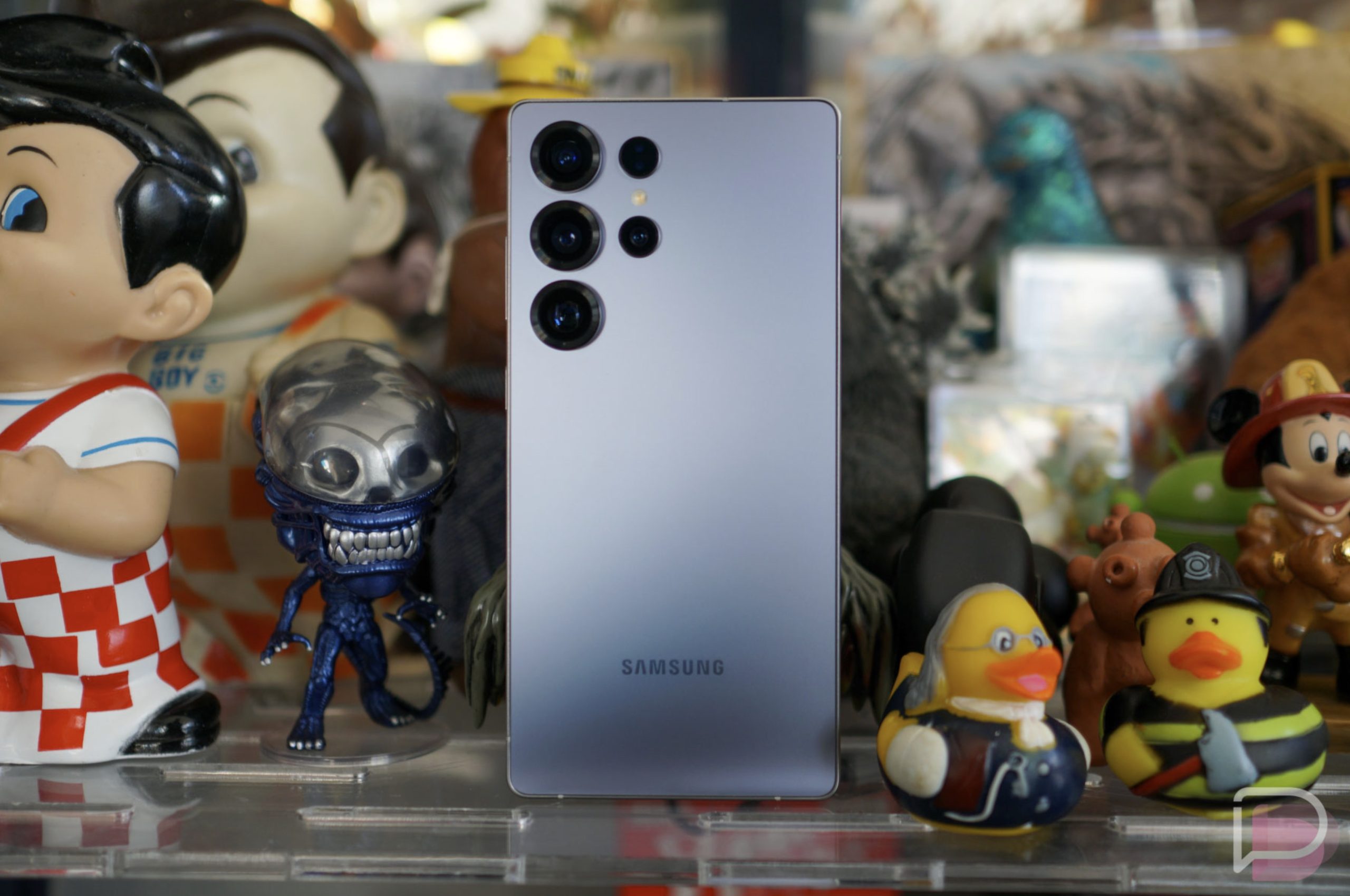
    You guys know what a privacy screen is, right? A privacy screen allows someone viewing a display straight-on to be able to view content, while any off angle brings a tint that at least attempts to hide whatever is on the screen. These are common in office spaces on desktop displays, but there are screen protectors that can do this too. Samsung started teasing this same tech for future Galaxy devices, and we’re just going to assume it’s a built-in feature for the Galaxy S26 Ultra that won’t require any added glass on your part.

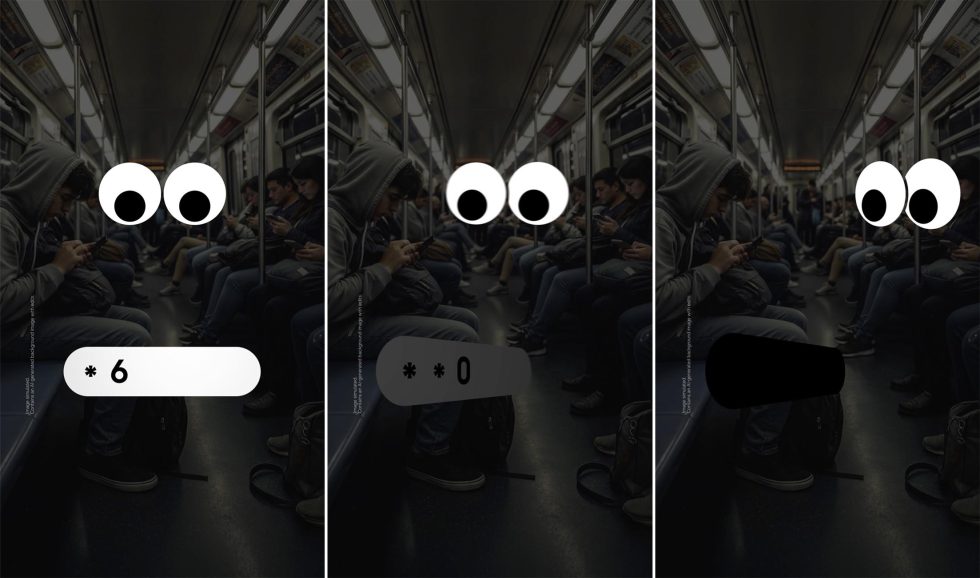
    A new press note says that “coming soon” Samsung will introduce a “new layer of privacy.” They don’t name the feature, but they did describe it as a layer of privacy “to shield your phone from should surfing wherever you go.” So when in a public situation, checking messages or entering passwords will feel much more secure.

    Samsung continues describing this as a security layer that “gives you the choice to decide what works best for you,” with controls over specific apps or when you are “entering access details for more private areas of your phone.” There are visibility settings that can be adjusted, as well as “what others can see based on the level of privacy protection you need.”

    They showed off this idea in a series of short clips where the angle of the content switches it from clear to shaded. You can see it below in this series of images we put together.

    Samsung Privacy Screen Galaxy S26 Ultra

    That all sounds quite advanced. This isn’t just a privacy screen on the Galaxy S26 Ultra, but instead some sort of built-in tech that knows the content you are looking at and when it would need to activate to stop someone nearby from looking over your shoulder to see private info. I’d imagine there’s a facial recognition side of this, as well as the angle of viewing, recognition of another face, the content being viewed, etc.

    Pretty cool, right? But is Qi2 built in or not?

  • Chrome Gets 5 Wild New Gemini AI Features

    Chrome Gets 5 Wild New Gemini AI Features

    Google has essentially launched its new vision for Chrome today with an announcement for several new Gemini-powered features coming soon or arriving today. If you are into Gemini or think it might help you as you browse the internet, you’ll probably be excited to learn all that was just shared. From Nano Banana integration to Personal Intelligence and a new auto browse feature, Gemini is capable of doing some pretty wild things in Chrome now.

    1. Sidepanel UX in Chrome: The first big feature (available to all Chrome users) doesn’t have a name, but is a sidepanel for Gemini that can be launched at any time by clicking the Gemini button in the top corner. This is the same button that has been there for a while, but used to only pop-up a floating Gemini experience that was a bit clunky to use. Now, this button opens a side panel in Chrome to let you work more clearly and with a dedicated space.

    RIP, to all the AI Chrome extensions.

    The sidepanel UX in Chrome can do quite a bit. It knows what you are doing across tabs, so you can have it compare items from multiple tabs or summarize them, plus it knows your calendar and can plan events using info from a whole browsing experience. That’s just a sample of ideas, but we’ll get into more here in a minute.

    The new sidepanel is rolling out starting today, January 28.
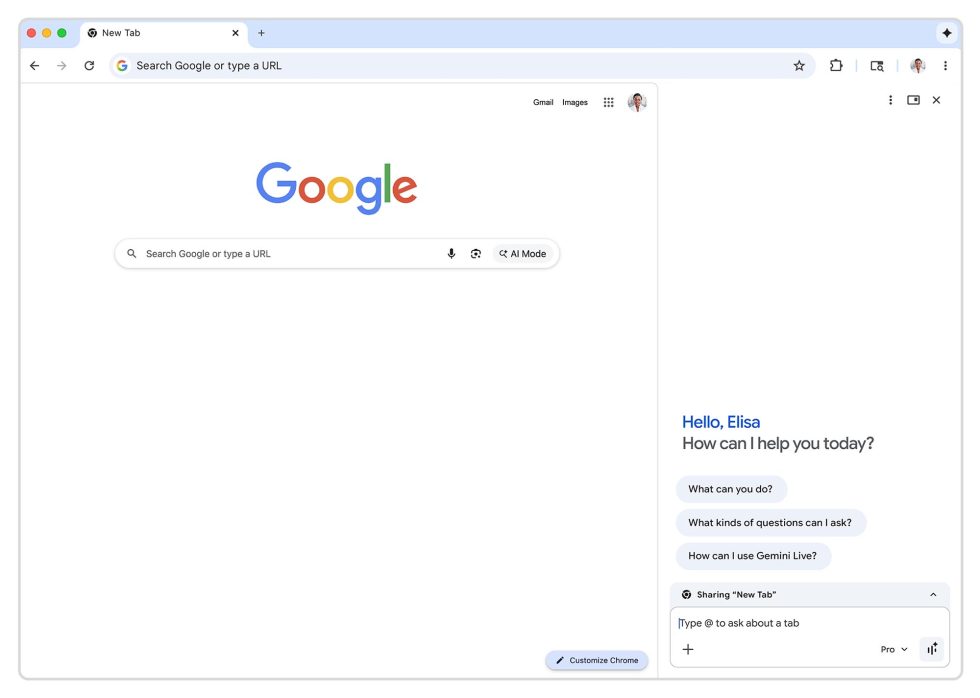
    Chrome Gemini Sidepanel UX

    2. Connect apps in Chrome: Part of the way that Chrome and so many other Google apps become more powerful is by you allowing them to all connect. Google actually began rolling this out a week ago, but by turning on integrations with Gmail, Calendar, YouTube, Maps, Shopping, and Flights, Gemini within Chrome can reference old emails or event details, all while helping you do things like properly plan a flight around your life.

    This started rolling out on January 12.

    3. Personal Intelligence in Chrome: Personal Intelligence is all the rage from Google these days, recently launching in Gemini and then AI Mode. This is a supercharged version of connecting apps, where Gemini (through Chrome) can remember context from past conversations and act more like a “trusted partner” while you browse, according to Google.

    Personal Intelligence won’t launch right away, but is expected in the “coming months.”

    4. Nano Banana in Chrome: Because the world continues to think AI slop is super cool and uses Google’s Nano Banana tool far too often, Google continues to think its awesome and is now injecting it everywhere. First off, stop creating AI slop – no one thinks it’s cool. However, because we’re sharing news, here’s what you need to know about Nano Banana in Chrome.

    Google will allow you to find an image on the web and then Nano Banana with it without ever downloading the image. So you’ll have the new Gemini sidepanel open with an image showing, and then you’ll tell Gemini to do stuff to that image. It’ll then do so and open that newly created AI image in a new tab for you to view. Again, this all happens in-browser.

    Nano Banana is launching in Chrome starting today.
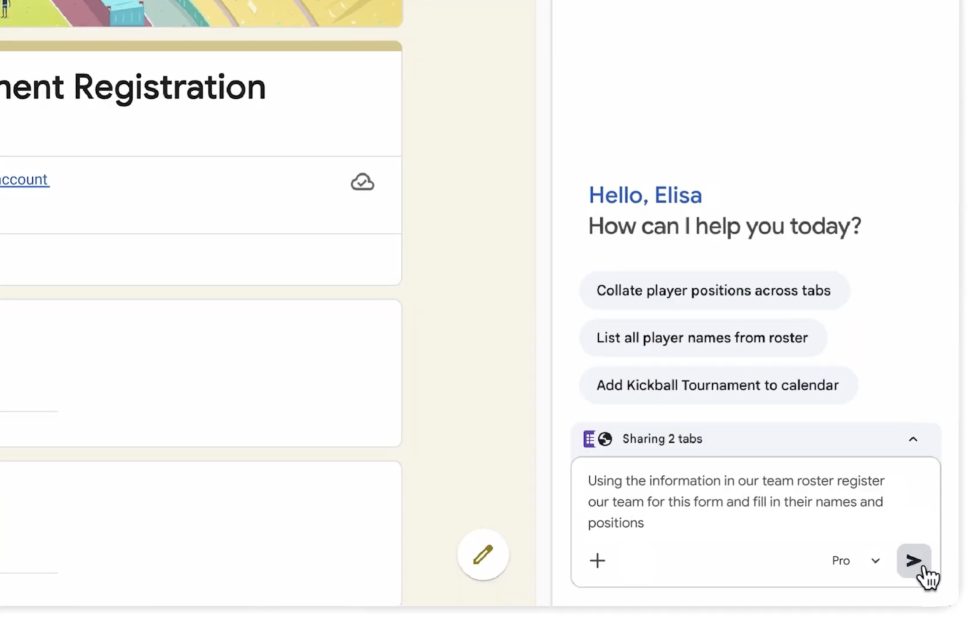
    Gemini Chrome Auto Browse

    5. Auto Browse in Chrome: The final new feature today from Google is an auto browse feature within Chrome that can complete more complex tasks for you. This is the “agentic” AI experience where AI is doing things for you rather than just returning info you request.

    What does that look like? Google provided a couple of examples. For one, you could be looking at image inspiration for a party and then tell Gemini to head over to Etsy to find supplies for the party from that image, add them to cart, but not spend more than $75. It can also apply discount codes if available and sign-in or use your Password Manager if needed.

    Google even showed someone with a couple of tabs open, one of which was a spreadsheet with a kids soccer team. The other tab was a tournament registration form needing to be filled out with the info from the sheet. They then added both tabs to the Gemini sidepanel and asked for the form to be filled out, which it then did for them.

    And lastly, Google showed a situation where someone was apartment shopping on Redfin. They asked Gemini to go through all of their favorited spots and shrink the list to those that are pet friendly. Then it was asked to add a search partner to the list, which Gemini did and then completed the task of inviting them.

    While some of these examples are very specific types of tasks, I guess the point is that you’ll find yourself in a situation where it may be worth opening the Gemini sidepanel in Chrome and seeing if it can help you out.

    This new Auto Browse feature is rolling out today to AI Pro and Ultra subscribers.

    // Google
  • Photos: Samsung’s 25W Magnetic Charging Puck for Galaxy S26 Series

    Photos: Samsung’s 25W Magnetic Charging Puck for Galaxy S26 Series

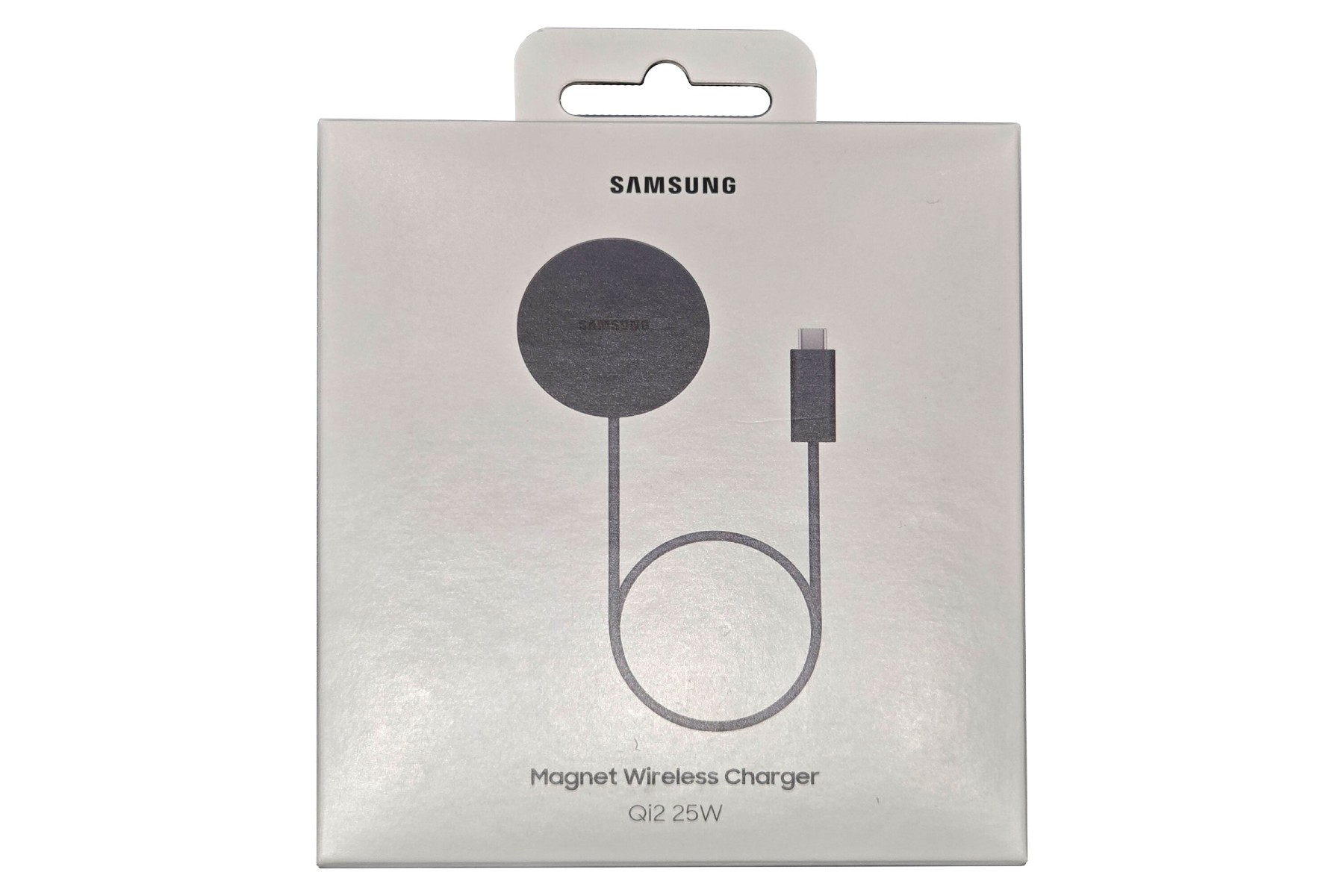
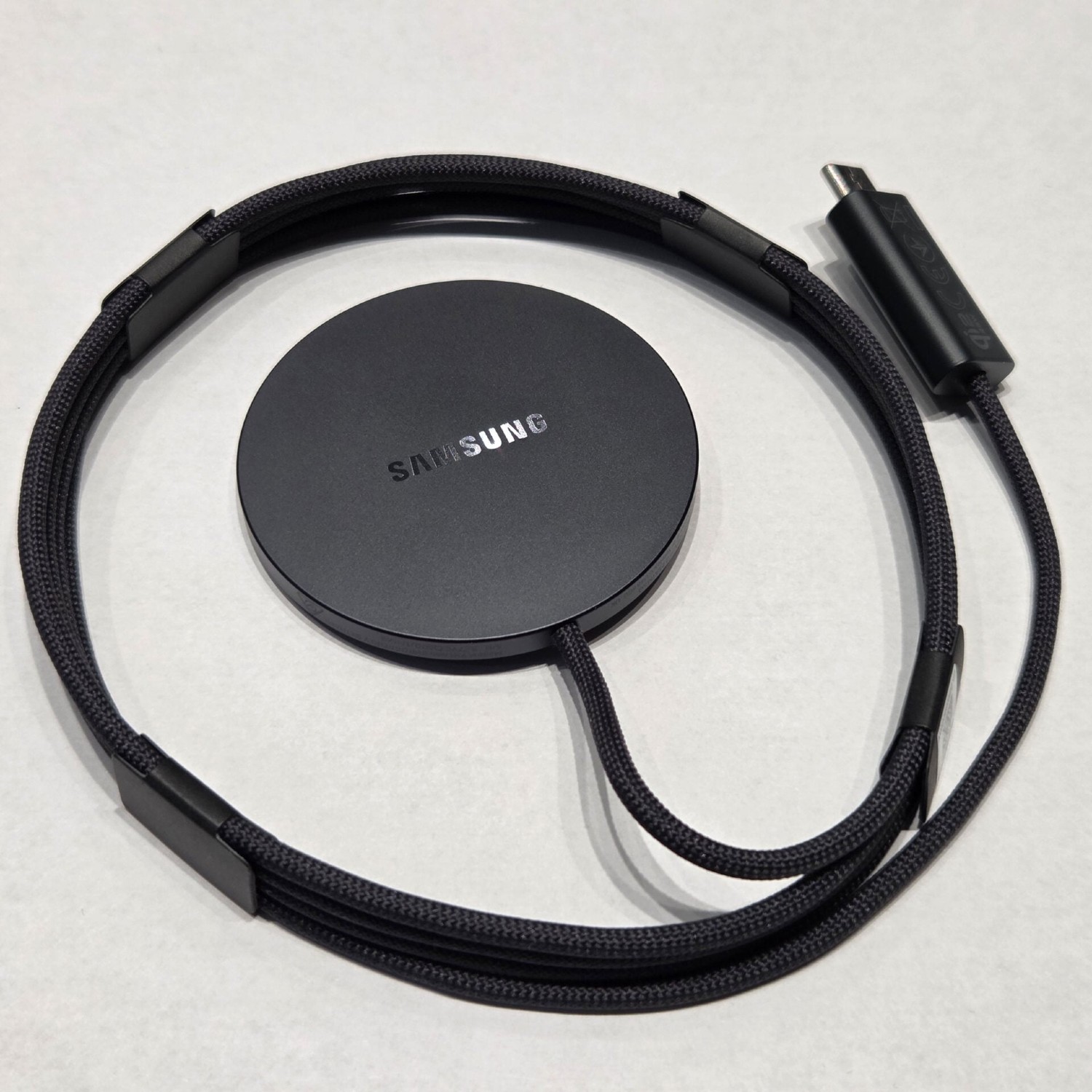
    We keep seeing upcoming accessories for the Galaxy S26 series, all basically confirming the lineup’s support for the Qi2 charging standard. In simple terms, that means magnets. The latest is a few photos of the Magnet Wireless Charger made by Samsung.

    The photos confirm a top speed of 25W, a speed likely supported only by the Galaxy S26 Ultra. On the other end from the magnetic puck we have a USB C plug which you’ll place into a brick or some other power source. While basic, it’s very cool when we think of the new accessories possibilities for the Galaxy S26 lineup.

    Qi2 Ready devices, such as the Galaxy 25 series and Galaxy Z Fold 7, should also support this device just fine. Charging speeds may be limited, but it should operate as intended.

    Now all we need is a launch date from Samsung.

    // SamMobile

  • Google Provides Embedded Photo Picker to App Developers, Results in Better Privacy

    Google Provides Embedded Photo Picker to App Developers, Results in Better Privacy

    Google is rolling out a new and improved embedded photo picker for Android applications, making it easier for developers to implement a user’s media into their app without having to sacrifice privacy.

    The embedded photo picker allows a user to browse their on-device media, as well as media that might be stored in the cloud. Meanwhile, the app has no access to the content until the user makes a selection. This is thanks to the developer no longer needing to request photo permission directly from users.

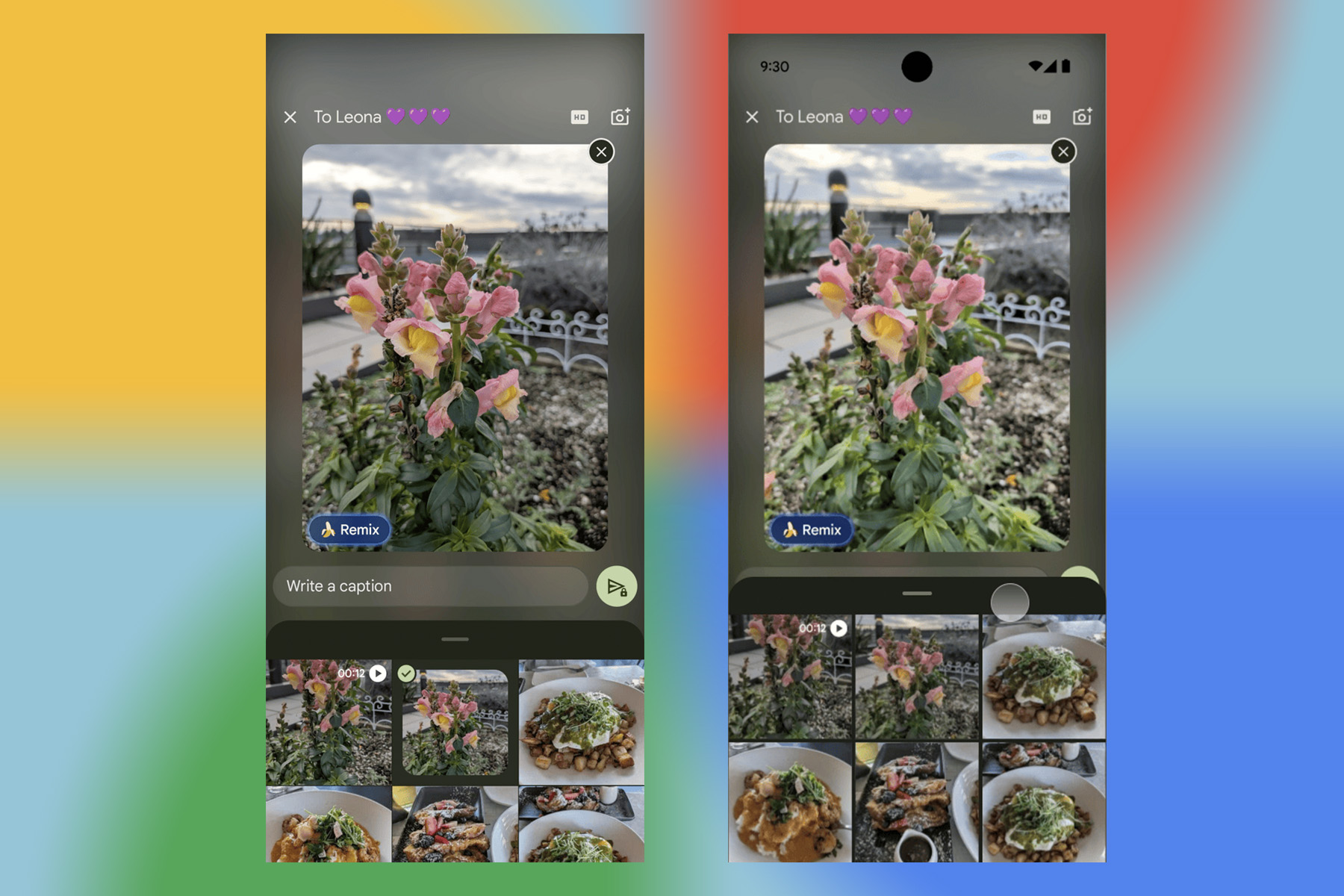
    Google highlights the new embedded photo picker inside of Google Messages. Highlights include:

    • Intuitive placement: The photo picker sits right below the camera button, giving users a clear choice between capturing a new photo or selecting an existing one.
    • Dynamic preview: Immediately after a user taps a photo, they see a large preview, making it easy to confirm their selection. If they deselect the photo, the preview disappears, keeping the experience clean and uncluttered.

    The development team then goes on to explain how easy it is to implement the code into an existing app. We expect to see this new photo picker in plenty of services moving forward.

    // Android Developers

  • Google Launches Google AI Plus Plan for $7.99/mo

    Google Launches Google AI Plus Plan for $7.99/mo

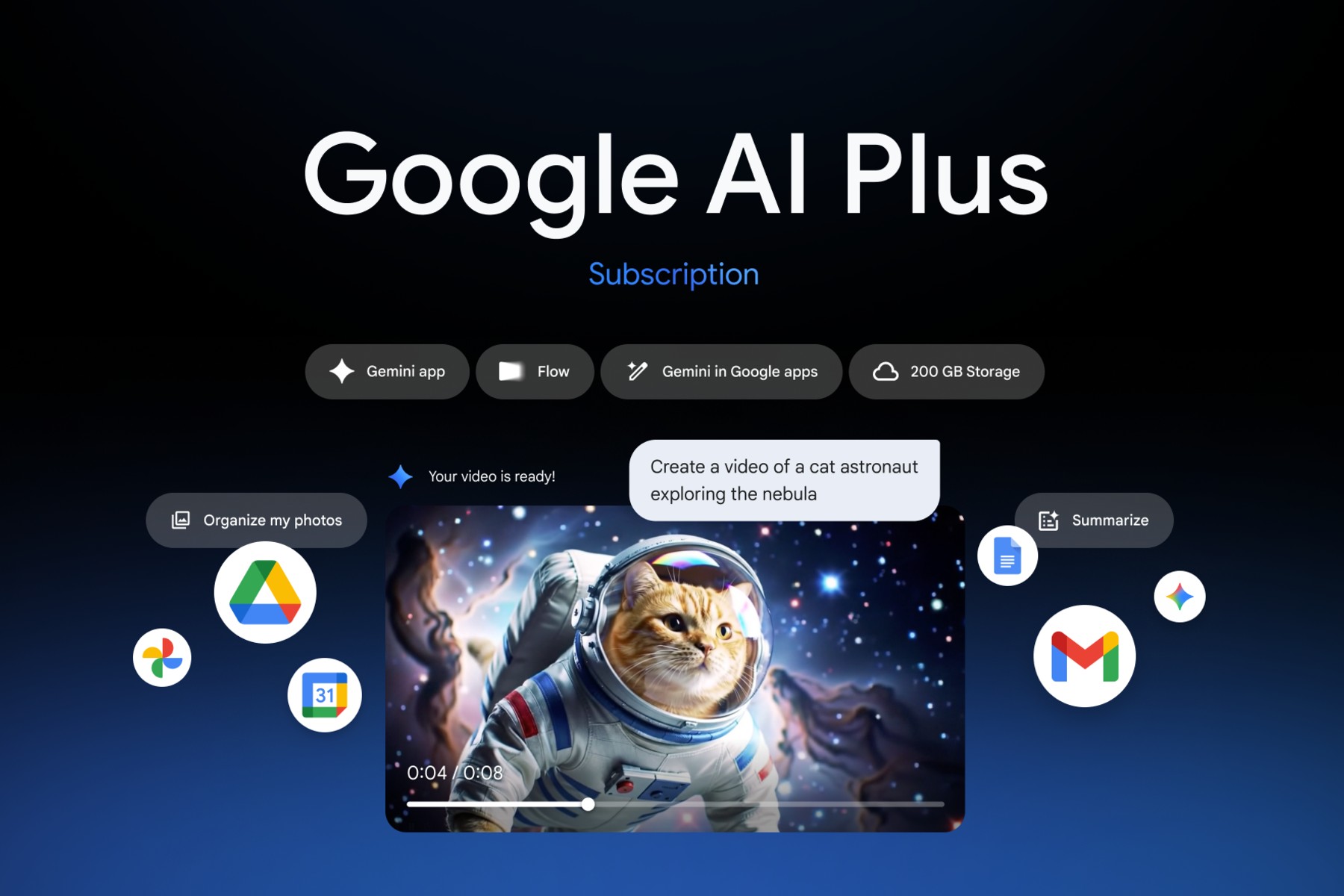
    There’s a new option in the Google AI tier system. Currently, there’s a free tier, Google AI Pro ($20/mo) and Google AI Ultra ($249/mo). Today, Google is launching Google AI Plus, a $7.99/month option that includes access to plenty of helpful tools at a very reasonable price.

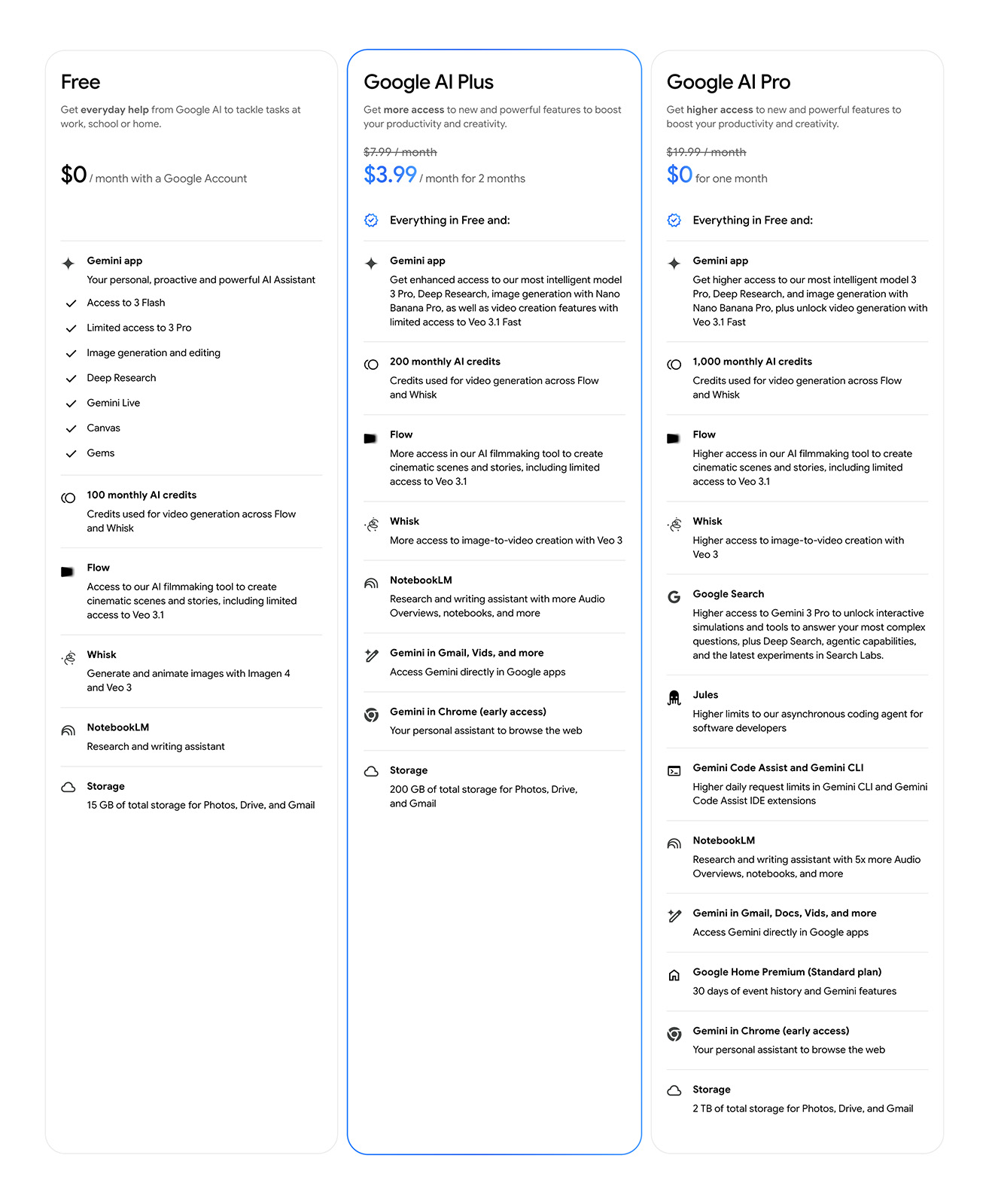
    AI Plus includes Gemini 3 Pro and Nano Banana Pro in the Gemini app, AI filmmaking tools inside Flow, research and writing assistance in NotebookLM, and more. There’s a breakdown of what’s included in this tier below.

    Google says this tier also includes 200GB of storage and that subscribers can share all of the benefits with up to five other family members. Furthermore, “Existing Google One Premium 2TB subscribers in these countries will also automatically get access to all the benefits of Google AI Plus in the next few days.”

    For a limited time, new subscribers can get 50% off for the first 2 months of their subscription. That brings your price to $3.99/mo for two months, which seems cool.

    Sign Up for Google AI Plus Here

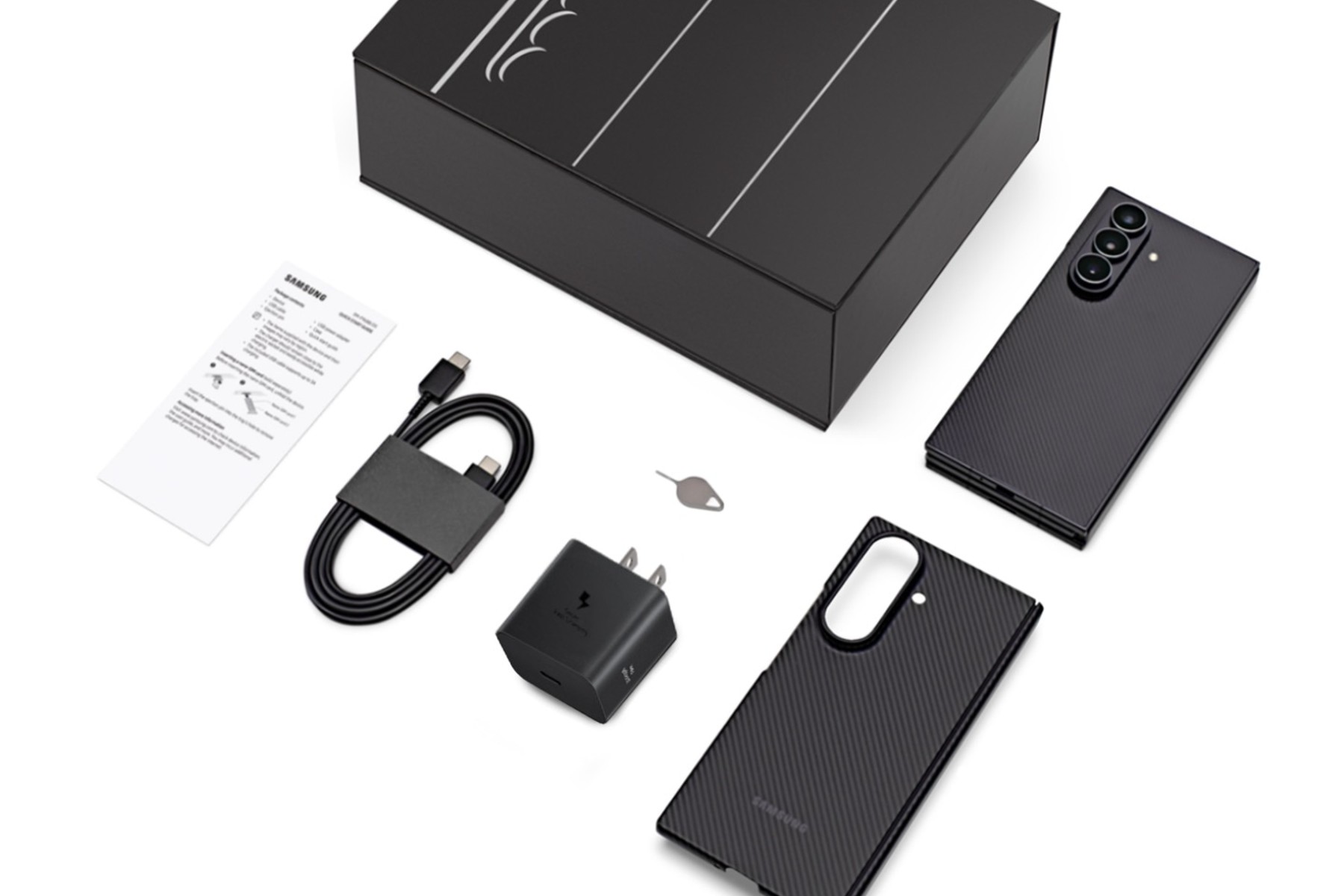
  • PSA: $2899 Galaxy Z TriFold Includes 45W Charging Brick in Box

    PSA: $2899 Galaxy Z TriFold Includes 45W Charging Brick in Box

    We thought that any potential buyers would appreciate the fact that Samsung’s Galaxy Z TriFold, priced at $2,899, includes a 45W charging brick in the box.

    This is the first time Samsung has included a charging brick with a high-end smartphone in quite some time. Even the $1,999 Galaxy Z Fold 7 doesn’t include a brick, so yes, this is newsworthy.

    I wouldn’t say the inclusion of a charging brick will help anyone swallow that price tag, but it doesn’t hurt. And honestly, if you’re someone willing to spend this much on a phone, you deserve the charging brick and every other promotional item. Samsung is also including six months of Google AI Pro (and 2TB of cloud storage) with purchase and a Carbon Shield Case.

    Galaxy Z TriFold orders open up on January 30 on Samsung’s website.

    Samsung Link

  • Ask Followups in ‘AI Overview,’ With Gemini 3 the Latest Default Model

    Ask Followups in ‘AI Overview,’ With Gemini 3 the Latest Default Model

    Google is upgrading the default model for AI Overview globally in Search. Moving forward, the show will be ran by Gemini 3, which was first launched back in November. While this should mean faster and more helpful AI answers directly on a search results page, Google is also adding a big feature that I know a few of us have thought about.

    The introduction of conversations with the AI Overview is rolling out. Google says, “Now, you can easily ask a follow-up question right from an AI Overview, and jump into a conversational back and forth with AI Mode.” From my perspective, this is good if I want to push back on information I receive from AI Overview. The feature is not perfect with the information it provides at times, so don’t mind me if I get into a little back and forth with this AI bot.

    “Since beginning testing late last year, we’ve found that people prefer an experience that flows naturally into a conversation – and that asking follow-up questions while keeping the context from AI Overviews makes Search more helpful,” Google said in its blog post.

    Both of these changes are rolling out today. Go try them out.

    // Google