Blog

  • Gemini’s Personal Intelligence Now Live for Pro, Ultra Subscribers

    Gemini’s Personal Intelligence Now Live for Pro, Ultra Subscribers

    Gemini’s Personal Intelligence is officially live after having been announced last week. Available first to Google AI Pro and AI Ultra subscribers, Personal Intelligence brings a more personal AI experience to Gemini on the web, Android, and iOS devices.

    For a complete rundown of what Personal Intelligence is, read our previous post. To sum it up, if you grant access to Gemini, the AI will gather a broader picture of you and be better equipped with data to suggest things. By allowing it to comb Photos, Search, and many other Google services, you’ll get a more “proactive and personalized” experience from Gemini.

    Personal Intelligence is limited to beta for the time being, available first to paid subscribers.

    Google Play Link

    // Gemini

  • Galaxy Z Fold 7 is $1399 Off With No Trade-in Required ($600 Off)

    Galaxy Z Fold 7 is $1399 Off With No Trade-in Required ($600 Off)

    Samsung is hosting a deal on the Galaxy Z Fold 7, one that doesn’t require a trade-in device to get serious money off of its high-end foldable device. Typically, a trade-in of good value is required to get this amount of money off your purchase, so for those who don’t want to deal with that process, now would be a good time to swoop.

    On its website, you can get a Galaxy Z Fold 7 (256GB) for $600 off its usual price, bringing your grand total to $1399. For this amount of phone, that’s a very good deal, especially when you consider that there’s no trade-in program to deal with. However, for those with a very nice trade-in, Samsung is offering up to $1000 of instant credit. That’s something to consider.

    As for the Galaxy Z Fold 7, it’s a great phone. Samsung placed a pro-grade camera system inside, gave it the best foldable hardware we have yet to experience, and made sure you have all of the specs you need for future proofing. At $600 off, all while doing nothing, there probably isn’t a better deal in mobile at this moment.

    If you want to take advantage of this, follow the link below.

    Samsung Link

  • Dismissing Your Google Clock Alarm Becomes Swipingly Easy

    Dismissing Your Google Clock Alarm Becomes Swipingly Easy

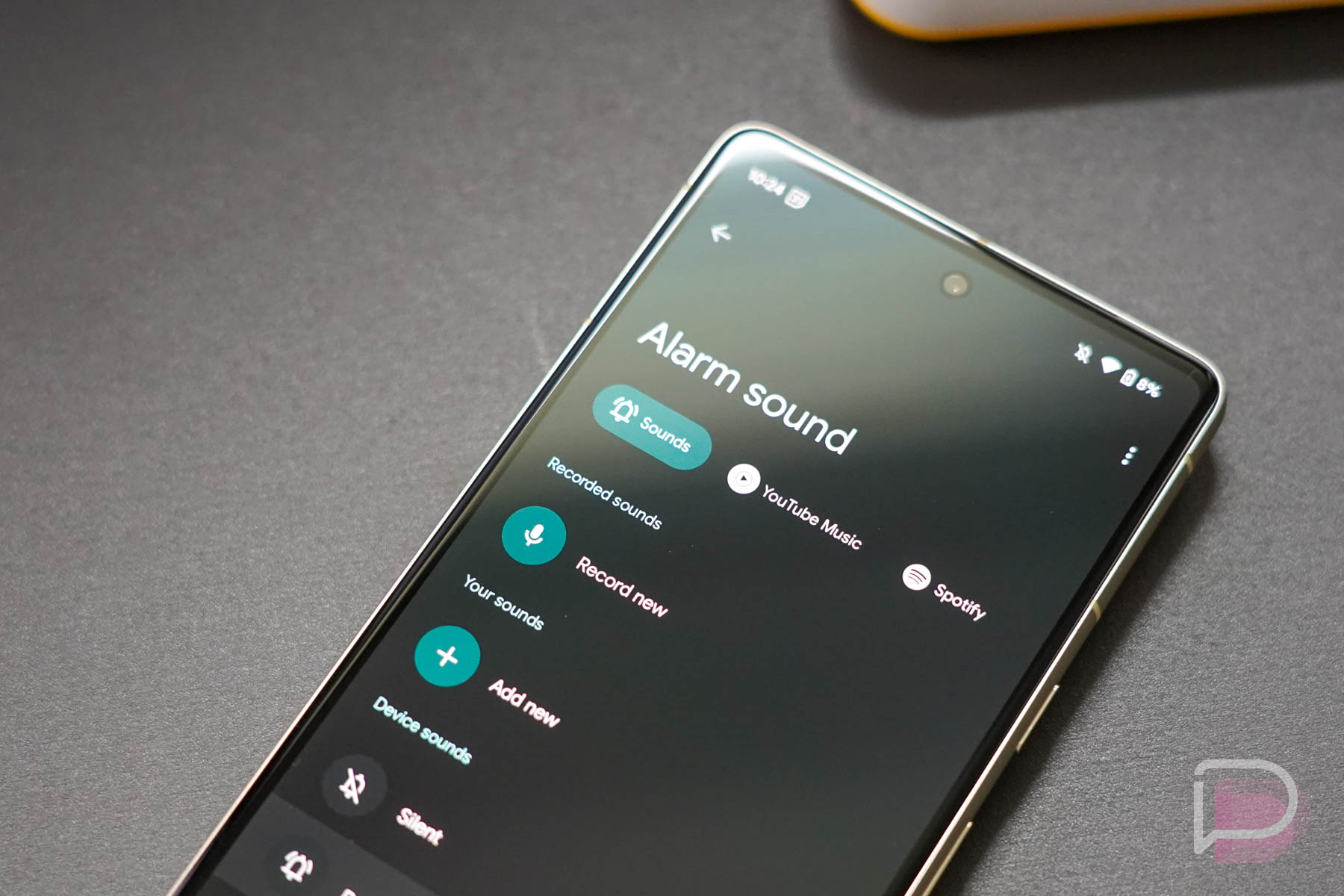
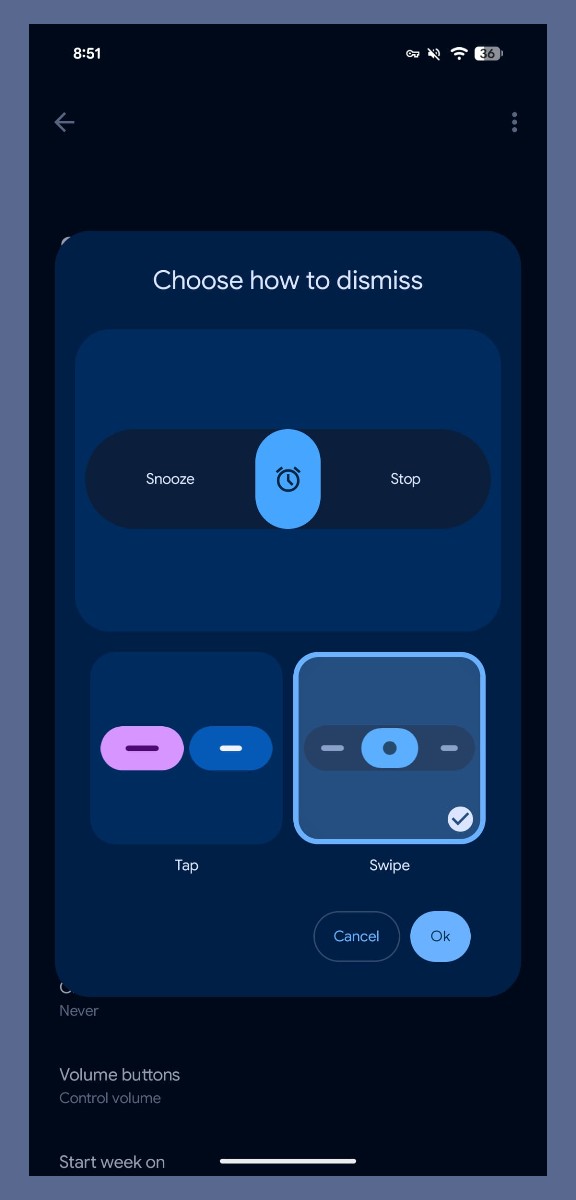
    Google Clock version 8.5 is headed out to users, and inside, a more customizable alarm clock experience will greet you. Google is rolling out the ability for users to swipe alarms away, instead of the traditional buttons for tapping.

    Once the server side change hits your device, you can opt between both tap and swipe for dismissing alarms. Google provides a preview of what that UI looks like. It’s nearly identical to that of an incoming call. You swipe right to stop the alarm and swipe left to snooze it.

    To change your setting, there’s a fresh “Dismiss alarm with a” preference in Settings. Again, you’ll need to wait for the change to hit your device from Google’s servers.

    Which option do you plan to utilize?

    // 9to5Google

  • Verizon Wastes No Time Switching Device Unlock Policy to 365 Days

    Verizon Wastes No Time Switching Device Unlock Policy to 365 Days

    When the FCC cleared Verizon of its 60-day device unlock policy a week ago, we talked about how the government agency, which is as anti-consumer as it has ever been at the moment, was giving Verizon the power to basically create whatever unlock policy it wanted. We also expected Verizon to make a change to its policies in a hurry and they did not disappoint. Again, the FCC provided them a waiver 7 days ago and they are already starting to update policies.

    New Verizon Device Unlock Policy

    As of this morning, Verizon has implemented a new device unlock policy across its various prepaid brands and I’d imagine their postpaid policy change is right around the corner. Brands like Visible, Total Wireless, Tracfone, and StraightTalk, all have an updated device unlock policy today that extends to 365 days of paid and active service before they’ll free your phone from the Verizon network.

    Starting January 20, Verizon says that devices purchased from their prepaid brands will only be unlocked upon request after 365 days and if you meet several requirements, which are:

    1. You purchased the smartphone on or after the 1/20/2026 (Effective Date).
    2. You activated the smartphone more than 365 days ago.
      1. Note: This means you have an active plan on your phone, whether it’s an upgrade or a new line.
    3. The device has at least 365 days of paid service.
      1. Note: If you stop paying for service, your progress toward the 365-day requirement pauses. It will resume once you reactivate your account and continue until you reach a total of 365 paid days of service.
    4. There was ordinary usage of the smartphone in compliance with our Terms of Service
    5. Nobody reported the smartphone as lost or stolen.
    6. There are no signs of fraud with your account or the smartphone

    What exactly is changing here? Well, if you purchased a device from Verizon’s value brands previously, they would automatically unlock them after 60 days. Now, you have to wait 365 days, request the unlock because it doesn’t happen automatically, and also have active service.

    This is a really big change, especially on the prepaid side, where the idea is supposed to be that you prepay for your service and have ultimate flexibility to change carriers at will. That’s gone now if you buy a phone from these prepaid carriers run by Verizon. You can’t just pay off your phone and then ask them to unlock it. Visible’s policy, for example, says that “the device has at least 365 days of paid service” on it – paid service.

    The FCC mentioned in their waiver that by allowing Verizon to create whatever unlock policy they wanted that this would “benefit consumers.” How does any of this benefit consumers?

  • Samsung Makes New Bixby Official in One UI 8.5 With Perplexity AI

    Samsung Makes New Bixby Official in One UI 8.5 With Perplexity AI

    The betas of One UI 8.5, as well as supposedly leaked screenshots, showed a potentially renewed investment in Bixby from Samsung, one that will allow the on-device assistant to act as a device agent powered by AI. That AI agent was rumored to be able to control a lot of on-device settings, but if your query required more, Samsung would lean on Perplexity AI.

    This morning, Samsung officially announced the new Bixby AI agent, as well as the connection with Perplexity AI. However, they’ve since pulled the press release, but we are still able to view it at this time.

    In the press release (which we’ve included below), Samsung confirms that the “New Bixby” will arrive in One UI 8.5. Again, beta builds have showcased the new Bixby, but this is the first time Samsung is publicly announcing its arrival.

    The new Bixby will be able to control a lot of what happens on your device with you talking to it more naturally. Think of it as an assistant that can change settings without you knowing exactly what the setting is called. That’s how Samsung describes the feature, which sounds pretty basic in that regard. Honestly, it sounds like a waste of energy, but maybe people are regularly talking to their phones about settings?

    Where this gets more powerful is in the connection to Perplexity AI. Should you want to find information that is not on your device, Samsung will lean on Perplexity AI to find it via the web.  If you want to look up “hotels in Seoul that have swimming pools for kids,” you can do that. That’s the only example of this connection they give, but you get the idea.

    This is all very much how Apple’s Siri currently works. If you want to ask Siri to complete simpler tasks, it can handle those on-device pretty easily. However, for more detailed answers that require AI research, Siri will use ChatGPT.

    What does this all mean for Google’s Gemini on Samsung devices? It shouldn’t change much, at least for now. Most Samsung devices allow you to set Google as your default assistant, which then gives you easy access to Gemini. With this upgrade to Bixby, you could also switch over to Bixby if you’d rather get those on-device controls and then utilize Perplexity over Gemini. If something changes with any of that, we’ll let you know.

    As for availability, the press release simply states that the new Bixby will be available in stable One UI 8.5 in “select markets,” with broader rollout to follow.

    Samsung Introduces the New Bixby in One UI 8.5

    Samsung Electronics Co., Ltd. today announced the beta program for its latest version of Bixby, upgraded to operate as a conversational device agent. The update makes interacting with Galaxy devices more intuitive, as users can simply ask for what they need through natural language. Additionally, it expands access to up-to-date answers from the open web.

    “Since we introduced our first AI phone in 2024, we’ve been committed to making them easier to use so more people can benefit from AI — that’s why we decided to integrate a device agent directly into the experience,” said Won-Joon Choi, Chief Operating Officer, Mobile eXperience (MX) Business at Samsung Electronics. “To support this, we redesigned Bixby to enable more natural interactions and intuitive device control, reducing friction in everyday tasks.”

    Intuitive Device Control Through Natural Conversation

    Bixby allows people to control and navigate Galaxy devices using natural language, without the need for exact setting names or commands. It doesn’t need to learn how device menus are structured or remember specific terms to get things done; users can simply describe what they want, or ask why something is happening on their device, in their own words. Bixby understands the intent and takes the appropriate action, reducing the time and effort required to manage everyday device settings and features.

    For example, a user could say, “I don’t want the screen to time out while I’m still looking at it.” Bixby understands the request and immediately turns on the Keep Screen on While Viewing setting — without requiring them to navigate through settings or know the feature’s exact name.

    Rather than offering generic instructions, Bixby can also identify the current settings of the device and suggest various possible solutions. This reduces trial and error, helping people complete tasks more quickly, even when they are unfamiliar with the device or its features.

    If a user asks, “Why is my phone screen always on when it’s inside my pocket?” Bixby will use the context of the situation and bring up relevant settings, such as Accidental Touch Protection, allowing them to turn it on directly.

    Real-Time Web Search Capabilities

    Bixby also supports real-time web search capabilities. Through Perplexity, it can access live and up-to-date information, with results appearing within Bixby’s own user interface. This means people can explore topics and get answers to questions as part of one consistent and seamless experience2. Without being redirected to a separate browser or app, users can find what they need more quickly and stay focused on the task at hand.

    For instance, users can say to Bixby, “Find me hotels in Seoul that have swimming pools for kids.” Bixby processes the request and provides relevant web search results directly within its interface, allowing users to explore available options without interruption or delay.

    Availability

    The latest Bixby updates will be first available in One UI 8.5 in select markets, with plans for broader expansion to follow. For more information about Bixby, visit Samsung.com.

  • Pixel 10’s Magic Cue Could Get Google Wallet and Tasks Integration Next

    Pixel 10’s Magic Cue Could Get Google Wallet and Tasks Integration Next

    Magic Cue on the Pixel 10 Series certainly allowed for some cool demos at launch, but has the feature continued to stand out as one of the reasons you would buy or stick with a Pixel 10? For me, Magic Cue has remained a feature I consider to be very cool, even if I don’t come across it as often as I’d like. In other words, I’m still a believer in the idea, I’m just not sure I see it in action enough and would love for Google to do whatever it can to rapidly improve on it.

    That could change in the near future with the integration of a couple of new apps. As you may know, Magic Cue currently works across Pixel Screenshots, Gmail, Messages, Keep, Contacts, and Calendar to try and surface information as you need it. A screenshot circulating the internet appears to show Google Wallet and Google Tasks being added to that list of supported apps.

    No additional info was provided with the screenshot, only a suggestion that these could be the next apps Google adds. So what could happen with Tasks and Wallet in Magic Cue? Again, no one knows and we’re all just trying to come up with ideas.

    The integration of Tasks certainly makes sense in pretty obvious ways. Like if you are currently in Messages and the conversation turns to an upcoming event, Magic Cue can show an option to easily add or bring up that event from Calendar. If you were having similar types of conversations about something needing to be done, Magic Cue recognizing that and then providing a shortcut to a task or Tasks seems easy enough.

    For Google Wallet, this could mean a variety of types of info available. Magic Cue being able to bring up movie tickets or passes from Wallet for easy sharing makes the most sense, as does it surfacing transit info. The payment side of it makes less sense, unless Google was cooking up a new way to be able to send money to someone and a message about making a payment brings up an easy way to do so.

    Those are my thoughts, but I’d love yours. What could you see Google Tasks and Wallet doing within Magic Cue? Wait, are you even using Magic Cue?

  • Pixel 10a Gets Unofficial Launch Date and Price

    Pixel 10a Gets Unofficial Launch Date and Price

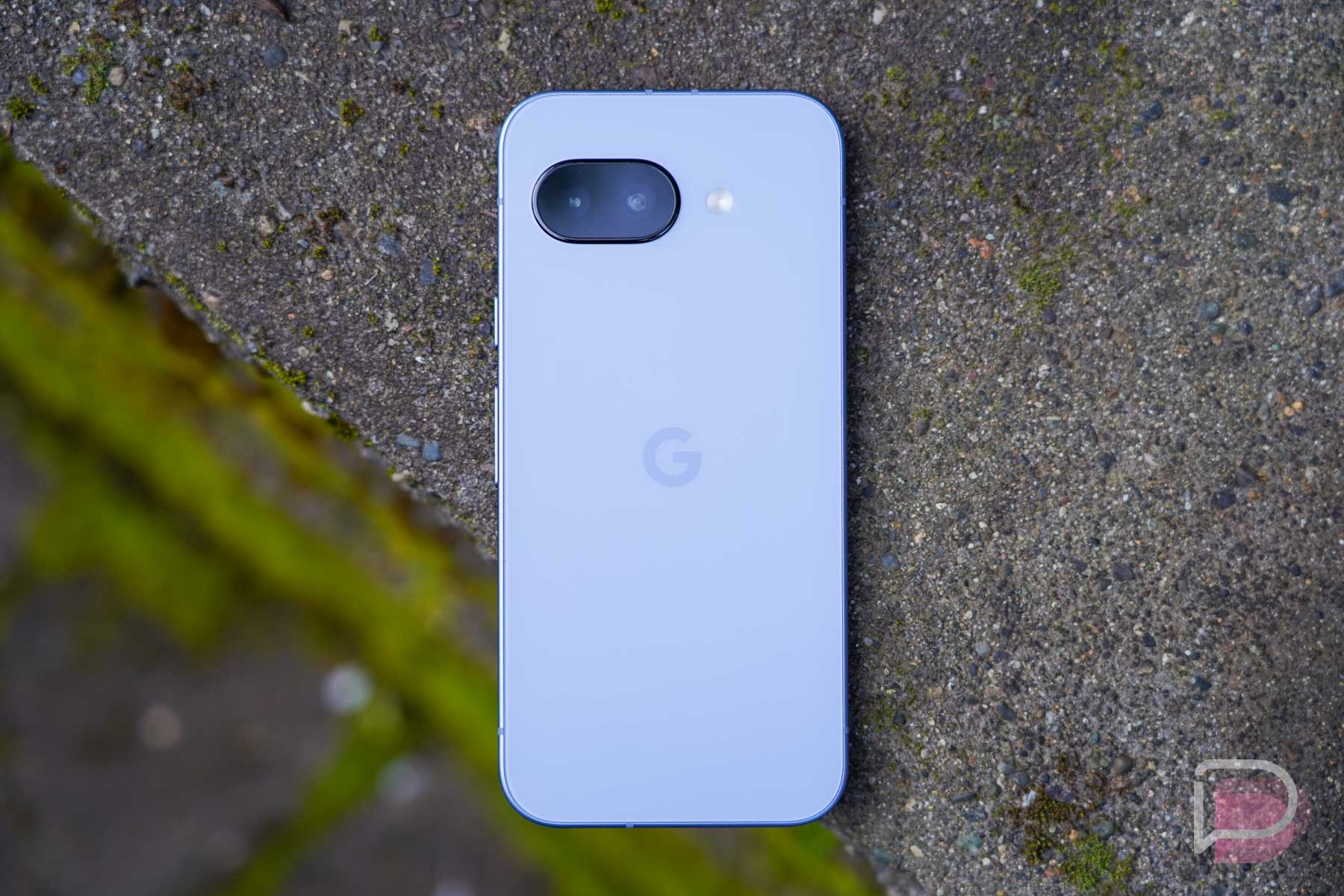
    The Pixel 10a might launch on March 5 with prices that match last year’s Pixel 9a.

    That’s the latest word anyway. With Google’s Pixel 10a starting to make headlines last week, thanks to online distributor screw-ups, the info surrounding Google’s next budget phone keeps sneaking into our live. While we didn’t take any stabs at price last week, knowing the info was just distributor data that is almost never reliable in terms of pricing, a new report seems to know a little more.

    The crew at Dealabs dropped a report that attempts to wipe away confusion and give you a date to look forward to. According to their sources, the Google Pixel 10a is scheduled for a March 5 launch with a February 18 pre-order window, at least in Europe. We noted February 17 last week, so this lines up.

    As far as pricing goes, they believe we’ll get prices of €549 for 128GB models and €649 for 256GB models. That pricing matches the Pixel 9a.

    Finally, for storage options, they believe that all colors will have 128GB and 256GB options. Again, distributor data does not agree and shows only Obsidian coming in 256GB with Berry, Lavender, and Fog only finding 128GB models.

    But anyway, the Pixel 10a is not looking like much of an upgrade over the Pixel 9a, at least for now. Does Google have any tricks up its sleeves we have yet to find out about? I sure hope so.

  • Samsung Smacks $1,000 Off Galaxy Z Fold 7

    Samsung Smacks $1,000 Off Galaxy Z Fold 7

    The Galaxy Z Fold 7 remains the best foldable in the game. In my opinion, there isn’t a foldable close to this one – it’s near perfection from Samsung.

    Somehow, Samsung is still allowing you to take an instant $1,000 off of it with a proper trade-in. That level of discount brings the starting price of the Galaxy Z Fold 7 to $999, a ridiculous mark for a phone that literally folds in half. If no trade-in available on your end, they are also just slapping $350 off too.

    If I were looking for the best Galaxy Z Fold 7 deal, it would be this one from Samsung. To get the full $1,000 off today, you would give them a Fold 6 or Galaxy S25 Ultra. A Galaxy S25+ would also be worth $600, while the S25 Edge and regular S25 drop to $466 and $430, respectively. All other trade-in values are low enough that you might as well just take the straight cash discount of $350 and do something else with your old phone.

    At $1,000 off, you get a Fold 7 with 256GB storage and your choice of color. All colors have the same discount, including the online exclusive “Mint” that is pictured above. And if you want more storage, 512GB and 1TB models are discounted up to $1,000 too.

    So yeah, the Fold 7’s $1,000 discount remains after all these months, you just need to trade something and that value comes off the price you pay today.

    Samsung Deal Link