Blog

  • Visible Issues $5 Outage Credits, Even Without Much of an Outage

    Visible Issues $5 Outage Credits, Even Without Much of an Outage

    The major Verizon outage that rocked the wireless world earlier in the week has at least resulted in $20 credits for most customers. But what about Visible, the prepaid service that Verizon owns and operates through its own network? Well, they are apparently also handing out credits even if they didn’t experience much of an outage.

    As a Visible subscriber, I can tell you that the very minute that Verizon’s network went down, I grabbed my Visible phone and checked for service. I never did lose Visible connectivity on Verizon’s network during that time. My wife, who happens to be on Verizon’s prepaid, also never lost service here in Portland.

    So because I never lost service, I didn’t think to ask Visible for credit, but others received text messages saying they had a $5 credit available. Others messaged with customer service and were able to receive a credit that way, even without seeing the text message.

    I have not received the text message, but was able to ask their customer service if they were handing out credits. Since I wasn’t affected by the outage, they weren’t willing to just give me a credit, and that makes perfect sense.

    To try that route, you’ll simply login to your account on Visible’s site and hit the little chat assistant bubble in the bottom corner of Visible’s website. You could also open the Visible app and start a chat session from the same bubble up top.

    // reddit

  • Google CC is the Best New Secret Gmail Feature

    Google CC is the Best New Secret Gmail Feature

    A little over a month ago while we were all deep in the holiday trenches, Google released a somewhat secret feature within Google Labs that was a part of Gmail. This new feature, called “Google CC,” was an all-in-one daily schedule, to-do list, and organizer of sorts that’s (of course) powered by AI. This thing has turned out to be one of my favorite new Gmail features in recent memory.

    Google’s secret Google CC Gmail feature is awesome

    For those who missed it, we have a little write-up on Google CC here. The basic idea is that each morning, Google CC will send you a “Your day ahead” email that summarizes everything going on in your Google life, thanks to connections to Gmail, Drive, and Calendar. If you are a heavy Gmail user, it can really know the things you need to take care of immediately, to keep an eye on, that you should maybe know about, and what your calendar looks like.

    I’m sure there are lots of services that can provide similar emails to this, and I get that. However, this is one that I’ve found myself opening daily and going, “Oh yeah, that’s actually really good to know!” or “Ooooooh, I completely forgot about that!”

    Since I can’t exactly show you my inbox, you’ll have to take a look at Google’s example below to see what this looks like. Mine is very similar to this, though.

    Google CC

    For me, if I open my own Google CC from this morning, there are things like a reminder about my kid’s school testing that he has this week. That’s not on my calendar, but his teachers have sent emails to remind us and this CC picked that up and put it on my daily email. It picked up an email from my pickleball club, who is asking us all to change to ACH from credit card membership payments, and it reminded me in the “FYI” section to make that switch by a certain date. There’s a random reminder that my kid has a library book due and it named the book. I also just found out that there is a Led Zeppelin film screening tonight that I had no idea about because the email with that info I certainly insta-archived. And finally, I ordered something that I had shipping troubles with, so it has summarized that conversation I’m having with support and where the current status is.

    There are ways to customize your daily email too. I have not gone into that world yet, but you are supposed to be able to respond to the daily email to correct info, add to-dos, and cc your Google CC email to threads to request summarizes.

    This Google CC idea is really great for someone like me who isn’t incredibly organized. This daily email that pulls from all of the dozens of emails I get in a day and then tells me so many important bits of info, has been super helpful.

    Now, you are giving Google and Gemini a load of access to things here, so keep that in mind. I get why you may not be comfortable with that. If that’s you, move along. However, if you understand that Google already knows everything and want it to give you this email every day, you can sign-up below. Do note that it is a waitlist, but it didn’t take long for me to get on it. I don’t actually remember an acceptance email either, I just started getting the email one morning.

    Sign-up for Google CC

  • How to Claim the $20 Verizon Outage Credit

    How to Claim the $20 Verizon Outage Credit

    Verizon announced today that it would give all of its customers a $20 credit after experiencing a 10-hour outage yesterday. Claiming those credits has been a bit of a confusing situation, so we wanted to tell you exactly how to claim your Verizon $20 outage money.

    How to claim Verizon $20 outage credit

    According to the message that Verizon sent earlier, they said that you would be able to redeem the $20 credit by logging into the MyVerizon app. However, they also stated that you would receive a text message when your credit was ready. Because of that text message portion of the credit redemption process, many have logged into the app and found no credit available.

    You really have two options at this point. For one, you could just wait for that supposed text message to arrive to then go into your MyVerizon app (or login to your Verizon account online) to claim the credit. You could also continue opening the app everyone few hours and see if your account has been given it. Since neither of those get you the credit right now, there is one other option: contacting support.

    Several Verizon customers on reddit say they opened a chat session with Verizon support on their website and that support was able to apply their $20 credit. Some also called support and had success. This seems to be the quickest way to get your $20 at the moment, unless of course, you’ve already received your text message.

    Why isn’t this $20 credit being applied automatically? You know why.

    Let us know if you’ve seen yours!

  • iMessage to Android RCS Messages Might Finally Be Super Secure

    iMessage to Android RCS Messages Might Finally Be Super Secure

    RCS has been a part o the iOS and iMessage bag of tools since 2024 with the release of iOS 18. Since then, there have been billions of RCS messages sent between Android and iOS devices, proving that the adoption by Apple was a really big deal for messaging. However, all of those messages have not been end-to-end encrypted because the RCS standards at the time did not require them to be.

    In March of 2025, the GSMA announced an updated Universal Profile 3.0 through which the future of RCS would operate. As a part of that Universal Profile 3.0, the groundwork for end-to-end encryption (E2EE) was laid and we have simply been waiting for Google and Apple to push it out. Both committed to making E2EE happen, with Apple promising it through “future software updates.” Google stated that they would “work as quickly as possible” to help secure RCS messages.

    Through a recent release of iOS 26.3 to Apple’s beta channel (via MacRumors), code diggers noticed signs of E2EE arriving for RCS messages. While not live, the groundwork appears to be there and encryption of RCS messages could happen at any time. Of course, that would mean Apple pushing their side live and Google doing the same with whatever they need to do.

    At this time, we have no idea when exactly it will happen, only that we appear closer than ever. And again, since Apple committed to bringing it, but “future” updates doing so is a pretty open commitment. Will it be with a later iOS 26 update or something in iOS 27 later this year?

    We’ll be on the lookout for it going live and let you know.

  • Google Begins Posting Android XR Security Bulletins

    Google Begins Posting Android XR Security Bulletins

    Google has begun posting security bulletins for Android XR, which means these will be something to keep an eye out for monthly if you plan to get into the Android XR platform. These bulletins, for those unfamiliar, highlight security vulnerabilities affecting the platform.

    This month, there are no security patches in the January 2026 XR security bulletin, which seems like a good thing. Even with no identified vulnerabilities, it’s still good to see Google posting the bulletins, as now it’s something we can look forward to reviewing monthly. In this case, no news is good news.

    As Android XR grows, with more users and third-party companies getting involved in the creation of hardware, it’ll be interesting to see if issues begin to pop up.

    // Google

  • “Final Call” on Google’s $250 Off Pixel 10 Pro Deal

    “Final Call” on Google’s $250 Off Pixel 10 Pro Deal

    We know this isn’t actually the “final call” on Pixel 10 Pro deals because Google is always running deals on its smartphones, but for this current sale, time is running out. In a reminder email, Google wants you to know that your days are number on this $250 off price.

    The Pixel 10 Pro XL is a full $250 off right now, bringing its starting price down to $949 with 256GB storage. You could up storage from there and received the same discount, but the phone price goes up by at least $120.

    The Pixel 10 Pro is a full $200 off, making it a $799 phone with 128GB storage. I’d tell you to upgrade to at least 256GB, just because this is a phone you can hang onto for a while and you’ll need more storage. The 256GB model currently starts at $899.

    The Pixel 10 Pro series is still our favorite phone of the moment and probably will be until the Pixel 11 Pro arrives. Samsung’s Galaxy S26 line looks a lot like the S25 line, which looked a lot like the S24 line. While excellent phones, it’s the software experience hardware design, and regular improvements that keep us on Google’s phones so often. But look, if you want a foldable, the Galaxy Z Fold 7 is insanely good and no other foldable comes close to it.

    This Google sale ends January 18, so don’t hesitate.

    Pixel 10 Pro Deals: Google Store

  • Galaxy Watch Ultra for $329 Currently Unbeatable ($320 Off)

    Galaxy Watch Ultra for $329 Currently Unbeatable ($320 Off)

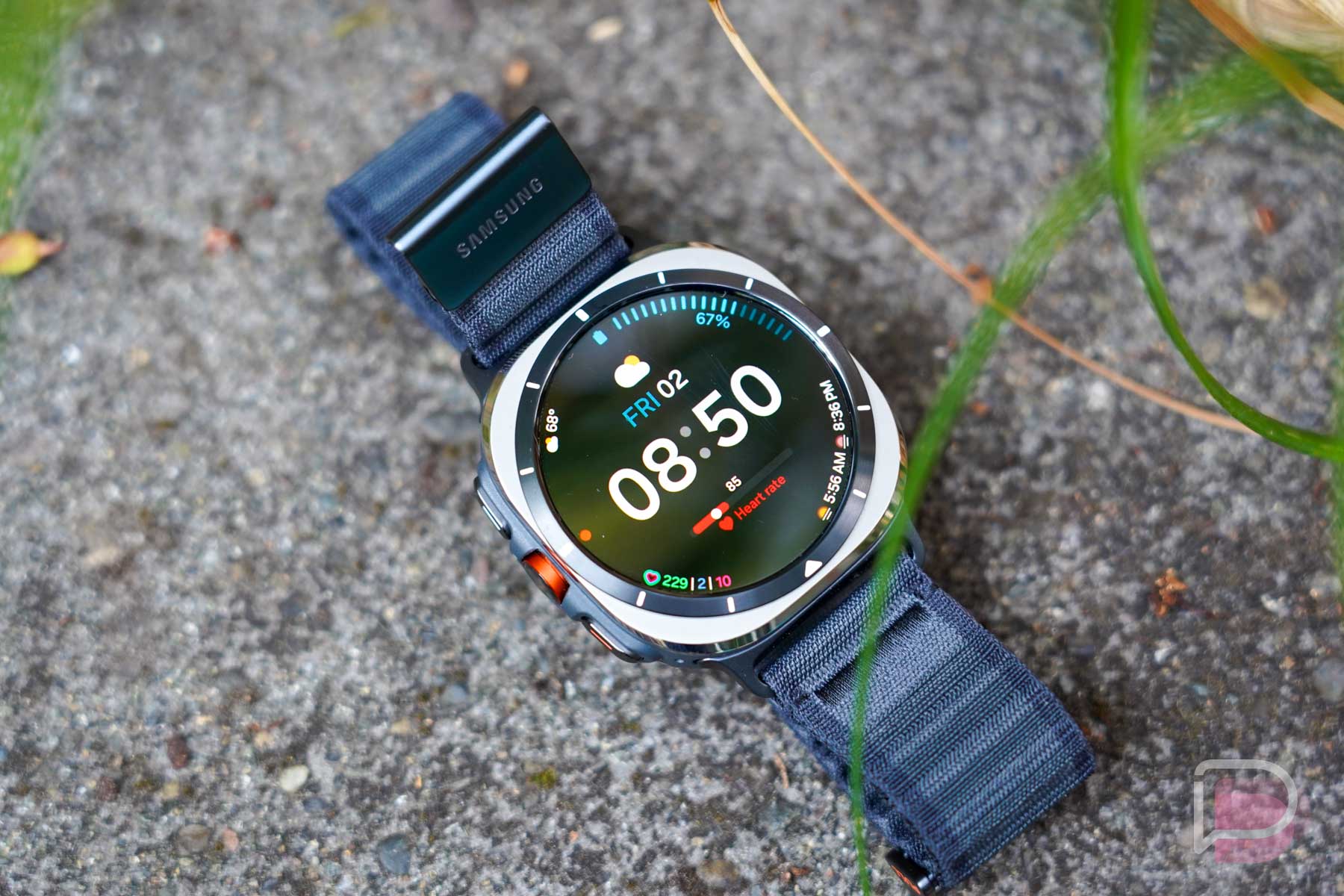
    For Android users looking to match what Apple offers with the Apple Watch Ultra, the Galaxy Watch Ultra is currently the closest we can get. It’s rugged, has great battery life, plus all of the software capabilities (health and sports tracking, etc.) you’d expect from a high-end smartwatch. Currently on the Woot!, there’s a crazy good deal available.

    Woot! is selling the international version of the Galaxy Watch Ultra at just $329. That’s $100 cheaper than what Samsung currently has it listed at ($429 thanks to $220 of instant discounts). For Galaxy Watch Ultra, there shouldn’t be much difference between the international and US models. Both support LTE and Bluetooth connection (LTE bands are identical according to specs listings), they both have the same chipset (Exynos W1000), and the software is also the same. Essentially, you likely won’t come across any issues with it, except your bank account will thank you.

    The seller has Titanium Blue and Titanium Grey versions in stock. Thankfully, we think those are best options.

    Follow the link below to snag.

    Woot! Link

  • Spotify Slaps All Plans With Price Increases in US

    Spotify Slaps All Plans With Price Increases in US

    Spotify is raising prices in the US across all of its plans, including Individual, Student, Duo, and Family.

    After raising prices elsewhere back in August, we assumed Spotify would increase prices in the US and they’ve now confirmed plans to do that. No plan is spared either, as the increase will hit everyone, including students and families.

    The price increases for everyone are expected to start in February. Over the coming weeks, you’ll receive an email explaining your specific increase, but because Spotify has already updated pricing on its website, we know what you’ll pay. Below, we have the new Spotify plan pricing, so find yours and prepare your wallet:

    New Spotify plan pricing (increases)

    • Spotify Individual: $12.99 (up from $11.99)
    • Spotify Duo: $18.99 (up from $16.99)
    • Spotify Student: $6.99 (up from $5.99)
    • Spotify Family: $21.99 (up from $19.99)

    These increases arrive about a 1.5 years since the previous increase. Spotify isn’t offering up excuses for doing so this time other than they believe this reflect the “value” of a Spotify subscription. They didn’t say they need to increase the price to keep up with inflation or rising costs or anything else. They said specifically that these price increases “reflect the value” that Spotify delivers.

    Great.

    // Spotify