Blog

  • Verizon’s Massive Outage Gets Customers $20 Credits

    Verizon’s Massive Outage Gets Customers $20 Credits

    By now you are likely back on Verizon’s network after it experienced a 10-hour outage yesterday. We have yet to find out what caused such a major outage, as they have yet to explain or provide details, but Verizon has at least stepped up to offer account credits for all of that time lost.

    Verizon is giving customers $20 credits because of this massive outage.

    A $20 credit, as they explained in a statement below, is enough to cover multiple days of service even if customers didn’t lose that many days. The thing is, a 10-hour outage in this modern day might feel like an eternity, so this actually seems like a decent way to give back to customers. The rage and frustration I saw yesterday while covering the outage certainly hit peak levels.

    To claim these $20 Verizon credits, you’ll have to do a bit of work. Verizon isn’t just automatically applying them to your account or bill, so instead you’ll have to login to the MyVerizon app and accept the credit. I’d imagine that means through the main “Me” tab of the app. Let us know if you were able to find and apply it.

    Here’s the full statement from Verizon on the credits following the outage:

    Yesterday, we did not meet the standard of excellence you expect and that we expect of ourselves. To help provide some relief, we are giving you a $20 account credit that can be easily redeemed by logging into the myVerizon app to accept. On average, this covers multiple days of service. Our business customers will be contacted directly about their credits.

    This credit isn’t meant to make up for what happened. No credit really can. But it’s a way of acknowledging your time and showing that this matters to us.

    If you’re still having trouble connecting, please restart your device (power down and power back on). This is the fastest way to reconnect your phone to the network.

    We are sorry for what you experienced and will continue to work hard day and night to provide the outstanding network and service that you expect from Verizon.

    What a day.

  • Verizon Outage Spreads Across US (Updated)

    Verizon Outage Spreads Across US (Updated)

    A Verizon outage has taken out service to several areas in the US.

    Taking a look across the internet this morning reveals a major Verizon service outage throughout the US. Checking places like reddit or Downdetector show that there were hundreds of thousands of reports shortly after 9AM Pacific (12MP Eastern). Hotspots of outages include both coasts, Texas, and parts of the south. This looks to be a big one.

    We have at least one phone connected to Verizon’s network, although it’s actually through Visible, their prepaid service. As of right now in Portland, OR, it has service. However, reports of the outage continue as I type this. Some have suggested their service has been down for well over an hour, and that tracks with when the reports first began.

    Let us know if you have Verizon service at the moment. We’ll be updating this post.

    • UPDATE 11:12AM PACIFIC: We’re at the 2-hour mark and service is still down in several areas of the US. The outage is big enough that Verizon’s own network status checker (here) is basically broken and is struggling to load. Verizon also shared an update and has acknowledge the outage.

    Verizon service outage

    • UPDATE 12:15PM PACIFIC: Reports of the outage continue into the 3rd hour. No new updates yet from Verizon on when service will be restored.
    • UPDATE 1:07PM PACIFIC: At the 4-hour mark and the outage continues. We’ll only update this post again if service is restored or if Verizon puts out another statement. For now, it just looks like we’re out for the time being.
    • UPDATE 2:10PM PACIFIC: The latest from Verizon—

    Verizon 2026 outage ongoing

    • UPDATE 7:20PM PACIFIC: Verizon says the outage has finally been resolved.

  • Android 16 QPR3 Beta 2 Just Released for Pixel Phones

    Android 16 QPR3 Beta 2 Just Released for Pixel Phones

    Google has released Android 16 QPR3 Beta 2 for all of its still-supported Pixel phones, tablets, and foldables.

    After releasing Android 16 QPR2 to stable in December, Google quickly released the next beta update as Android 16 QPR3 for beta testers to begin playing with. Now that we’ve had that initial build (and minor update) on our devices, Google is giving us the next. Android 16 QPR3 Beta 2 just dropped and you can install it now.

    Supported devices for the Android 16 QPR3 beta program still include Pixel 6 and 6 Pro, Pixel 6a, Pixel 7 and 7 Pro, Pixel 7a, Pixel Fold, Pixel Tablet, Pixel 8 and 8 Pro, Pixel 8a, Pixel 9, 9 Pro, 9 Pro XL, and 9 Pro Fold, Pixel 9a, Pixel 10, 10 Pro, 10 Pro XL, and 10 Pro Fold.

    Android 16 QPR3 Beta 2

    Release date: January 14, 2026
    Builds: CP11.251209.007.A1, CP11.251209.007 (Pixel 6 Pro, Pixel 6, Pixel 6a, Pixel 7 Pro, Pixel 7)
    Emulator support: TBA
    Security patch level: 2026-01-05
    Google Play services: 25.47.33

    Android 16 QPR3 Beta 2 bug fixes: As for fixes, Google included at least 12 of them, thanks to reports from testers like you. You can view them all below.

    • An issue where the app drawer could become unresponsive when scrolling, which required updates to how UI elements were rendered.
    • Android Auto incorrectly logs extensive screen time, impacting battery life.
    • Graphical glitches and performance degradation when interacting with the notification shade in full-screen or PiP modes by improving display rendering.
    • An excessive battery drain issue occurring overnight by optimizing background process power consumption.
    • An issue where the battery charging limit was not being respected causing devices to charge to 100% instead of the set limit.
    • An issue where users experienced slow internet speeds on Wi-Fi due to a Wi-Fi connection bug.
    • A crash when accessing radio information settings.
    • Users experienced a noticeable delay and lack of feedback when switching audio outputs to speakerphone during calls; this was resolved by improving audio routing logic.
    • A display issue causing screen flickering when waking the device from Always-On Display by updating system webview.
    • An issue where certain apps, including Microsoft applications managed by Intune, were crashing on startup due to a compatibility problem with the Android system that has now been resolved.
    • An issue causing inconsistent or failed wireless charging and slow wired charging by improving the power management system.
    • System crashes that occurred when folding a foldable device with an app open by fixing an issue with activity lifecycle management during device state changes.

    The OTA for Beta 2 should go lively shortly if it isn’t already. To check for it, head into Settings>System>Software updates. You can enroll your device for the Android Beta here if you haven’t already. Of course, you can go the manual route with OTA files here and factory images here.

    // Google

  • T-Mobile’s New Better Value Plan Goes Live: Should You Switch?

    T-Mobile’s New Better Value Plan Goes Live: Should You Switch?

    T-Mobile announced is new Better Value plan last week and that plan is now available for those with 3 lines or more.

    The T-Mobile “Better Value” plan that was first introduced last week has gone live on their website. This is a plan that appears to have been built specifically for Verizon or AT&T customers looking to make a switch and who have multiple lines to bring with them. Current T-Mo customers can also switch to it. The Better Value plan has a somewhat odd 3-line requirement, so not just anyone can sign-up.

    With the Better Value Plan from T-Mobile, you get unlimited talk, text, and data, as well as unlimited premium data on T-Mobile’s best network. They include unlimited mobile hotspot data, 30 GB of high-speed data when traveling in Canada & Mexico, plus 30GB of international high-speed data in 215+ countries.

    For other perks, you get Netflix Standard (with ads) and Hulu (with ads) as a part of the plan. Apple TV is included too, but you have to pay $3/mo for it. T-Satellite is active, as is 4K UHD video streaming over cellular.

    As another part of the pitch for this plan, T-Mobile says you can upgrade “every 2 years with the same great deals as new customers” and that your plan price is guaranteed to stay the same for the next 5 years. Of course, we talked recently about how your bill is almost guaranteed to increase in the coming years even if your plan price doesn’t.

    So, should you switch to T-Mobile Better Value? I think the easiest way to look at this is by comparing your current bill to what it would look like against Better Value. If you have 3 lines, T-Mobile is discounting this plan to $140 per month, but you will have taxes and fees on top of that because they no longer include those in plan prices like they used to. If you have more lines, just add another $30 onto the price for each line.

    Reasons to switch outside of the price? If you and your plan members are super heavy data users, then this is a plan for you. The unlimited premium data, plus the unlimited hotspot will certainly come in handy, plus the travel data is almost unheard of in the industry assuming you do a bunch of traveling outside of the US.

    And that’s the deal here. Better Value is a data-heavy plan at a decent price per line. In the end, you’ll just need to see if your current plan setup is cheaper or if this could save you some money.

    Sign-up for T-Mobile Better Value

  • Google Just Gave Gemini “Personal Intelligence”

    Google Just Gave Gemini “Personal Intelligence”

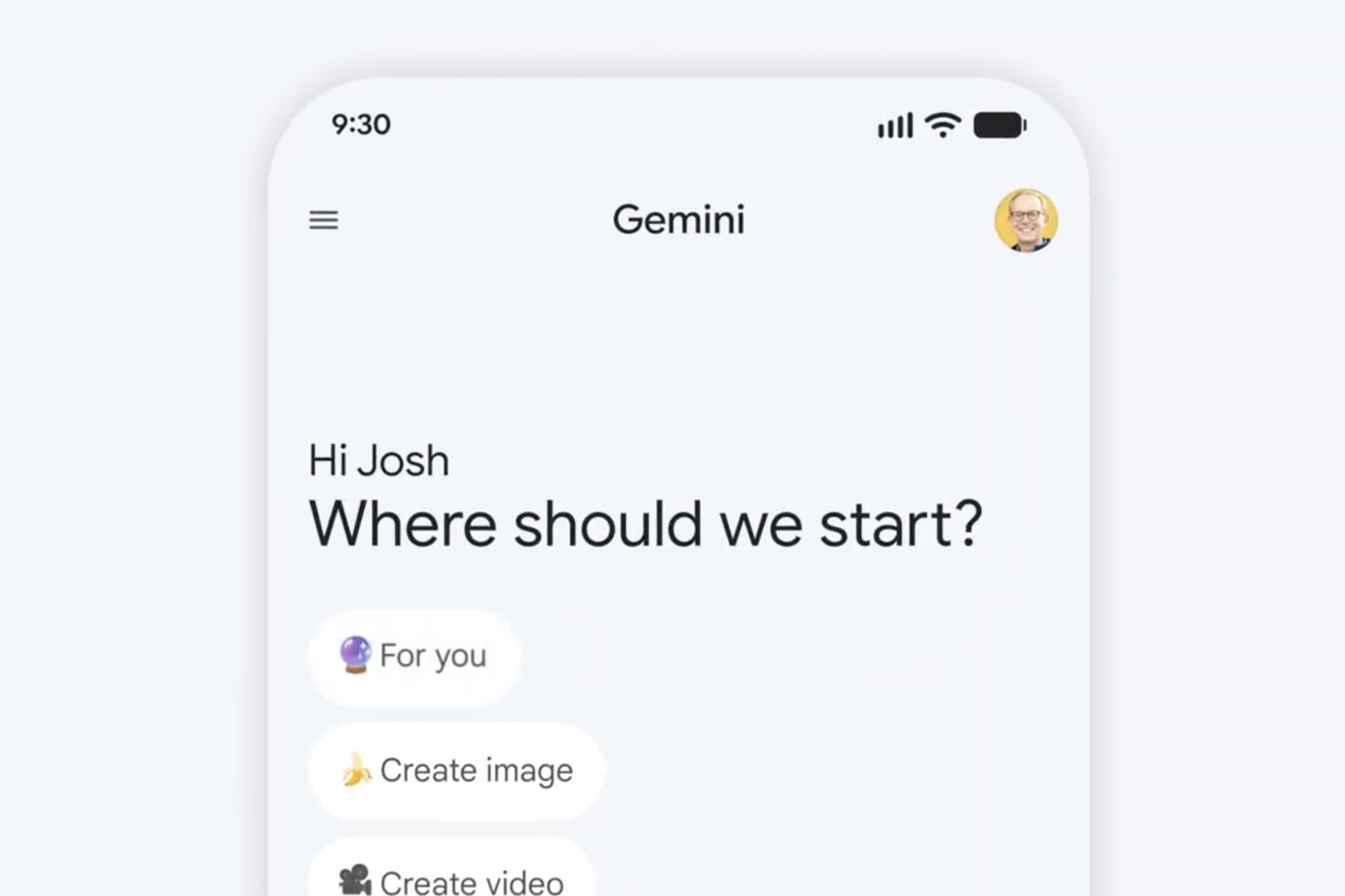
    Google’s Gemini now has Personal Intelligence and can reason across your data, assuming you give it access.

    For AI as an assistant to be any good, it probably needs to know almost everything about you. In order to know everything, well, AI is going to need access to a big chunk of your digital life, so that it knows what your car is, sports interests, your grocery orders, photos of your world, where you have traveled to, etc. Google is introducing this connection to AI today with a new feature in Gemini called “Personal Intelligence.”

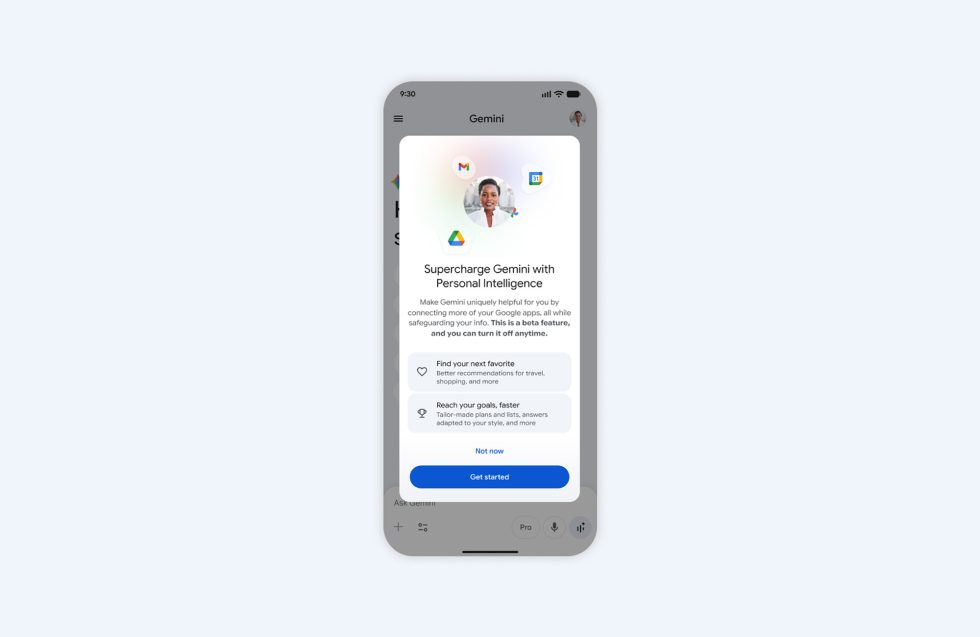
    Here’s the thing to know before we go any further: Personal Intelligence in Gemini is turned off by default and needs you to activate it before it will work.

    Gemini Personal Intelligence feature

    OK, so what exactly is Personal Intelligence (in beta) in Gemini and how does it work? Well, previously, Google would allow you to connect services to Gemini like Gmail, Google Photos, Search, and YouTube to access some info from them. The difference from then to now is that it couldn’t reason across all of that data before. Now, it can connect the dots between data, find nuance, and better understand context without the need for you to be as specific, thanks to Gemini 3.

    Should you turn on Personal Intelligence, Google hopes you’ll utilize it to help you find new books, shows, clothes, or travel ideas. You’ll get these ideas by asking things like, “Suggest a few books I might enjoy based on my interests.” Gemini will then use the connections you’ve made of your data between all of those apps to find options that should be as tailored to your interests as possible. Google also suggests an idea where you ask for 5 YouTube channels that match your cooking style, which it knows based off of all of the grocery receipts in your Gmail account, search history for old recipes, and previously watched food videos on YouTube.

    The bigger example from Google is a situation where you realize you need a fresh set of tires for your car. You ask Gemini to recommend tires for your vehicle, which it knows about and you don’t have to try and name. It’ll then bring up your vehicle and return options that might work depending on season or your location with ratings, the exact size you need, prices, etc.

    While we often cringe at the thought of Gemini planning travel for us, with Personal Intelligence turned on, you could ask for weekend travel plans and because it knows your history, where you’ve been, what you took pictures of, and the things you searched for, it might actually find a place you might want to visit.

    You get the idea.

    Gemini Personal Intelligence

    How to turn on Gemini Personal Intelligence

    To start, Personal Intelligence (in beta) will begin rolling out today, January 14 in the US to Google AI Pro and AI Ultra subscribers. It should finish rollout within the week. Once available, it should work across Android, iOS, and the web with all Gemini models.

    To turn it on, you’ll do the following from the web:

    • Open Gemini: gemini.google.com/app
    • Tap Settings and then Personal Intelligence
    • Select Connected Apps (Gmail, Photos, etc.)

    Also note that Gemini won’t always personalize every response and you can force it to not do so by hitting the try again button. You can also connect some apps and not others.

    // Google

  • Google Photos “Ask” Search Still Has a Lot of Haters

    Google Photos “Ask” Search Still Has a Lot of Haters

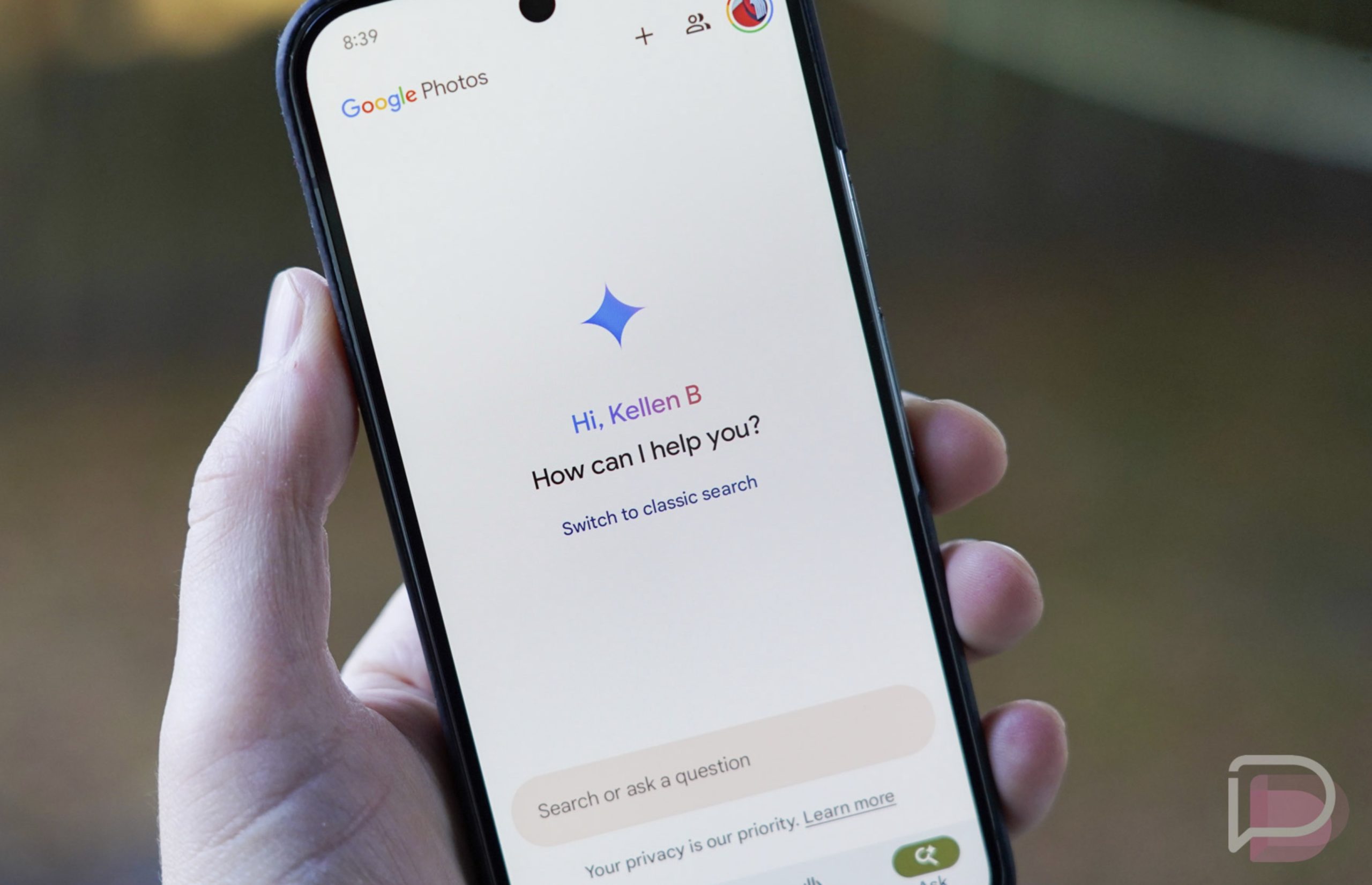
    A little over a year ago, Google introduced us to “Ask Photos,” a change to its search capabilities that attempted to use AI to allow for more natural search queries and the potential for more robust results. Unfortunately for Google, by June of last year, they had to pause its rollout because feedback from users was not great. We echoed some of the early talk about how slow the product was, so Google then gave everyone a tweak to the search option that attempted to speed it up some.

    Fast forward to today and users are still unhappy with “Ask” in Google Photos. We stumbled into a reddit thread today that has 1,300 upvotes and counting with well over 100 comments from folks mostly complaining about the feature.

    The original post is incredibly negative on the feature, with the poster calling it “the worst feature I’ve ever seen.” They describe searching for birds or planes, knowing that they have hundreds of pictures of each, with “Ask” only returning  a dozen or so from their Photos history. Others asked why Google was “fixing” an area that worked just fine previously and didn’t need an upgrade. Others called it a straight-up downgrade in terms of search, while some said more pointedly that they “hate it.”

    Not everyone was in agreement, though. While they didn’t receive many upvotes, several said they like “Ask,” but maybe not as a full replacement for search. At least one user said they think it works very well at finding old photos and that their initial doubts about it have gone away over time.

    I can tell you from personal experience that “Ask” has pushed me away from ever really searching for anything in Google Photos. The slowness, the weird search results returns, and the clunky UI are just not for me. That said, you can turn it off!

    How to turn off Google Photos “Ask”

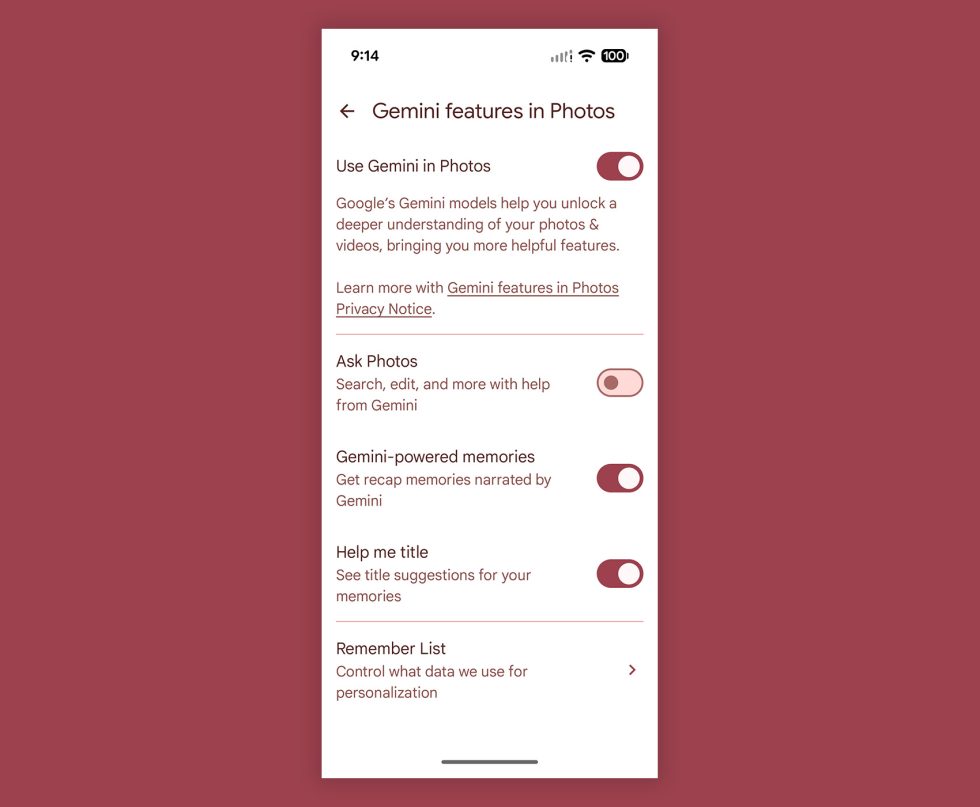
    Google Photos Ask - Turn Off

    If you’d like to turn off “Ask” in Google Photos and go back to the classic search, this is how you’ll do it on Android and iOS:

    1. Open Google Photos
    2. Tap your profile then “Photos settings” or “Google Photos settings”
    3. Tap “Preferences”
    4. Tap “Gemini features in Photos”
    5. Toggle the “Ask Photos” option off

    And now you have the classic search back in Google Photos.

    Do keep in mind that this also turns off the “Ask” features for editing a photo, where you could have Google Photos edit a photo (“Help Me Edit“) by you typing or voice dictating how an image should be edited. If you like that feature, you’ll need to lave “Ask” enabled.

  • Verizon Convinces FCC to Kill Its 60-Day Phone Unlocking Rule and That’s Bad

    Verizon Convinces FCC to Kill Its 60-Day Phone Unlocking Rule and That’s Bad

    Verizon no longer has to automatically unlock your phone after 60 days and their new unlock policy could be anything, thanks to a new waiver by the FCC.

    During the height of its struggles to keep postpaid customers around in May of 2025, Verizon asked the FCC to get rid of a requirement that forced them to unlock phones after being on their network for 60 days. This 60-day unlock, which was the shortest in the industry, had become some sort of a burden on Verizon because, well, mostly because they just didn’t think it was fair that no one else had this same requirement.

    Last year, they sent a filing to the current FCC, which is as anti-consumer and anti-free speech as it gets, complaining that they couldn’t compete with proper subsidies on phones, that eliminating this rule was the perfect example of a rule that should be eliminated by all of the deregulation and government cutting going on, and that this rule was “propping up international criminal organizations that profit from fraud, including device trafficking of subsidized devices from the United States.”

    The rule they are talking about is the one that Verizon had to commit to back in 2008 after buying a bunch of spectrum. The rule was later extended in 2021 after they bought Tracfone. The rule from the FCC forced Verizon to automatically unlock devices after 60 days, whether or not a customer had paid off their phone or fulfilled contract requirements.

    This week, the FCC ruled on their filing (here) and has given a waiver to Verizon, releasing them from the 60-day unlock policy they were previously enforcing.

    In the note from the FCC, they essentially admitted that they were waiving Verizon from this requirement because they want Verizon to have the same unlocking freedom as the other carriers in the US. They then attempted to add to the story with talk typically reserved for online conspiracy theorists and extremists who don’t believe in reality. Just read this quote from FCC Chairman Brendan Carr and tell me if any of this sounds believable:

    “Sophisticated criminal networks have exploited the FCC’s handset unlocking policies to carry out criminal acts—including transnational handset trafficking schemes and facilitating broader criminal enterprises like drug running and human smuggling. By waiving a regulation that incentivized bad actors to target one particular carrier’s handsets for theft, we now have a uniform industry standard that can help stem the flow of handsets into the black market.”

    Bro, get off Twitter.

    Anyways, the thing you need to know is that the FCC is cool with Verizon now being under the CTIA Consumer Code for Wireless Service and deciding on an unlock policy from that. Unfortunately for you, the consumer, the CTIA’s unlocking policy sucks. Specifically, their postpaid unlocking policy just gives the power to the carrier to decide whatever the hell they want.

    Here’s what it states on postpaid (which is the type of plan you’d pay for at Verizon and receive a device payment plan or discount on a phone):

    Postpaid Unlocking Policy. Carriers upon request will unlock mobile wireless devices or provide the necessary information to unlock devices for their customers and former customers in good standing and individual owners of eligible devices after the fulfillment of the applicable postpaid service contract, device financing plan, or payment of an applicable early termination fee.

    In short, that policy simply states that carriers will unlock as long as you are “in good standing” and that your contract is fulfilled. In other words, Verizon could easily go from a 60-day unlock policy to a 3-year policy, since they now lock customers in on 3-year device payment plan contracts.

    Oh, the FCC also said this is all to “benefit consumers.” Someone tell me how it does because they didn’t.

  • Google Wallet for Android Finally Gets Complete Transaction History

    Google Wallet for Android Finally Gets Complete Transaction History

    Checking complete transaction history for Google Wallet means taking a trip to the website, with history currently limited to only the last 10 purchases inside of the dedicated Android app. That appears to be changing.

    Inside of a changelog for Google Play Services (which includes Wallet) that we wrote up this week it shows, “You can now view transactions from other devices and online purchases that use virtual card numbers.”

    For Wallet users, this has to be welcomed news. I don’t use Google Wallet, so this is news to me, but I find it wild that the Wallet app didn’t already have this. That’s brutal. But hey, now it has arrived for both Android and Wear OS.

    If you don’t see it immediately in your app, don’t be alarmed. Sometimes these new features take a bit to rollout completely.

    // 9to5Google