Blog

  • What was the Best Google Pixel Color?

    What was the Best Google Pixel Color?

    The Google Pixel series has somehow been around for 10 years now, and I can’t really believe it. While the original Pixel launch does seem so long ago, it also doesn’t, if that makes sense. I feel like we fast-forwarded through so many years of Pixels, even if most have been memorable on some level.

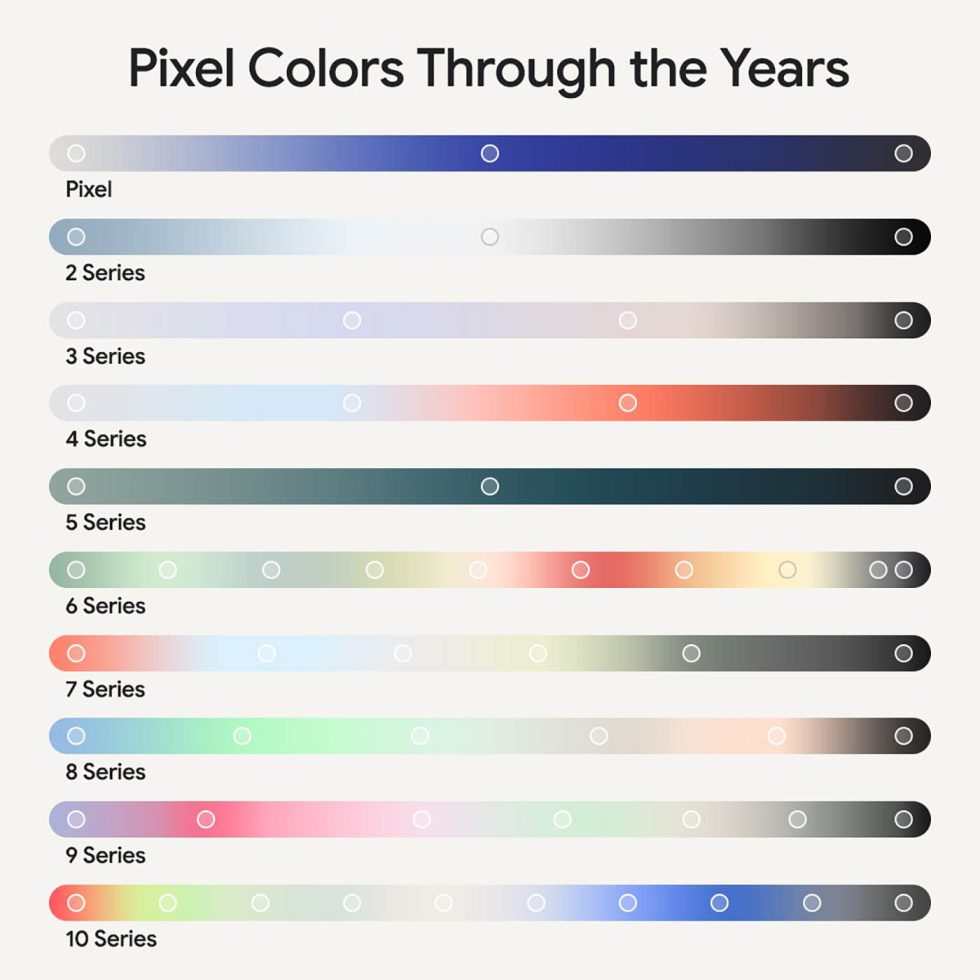
    To make the point that the Google Pixel line is 10 years old, Google Tweeted a picture yesterday to showcase the “Pixel Colors Through the Years” and it’s bringing back some memories. They asked which was your favorite, so we thought we’d make it a DL thing and do the same here.

    Which Pixel color was the best?
    Google Pixel Colors

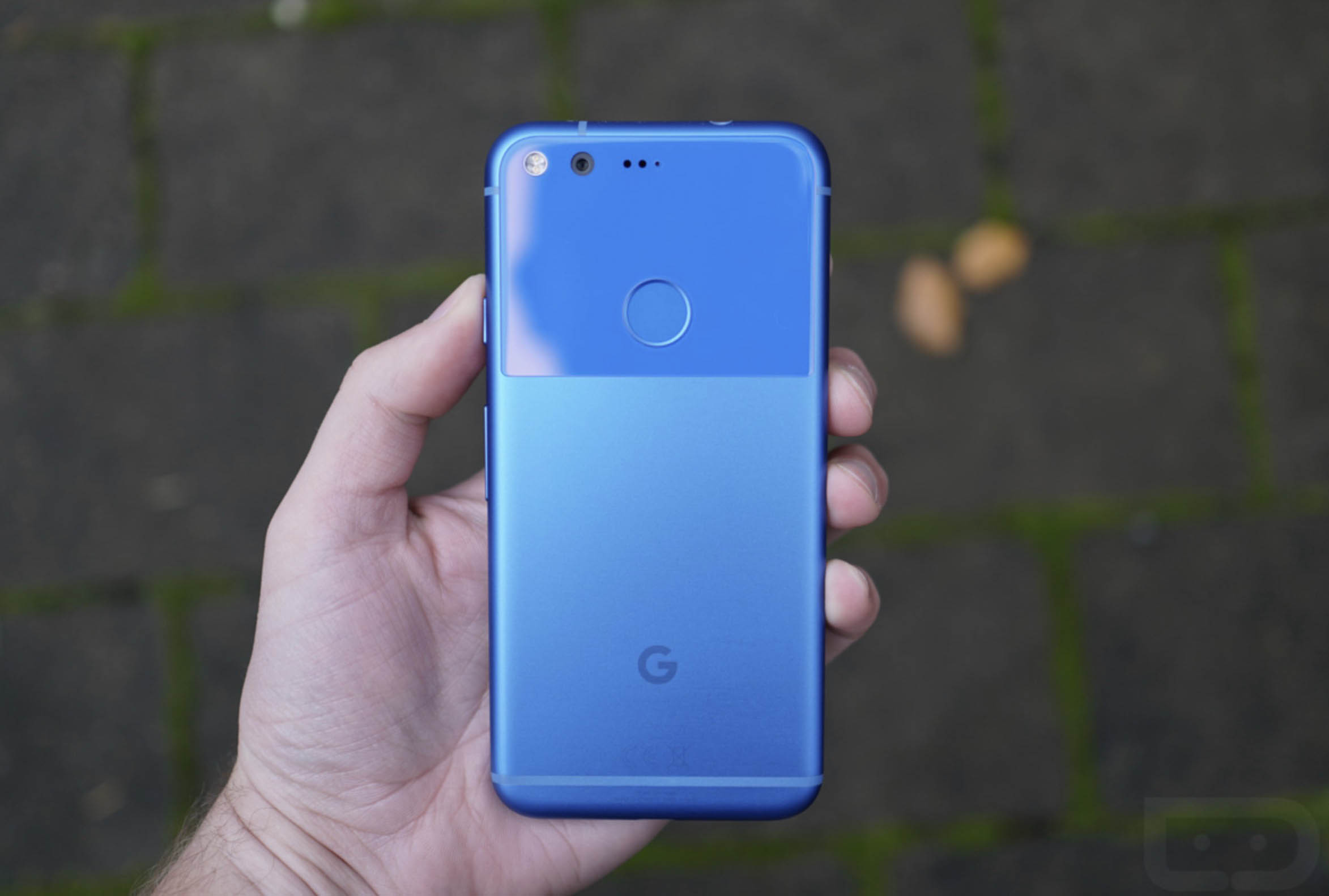
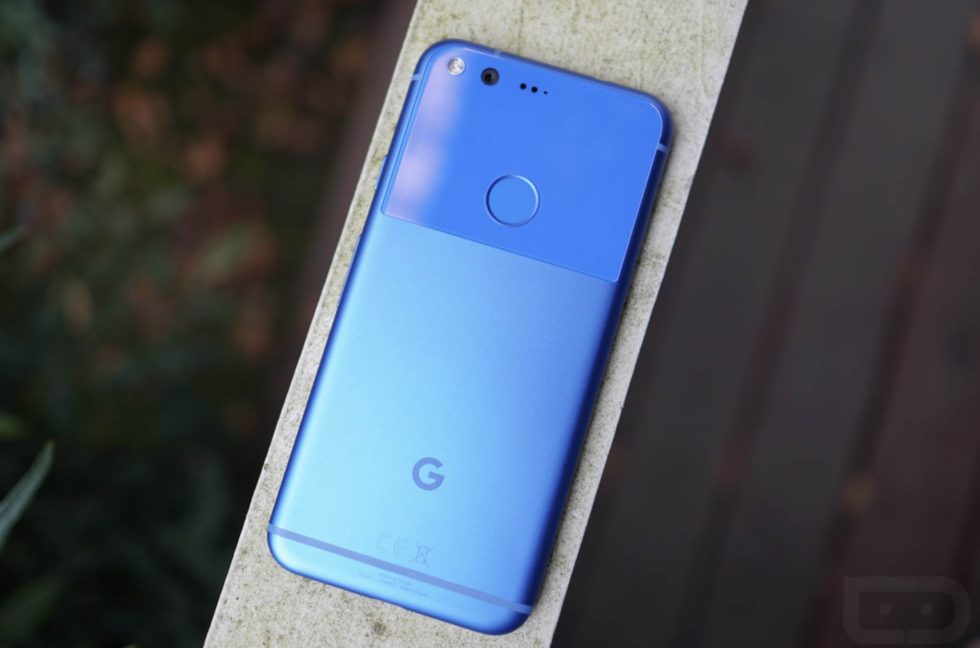
    I certainly have my favorites. In terms of the “best” color, I actually think I would go back to the original Pixel and its “Really Blue” colorway. I included an image of it up top, but below is another. This thing was the ultimate blue, partly because it just popped like no other blue had in a smartphone, but also because the two textures made it that much more interesting to look at.
    Google Pixel - Really Blue

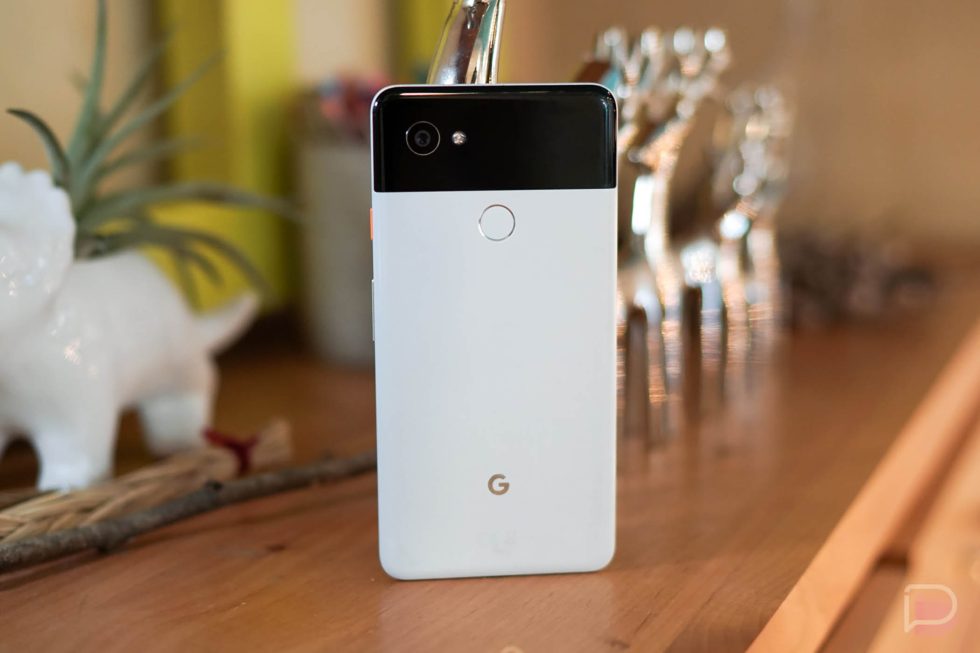
    Next up, I’d probably look at the Pixel 2 XL in Black and White. While not exactly a colorful phone, that tuxedo styling with the orange accent button made for the best of Google’s colorways. With the current Pixel design, I know it would be difficult to re-create this style, but I sure hope Google finds a way at some point.
    Pixel 2 XL Black and White

    I would then throw out the Pixel 4 in “Coral” as a top tier color. This thing, which my picture below doesn’t quite capture, was so orange and beautiful in person. It had this excellent contrast too, thanks to that black frame and black camera box. Unfortunately, the smaller Pixel 4 was probably the worst Pixel phone ever made with its horrible battery life, but it sure was a looker.
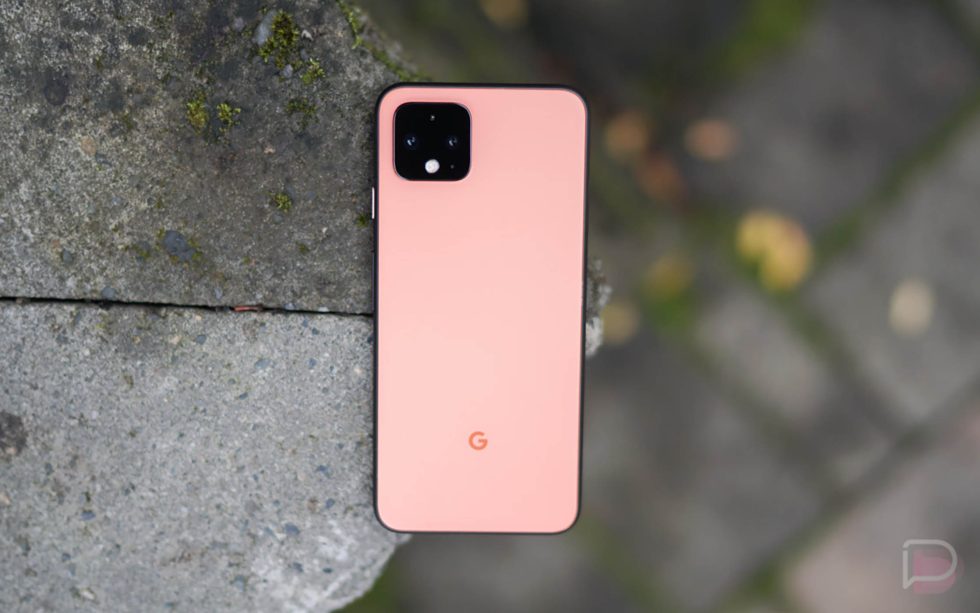
    Pixel 4 "Coral"

    Finally, I have to go current and suggest the Pixel 10 Pro in “Moonstone” as one of the very best. The subtle blueish tint and the metallic frame combined to create an incredibly elegant phone. If you are buying as Pixel 10 Pro, I think you just have to buy the “Moonstone” color or you are doing it wrong. And trust me I know, as I bought the Pixel 10 Pro XL in “Obsidian” and the Pixel 10 Pro in “Porcelain” – I regret those decisions every day.
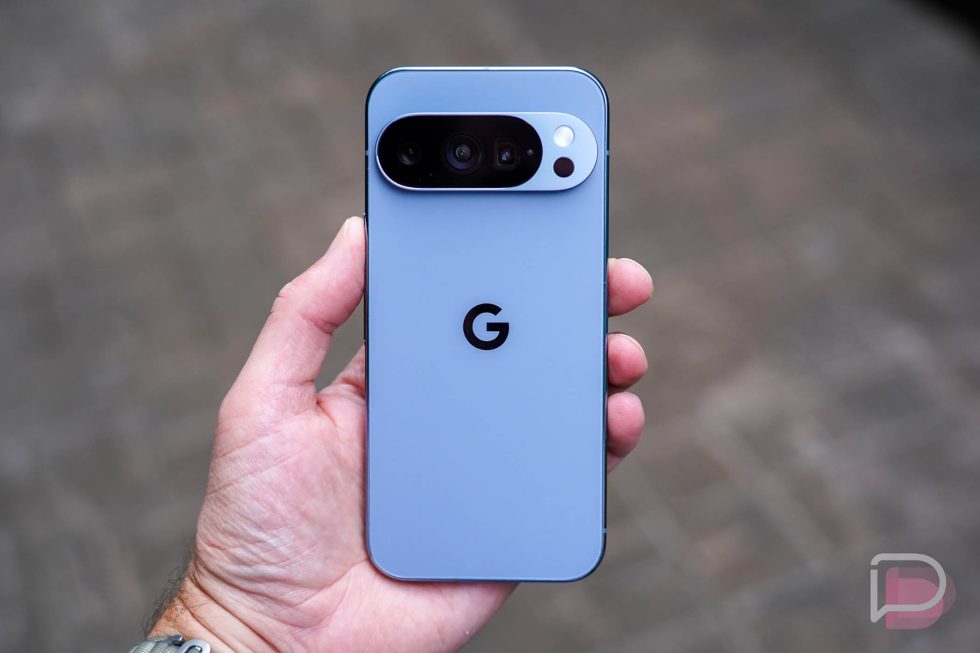
    Pixel 10 Pro Moonstone

    Google has had so many other colors, which that image they provided shows. For example, the Pixel 8 and Pixel 9 and Pixel 10 (the non-Pro models) all have their own colorways that I didn’t mention. I just didn’t get those in hand as much as all of these pro models.

    Which was your favorite over the years?
  • YouTube Premium Lite Gets Background Play and Downloads

    YouTube Premium Lite Gets Background Play and Downloads

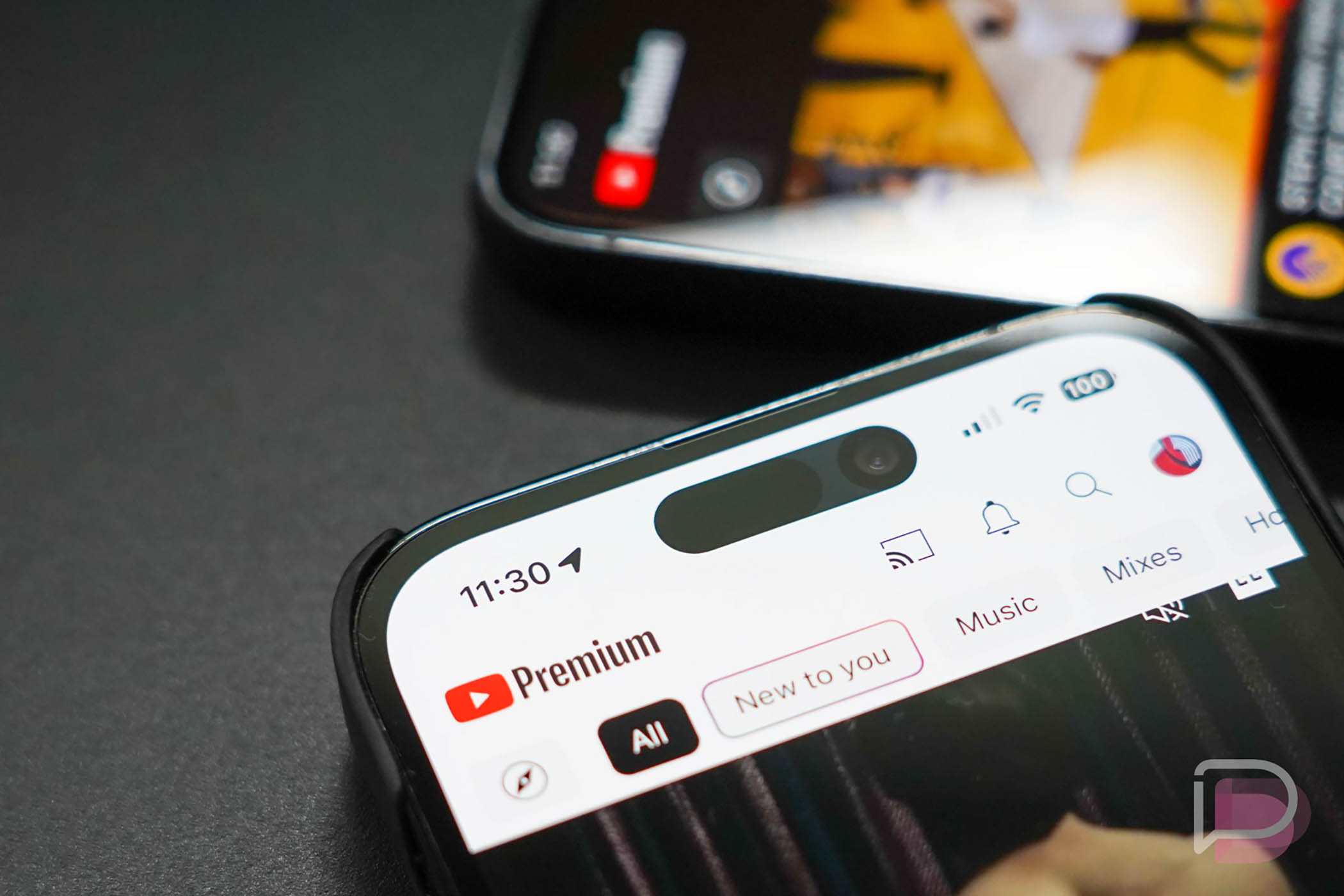
    YouTube has multiple options for its Premium subscription service that takes away the ads and provides additional features not found in a free YouTube experience. There are tiers for individuals, families, and students, but they also offer a Premium Lite subscription (since last year) that is cheaper because it doesn’t quite match all of the features of the full Premium tier.

    Today, Google and YouTube announced that YouTube Premium Lite is getting two highly requested features: Background Play and Downloads.

    This change will start rolling out today and continue over the coming weeks for everywhere that has Premium Lite available. So now, you’ll get “most” videos ad-free, plus the ability to play videos in the background and also download them for offline viewing.

    The price is not going up, in case you were wondering. Well, at least for now, you’ll still pay your market’s price, which happens to be $7.99/mo in the US.

    // YouTube

  • Dark Sky’s Original Creator Made Another Weather App

    Dark Sky’s Original Creator Made Another Weather App

    The legend that was Dark Sky weather is no more. Apple bought that incredible weather app years ago, incorporated some of the tech into its own weather app, and then shut Dark Sky down because like with all Apple-owned items, it wants no one outside of its own world to experience fun.

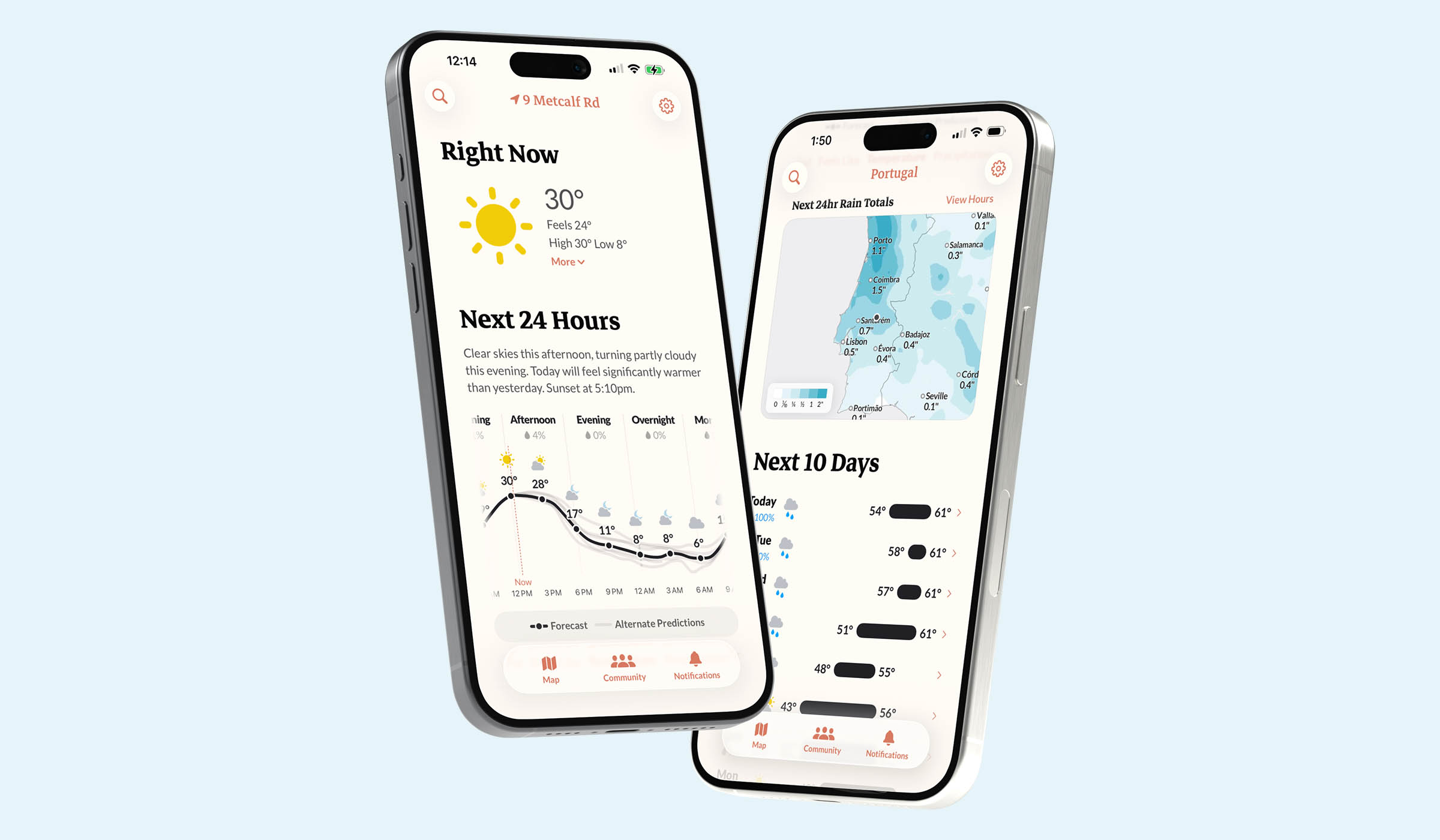
    This week, the original Dark Sky creators came back to try and give us a new option in weather after feeling like so many of us about current weather apps. Most weather apps might look super pretty and modern, but they aren’t very accurate. We talked recently about how inaccurate the Pixel Weather app is, but I can tell you from first hand experience that Apple Weather might be worse.

    So here comes Acme Weather, the new weather app from those Dark Sky folks. Their ideas for the app make a lot of sense, but just be aware that this thing costs money and it certainly comes off as something in its early stages.

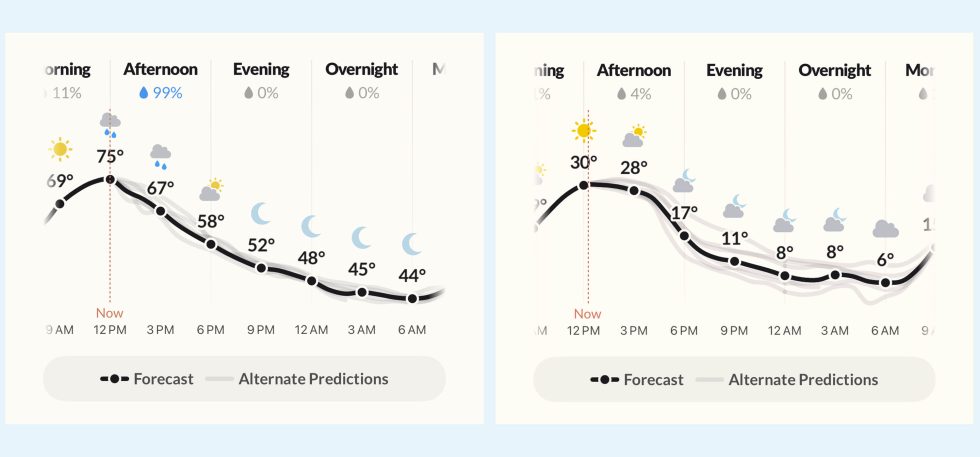
    Acme Weather’s biggest feature is a weather forecast that is surrounded by alternative forecasts or predications. The Acme team says they will showcase their own “homegrown forecasts” first, but that they’ll include additional forecast lines to show you what could still happen with the weather. You’ll see examples of this below, where we have forecasts from Acme in black next to grey lines that are those other forecasts. The tighter the lines are together should lead to a more accurate overall forecast, while a bigger spread could mean that the weather is a mixed bag for the day.

    Acme Weather Forecasts

    In addition to the alternative forecast idea, there will be community reporting of weather events. Users can submit current conditions that’ll show on the map. We don’t know how else these community reports will contribute to the forecast page, but it’s a neat enough idea that could evolve over time. There are plenty of notification options to let you know about weather happenings too. They even built-in severe weather alerts and if a rainbow might be visible.

    Finally, the Acme team is offering up more “useful maps” that show the “full breadth” of a storm. These maps show radar and lightning, rain, and snow totals, wind, temperature, and humidity.

    Unfortunately, Acme Weather is starting out as an iOS exclusive, but the plan is to offer an Android version “soon.” The app has a 2-week free trial on iOS and then costs $25 per year.

    iOS App Store Link: Acme Weather

  • Wear OS Watches Can Now Get Earthquake Alerts Even Without Your Phone

    Wear OS Watches Can Now Get Earthquake Alerts Even Without Your Phone

    In recent years, Google has continued to expand the earthquake alerts that were first introduced to Android in 2020. These alerts are a pretty ground-breaking feature, as they will attempt to alert folks of an earthquake earlier than almost any other device can. And since that first introduction, Google has continued to try and expand availability, even hitting all 50 US states in late 2024.

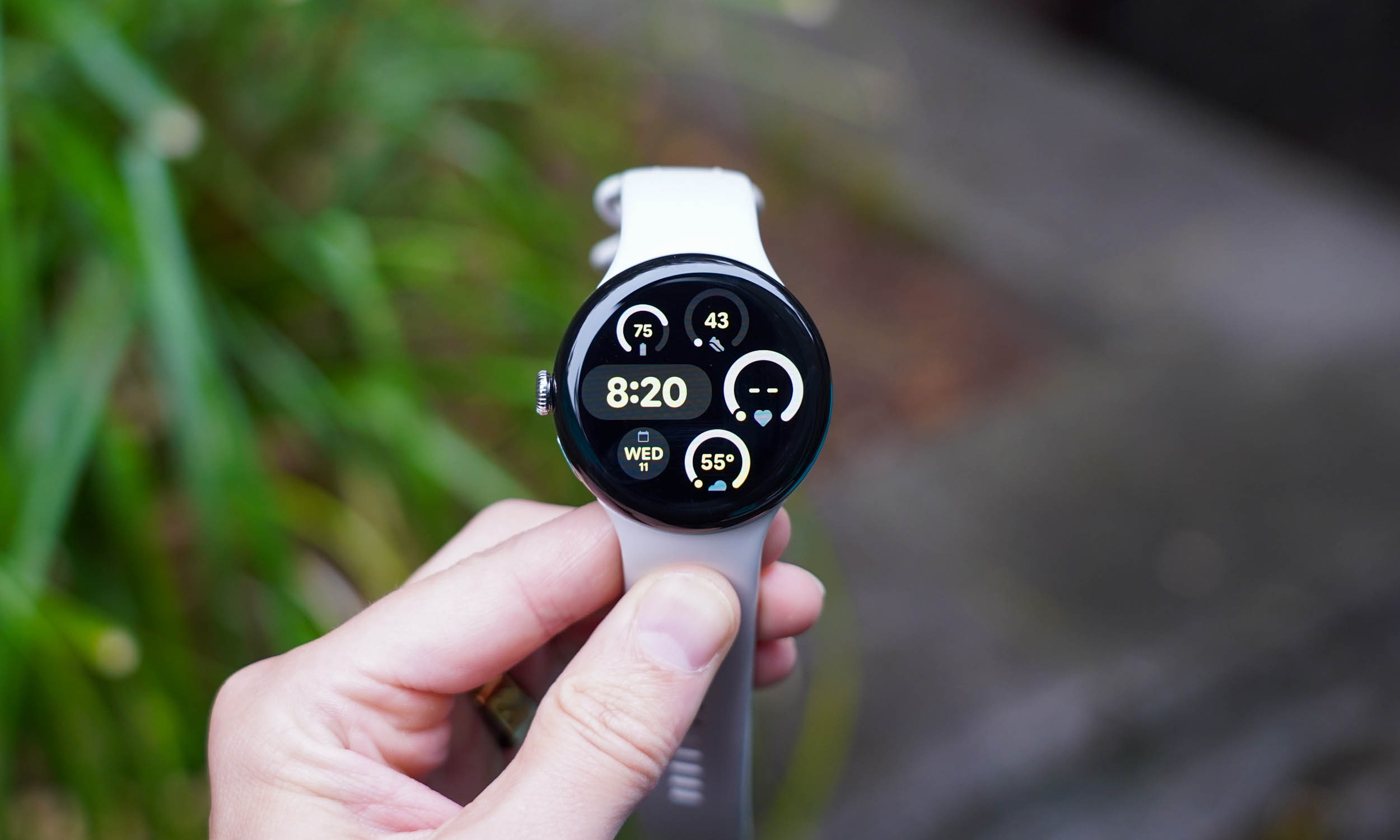
    Today, Google tipped us to a change that will allow earthquake alerts to arrive on Wear OS watches, even if they aren’t paired with your smartphone. To be clear here, Wear OS has had earthquake alerts since June of 2025, but those alerts would only work when your phone was connected to your watch. Now, thanks to a short changelog shared by Google, we know that they’ve figured out a way for these to show up without a phone nearby.

    In the newest Google Play Services update (v26.07), Google says the following is coming:

    • [Wear] With this feature, you can now get earthquake alerts on your Wear devices even it’s unpaired from the phone.

    Unfortunately, Google hasn’t provided any sort of support documentation to tell you how to set this up or when it’ll arrive, only that it should be here as a part of this latest Google Play Services build. If you see any new settings or anything on your watch, do let us know.

  • Google and Apple Start Testing Encrypted RCS Messaging Together

    Google and Apple Start Testing Encrypted RCS Messaging Together

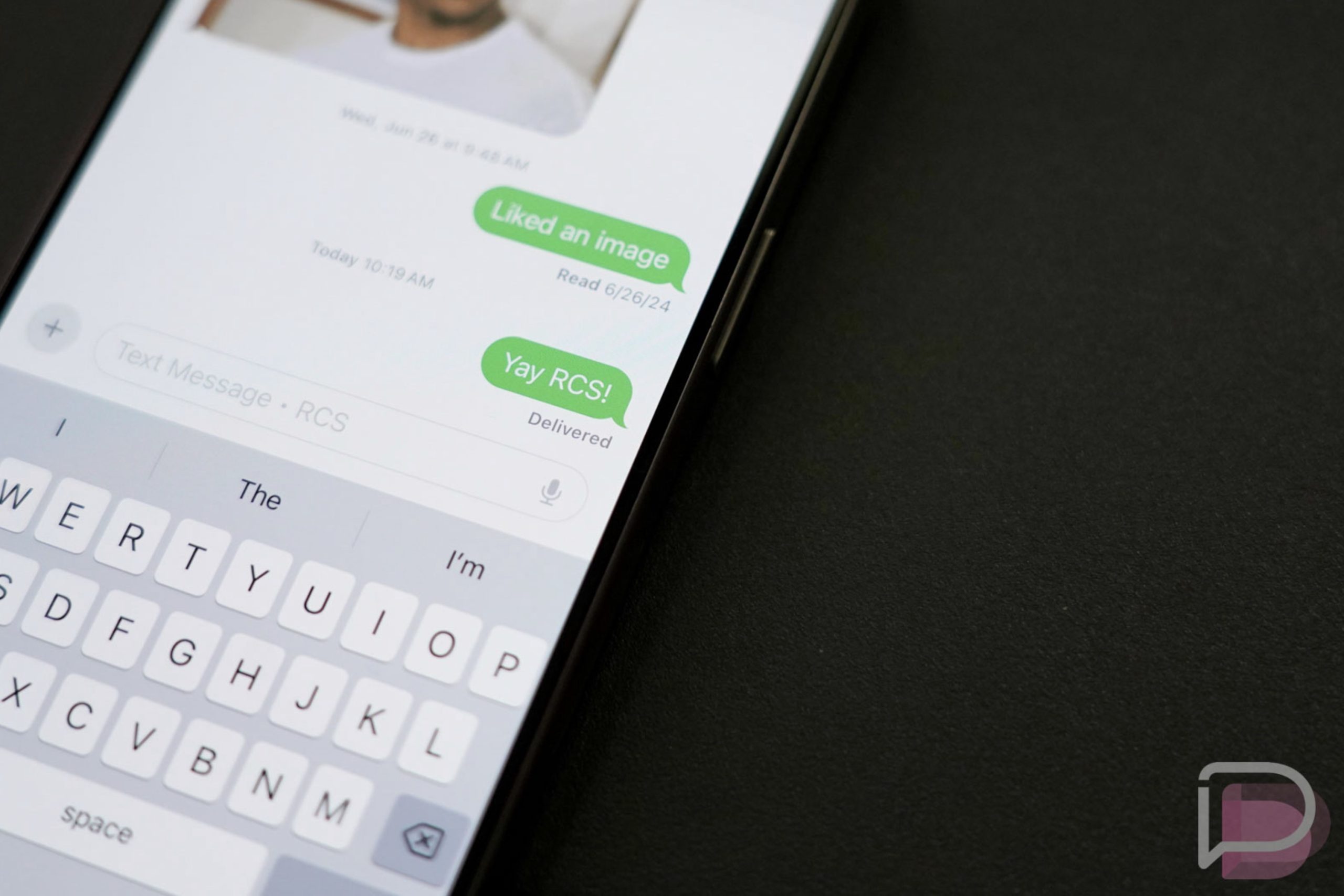
    Apple began testing encrypted RCS messages on iOS last week with the release of iOS 26.4 beta. At the time of that release, they were only testing end-to-end encryption (E2EE) between Apple devices, but we sort of hoped that they would quickly expand that test to include Android. This week, they’ve apparently done just that.

    Both Apple and Google appear to have reached out to 9to5Google with a brief statement on a test of RCS encryption between Android and iOS users. They mentioned that this is simply a beta test of this feature and a big next step it getting E2EE RCS messaging between the two platforms.

    If you’d like to test this, you would need an iPhone running iOS 26.4 beta 2, as well as an Android phone with Google Messages. You’ll need to toggle on RCS “End-to-End Encryption (Beta)” in the iPhone’s RCS settings area if you haven’t. There’s also a chance that it is turned on automatically once you update to this latest beta, as it was on my own iPhone.

    On the Android side of things, you shouldn’t need to do anything other than run the latest Google Messages beta build, which you can sign-up for here.

    // 9to5Google

  • Here’s the Galaxy S26 Ultra’s Crazy New Privacy Display Feature

    Here’s the Galaxy S26 Ultra’s Crazy New Privacy Display Feature

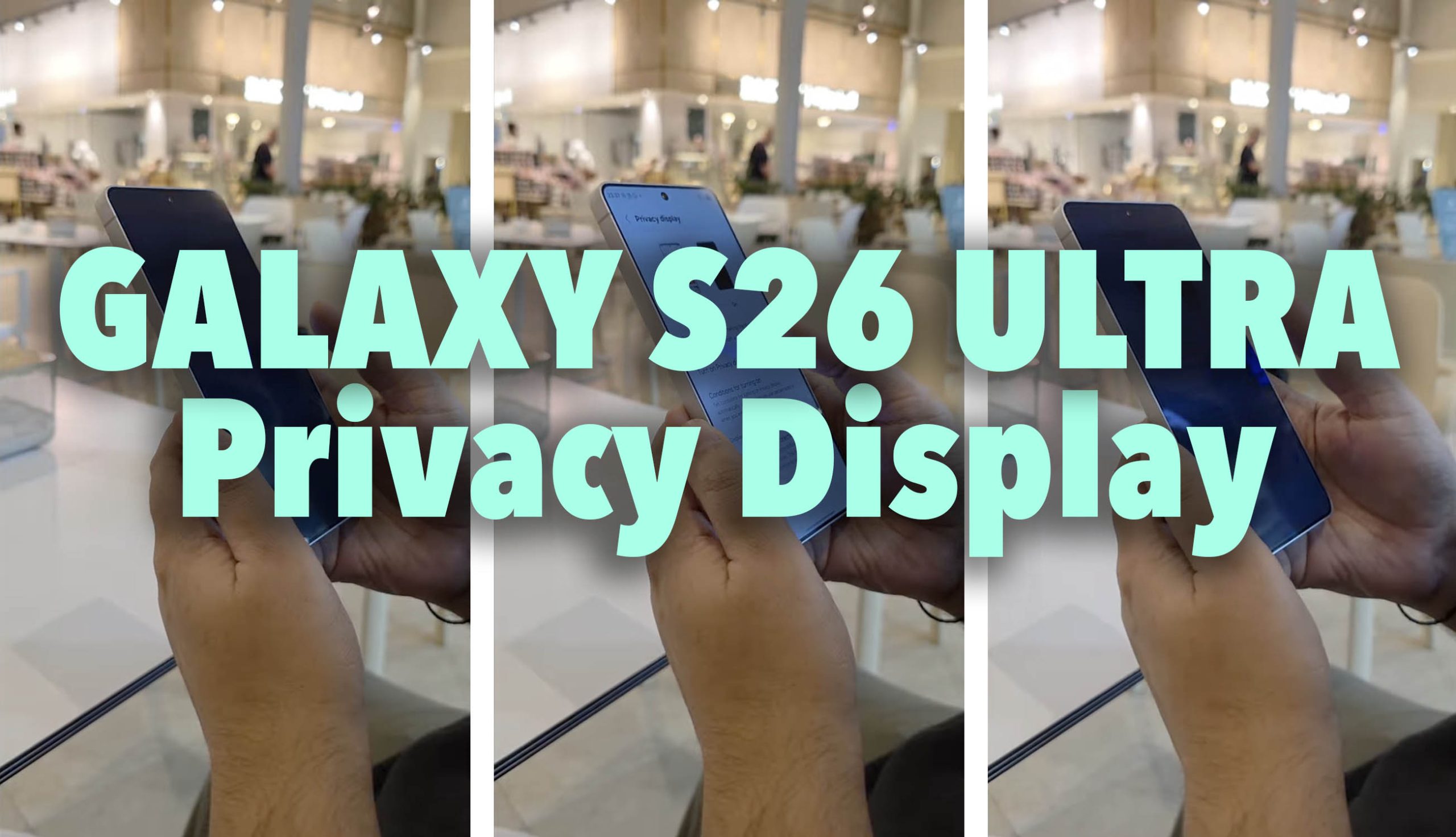
    We showed you earlier that someone was able to buy a Galaxy S26 Ultra super early by paying an enormous sum of money in Dubai. They have since gone on to showcase as much of this unreleased Samsung flagship phone as they possibly can, but there’s one feature that we were the most interested in seeing. We’re talking abut the new Privacy Display setting that Samsung started hyping for the S26 Ultra a few weeks ago.

    GALAXY S26 ULTRA PRIVACY DISPLAY

    The fresh owner of this unreleased Galaxy S26 Ultra is Sahil Karoul and he took to Instagram to show just how Privacy Display will work. It’s pretty simple, honestly, as there is a single toggle to turn it off or on and that gives you privacy.

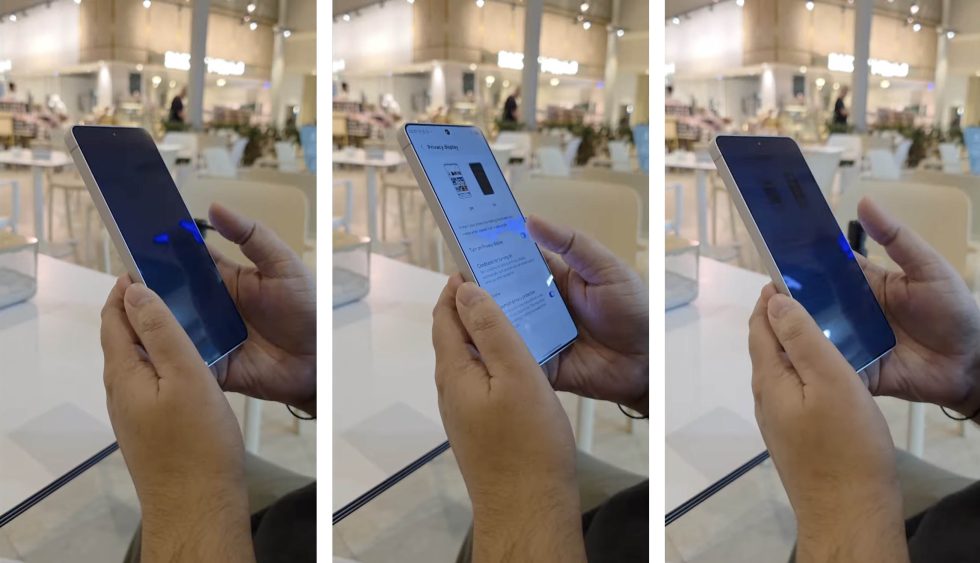
    As we talked about a few weeks back, Samsung has basically just built in a privacy screen, like you can currently buy as an accessory that attaches to your phone’s display. A software toggle enables this setting, which provides a shaded view of your screen when you aren’t looking directly at it. The idea here is that prying eyes won’t be able to look over your shoulder or off to the side to see (potentially private) content on your screen.

    Galaxy S26 Ultra Privacy Display

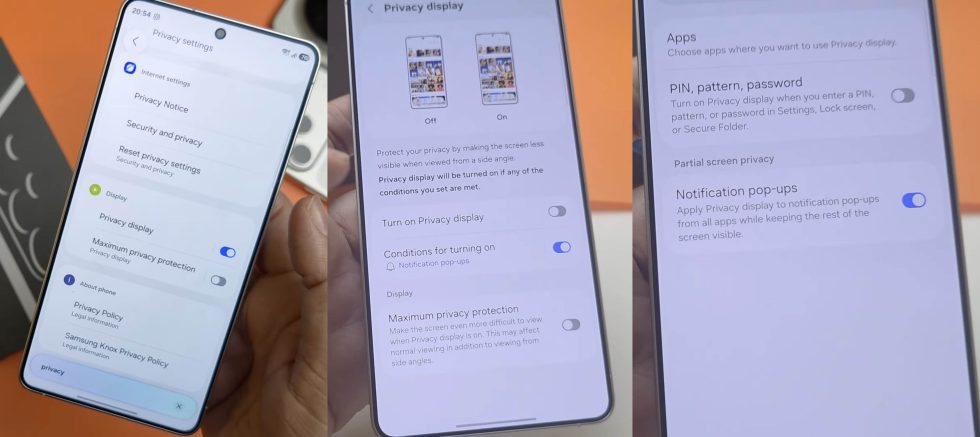
    There are a number of settings involved here. For one, you can turn on Privacy Display and it’ll then give you a touch of shadow at off angles. However, you can drill down in for more settings, including a “Maximum privacy protection” that will “Make the screen even more difficult to view when Privacy display is on.” It does mention that with this activated, it may “affect normal viewing.”

    There are also options for when it might automatically turn on, including with specific apps, for notification pop-ups, and if you are at a screen that requires PIN, pattern, or password.

    Galaxy S26 Ultra Privacy Display Settings

    I don’t know what else Samsung has in-store for the Galaxy S26 Ultra that will win us over, but this is a pretty useful new feature.

  • This Guy Bought a Galaxy S26 Ultra Super Early

    This Guy Bought a Galaxy S26 Ultra Super Early

    Samsung has 2 days until it takes the Unpacked stage to tell us everything there is to know about the Galaxy S26 series. There have been leaks that have spoiled a good chunk of it, sure, but it all goes official on February 25. Here’s the thing – some dude already bought one and has been showing off all of its key features days early. Wild things have happened over the weekend when it comes to the Galaxy S26 Ultra.

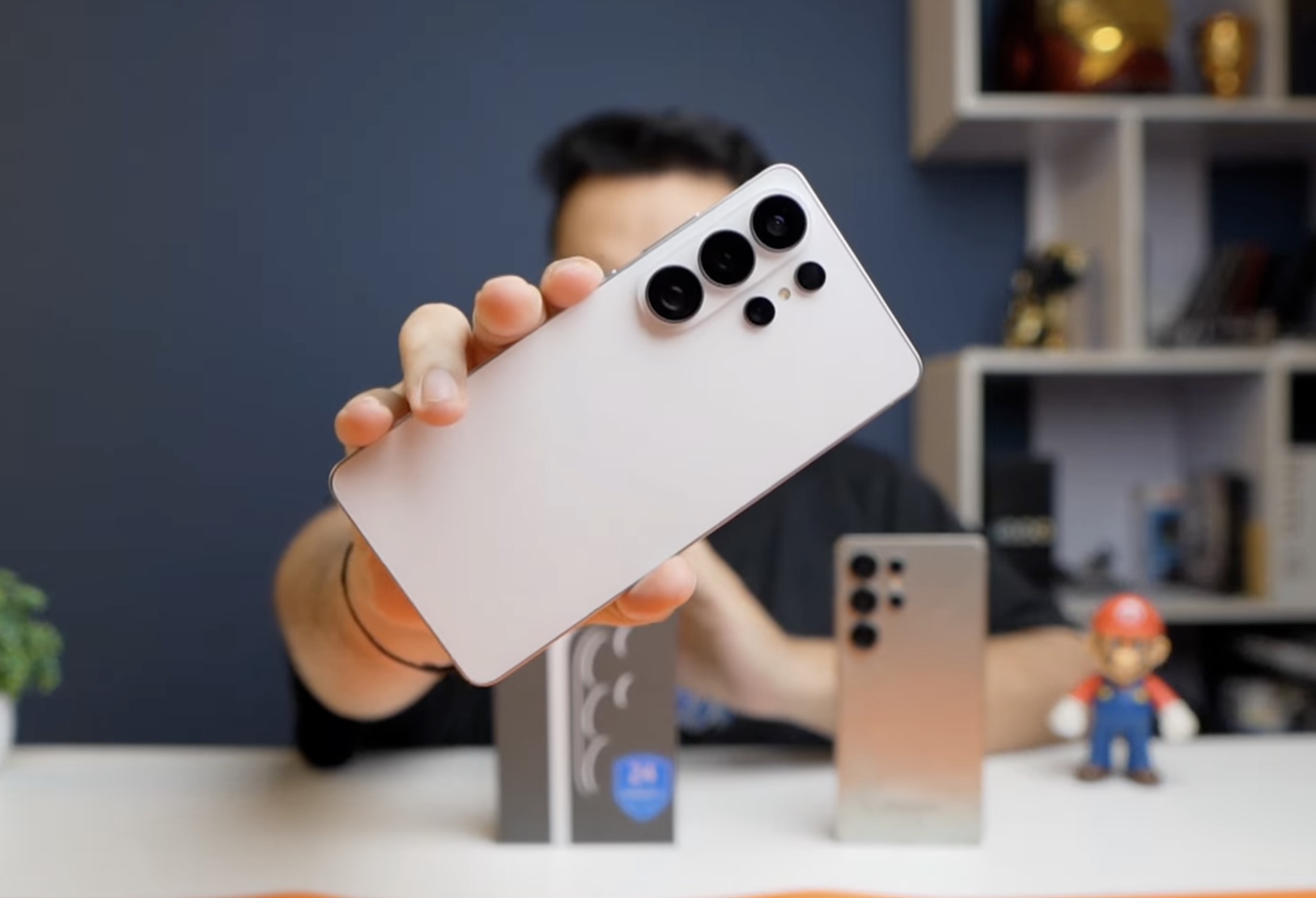
    A YouTube by the name of Sahil Karoul says he was able to purchase a Galaxy S26 Ultra in Dubai from some sort of electronics market who has the phones early. He paid a ridiculous amount for the device, but that’s how it goes to acquire these things so early.

    Through several posts and clips, he’s provided info that Samsung should tell us about in the coming days. He showed off images from the camera, the new S Pen (and that it can be put in the wrong way), and then compared the Galaxy S26 Ultra to devices like the iPhone 17 Pro, a OnePlus phone, and then some others from overseas that we won’t ever put our hands on.

    Galaxy S26 Ultra vs iPhone 17 Pro

    He was also able to show stable One UI 8.5 on the device, the model number of SM-S948B, and benchmarks from his model with 12GB RAM and a Qualcomm chip. He showed off the new privacy display too, which adds a shade to the display at off angles. This is a feature Samsung previously announced. And that’s mostly it.

    I wish there was a lot more to take from this early reveal, but in the end, we kind of already know what Samsung is going to give us. We have some new internal hardware (newest Qualcomm chip), a familiar camera system, a design that still hasn’t been refreshed after several years, updated software that’ll come to all of the other major Samsung phones, and a launch that’ll be just like the launch from years and years of Samsung launches.

    I just can’t wait to get to February 25, so that we can get our hands on this phone and stop talking about early leaks.

  • Here’s the Nothing Phone 4a

    Here’s the Nothing Phone 4a

    Nothing is preparing to fully reveal the Nothing Phone 4a on March 5, so the teasing of this next device is reaching new heights. Today, Nothing showed off the back of the device and we’re liking what we are seeing.

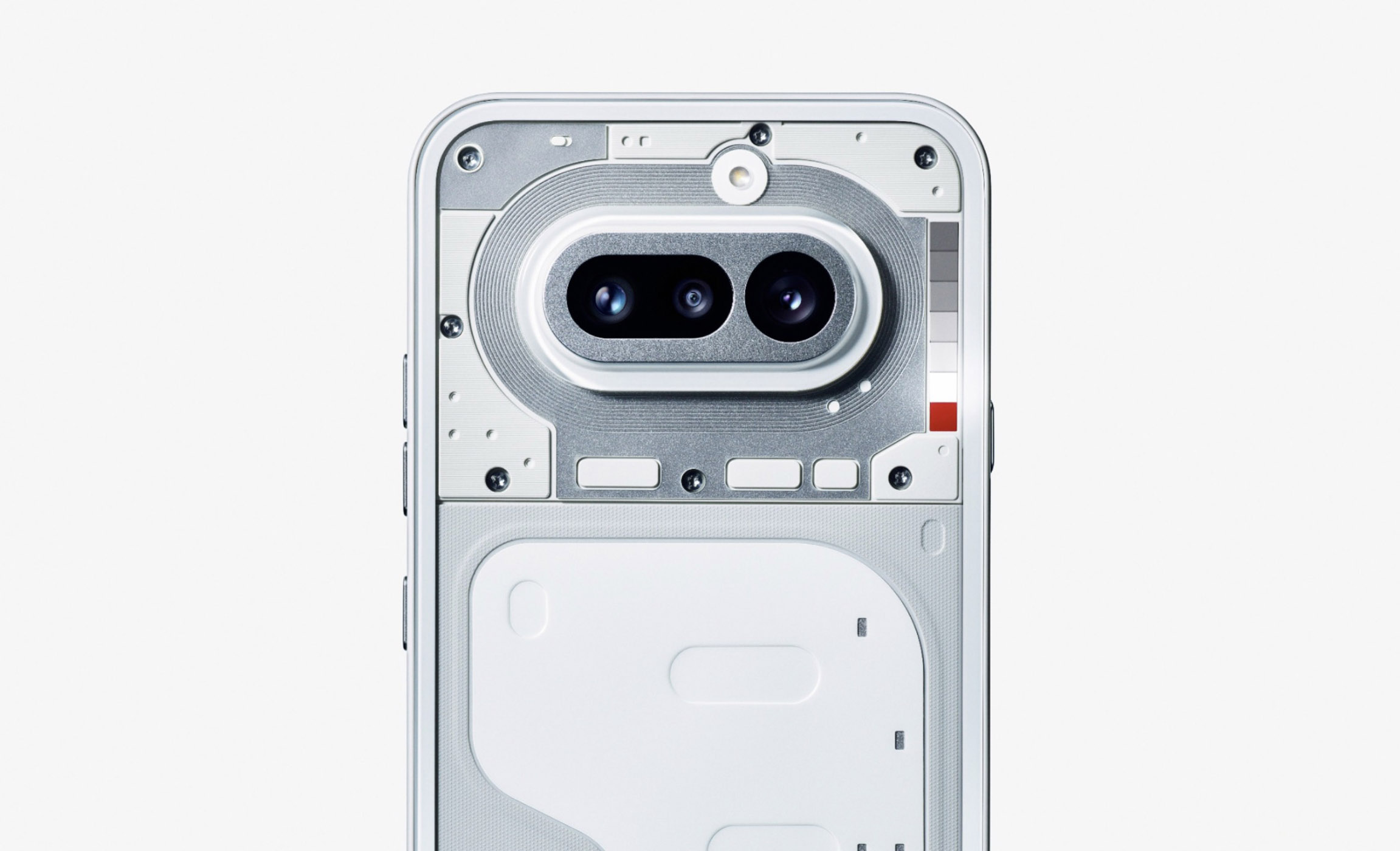
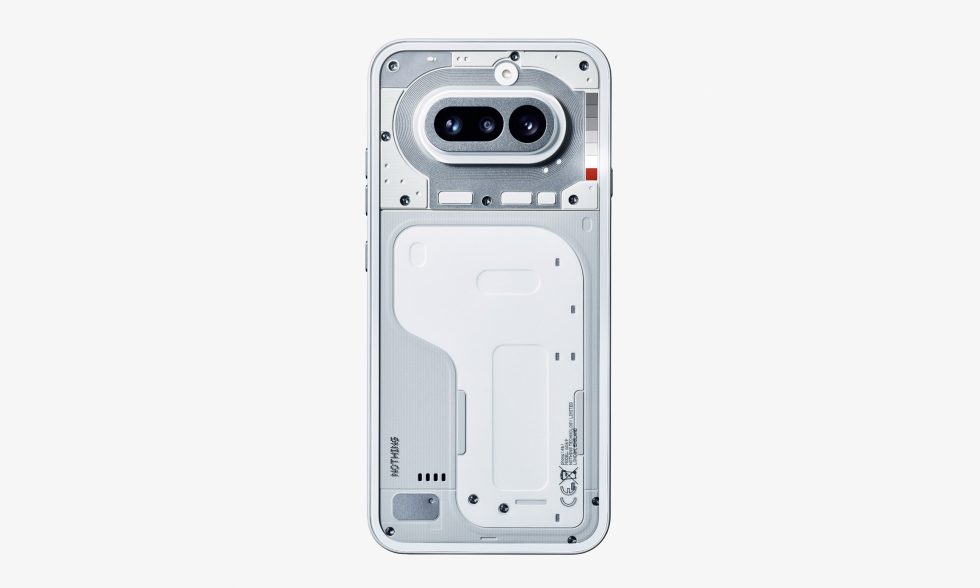
    The Nothing Phone 4a image below was posted to Nothing’s community site, where they didn’t say anything about it other than with a suggestion that it is “Built different.” They also called i the “Phone (4a)” and mentioned the March 5 launch date again.

    So what we can take from this picture? The device looks a lot like last years Nothing Phone 3a series. In fact, the camera bar is a close match, but the clear backside provides a bit of difference in layout of other internals. But mostly, this is a familiar phone. I will say that the camera bar appears to stick up a bit more than it did last year, almost like a Pixel phone camera bar.

    Nothing Phone 4a - Official

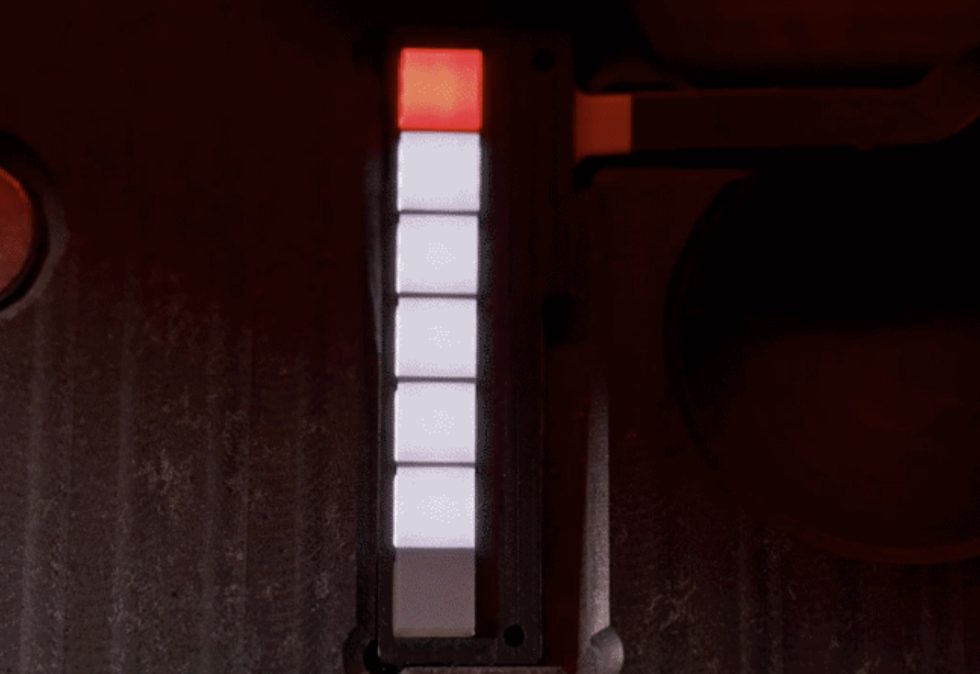
    The other item I will point out is that upper right side set of boxes that looks like a hardware store paint sample palette. That’s the new Glyph Bar, which is made up of six square lights, plus a red recording light. Each square light has 9 individually controllable mini-LEDs within them. This new Glyph Bar is 40% brighter than the 3a series Glyph system and certainly looks a lot more minimal and less distracting than whatever that system was on the Nothing Phone 3.

    Nothing 4a Glyph Bar

    Again, this phone launches March 5. We’re pretty sure it’ll come to the US, just like the Phone 3a series did.