Tag: Google

  • $250 Off Pixel 10 Pro XL Deal

    $250 Off Pixel 10 Pro XL Deal

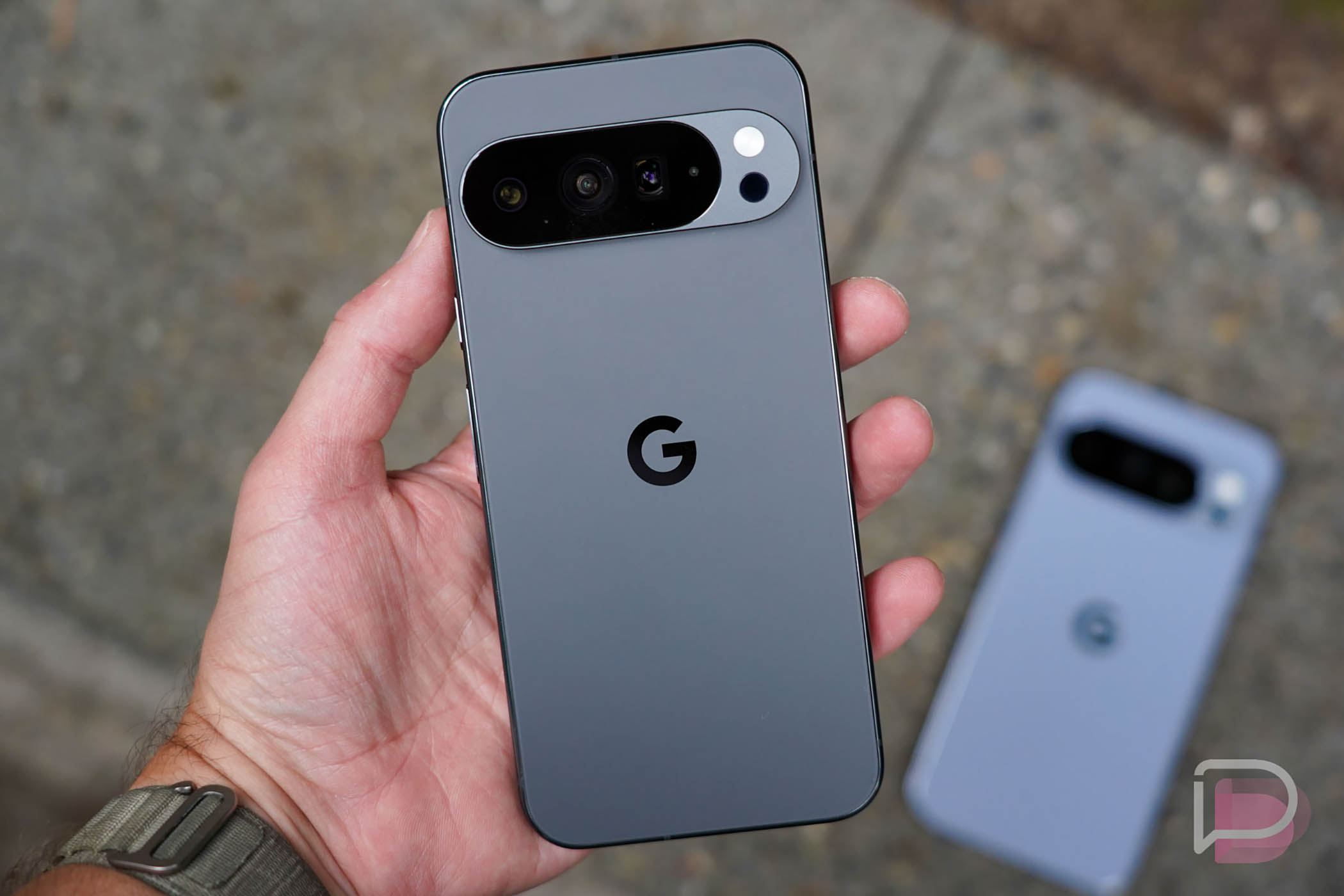
    Google’s current best phones, the Pixel 10 Pro and Pixel 10 Pro XL, are both heavily discounted once again. You can find the Pixel 10 Pro for $200 off and the Pixel 10 Pro XL for $250 off.

    At those prices, you are looking at starting points of $799 for the smaller Pixel 10 Pro (128GB) and $949 for the Pixel 10 Pro XL (256GB). While not the biggest discounts we have ever seen, these are the regular price drops that Google and its retail partners rollout each month. Of course, select customers are getting $400 off deals this week, plus we’ve seen price drops as high as $300 off, but this $200-$250 promo happens often.

    You’ll find all colors and all storage variants at these fresh discounts, so if you had your eye on Moonstone, Jade, Obsidian, or Porcelain, you will get a low price. Even the 1TB Pixel 10 Pro XL model in Obsidian is $250 off.

    Need reviews to know why these are the best Android phones around? Read our Pixel 10 Pro review here.

    Amazon Deal Link

  • Samsung Bringing AI Glasses to Market This Year

    Samsung Bringing AI Glasses to Market This Year

    We’ve heard a lot about Android XR in recent months, with Samsung having launched the first headset a few months ago. Building on that, the company announced at MWC that it is shooting to launch AI-powered smart glasses at some point in 2026.

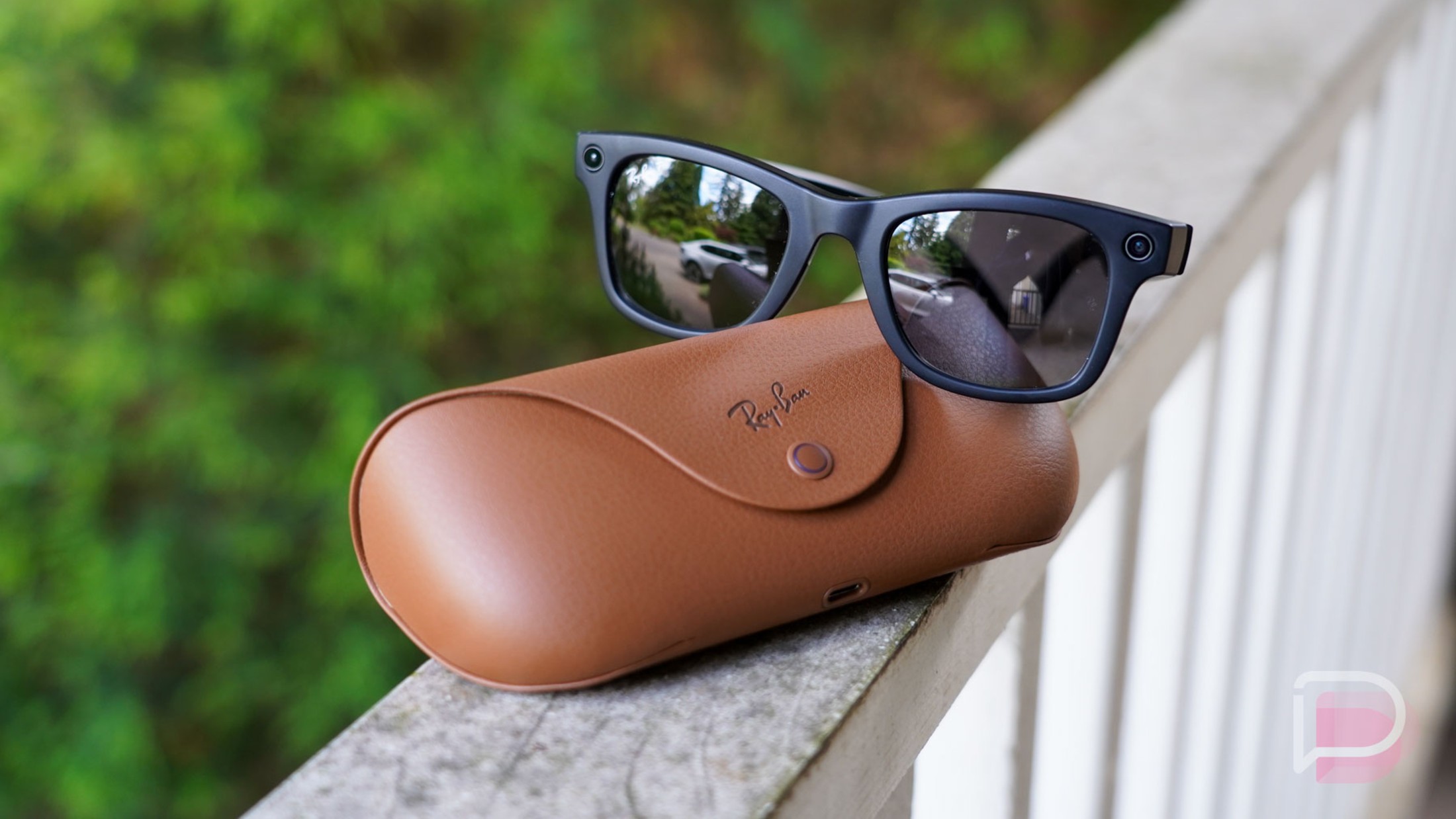
    Speaking to CNBC, Samsung’s Jay Kim executive VP of mobile, says that the smart glasses will feature a camera and microphone, similarly to what Google has teased from other 3rd-party XR partners and what we already have on the market from Ray-Ban and Meta. Work is being done in partnership with Google and Qualcomm, which will be necessary as Meta currently dominates with a whopping 82% of the smart glasses global market.

    Samsung’s Kim didn’t specify if the glasses would have a built-in display, but did note that the glasses would need to be tethered to a smartphone, so we presume if users need a display, they’ll need to use their phone or smartwatch. From the demos we have seen of Android XR, it’s a platform to essentially bring Gemini/AI to your eye level and help you interact with the world around you.

    2026 will be a big year for Android XR.

    // CNBC

  • First Look at the Google’s Sweet New Custom Icons on the Pixel 10

    First Look at the Google’s Sweet New Custom Icons on the Pixel 10

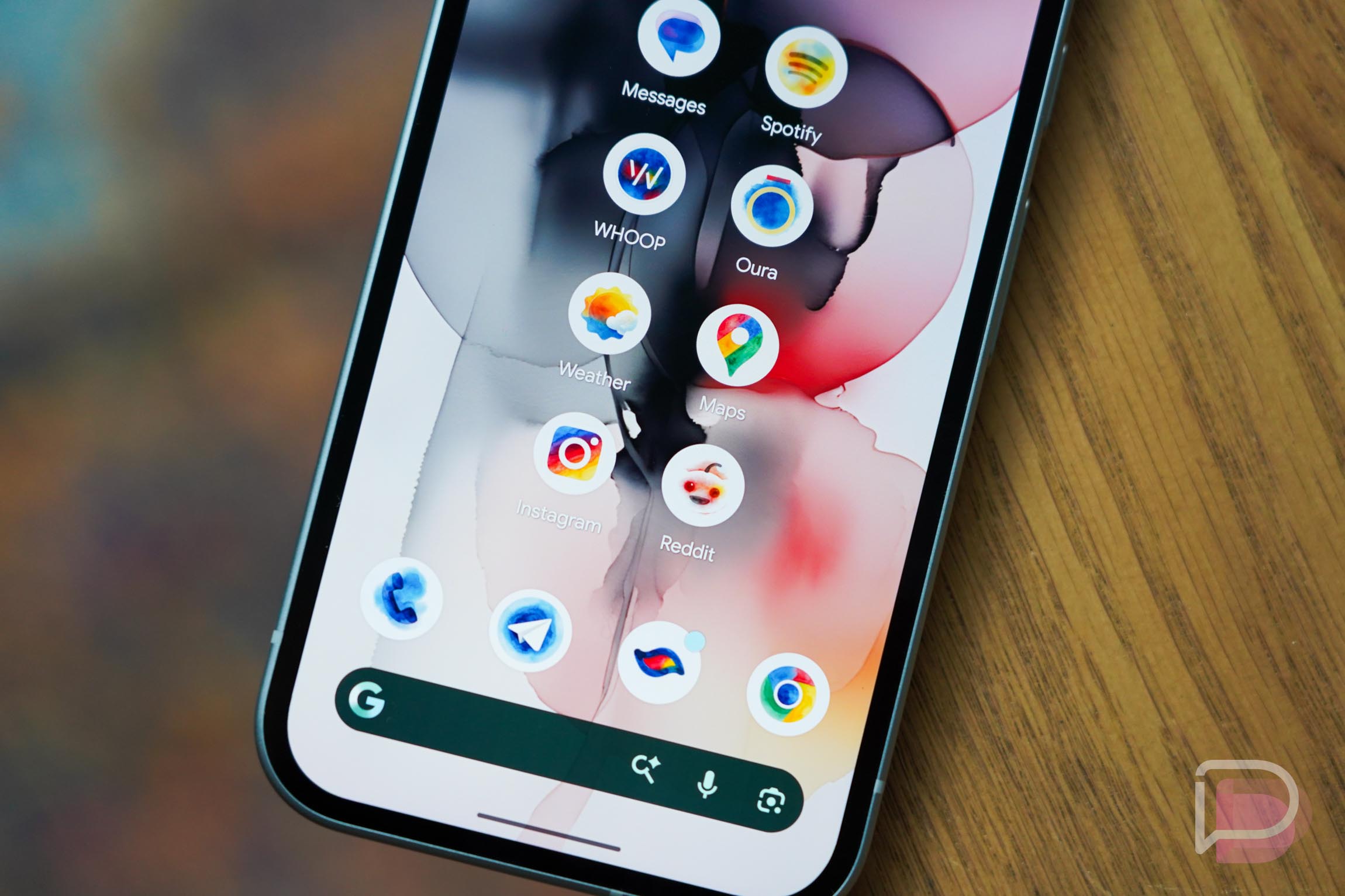
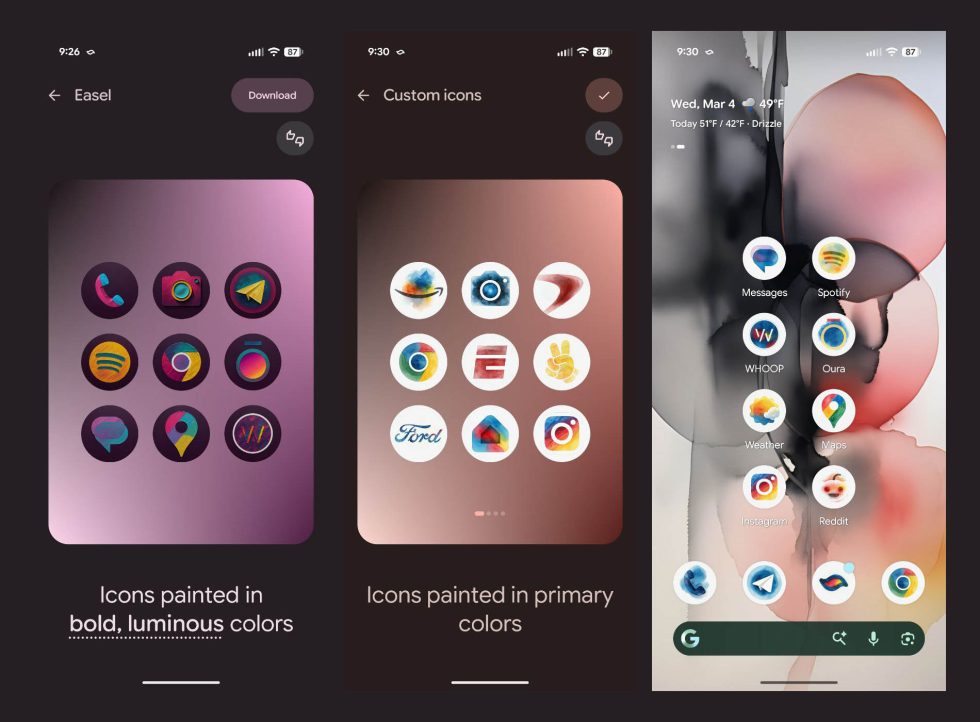
    As a part of yesterday’s March Pixel Feature Drop, Google mentioned that it was bringing a new AI-generated custom icons to Pixel phones. They didn’t dive into many details on this new feature or let us know when we could expect to see it or how to get it. Today, it magically appeared on my Pixel 10a through some sort of behind-the-scenes action, as is typically the case with Google stuff.

    Now that I’ve had a chance to take a look, let’s dive into the new Pixel custom icons from the March Feature Drop.

    Google Pixel Custom AI-Generated Icons

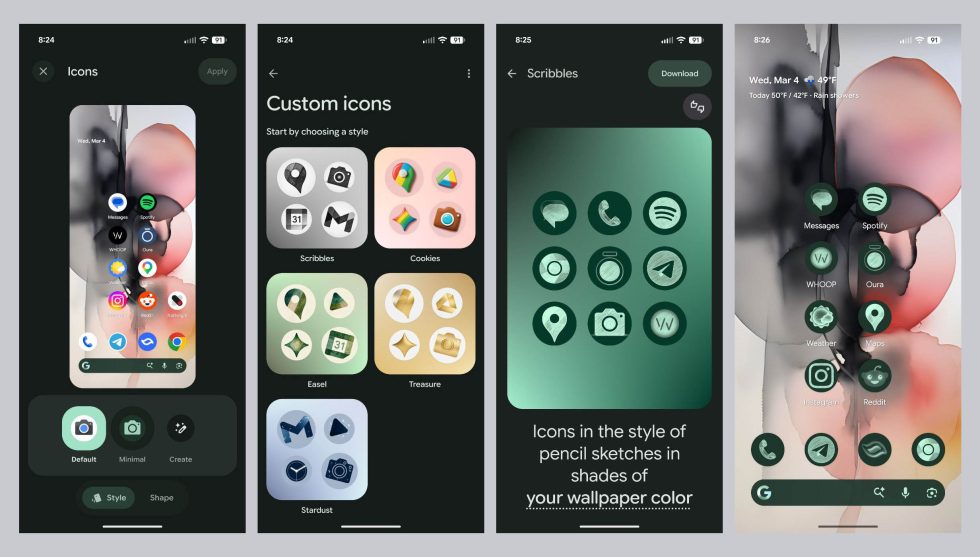
    Once live on your phone, you’ll find these new custom AI-generated icons by long-pressing on your home screen and choosing “Wallpaper & style.” From there, you’ll scroll a bit until you see “Icons,” which you’ll tap on. This next page should show an option to “Create” if the feature is live on your Pixel device. Tap on “Create” and let the fun begin.

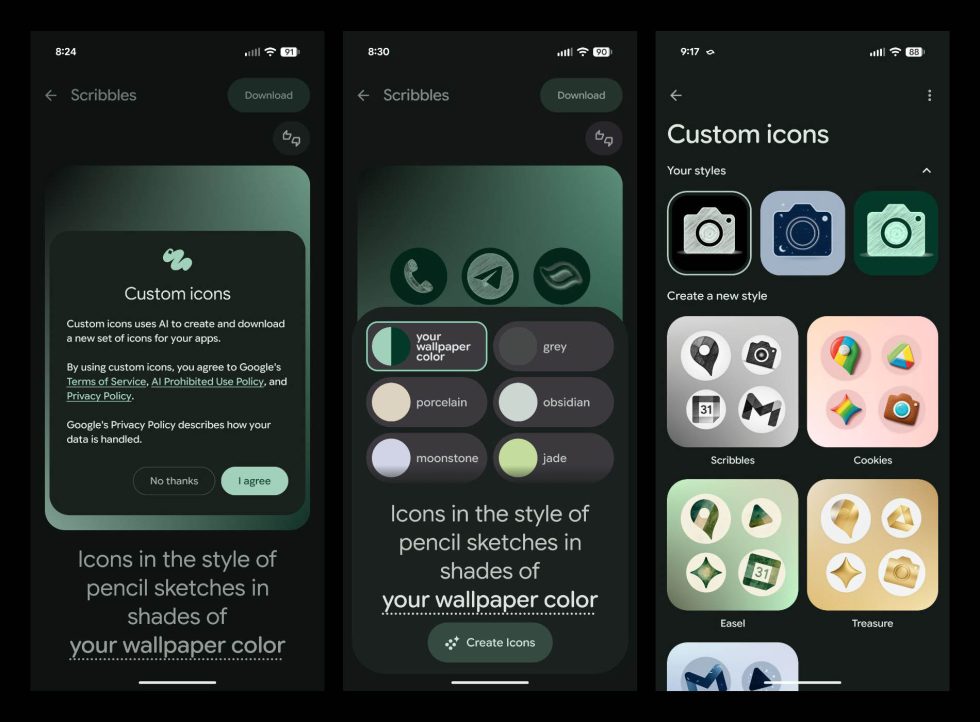
    Google is rolling out custom icons for the Pixel line in their own way. This is not a 3rd party icon pack solution and is instead a pretty limited take on custom icons. Google is kicking things off with 5 options for icons: Scribbles, Cookies, Easel, Treasure, and Stardust. I’d imagine they will expand this over time, but this is the first set out of the gate.

    Pixel Custom Icons - AI-Generated

    When you tap on an icon style you like, you’ll be taken to a new page that looks like Google’s AI-wallpaper generator. Some icon styles will let you customize colors or shades. For example, if you choose “Scribbles,” you can have it pull a color from your wallpaper or you can choose from another set of colors. The same goes for “Treasure,” where you can decide between a light or dark gold. Easel probably has the most color styles to choose from. Cookies and Stardust don’t have additional options.

    Once you tell the system to “Create icons,” they’ll create and download to your phone. You’ll find them in a “Your styles” section on that custom icons page. I’ve created several already and all can be chosen. In fact, you login with your Google Account when you get started, which I’m assuming is to help them attach to your account for future use or on other phones.

    Pixel Custom Icons

    After downloading an icon pack, you can then apply it with a checkmark at the top right corner. Hitting that button will turn all of your home screen icons into that style. Your app drawer icons will remain in their original state. However, if you drag one from the app drawer to your home screen, your Pixel will quickly theme it to match.

    Below, I’ve messed with the Easel style and I’ve got to say that it is my favorite by far. The color options for it and the styling are so beautiful and just so happen to fit my current wallpaper quite well.

    Google Pixel Custom icons

    Google didn’t provide details on which Pixel devices are eligible for these, but they did couple the announcement with the SpongeBob theme pack news. Since that’s available to all Pixel devices sans Pixel Tablet, you should have access at any moment.

    Feel free to post any setups you have once you get access!

  • Canvas in AI Mode Now Available to All US Users

    Canvas in AI Mode Now Available to All US Users

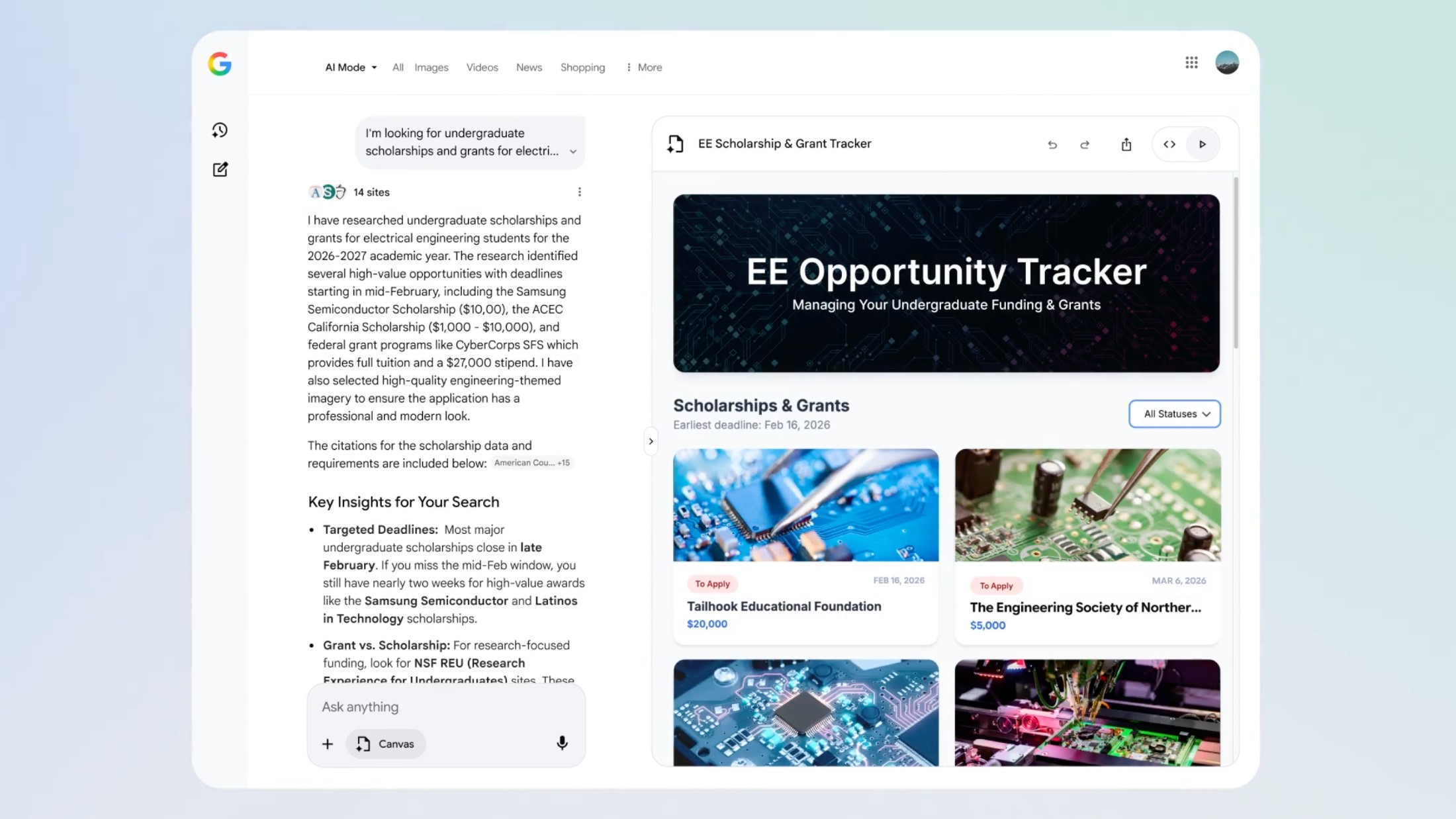
    Right inside of Google Search, all users within the US can now access Canvas in AI Mode, with no Labs opt-in required. Canvas is a dedicated space to organize plans and projects, such as trips or research.

    While availability has been widened, Google also introduced new features, such as support for creative writing and coding tasks. Google provides a pretty wonderful example of how to utilize Canvas, tasking it with creating, “a dashboard to visualize and track information on academic scholarships, including all the different requirements, deadlines and dollar amounts.”

    To start using Canvas in AI Mode, select the new Canvas option from the tool menu in AI Mode and simply describe what you want to create. Users will get a first draft on the Canvas side panel, which you can then refine through follow-ups until you like what you have.

    This is now rolling out.

    // Google

  • Google Pixel 10a Review: What a Good Little Phone

    Google Pixel 10a Review: What a Good Little Phone

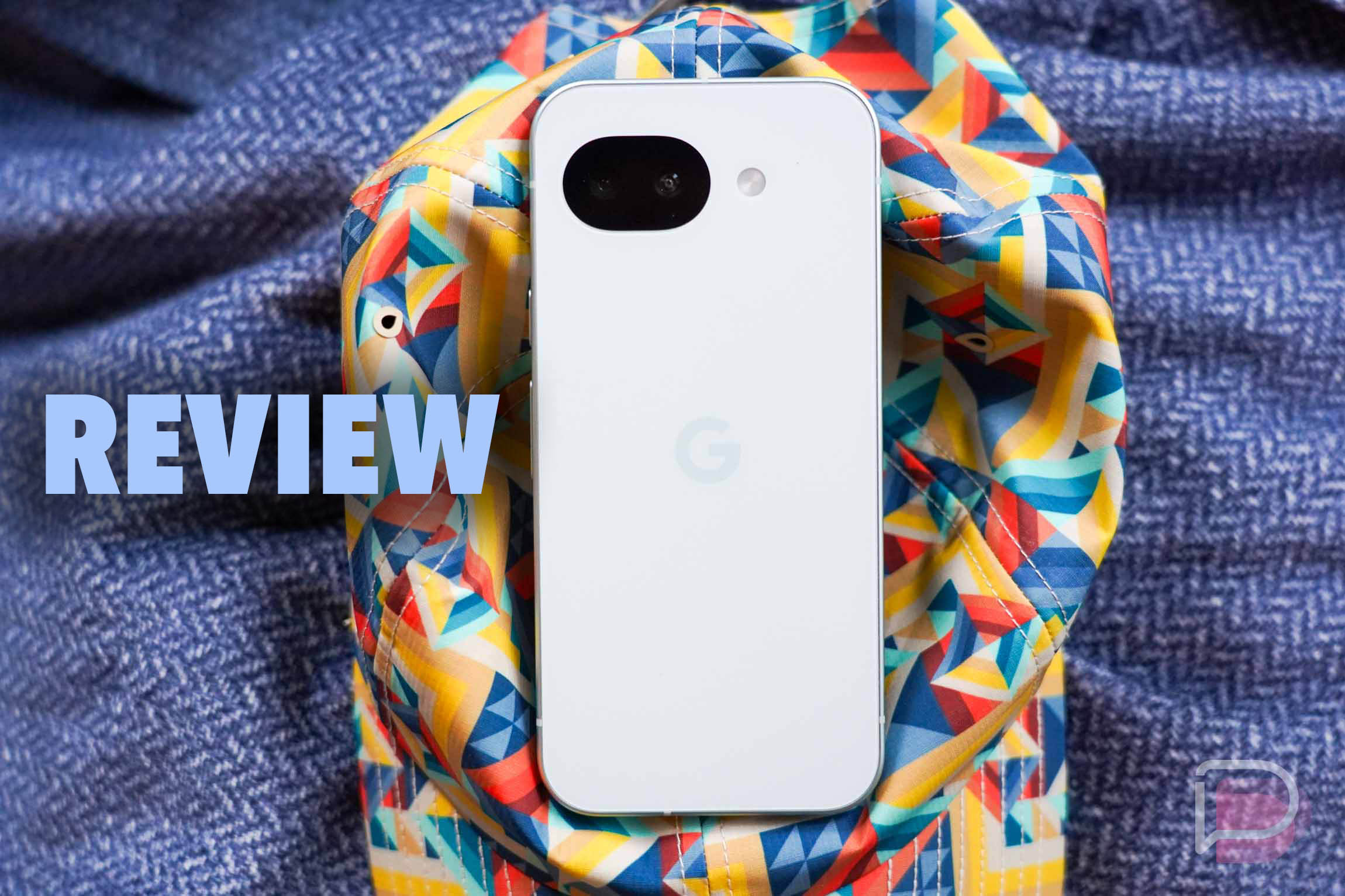
    The Pixel 10a was announced by Google a few weeks back and the general response to it was, “This just seems like a Pixel 9a.” For the most part, it really is a Pixel 9a that has a couple of tweaks here and there, but it will be tough for most people to find meaningful differences. That doesn’t mean this won’t be a phone to consider, especially as Google and its retail partners look to sell through remaining 9a stock. Once that’s gone, this will be the mid-range offering from Google.

    For those who missed it, the Pixel 10a is the newest A-series phone from Google that starts at $499 and tops out at $599. It has a 6.3″ pOLED display with a refresh rate from 60Hz to 120Hz, Tensor G4 processor, 8GB RAM, a 5100mAh battery with both wired and wireless charging, dual rear camera (48MP wide + 13MP ultra-wide), IP68 water and dust resistance, and an aluminum frame that has a flat back without camera hump. As far as hardware specs go, this phone is identical to the Pixel 9a.

    The differences will come from software, but only via a couple of AI-related features that the Pixel 9a should be fully capable of doing at some point down the road. We don’t know if Google will ever give the 9a access, I’m just pointing out that since the hardware is identical, the software experiences could be too.

    We’ve been testing the Pixel 10a in “Fog” and with 128GB storage for a full 2 weeks now. Let’s talk about if anyone should buy this phone. This is our Pixel 10a review.
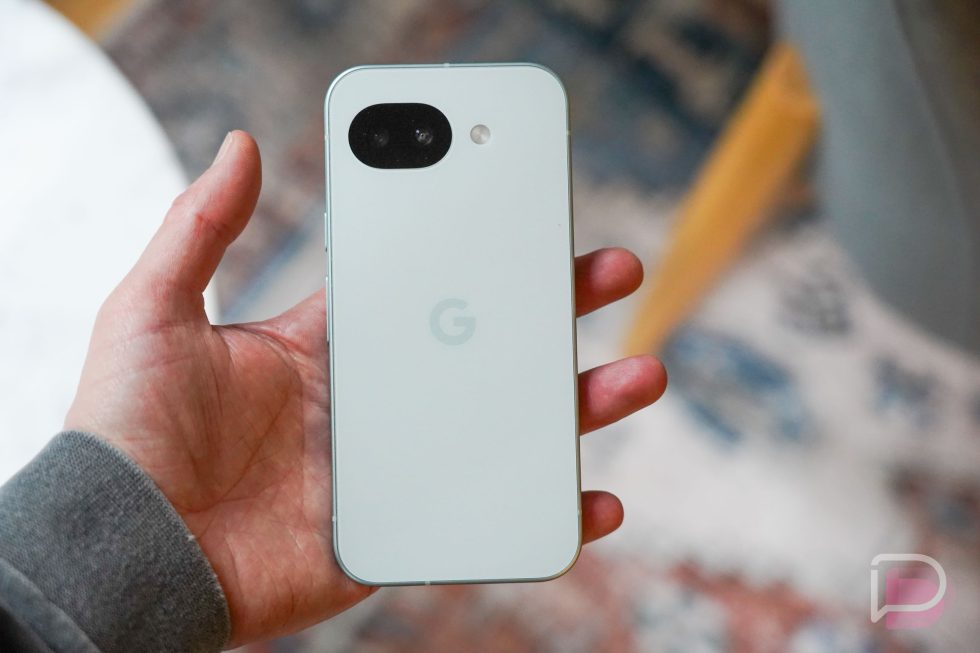
    Pixel 10a Review - in hand

    What do I like about the Pixel 10a?

    Design and hardware. Like the Pixel 9a before it, the Pixel 10a is a well-built phone without sharpness that’ll bite your hand. It has a flatness to it that makes it easy to grip, an incredible overall size that few phones can beat, a weight that makes it a delight to hold for long sessions, and a general feel that will make you believe this phone might cost more than you paid for it.

    Google outfitted the Pixel 10a with an aluminum body and an upgraded Gorilla Glass 7i on the front and back, so this should be a more durable device too. You have super clicky buttons on the right side, a SIM slot on the left, a well-balanced bottom panel with speakers and USB-C port, and a display with uniform bezels all around. Sure, those bezels aren’t the thinnest, but this isn’t a flagship phone where you might care.

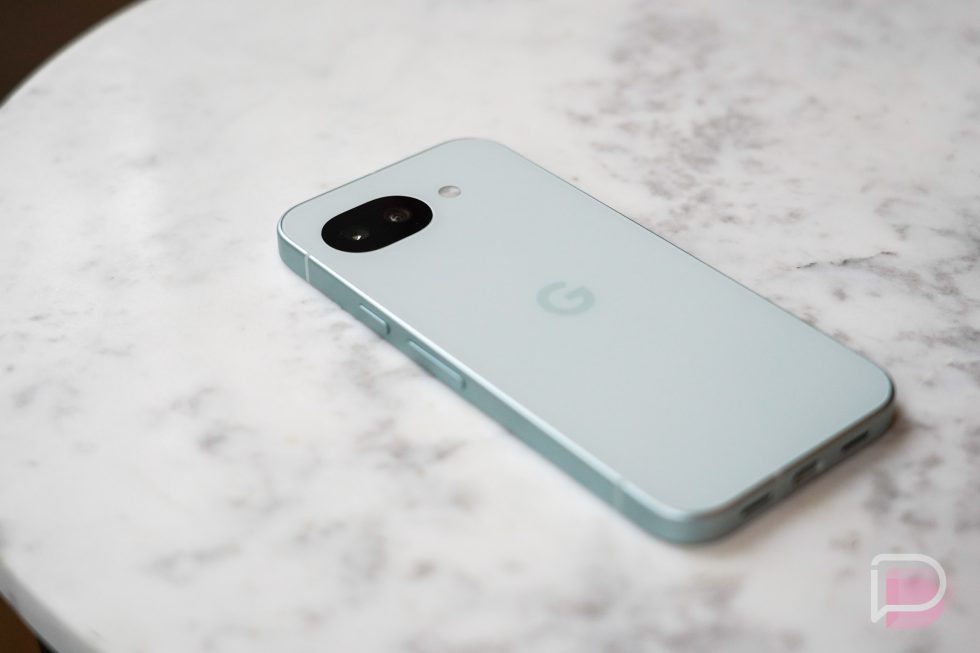
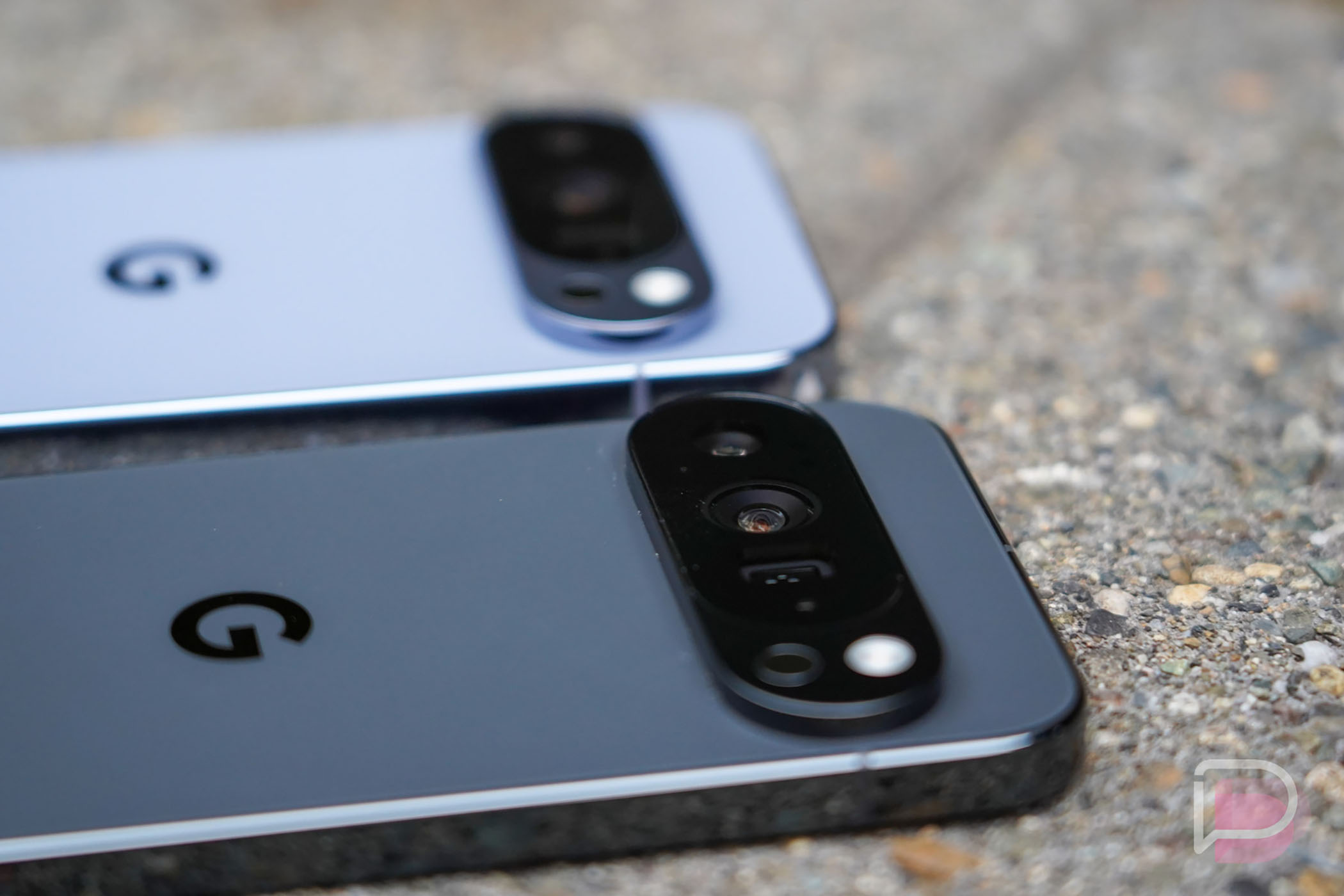
    If there is one noteworthy hardware change over the Pixel 9a, it would be in the camera area. Google found a way to reduce the tiny camera bump from the 9a and left the Pixel 10a completely flat. You can slide a finger over the camera and it is as smooth as can be. The benefits to that are mostly that it lays perfectly flat when on a table and the chances of it getting caught when sliding in and out of a pocket or bag are slim.

    Overall, the Pixel 10a is built in a way that allows it to punch above its price tag, yet remain unique and a device all its own.

    Battery life. The Pixel 10a sports the same 5100mAh battery as the Pixel 9a, a device that I noted had “really great” battery life. The Pixel 10a matches that greatness in this category and is a phone that you will find difficult to drain.

    I’ve put the Pixel 10a through my typical day for the past couple of weeks and it’s one of those devices that you end up not stressing about within a day or two. On my first full day of use, I topped out at 3.5 hours of screen on time and went to bed with 38% battery remaining. That’s not an overly impressive number, but it only got better from there. The next night ended up with similar usage numbers and a whopping 49% battery remaining at bedtime. Yesterday, after putting the final touches on this review and really hammering on the phone, I hit 5 hours of screen on time and the phone still sat with 31% battery. The more I’ve used the Pixel 10a, the longer it has lasted.

    Now, in terms of charging, we do have “Fast charging” that can hit 50% in about 30 minutes time. During one charging session that I checked on every few minutes, I went from 25% to 93% in under an hour. The final 7% did take another 20 minutes, though. My max charging speeds at lower percentages topped out at around 27W. This phone also supports Qi wireless charging, but understand that it does not have Qi2 magnets like the other Pixel 10 phones.
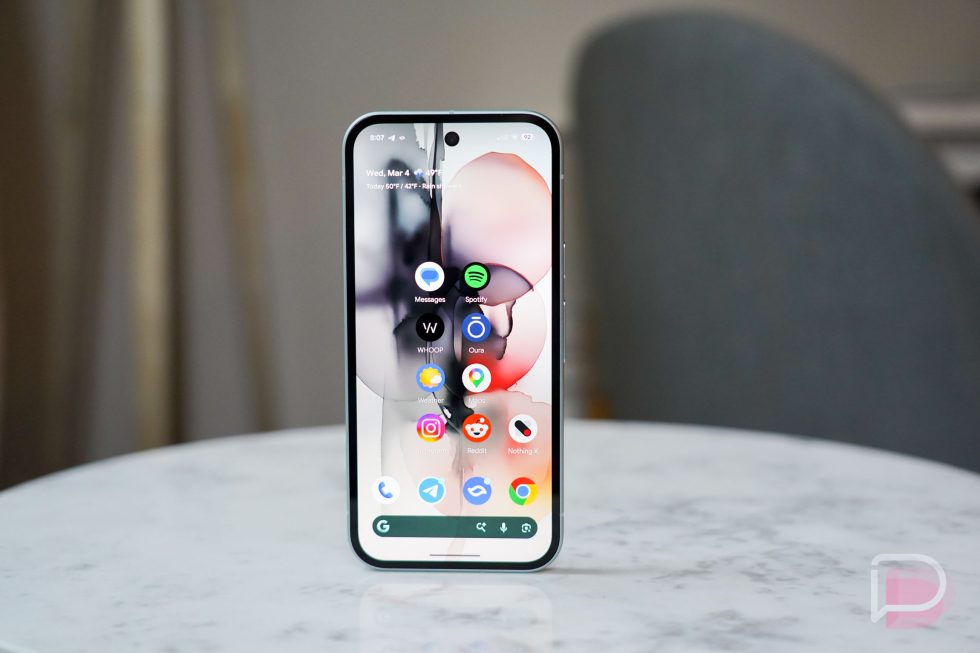
    Pixel 10a Review - software

    Software. Out of the box, the Pixel 10a ships with Android 16, but because this is a Pixel phone, it’ll see support for 7 years. During those 7 years, it’ll get updated to the latest versions of Android (like the upcoming Android 17 update) before any other device, it’ll see monthly security patches for the first several years, and Google plans to regularly provide new features by way of Pixel Feature Drops. Oh, don’t forget that you can always run whatever the newest beta software is too, which makes this a great phone for those who like to have the newest of the new and tinker.

    When using the Pixel 10a, you get the Pixel software experience. This is a somewhat clean version of Android with all of Google’s newest ideas on top. This has Google’s Material 3 Expressive skin on top that is very colorful, playful, and unique. You get the Pixel Launcher, which might be showing its age with its lack of improvements and features. All of Google’s apps are here, there are plenty of sound and display settings to tweak, and the “Wallpaper & style” area really lets you customize the phone’s overall look to your liking.

    Of course, there is Gemini at the ready and plenty of AI or smart features along for the ride. You can access Gemini Live, Circle to Search, Call Assist, Live Translate, and the Pixel Weather app. The camera has a Camera Coach, Add Me, Auto Best Take, and Top Shot, plus there are Google Photos editing features, like Magic Eraser.

    Google is also including Satellite SOS support, VPN by Google, access to Quick Share to AirDrop, and several safety features, like Theft Protection, Safety Check, and Car Crash Detection. For the most part, this phone has what other Pixel phones have, outside of the Magic Cue stuff that the other Pixel 10 phones launched with.

    I just like the Pixel experience, so I don’t really have complaints about the software on the Pixel 10a. This software looks pretty, has the right mix of features, will continue to get new features, and I know that I’ll get to play with the latest in Android by owning one.

    Display is good enough. The 6.3″ Actua display that Google tossed into the Pixel 10a weighs in with a 1080p resolution and 60-120Hz refresh rate. It gets slightly bright at the peak with 3000 nits brightness, but other than that, this is basically the same display as the Pixel 9a.

    You have excellent viewing angles, a low-end brightness that is perfect for late night sessions, a color profile that is more muted than offensively punchie, and a really nice dark theme. It’s quick to respond, although I wouldn’t necessarily call it the fastest phone I’ve used recently. There is a touch sensitivity setting called “Increased sensitivity” that is supposed to “Make your screen more responsive to lighter touches” and I actually think it works. Once I enabled that, I really noticed a quicker display that was so much more enjoyable to use.

    It’s auto-brightness is also a bit aggressive at the wrong times and Google has enabled an obnoxious behind-the-scenes feature that will shorten your screen timeout time without telling you. But otherwise, this isn’t a solid budget display that’s smooth during most uses, gets bright enough and dark enough, and should have more protection than the Pixel 9a, thanks to Gorilla Glass 7i.
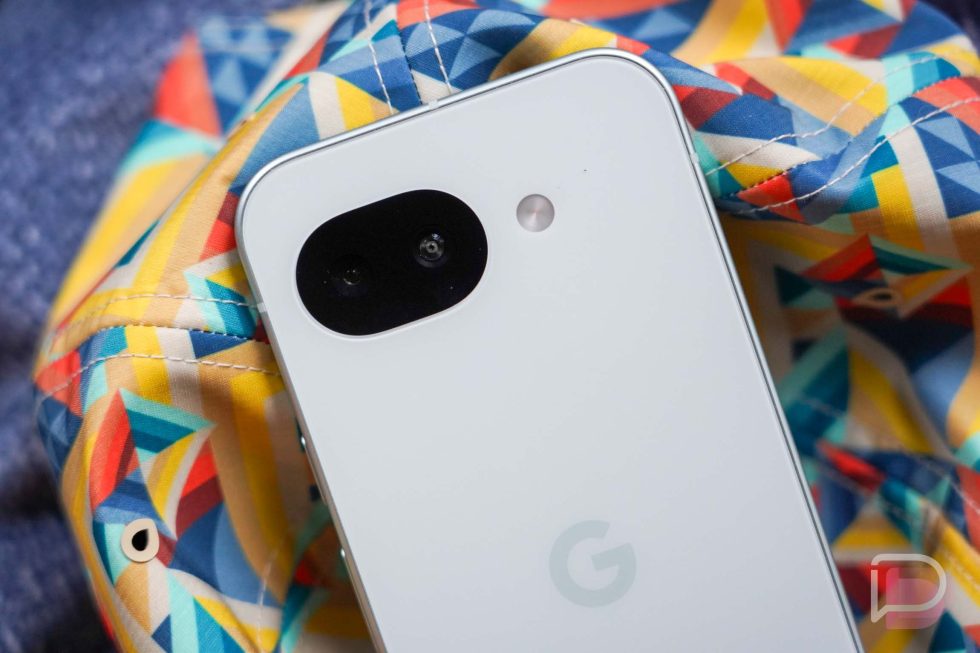
    Pixel 10a Review - camera

    Camera. The cameras in the Pixel 10a match those in the Pixel 9a, so that means a 48MP main sensor next to a 13MP ultra-wide camera. There’s nothing exceptional about this camera system, but it should get the job done in most situations.

    This camera isn’t always the quickest thing to load, but once it does, you can snap off pictures in a hurry. This thing, once opened, is a quick little camera that should help you capture your dog or kids and not miss many shots. It utilizes Google’s excellent camera app with controls that make sense and enough settings to let you act somewhat professional.

    The images this camera produces are certainly on the more natural side. Google isn’t ramping contrast as hard as some other cameras I’ve tested recently, has kept images a little warmer and possibly flatter, and isn’t going too nuts with shadows. It’s portrait mode is a bright spot, like with most Pixel devices, indoor shots are often crisper than you expect, and it’s landscape shots look more realistic or true-to-eye than other mid-range cameras that I can’t currently name-drop (soon!). A good way to describe this camera would be balanced. This camera is basically doing the minimum it needs to in order to let you feel confident in it.


    Pixel 10a Camera Samples-1

    Pixel 10a Camera Samples-1

    Pixel 10a Camera Samples-1

    Anything to be concerned about?

    Performance is just OK. The Pixel 10a runs the same Tensor G4 chip with 8GB RAM as the Pixel 9a. In my 9a review, I mentioned that the performance was “good enough,” but with this phone in 2026, I’d possibly lean towards the performance being close to not good enough. I say that because I’ve spent the majority of the last year with phones that are incredibly fast and smooth, like the OnePlus 15, Galaxy Z Fold 7, Pixel 10 Pro, and iPhone 17 Pro. Going from those phones down to this makes it instantly clear that this is a budget phone.

    What I mean by that is that the Pixel 10a has noticeable hiccups here and there. Apps do stutter at times. Games certainly don’t hit the same frame rates you come to expect. And sometimes the camera is just a touch slower to load after a break than you might want. At this price, I don’t think performance is going to matter to most people and it’ll be fine. Just know that this phone isn’t going to shock you with its smoothness and will instead more than likely remind you here and there that it is a $500 device.

    I also have to point out this display / lock screen wake-up issue. I’m really hoping this is a bug that can be fixed, but this phone struggles at times to wake properly. You can pull it out of your pocket and the display refuses to acknowledge touches. So that means the fingerprint reader doesn’t work, tapping the display won’t wake it, and you’ll have to physically click the side buttons to force the phone awake, which then allows for normal usage. But this has been happening since I took the phone out of the box and I hope Google can find a fix for it.
    Pixel 10a Review

    Should you buy the Pixel 10a?

    Recommending the Pixel 10a is pretty easy. This is a well-made phone with a good mix of specs, solid hardware, and great software that will only cost you $499. Google almost always discounts its phones too, so you really shouldn’t ever pay that much for it.

    Should you buy it if you own a Pixel 9a or if you are out shopping and there’s a Pixel 9a sitting next to it?  Absolutely not. This is a phone you buy if you are on a budget and coming from a Pixel 8 or older phone, have ditched iOS and want to sample the Pixel life, or have decided it’s time to move on from Samsung and don’t want to break the bank with a Pixel 10 Pro. But this phone is no different than the Pixel 9a, so if you see a 9a and it’s on sale with a big discount, you pull the trigger on that first.

    This is a phone that is well worth its $499 price and quickly becomes a steal when Google discounts it, which they will. It’s a good phone even it’s not bringing anything new to the table.
  • You Should Get This Pixel 10 Pro for $400 Off

    You Should Get This Pixel 10 Pro for $400 Off

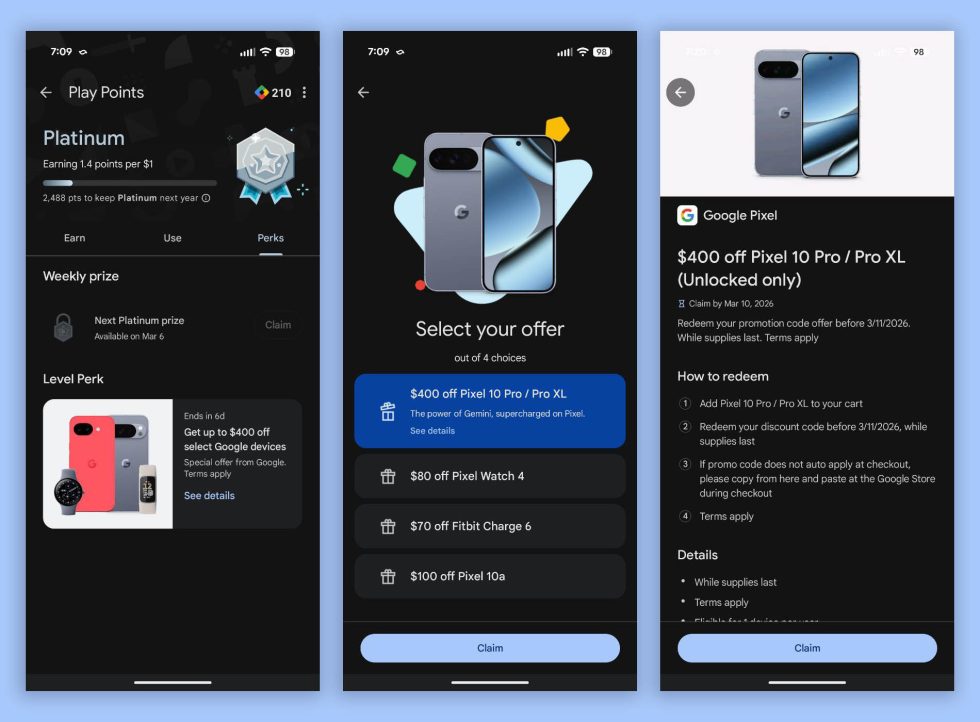
    One of the best Pixel 10 Pro deals we’ve seen has arrived as a targeted promo through Google Play. Select users can receive $400 off the Pixel 10 Pro or Pixel 10 Pro XL, or they can take a big chunk out of the price of the Pixel Watch 4, Fitbit Charge 6, or Pixel 10a if those Pro models aren’t needed.

    With a $400 off discount, a Pixel 10 Pro could be yours for just $599. A Pixel 10 Pro XL would drop to $799. You could also take $100 off the brand new Pixel 10a, which would drop its starting price to $399. You won’t find a better price on any of these phones. These are discounts that we don’t see often.

    This targeted Google Play offer can be found by opening Google Play on your phone, heading into the “You” tab, and then tapping on your Play Points box at the top. This should take you to the Play Points page with tabs for Earn, Use, and Perks. Tap into Perks and you may see this “Get up to $400 off select Google devices” offer.

    Pixel 10 Pro Deal - Google Play

    As you can see above, tapping that promo gives you the “Select your offer” page, where you get to choose which device you want a discount on. Just be aware that once you “Claim” an offer, you can’t change your mind and switch the discount to a different device. The offer also states that you need to “Redeem your discount code before 3/11/206,” so don’t hesitate to make this happen.

    If you go with the Pixel 10 Pro and Pixel 10 Pro XL offer, you’ll claim it and then head to the Google Store where the code should auto-apply at checkout. If you don’t have time to place an order today, the offer will remain claimed in your Play Points area. Revisiting the page above will give you a promo code to use before that March 11 expiration.

    After looking through the terms, Google hasn’t made it that clear about who qualifies for this offer. It only says “This offer is available to select participants based on past Play activities, which may include purchase histories.”

    Go check to see if you have it!

  • March Pixel Update Includes 15+ Bug Fixes

    March Pixel Update Includes 15+ Bug Fixes

    Google delivered the March update to Pixel devices this morning, not just packed with features, but also plenty of bug fixes. If you’re more into the new stuff, you can see our writeup here, but if you want to know about squashed bug, then this post is for you.

    In total, there are 16 bug fixes and improvements. Google highlights a fix for an issue that caused audio crashes, a fix for a camera crash, fixes for issues affecting the display and graphics, multiple framework bug fixes, as well as two fixes for the user interface. Each fix is detailed below, along with which device it caused issues on.

    Here are all of the bug fixes included in the March update for Pixel devices. 

    What’s Included


    Audio

    • Fix for a delay in displaying the speaker icon when adjusting audio settings*[1]
    • Fix for issue occasionally causing audio crashes*[1]

    Camera

    • Fix for an issue that caused the camera service to crash, improving overall camera stability*[2]

    Display & Graphics

    • Fix for an issue causing system crashes and impacting overall Android stability*[2]
    • Fix for device screen freezing that occasionally renders the phone unusable*[3]
    • Fix for issues causing occasional fuzzy or incorrect display behavior*[3]
    • Fix for the issue where the background blur briefly disappeared in the All Apps screen during search*[1]
    • Improvement for Pixel 10 GPU performance by optimizing the OpenCL driver to reduce overhead and increase benchmark scores*[3]

    Framework

    • Fix for an issue that could cause the UI to freeze in certain conditions*[2]
    • Fix for an issue that could cause a temporary freeze or unresponsiveness related to background processing of Android intelligence features*[1]
    • Fix for an issue that could cause the device to crash when certain services start up*[1]
    • Fix for issues where the device incorrectly reported battery status (e.g., abnormal temperature or missing battery), particularly when using a wireless charger*[3]

    Telephony

    • Fix for unexpected device instability that could cause temporary loss of cellular service*[2]
    • General improvements for network connection stability and performance in certain conditions*[2]

    User Interface

    • Fix for an issue that could cause an application to get stuck after quickly using recent apps and navigating home*[2]
    • Fix for the delay experienced when opening the audio output selector after playing music in the background*[1]

    —————————————————————————————————————

    Device Applicability

    Fixes are available for all supported Pixel devices unless otherwise indicated below. Some fixes may be carrier/region specific.

    *[1] Pixel 6, Pixel 6 Pro, Pixel 6a, Pixel 7, Pixel 7 Pro, Pixel 7a, Pixel 8, Pixel 8 Pro, Pixel 8a, Pixel Fold, Pixel Tablet, Pixel 9, Pixel 9 Pro, Pixel 9 Pro XL, Pixel 9 Pro Fold, Pixel 9a, Pixel 10, Pixel 10 Pro, Pixel 10 Pro XL, Pixel 10a
    *[2] Pixel 9, Pixel 9 Pro, Pixel 9 Pro XL, Pixel 9 Pro Fold, Pixel 9a, Pixel 10, Pixel 10 Pro, Pixel 10 Pro XL, Pixel 10 Pro Fold
    *[3] Pixel 10, Pixel 10 Pro, Pixel 10 Pro XL, Pixel 10 Pro Fold

    // Google Support

  • Pixel 6 and Pixel 7 Updates are Missing: Here’s What is Happening With Your Pixel

    Pixel 6 and Pixel 7 Updates are Missing: Here’s What is Happening With Your Pixel

    The expected Pixel update schedule has changed in recent months for the Pixel 6 and Pixel 7 series.

    Both the Pixel 6 and Pixel 7 series of phones should still be supported through 2026, 2027, and beyond, we’re just starting to question what the cadence for updates will be going forward. I bring this up because folks who own these devices are likely wondering where their updates are after several misses in recent months, starting around July 2025.

    Google has issued monthly updates for its Pixel devices from the day they were introduced, so a missed month or two is a noteworthy event. For a device to miss updates for several months is really something that should be drawing some attention. That in mind, no where in Google’s official documentation does it say that their Pixel devices are guaranteed to receive monthly updates, but that’s how they have sent them. Their support documents simply state the number of years of expected support.

    We’ve asked Google to give us more information on what we believe is a change in the update schedule for the Pixel 6 (and Pixel 7), but they have so far not gone into specifics, only suggesting that all of the still-supported Pixel devices are “compliant.” When we asked what was up with Pixel 6 updates, they responded with the following:

    “Pixel phones will remain security compliant for the full duration of their support windows, which can be found here.

    Your device will remain private and secure through Pixel specific patches, Google Play System Updates and fixes through the Android Security Bulletin. You can also expect your phone to get better over time with regular Pixel Drops and updates to the latest OS for the device’s full support window.”

    Because of that vague statement, we thought it was time to start a running timeline of updates for these devices to help you keep track of what the current releases are for each. And just maybe, this will give us some clarity around expectations going forward.

    Pixel 6 and Pixel 6 Pro update timeline, current build: The current Pixel 6 and Pixel 6 Pro update you should be on is CP1A.260305.016.

    • June 2025 update: Received on June 10 as the first stable Android 16 build (BP2A.250605.031.A2)
    • July 2025 update: Did not receive a July update
    • August 2025 update: Did not receive an August update – received another June build in August (BP2A.250605.031.A5)
    • September 2025 update: Received on September 3 as QPR1 and build (BP3A.250905.014)
    • October 2025 update: Did not receive October update
    • November 2025 update: Did not receive November update
    • December 2025 updateReceived on December 2 as December quarterly update (QPR2, BP4A.251205.006)
    • January 2026 update: Did not receive January update
    • February 2026: Did not receive February update
    • March 2026: Received on March 3 as March quarterly update (QPR3, CP1A.260305.016)

    NOTE: Google hasn’t confirmed, but it looks like the Pixel 6 and Pixel 6 Pro are officially on a quarterly update schedule. 

    Pixel 6a update timeline, current build: The current Pixel 6a update you should be on is CP1A.260305.016.

    • June 2025 update: Received on June 10 as the first stable Android 16 build (BP2A.250605.031.A2)
    • July 2025 update: Received on July 8 with July security patch (BP2A.250705.008)
    • August 2025 update: Received another July build (BP2A.250705.008.A1)
    • September 2025 update: Received on September 3 as QPR1 and build (BP3A.250905.014)
    • October 2025 update: Did not receive October update
    • November 2025 update: Did not receive November update
    • December 2025 update: Received on December 2 as December quarterly update (QPR2, BP4A.251205.006)
    • January 2026 update: Did not receive January update
    • February 2026: Did not receive February update
    • March 2026: Received on March 3 as March quarterly update (QPR3, CP1A.260305.016)

    NOTE: Google hasn’t confirmed, but it looks like the Pixel 6a is officially on a quarterly update schedule.

    Pixel 7 and Pixel 7 Pro update timeline, current build: The current Pixel 7 and Pixel 7 Pro update you should be on is CP1A.260305.016.

    • June 2025 update: Received on June 10 as the first stable Android 16 build (BP2A.250605.031.A2)
    • July 2025 update: Received on July 8 with July security patch (BP2A.250705.008)
    • August 2025 update: Received on August 5 with August security patch (BP2A.250805.005)
    • September 2025 update: Received on September 3 as QPR1 and build (BP3A.250905.014)
    • October 2025 update: Received on October 8 with October security patch (BP3A.251005.004.B1); received 2nd October update on October 30 (BP3A.251005.004.B2)
    • November 2025 update: Did not receive November update
    • December 2025 update: Received on December 2 as December quarterly update (QPR2, BP4A.251205.006)
    • January 2026 update: Did not receive January update
    • February 2026: Did not receive February update
    • March 2026: Received on March 3 as March quarterly update (QPR3, CP1A.260305.016)

    NOTE: Google hasn’t confirmed, but it looks like the Pixel 7 and Pixel 7 Pro are officially on a quarterly update schedule.

    Pixel 7a update timeline, current build: The current Pixel 7a update you should be on is CP1A.260305.016.

    • November 2025 update: Received on November 11 with November security patch (BP3A.251105.015)
    • December 2025 update: Did not receive December update
    • January 2026 update: Received on January 12 with January security patch (BP4A.260105.004.E1)
    • February 2026: Received update on February 3 with February security patch (BP4A.260205.001)
    • March 2026: Received on March 3 as March quarterly update (QPR3, CP1A.260305.016)

    NOTE: The Pixel 7a first missed the December update and has received the January, February, and March 2026 patches. Still, because of the December miss, we’re now tracking it.

    We’ll continue to update this post each month unless the updates start showing up monthly again. We’ll also add devices if they slip from the monthly cadence.

    UPDATED MARCH 3, 2026 WITH INFO ON MARCH UPDATE. THERE’S NO OTHER WAY TO LOOK AT THIS THAN GOOGLE MOVING PHONES TO QUARTERLY UPDATE SCHEDULES WITHOUT ANNOUNCING IT.