Category: Apps

The latest selection of Android apps, both free and paid, are found right here. If you were looking for that fresh list of trending Android apps, we have you covered on a daily basis. Want to know the newest Android application releases first? Want to know which Android applications are free for a limited time?

Whether it’s Gmail, Google Calendar, Twitter, YouTube, and Instagram, or lesser known apps like Nova Launcher, Trello, Sling TV, and Philips Hue, you will know the best Android apps at all times.

Got a suggestion for a new app you think we should check out? We are all ears and regularly accept user-submitted applications, so that you won’t pay until you know if we approve.

  • Adobe Lightroom Picks Up New Auto Tool, Plus App Shortcuts on Android

    Adobe Lightroom Picks Up New Auto Tool, Plus App Shortcuts on Android

    Adobe Lightroom, the photo editor that I’m not sure I could ever live without at this point, received a big update to its Auto tool across the entire Lightroom ecosystem. An update for Android also brings a Nougat feature, as well as other bug fixes.

    For the new Auto tool, Adobe says they “completely reworked” it using their Adobe Sensei AI platform. When you tap “Auto” now, you should get a “better photo,” thanks to an analysis that compares “thousands of professionally edited photos” in order to get you results. Again, the new Auto is on all Lightroom releases.

    Additionally, Android users on Nougat+ can use App Shortcuts (long-press on the app icon) to launch into popular modes. You’ll also find “more control” over storage management, as well as a bunch of bug fixes. The full list of those changes is below:

    • App Shortcuts — For Android Nougat and later devices, tap and hold on the app icon to quickly launch the app into popular modes.
    • More control for managing storage.
    • Resolved an issue that prevented some Huawei customers from importing images.
    • Resolved an issue that caused a crash for some Pixel 2 customers on export.
    • Resolved a problem that prevented some Samsung customers from installing the previous version.
    • Bug fixes and speed improvements.

    Google Play Link

    // Adobe

  • You Can Now Follow Hashtags on Instagram

    You Can Now Follow Hashtags on Instagram

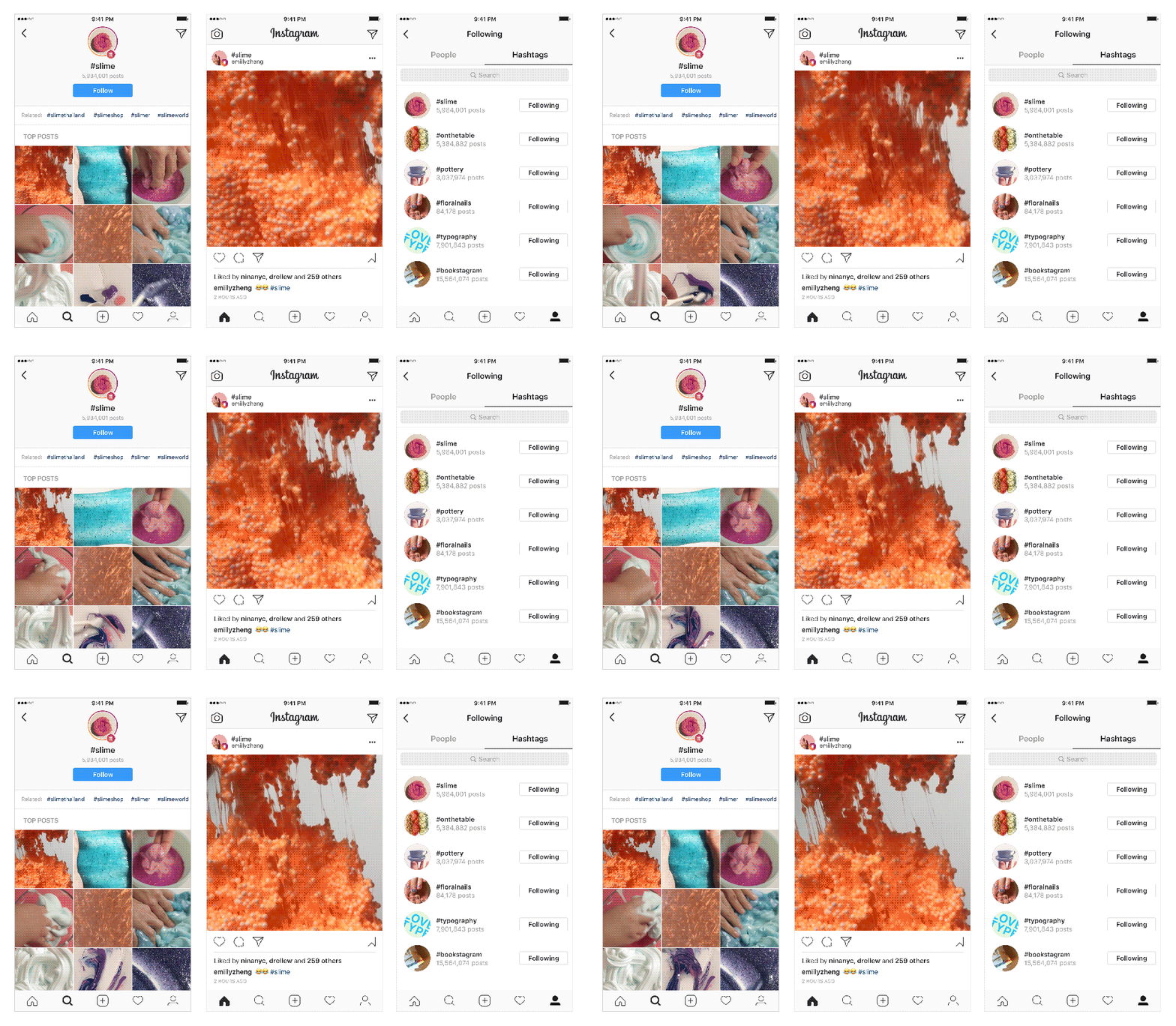
    Instagram introduced the ability of following a hashtag this morning, which is major news for #slime lovers and #nofilter connoisseurs.

    Just like you’d follow an actual person, whenever you follow a hashtag, you’ll see the top results for that particular hashtag in your feed. You’ll even see Stories from them.

    From what I can tell, you can follow any hashtag, no matter how obscure. Taken from Instagram’s post, “When you find a hashtag you like, open the hashtag page and tap on the follow button. You’ll begin seeing top posts from that hashtag in your feed and some of the latest stories in your stories bar.”

    I updated my Instagram app this morning and am still not seeing this feature, but my assumption is that it’s rolling out and could take a couple of days to arrive for everyone.

    So, what hashtag are you going to follow?

    // Instagram

  • YouTube TV Picks-Up Mega Expansion to 34 New Markets

    YouTube TV Picks-Up Mega Expansion to 34 New Markets

    YouTube TV pushed into 34 new markets today, according to a Google Support listing for the service. By our count, Google’s TV streaming option jumped from 49 markets in September to 84 today.

    The new YouTube markets to join the list are:

    • Albany
    • Baton Rouge
    • Buffalo
    • Cedar Rapids
    • Chattanooga
    • Colorado Springs
    • Des Moines
    • Flint
    • Fresno-Visalia
    • Ft. Myers-Naples
    • Ft. Smith-Fayetteville-Springdale-Rogers (Arkansas)
    • Grand Rapids
    • Green Bay
    • Greenville (either SC or NC, whichever didn’t have it last time)
    • Huntsville-Decatur (Alabama)
    • Jackson (Mississippi)
    • Knoxville
    • Little Rock
    • Madison
    • New Orleans
    • Omaha
    • Paducah-Cape Girardeau-Harrisburg
    • Portland-Auburn (Maine)
    • Providence
    • Roanoke-Lynchburg (Virginia)
    • Rochester (New York)
    • Savannah
    • Shreveport
    • South Bend-Elkhart (Indiana)
    • Spokane
    • Springfield (Missouri)
    • Toledo
    • Tucson
    • Tulsa
    • Waco

    YouTube TV still costs just $35 per month, includes really slick apps on mobile and Android TV, has built-in free DVR, and has a pretty solid channel lineup. It isn’t perfect, though. In my opinion, the lack of Turner networks (TNT, TBS, etc.), as well as missing Food and Travel Channels are close to being dealbreakers. At $35, you may not mind.

    I’ve been using the service for a good couple of months now after ditching Playstation Vue and really like it. Outside of the missing channels, I don’t really have many complaints. An added bonus is picture-in-picture if you are on Oreo, so you can enjoy your Kardashians recordings even as you F5 the hell out of the latest Kylie lipkit drop.

    You can sign-up for YouTube TV right here.

    UPDATE: The YouTube TV Twitter account says it’s actual 34 markets, not 35. We’ve updated the post.

    // Google Support

  • Google Launches Two New Experimental Photography Apps for Android

    Google Launches Two New Experimental Photography Apps for Android

    Google launched three new photography applications this week, two of which are available for Android, with the third being exclusive to iOS. The apps are called Storyboard, Selfissimo!, and Scrubbies (iOS exclusive).

    As Google puts it in a recent blog post, “The next generation of cameras will have the capability to blend hardware and computer vision algorithms that operate as well on an image’s semantic content, enabling radically new creative mobile photo and video applications.”

    While that may sound like word salad to some, Google is working on what it calls “appsperiments,” which are photography experiences built using experimental technology.

    Enough talk, though, here are the details for each new app you can download right now.

    Storyboard 

    Storyboard can take any video on your phone and turn it into a single-page comic layout. The app automatically selects interesting frames from within the video, applies one of six visual styles, then you can choose to save the layout or pull down to refresh and produce a new one. According to Google, there are approximately 1.6 trillion different possibilities to discover.

    Selfissimo!

    Selfissimo! is catered to those who cannot get enough of their own face. When you open the app, you are met with a black and white image of yourself, then with each pose you strike, a photo is automatically taken by the camera. It can just be yourself, you with friends, or you with your dog. So long as poses are being struck, the camera will keep firing away, so try your best Blue Steel impression! Tap the screen to end the session and review the resulting contact sheet, saving individual images or the entire shoot.

    The last app, Scrubbies, is only available for iOS at this time, but I will at least detail it for you if you have an iPhone laying around. With it, you can easily manipulate the speed and direction of video playback to make video loops that highlight actions, capture funny faces, and replay moments. As Google explains, “Shoot a video in the app and then remix it by scratching it like a DJ. Scrubbing with one finger plays the video. Scrubbing with two fingers captures the playback so you can save or share it.”

    That does sound neat, but as I said, it’s only downloadable for iOS people. Sad face.

    Here are the download links, so go check them out and be on the lookout for other appsperiments coming from Google in the future.

    Download Links: Storyboard | Selfissimo |  Scrubbies (iOS Only)

    // Google

  • The Q, Another Live Trivia Game, Swoops in on Android Before HQ

    The Q, Another Live Trivia Game, Swoops in on Android Before HQ

    Last week, I wrote about HQ Trivia teasing an Android app launch. That news was a big deal because the game has been exclusive to iOS users since its launch a few months ago. Unfortunately for them, another live trivia show called The Q, has swooped in and launched on Android.

    The Q is much like HQ Trivia, with a host live streaming directly to your phone, asking increasingly harder questions, and a winner walking away with real money. The game kicks off at a specific time each time it goes live, so if you miss out on that particular day’s action, you’ll have to wait for the next show. Other than that, it’s your basic trivia game with general knowledge questions.

    The app is available for all Android users, and to give you a sense of how the game is played, I’ve embedded one of their full shows below. As you will, since this is a live stream, the host cuts out from time to time, but the questions appear to always make their way through to your phone. What good would a live trivia show be if you were eliminated based on their stream being of poor quality, anyway?

    Download and good luck! I’ll see you there tonight.

    Google Play Link

  • Google’s AR Stickers Arrive on Pixel and Pixel 2!

    Google’s AR Stickers Arrive on Pixel and Pixel 2!

    Google’s AR Stickers, a feature first revealed during the October 4 Pixel hardware event, is now available on all Pixel phones, including the original Pixel and new Pixel 2 lines. You’ll need to update a couple of apps in order to  get them, but we’ve got both linked below for quick access.

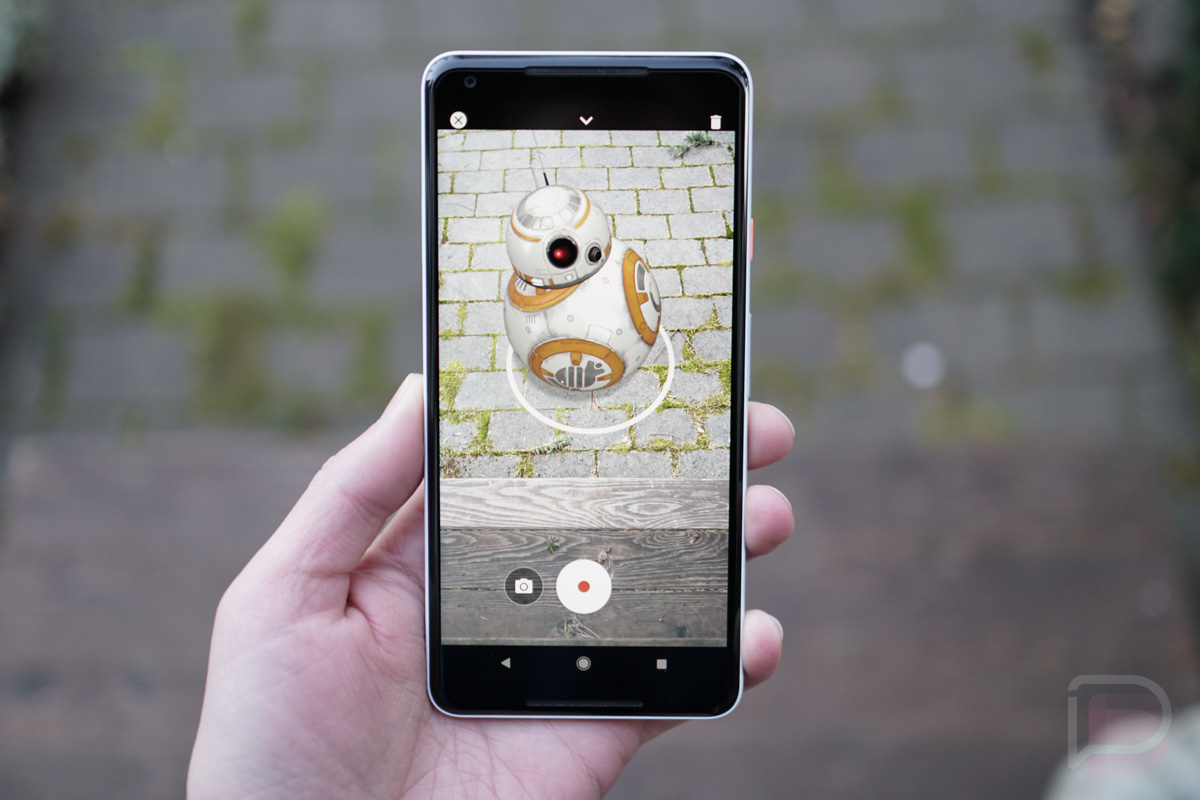
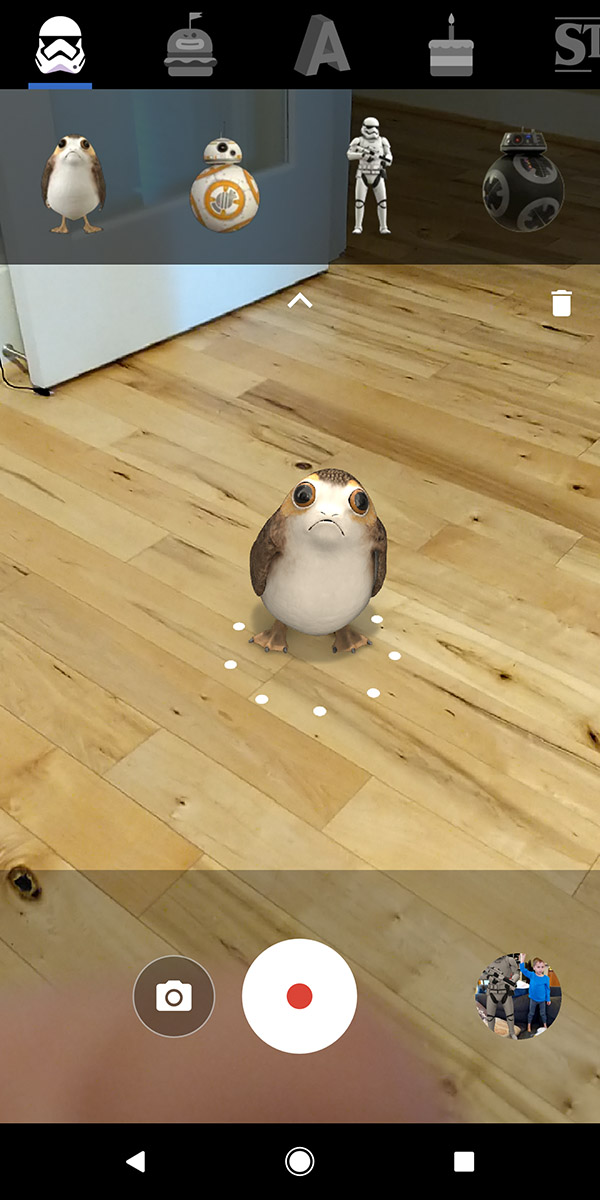
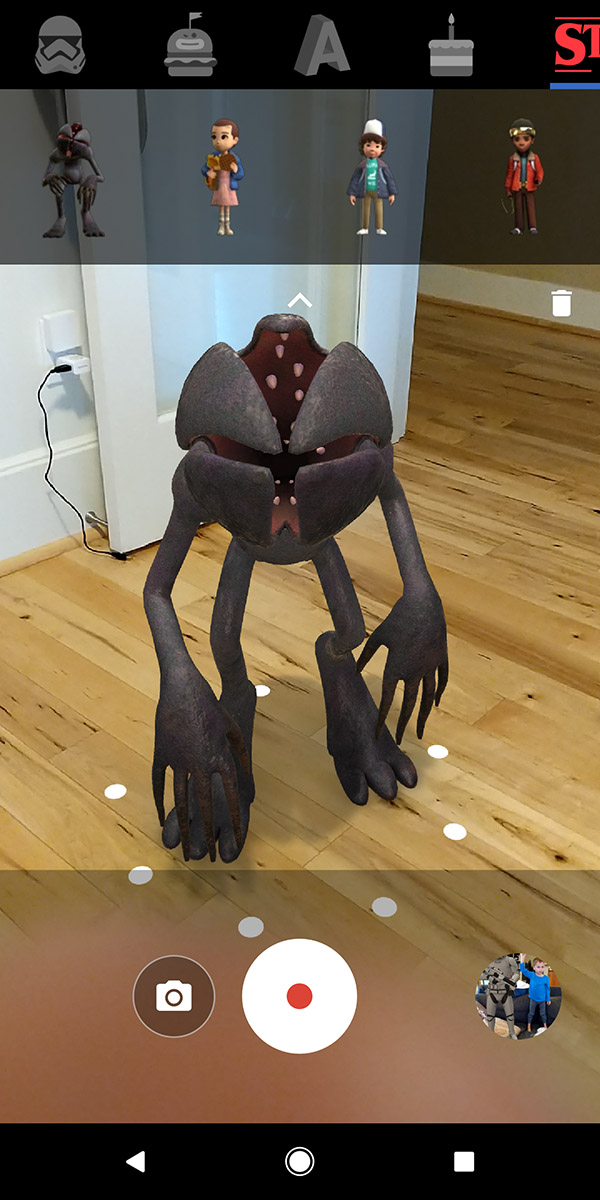
    What are AR Stickers? Google explains it as a Mode in your camera, which is exactly what it is. You open your camera, slideout the side menu to access modes, and then choose AR Stickers. From there, you’ll see a range of AR Stickers that can be added to your live scene. You just drag and drop them into your camera viewfinder and they’ll then be a part of your video or picture to spice up the action. To control them, feel free to use two fingers to pinch and zoom or drag them further to put each item in the right spot.

    ar stickers pixel ar stickers pixel

    Google has included a handful of Star Wars items, food-like emoji (“foodmoji”), the ability to type out words in various fonts, props, and Stranger Things characters.

    Again, you’ll need the updates below on your Pixel and then you should be all set.

    NOTE: You may need to be on Android 8.1. Everyone on 8.1 seems to be able to update, while those not yet on 8.1 are getting a “not compatible” listing.

    Google Play Links:

    Cheers Eric!

  • Report: YouTube Remix, Yet Another Paid Music Service, to Launch in March

    Report: YouTube Remix, Yet Another Paid Music Service, to Launch in March

    According to a source of Bloomberg, YouTube is currently working on a new music subscription service known internally as Remix to compete with Apple Music and Spotify.

    If you’re as confused as we are, you have every right to be.

    Remix is apparently YouTube’s attempt to please music publishers with more revenue from music placed on its service. With YouTube continually pulling in major online traffic, a lot of which is dedicated to music streaming, music executives want in on the action.

    But what about YouTube Red, isn’t that good enough? Well, apparently not, and Remix will be more focused solely on music, not just removing ads from videos the user wants to watch. As the source states, Remix would include Spotify-like on-demand streaming of tunes and would also incorporate video clips from YouTube. If that sounds a lot like what YouTube already is, but with a monthly price attached, then now you know why Remix sounds ridiculous.

    Detailed in the report, YouTube is attempting to negotiate deals with Sony Music Entertainment and Universal Music Group to have them included in this service, with Warner Music Group already signed on.

    The service is reported to launch this upcoming March, so we’re sure to hear more about it as we get closer to that time.

    What’s your take on this news?

    // Bloomberg

  • Instagram Testing Separation of Messaging Into Standalone App

    Instagram Testing Separation of Messaging Into Standalone App

    For folks in Chile, Israel, Italy, Portugal, Turkey, and Uruguay, Instagram is testing a separation of messaging from its photo sharing service. The app is called Direct, and essentially, it’s like Facebook’s move to remove Messenger from the standalone Facebook app.

    When Direct is installed, the messaging function of the Instagram app disappears. Much like Snapchat, when you open Direct, it goes directly to the camera to help promote sharing. Beyond that, there’s just 2 screens, one for direct messages and one for your profile plus settings management. As a nice touch, if you continue swiping right, you’ll pop directly into the Instagram app.

    This is only a test for now, but if it goes over well, folks around the globe can expect this change. There’s no official timeline, but something to keep in mind.

    How do you feeling about the breaking down of popular apps and experiences into multiple apps? Does it make sense to you or do you wish companies would focus on housing everything under one roof?

    // The Verge